
Įvadas
This manual provides essential information for the assembly, operation, maintenance, and troubleshooting of your Deli Gaming Table E91511. Please read these instructions carefully before assembly and use to ensure proper function and longevity of your product.
Saugos įspėjimai
- Visada surinkite stalą pagal pateiktas instrukcijas.
- Ensure the desk is properly anchored to the floor to prevent tipping, especially when using heavy setups.
- Be cautious when moving the desk, as it may require two people due to its size and weight.
- Neperkraukite stalo viršydami nurodytos jo svorio talpos.
- Surinkdami mažas dalis laikykite vaikams nepasiekiamoje vietoje.
Pakuotės turinys
Before beginning assembly, verify that all components are present and undamaged. Refer to the included assembly instructions for a detailed list of parts and hardware. Typically, the package includes:
- Desktop surface (Metal and Composite)
- Desk legs (K-type carbon steel frame)
- Crossbars and support beams
- Surinkimo detalės (varžtai, veržlės, poveržlės)
- Assembly tools (if included, otherwise standard tools like a screwdriver may be required)
- Naudojimo instrukcija
Sąranka ir surinkimas
The Deli Gaming Table E91511 is designed for quick assembly with minimal tools. Follow the step-by-step instructions provided in the separate assembly guide included with your product. Ensure you have adequate space for assembly and consider having a second person assist with lifting and positioning larger components.
Generalinės asamblėjos žingsniai:
- Išpakuokite visus komponentus ir padėkite juos ant švaraus, minkšto paviršiaus, kad nesusibraižytumėte.
- Attach the K-shaped table legs to the main support frame using the provided hardware. Ensure all connections are secure.
- Carefully place the desktop surface onto the assembled leg frame. Align the pre-drilled holes.
- Secure the desktop to the frame using the remaining hardware. Do not overtighten.
- Verify all screws and bolts are tightened and the desk is stable before placing any equipment on it.

Image: Close-up of the K-shaped table legs, demonstrating the stable structure.
Naudojimo instrukcijos
The Deli Gaming Table E91511 offers a spacious and stable surface for various uses, including gaming, streaming, home office work, and student workstations.
- Wider Gaming Surface: The 120 cm width accommodates dual monitors or extra peripherals, providing amplaisvos vietos jūsų sąrankai.
- Ergonomiškas dizainas: The desk is designed for comfortable use, allowing for extended periods of activity without discomfort.
- Kabelių valdymas: Utilize the integrated 3D cable management box (if applicable) to keep your cables organized and your workspace tidy.
- Atlaikomoji galia: The desk is engineered for heavy setups and consistent use. Ensure weight is distributed evenly.
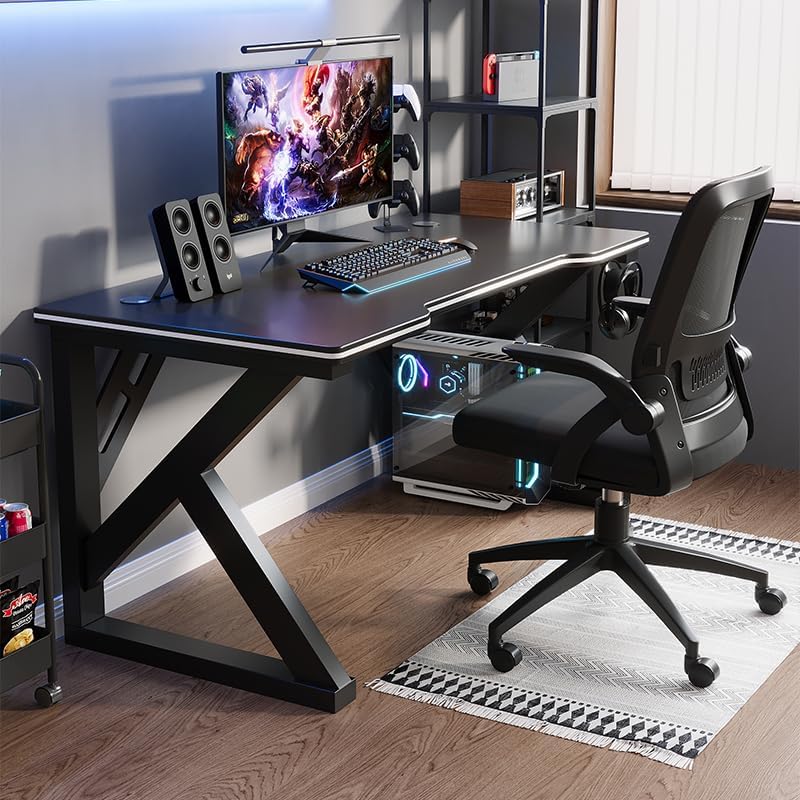
Image: A gaming setup on the Deli Gaming Table, illustrating its spacious surface.

Vaizdas: Iš viršaus į apačią view of a user at the Deli Gaming Table, highlighting ergonomic design.
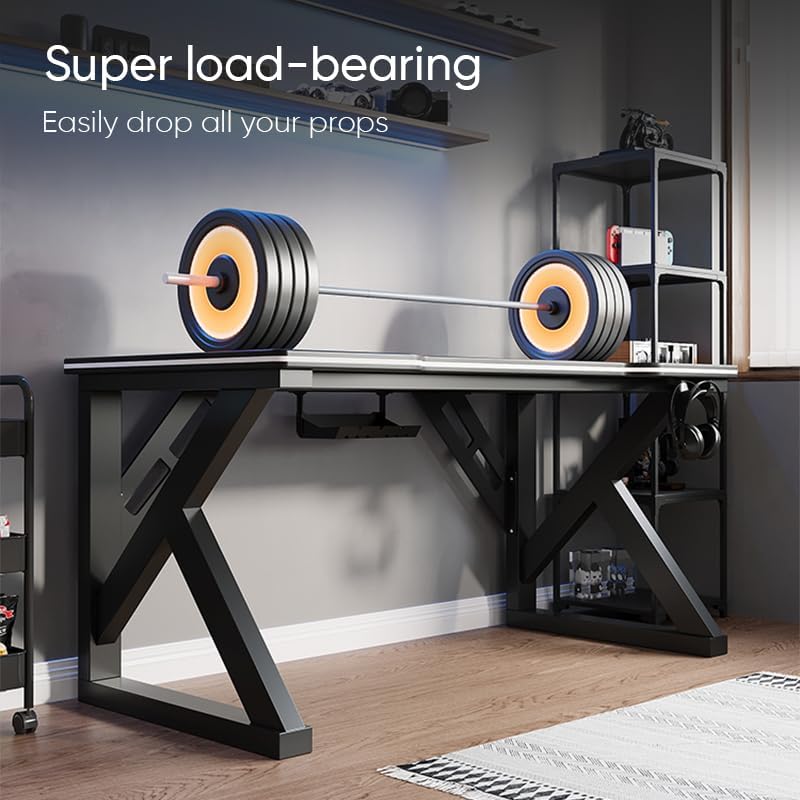
Image: The Deli Gaming Table demonstrating its load-bearing capability.
Priežiūra
Regular maintenance will help preserve the appearance and functionality of your Deli Gaming Table.
- Valymas: Wipe the desktop surface and legs with a soft, damp cloth. Avoid abrasive cleaners or harsh chemicals that could damage the painted finish or material.
- Išsiliejimai: Nedelsdami nuvalykite išsiliejusius skysčius, kad paviršius nebūtų pažeistas ar neliktų dėmių.
- Aparatinės įrangos patikrinimas: Periodiškai patikrinkite visus varžtus ir veržles, kad jie būtų tvirtai priveržti. Jei reikia, priveržkite, kad išlaikytumėte stabilumą.
- Rūdžių prevencija: While the desk is made of metal, prolonged exposure to moisture can lead to rust. Keep the desk in a dry environment and wipe away any moisture promptly.
Trikčių šalinimas
Stalas nestabilus arba nestabilus:
- Įsitikinkite, kad visi surinkimo varžtai ir veržlės yra visiškai priveržtos.
- Check that the desk is on a level surface. Adjust floor glides if present.
- Verify that all parts are correctly assembled according to the instruction manual.
Trūksta dalių arba jos pažeistos:
- Review the package contents list in your assembly manual.
- Contact customer support with your model number and a description of the missing or damaged part.
Surinkimo sunkumai:
- Atidžiai perskaitykite surinkimo instrukcijas, atkreipdami dėmesį į schemas.
- Įsitikinkite, kad kiekvienam žingsniui naudojate tinkamą įrangą.
- If issues persist, consider seeking assistance from another person.
Specifikacijos

Image: Dimensions of the Deli Gaming Table.
| Funkcija | Detalė |
|---|---|
| Modelio numeris | E91511 |
| Matmenys (P x G x A) | 120 cm x 60 cm x 75 cm |
| Spalva | Juoda |
| Medžiagos tipas | Metal and Composite (E1 grade material) |
| Rėmo medžiaga | K-type Carbon Steel Frame |
| Apdailos tipas | Dažytos |
| Prekės svoris | 13000 gramų |
| Reikalingas surinkimas | Taip |
| Rekomenduojami naudojimo būdai | Gaming, Streaming, Home Office, Student Workstation |
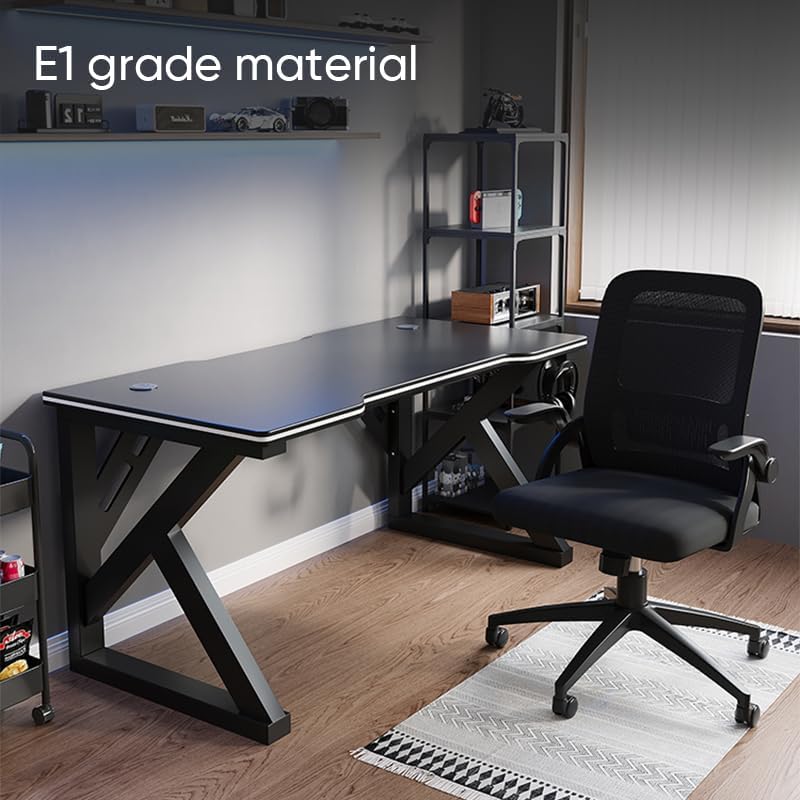
Image: The Deli Gaming Table highlighting E1 grade material.
Informacija apie garantiją
For specific warranty details regarding your Deli Gaming Table E91511, please refer to the warranty card included with your purchase or visit the official Deli websvetainė. Garantijos sąlygos paprastai apima gamybos defektus įprastomis naudojimo sąlygomis.
Pagalba klientams
If you have any questions, require assistance with assembly, or need to report a missing/damaged part, please contact Deli customer support through the following channels:
- Websvetainė: Visit the official Deli webpagalbos išteklių ir kontaktinių formų svetainė.
- El. paštas: Refer to your purchase documentation for customer service email addresses.
- Telefonas: Patikrinkite produkto pakuotę arba oficialų webklientų aptarnavimo telefono numerių svetainė.
Please have your model number (E91511) and proof of purchase ready when contacting support.