
Įvadas
This manual provides comprehensive instructions for the setup, operation, maintenance, and troubleshooting of your DeckTok Smart Floor Lamp, Model DP69-4. This 2800LM RGBWW standing lamp offers smart app and voice control capabilities, adjustable color temperature, and brightness to enhance your lighting experience.
Svarbi saugos informacija
- Prieš surinkdami ir naudodami atidžiai perskaitykite visas instrukcijas.
- Ensure the power adapter is disconnected before cleaning or maintenance.
- Šis gaminys skirtas naudoti tik patalpose.
- Neatskleiskite lamp vanduo arba per didelė drėgmė.
- Keep out of reach of children and pets to prevent tipping.
- Naudokite tik pateiktą maitinimo adapterį.
Pakuotės turinys
Prieš tęsdami surinkimą, patikrinkite, ar yra visi komponentai:
- Aukštas Lamp (Light Head, Pole Sections, Base)
- Maitinimo adapteris
- Vartotojo vadovas
Surinkimo instrukcijos
The DeckTok Smart Floor Lamp is designed for easy assembly. No additional tools are required.
- Įdiekite šviesos galvutę: Carefully screw the light head onto the top pole section.
- Prijunkite polių sekcijas: Screw the remaining pole sections together, ensuring they are securely tightened.
- Įdiekite bazę: Attach the assembled pole to the sturdy metal base by screwing it clockwise until firm.
- Prijunkite maitinimą: Prijunkite maitinimo adapterį prie lamp and then into a standard electrical outlet.
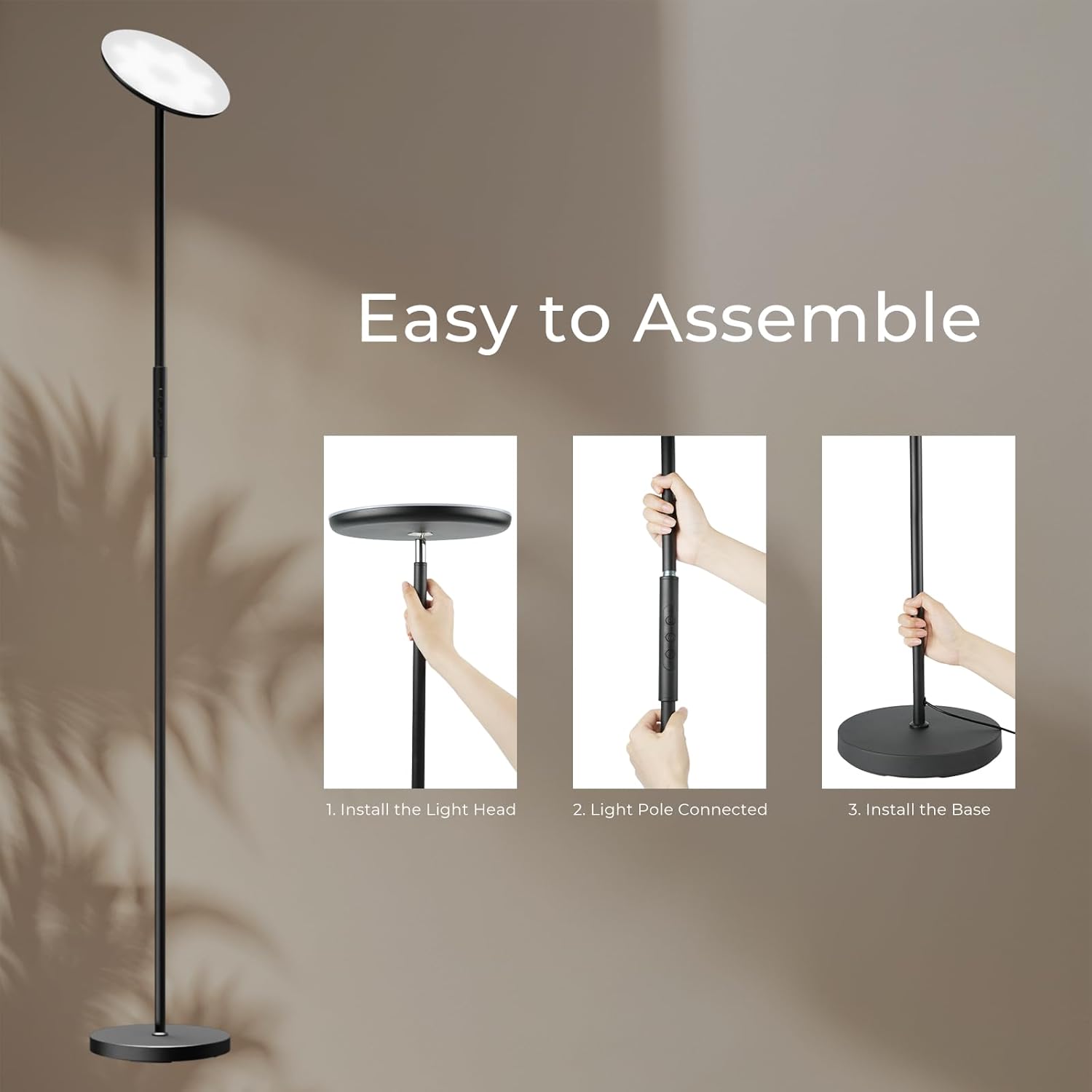
Image: Step-by-step assembly guide for the DeckTok Smart Floor Lamp.

Image: Visual guide for the easy installation process of the lamp.
Operacija
1. Palieskite Valdymas
Lamp features integrated touch buttons on the pole for direct control.
- Maitinimo mygtukas: Click to switch the lamp On/Off. Long press for 3 seconds to adjust brightness.
- Režimo mygtukas (M): Click to adjust the color temperature.
- Color Button (C): Click to adjust the light color (RGB).
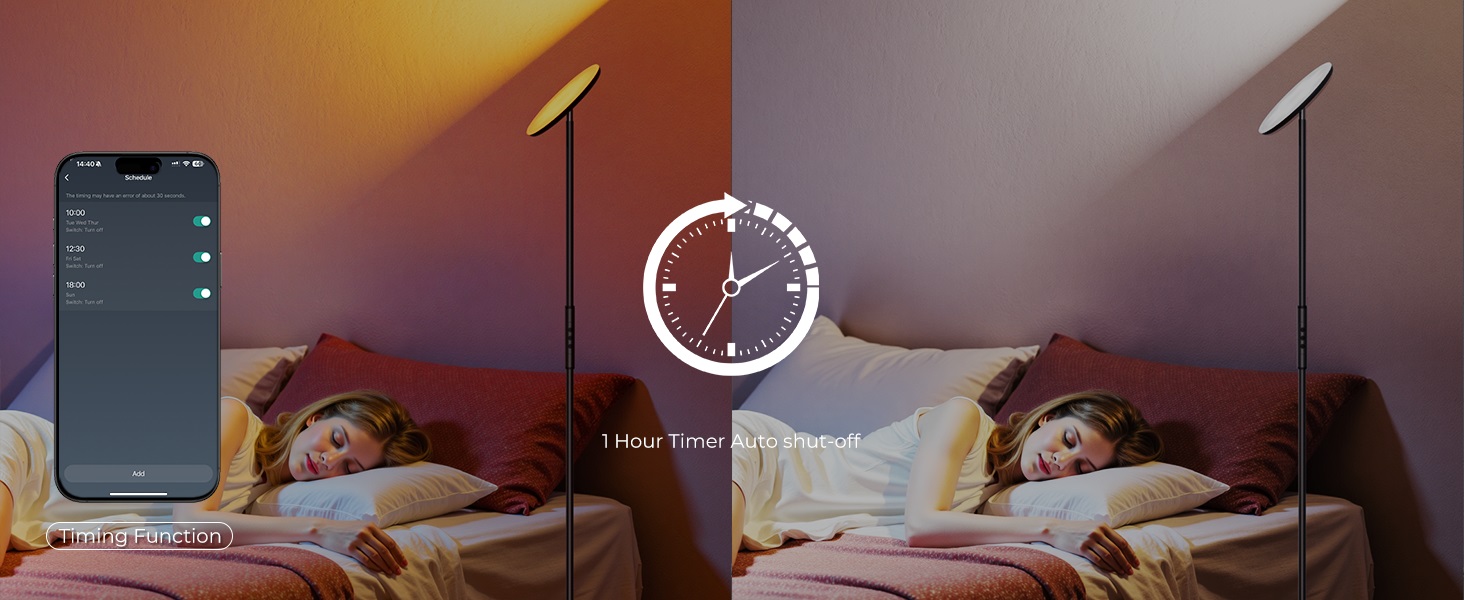
Image: Touch control buttons on the lamp stulpas.
2. Valdymas išmaniąja programėle
Kontroliuokite savo lamp using the dedicated smart application (Smart Life APP or Tuya Smart APP). The app allows for advanced customization and features.
App Connection and Pairing Instructions:
- Įsitikinkite, kad jūsų mobilusis įrenginys prijungtas prie 2.4 GHz Wi-Fi tinklo.
- Įjunkite susiejimo režimą:
- Jei grindų lamp is already flashing, it indicates APP Pairing Mode is active.
- Jei lamp is not flashing, unplug and replug the power adapter 6 times consecutively. The lamp will begin flashing, indicating it is in pairing mode.
- Open the Smart Life or Tuya Smart APP, and follow the on-screen instructions to add a new device.
- Once successfully paired, the lamp's button functions will activate, and you can control it via the app.
Vaizdas: Viršview of smart app and voice control options.
Programos funkcijos:
- Spalvos reguliavimas: Access 16 million colors (RGB) and dynamic modes.
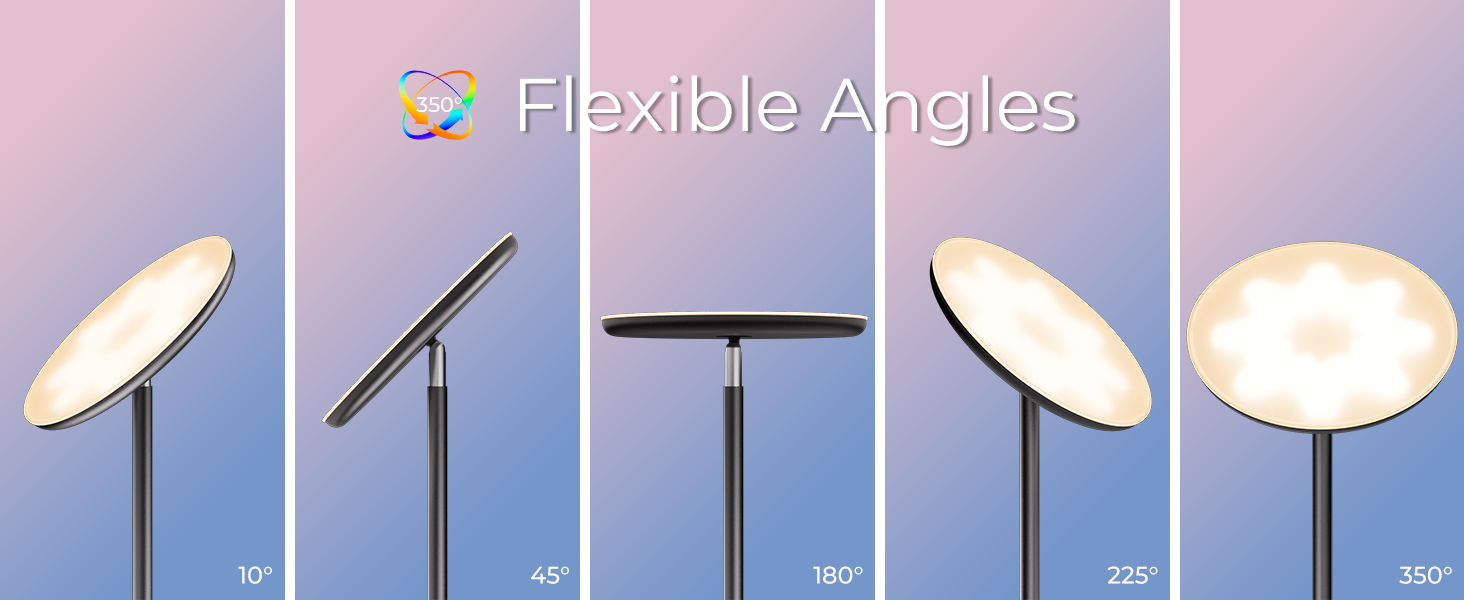
Image: RGB color selection via the smart app.
- Spalvų temperatūra ir ryškumas: Adjust color temperature from 2700K (warm white) to 6500K (cool white) and brightness from 1% to 100%.
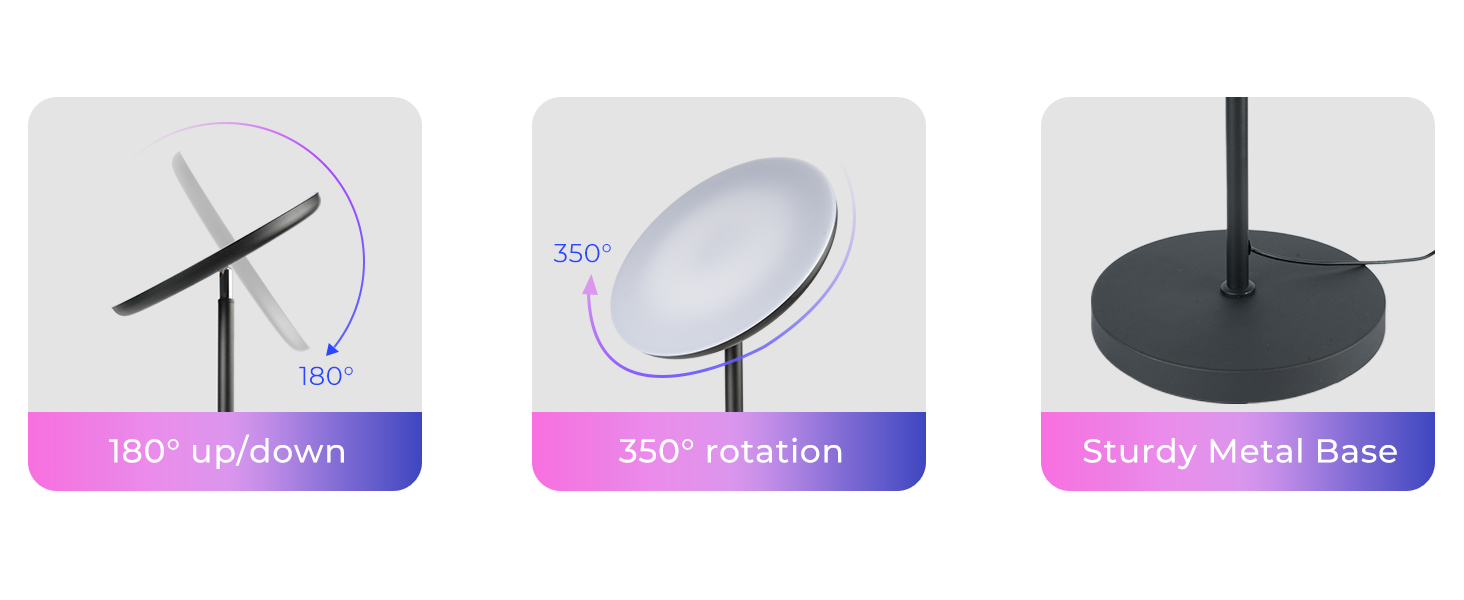
Image: Color temperature and brightness control via the smart app.
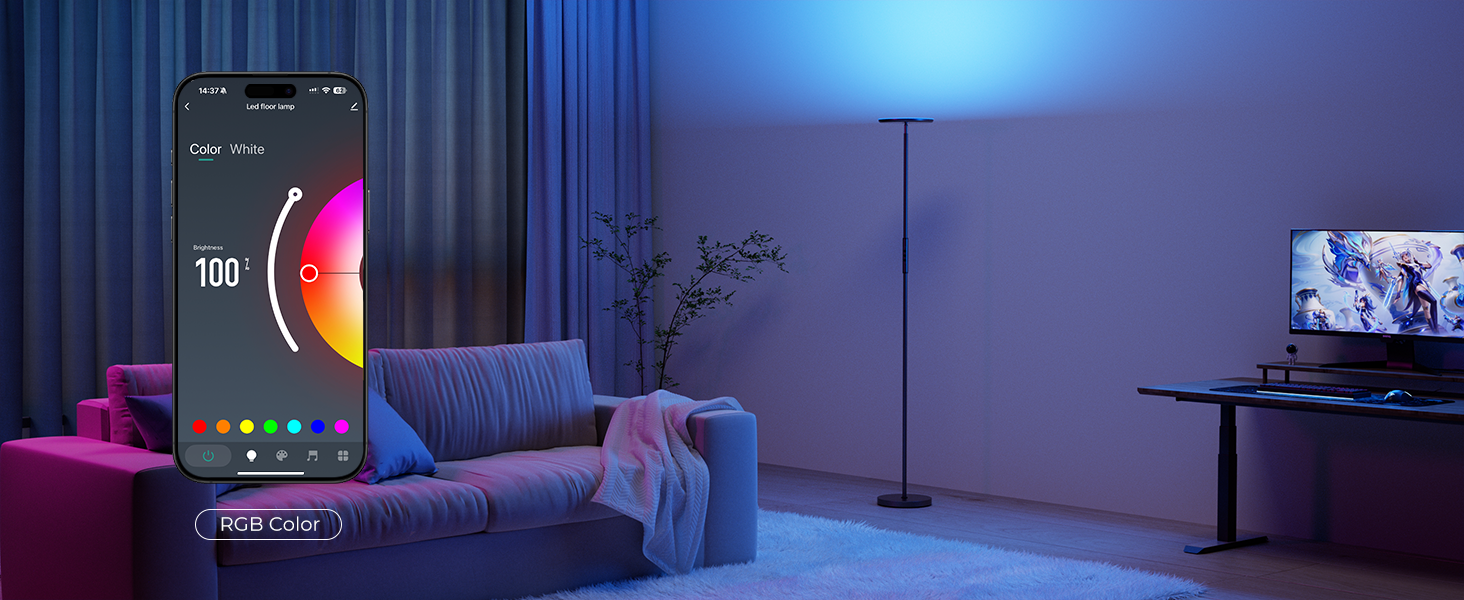
Image: Visual representation of adjustable color temperature and brightness.
- Scenos režimai: Select from 32 preset scene modes or create 10 DIY custom scenes.
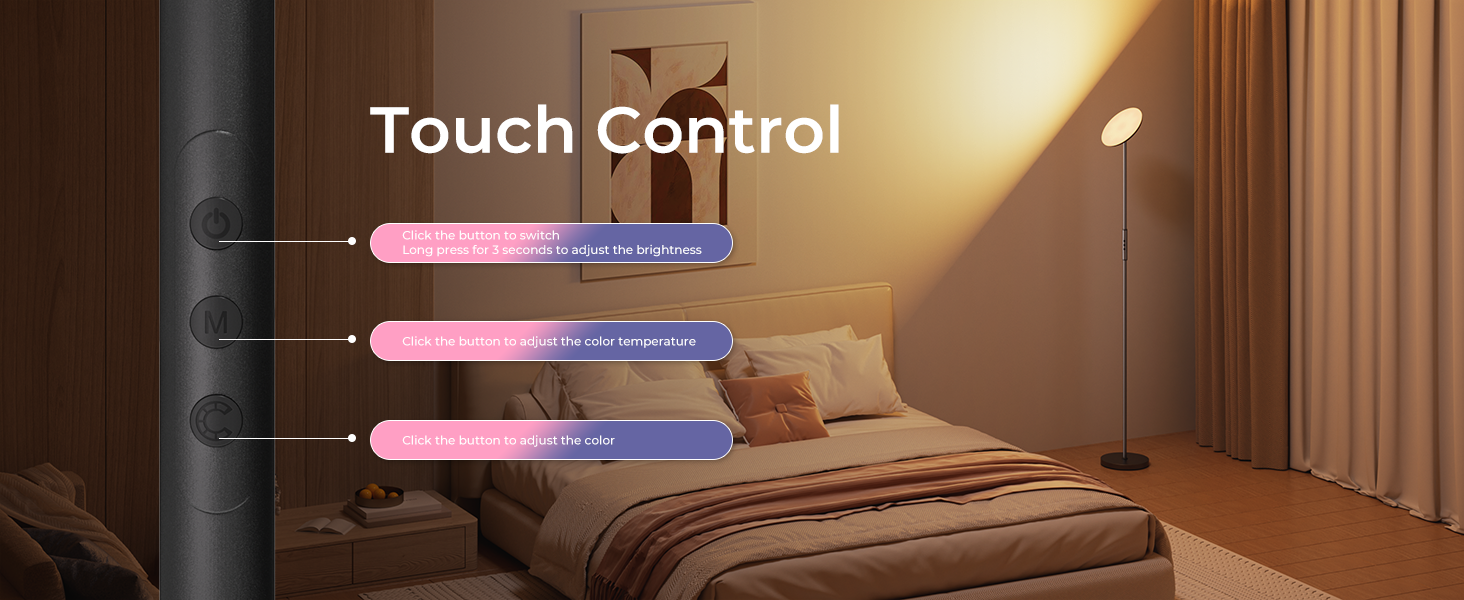
Image: Smart app interface for selecting scene modes.
- Muzikos sinchronizavimas: Synchronize the lamp's lighting effects with music.
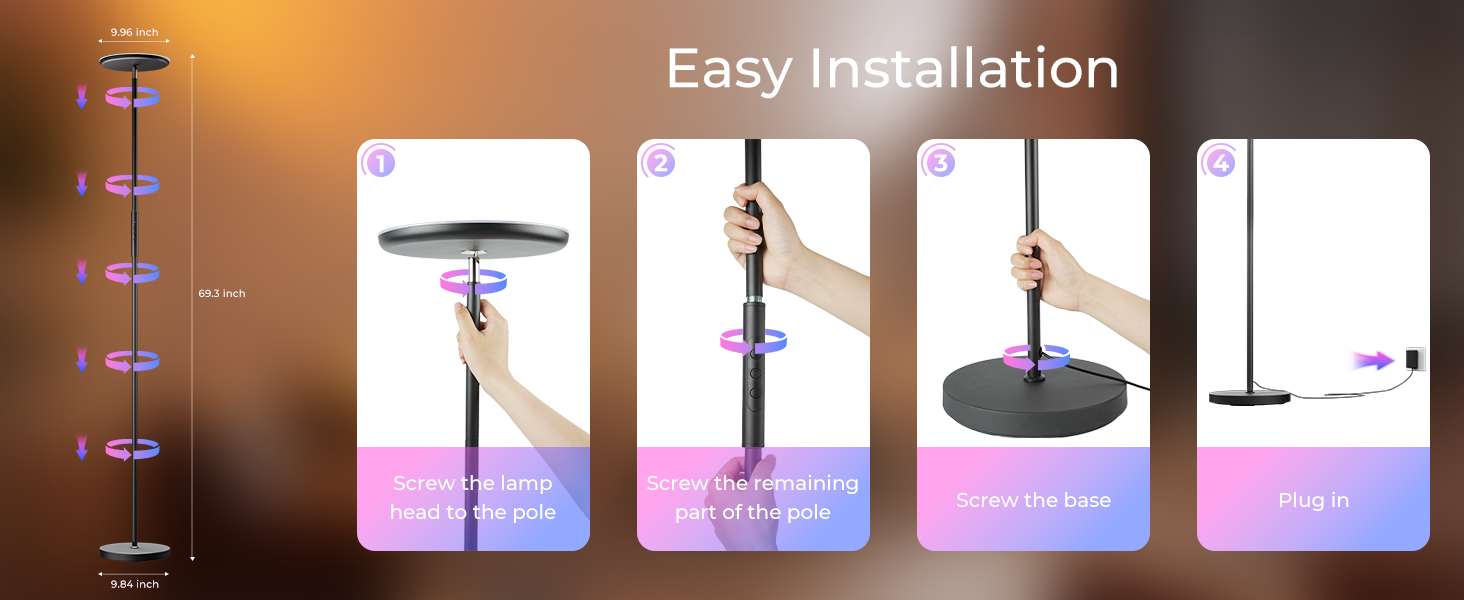
Image: Music synchronization feature in action.
- Laiko nustatymo funkcija: Nustatykite tvarkaraščius lamp to turn on or off automatically.
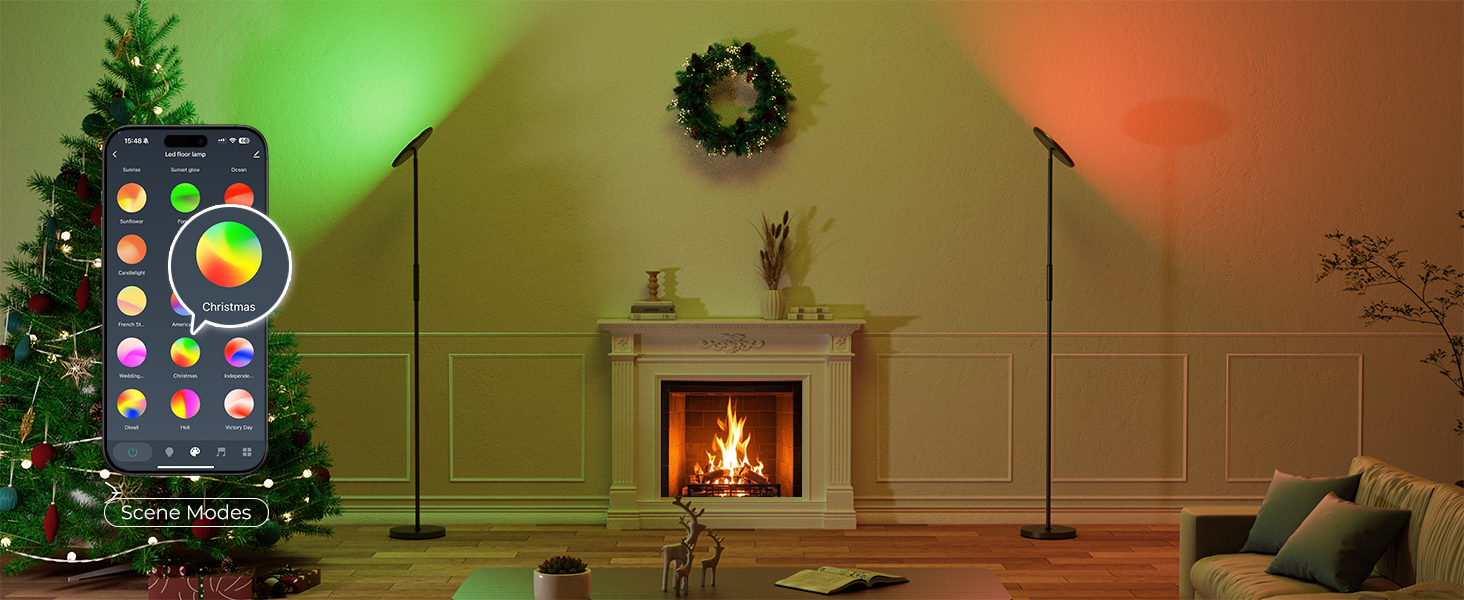
Image: Setting timers for automatic lamp operacija.
3. Valdymas balsu
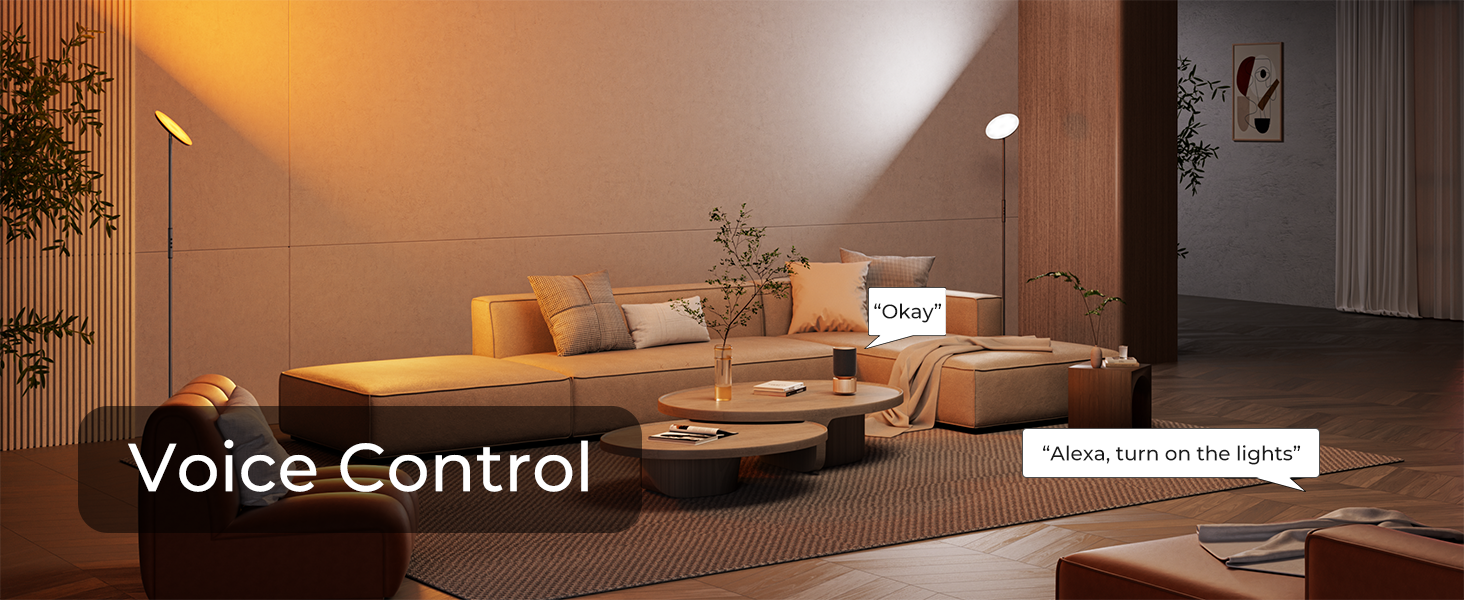
Lamp is compatible with Alexa and Google Assistant for convenient voice commands (2.4GHz WiFi only).
- Užtikrinkite savo lamp is successfully paired with the smart app and linked to your Alexa or Google Assistant account.
- Use simple commands such as:
- „Alexa, įjunk šviesas.“
- "Hey Google, set the lamp iki šiltos baltos spalvos“.
- „Alexa, pritemdyk grindis“amp iki 50 procentų“.
Image: Demonstrating voice control functionality with smart assistants.
4. Adjustable Lamp Galva
Lamp head offers flexibility for directing light:
- Pasukimas: Lamp head can rotate 350 degrees horizontally.
- Pakreipimas: Lamp head can flip 180 degrees up/down.

Paveikslėlis: Lamp head adjustment capabilities.
Priežiūra
- Valymas: Prieš valydami atjunkite maitinimą. Nuvalykite minkšta, sausa šluoste.amp. Nenaudokite abrazyvinių valiklių ar tirpiklių.
- Saugykla: Jei saugote lamp, disassemble it and pack it in its original packaging in a dry place.
Trikčių šalinimas
| Problema | Galima priežastis | Sprendimas |
|---|---|---|
| Lamp neįsijungia. | Maitinimo adapteris neprijungtas; problema su maitinimo lizdu. | Įsitikinkite, kad maitinimo adapteris yra tvirtai prijungtas prieamp ir veikiantis elektros lizdas. |
| Cannot connect to the smart app. | Incorrect Wi-Fi band; lamp ne poravimo režimu. | Ensure your phone is on a 2.4GHz Wi-Fi network. Follow the "App Connection and Pairing Instructions" to put the lamp into pairing mode (flashing light). |
| Balso valdymas neveikia. | Lamp not linked to smart assistant; incorrect Wi-Fi. | Patikrinkite lamp is linked to your Alexa or Google Assistant account through the smart app. Confirm your Wi-Fi is 2.4GHz. |
| Lamp flashes repeatedly when plugged in. | This is normal behavior when entering pairing mode or after a power cycle. | If not intending to pair, simply wait for the flashing to stop or proceed with app pairing if desired. |
Specifikacijos
| Funkcija | Detalė |
|---|---|
| Modelio numeris | DP69-4 |
| Prekės ženklas | DeckTok |
| Galia | 36W |
| Šviesos išvestis | 2800 LM |
| Spalvos temperatūra | 2700K–6500K (reguliuojama) |
| Spalvų parinktys | RGB (16 Million Colors), Warm White, Cool White |
| Ryškumas | 1% - 100% (Stepless Dimmable) |
| Kontrolės metodai | Touch, Smart App (Smart Life/Tuya Smart), Voice (Alexa/Google Assistant) |
| Belaidis ryšys | Tik 2.4 GHz Wi-Fi |
| Lamp Galvos reguliavimas | 350° Rotation, 180° Up/Down Flip |
| Aukštis | 69.3 colių |
| Bazinė medžiaga | Metalas |
| Gaminio matmenys (D x P x A) | 9.96 "D x 9.84" P x 69.3" A |
| Prekės svoris | 10.67 svaro |
| UPC | 797457927782 |
Garantija ir palaikymas
For warranty information or technical support, please refer to the contact details provided with your purchase or visit the official DeckTok websvetainę. Išsaugokite pirkimo čekį garantiniams reikalavimams.