
Įvadas
This manual provides detailed instructions for the setup, operation, and maintenance of your UCOCARE 2K Wireless Mini Spy Security Camera. Please read thoroughly before use to ensure proper functionality and safety.
Pakuotės turinys
Įsitikinkite, kad jūsų pakuotėje yra visi šie daiktai:
- Apsaugos kamera
- Mounting Bracket
- Įkrovimo kabelis
- Varžtų pakuotė
- Vartotojo vadovas
Produktas baigtasview
The UCOCARE A90 camera is a compact and versatile security solution. It offers 2K video resolution, a 160° wide-angle view, and 33ft night vision for comprehensive monitoring. Powered by a 5200mAh battery, it provides extended operation. Key features include smart motion detection with instant notifications, flexible storage options, and smart home integration.
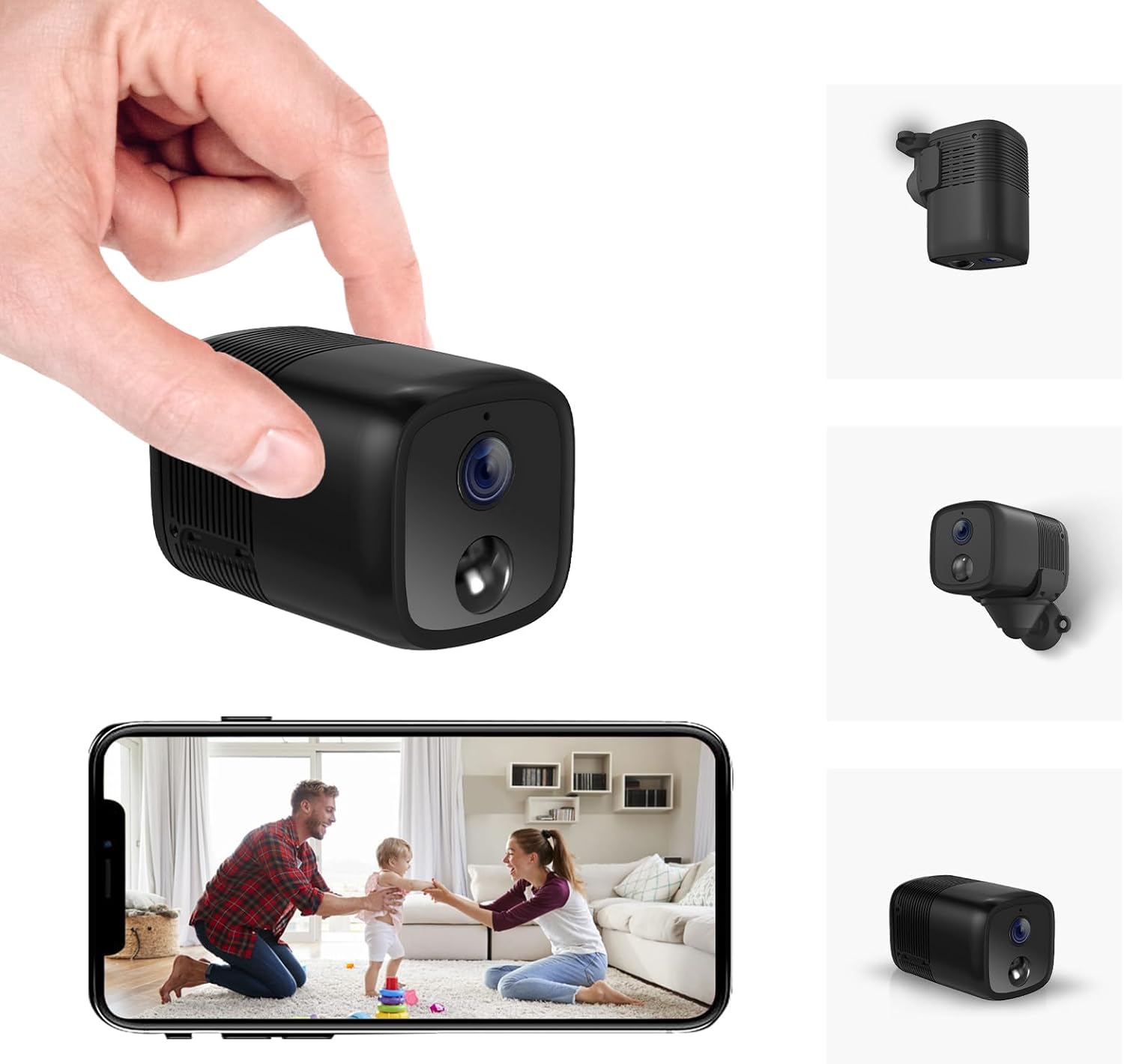
A compact black security camera held in a hand, with a smartphone displaying its live feed.

An image highlighting key features of the camera including 2K HD, 33ft Night Vision, 5200mAh Larger Battery, Effortless Installation, PIR Motion Detection, Custom Settings, Remote Viewing, Built-in Siren, Work with Alexa/Google Home, and Local/Cloud Storage.
Sąrankos vadovas
Follow these steps to set up your UCOCARE A90 camera:
- Išpakavimas ir komponentų patikra: Carefully unpack all items and ensure all components listed in the 'Package Contents' section are present.
- Kameros įkrovimas: Before first use, fully charge the camera using the provided USB-C charging cable.
- Įdėkite „Micro SD“ kortelę (neprivaloma): If local storage is desired, insert a Micro SD card (up to 128GB, not included) into the designated slot.
- Kameros montavimas:
- Identify a suitable location for surveillance.
- Attach the camera to the flexible mounting bracket.
- Use the included screws or 3M adhesive stickers to secure the bracket to a wall, ceiling, or other surface.

Examples of compact and cable-free installation options for the camera.
- Programėlės atsisiuntimas ir paskyros registravimas:
- Scan the QR code in the user manual or search for the "Z-IOT CAM" app in your device's app store.
- Registruokitės naujai paskyrai arba prisijunkite, jei jau turite.
- Prisijungimas prie „Wi-Fi“:
- In the app, select "Add device" and then "Bluetooth Provisioning".
- Select your camera from the list of available Bluetooth devices. If not found, reset the camera.
- Enter your 2.4GHz Wi-Fi network details (SSID and password). Note: 5GHz Wi-Fi is not supported.
- Wait for the camera to connect to the network (approximately 15 seconds).
This video demonstrates the app connection process for the UCOCARE camera, including logging in, adding a device, connecting via Bluetooth, and configuring Wi-Fi settings.
- Sąrankos užbaigimas: Once connected, the device will appear online in the app. You can now view the live feed and adjust settings.
Naudojimo instrukcijos
Once your camera is set up, you can utilize its various functions:
- Nuotolinis Viewing: Access the live feed from anywhere using the mobile app.
- Judesio aptikimas: Enable smart motion detection in the app settings. Customize sensitivity, alert time periods, and detection zones to receive instant notifications on your phone when movement is detected.
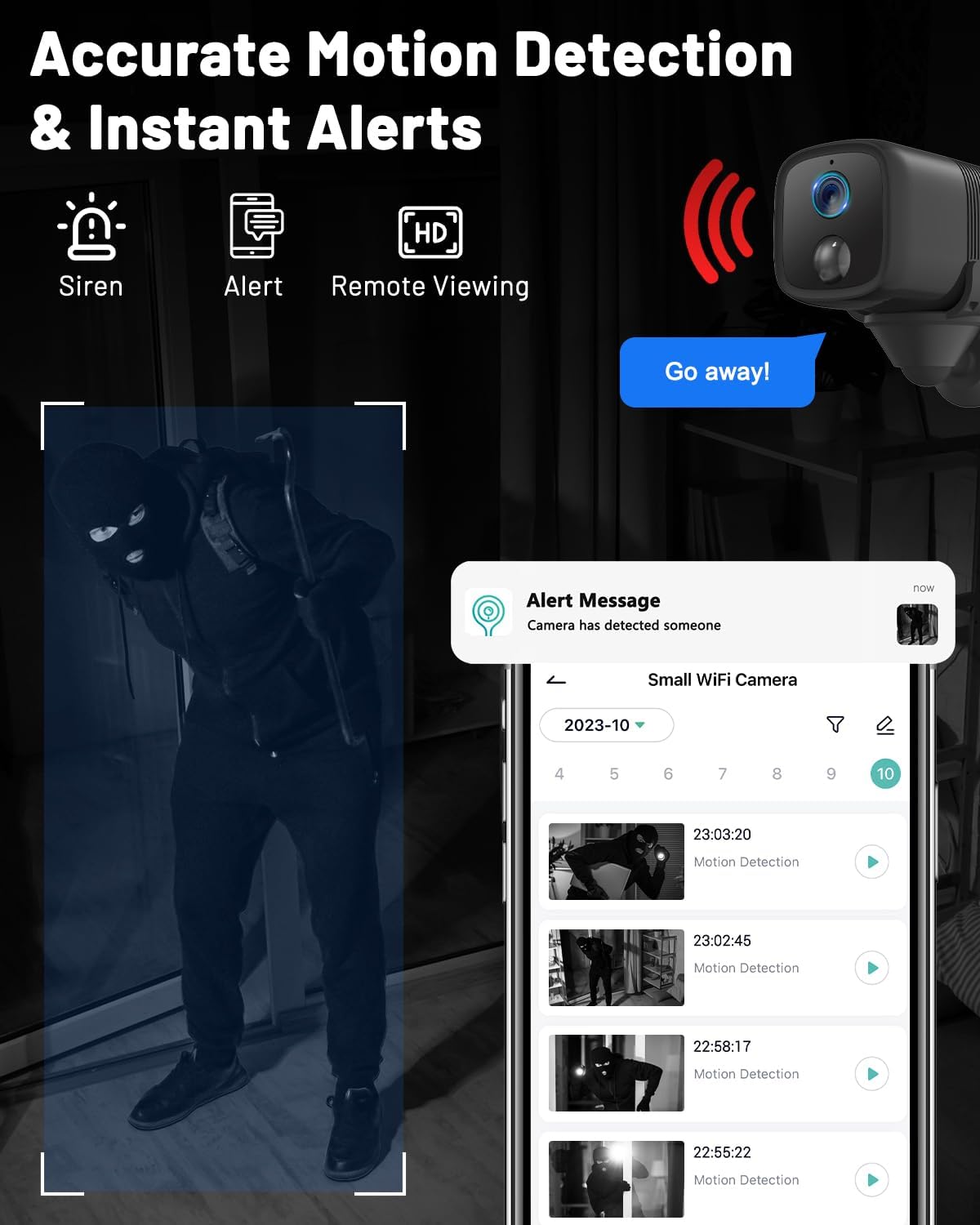
An image showing the camera's motion detection capabilities and instant alert notifications on a smartphone.
- Naktinis matymas: The camera automatically switches to IR night vision in low-light conditions, providing clear visibility up to 33ft.
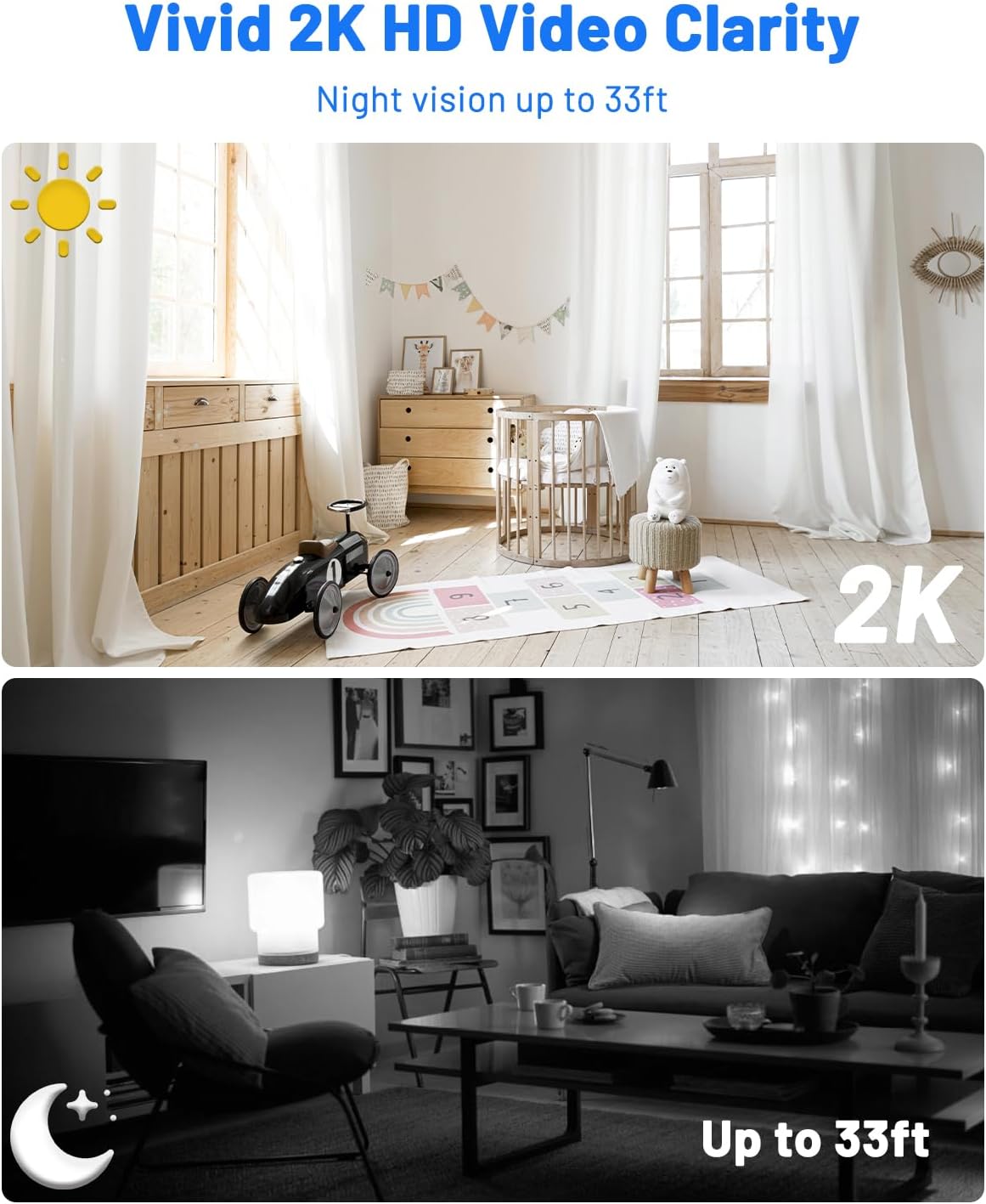
A comparison image demonstrating the camera's 2K HD video clarity during the day and its night vision capabilities up to 33ft in darkness.
- Dvipusis garsas: Use the app to communicate remotely through the camera, allowing you to interact with visitors or deter intruders.
- Saugyklos valdymas: View recorded event videos stored on the Micro SD card or access 6-second cloud event videos (7-day loop storage, manually activated).

An image illustrating the camera's flexible storage options, including free 7-day cloud service and local storage up to 128GB (Micro SD card not included).
- Kelių vartotojų prieiga: Share camera access with family members via QR code or account addition, supporting up to 5 simultaneous viewPirmas
- Išmaniųjų namų integracija: Integrate with Google Home and Alexa for voice control and real-time viewing.

An image showing the camera's compatibility with Alexa and Google Assistant for hands-free control and viewing.
Priežiūra
Tinkama priežiūra užtikrina jūsų fotoaparato ilgaamžiškumą ir optimalų veikimą:
- Valymas: Gently wipe the camera lens and body with a soft, dry cloth. Avoid abrasive cleaners or solvents that could damage the device.
- Akumuliatoriaus priežiūra: For optimal battery life, avoid exposing the camera to extreme temperatures. Recharge the battery when low to prevent deep discharge.
- Firmware atnaujinimai: Regularly check the mobile app for available firmware updates. Installing updates ensures you have the latest features, performance improvements, and security patches.
Trikčių šalinimas
Jei kyla problemų, žr. toliau pateiktas dažniausiai pasitaikančias problemas ir sprendimus:
- Kamera neprisijungia prie „Wi-Fi“:
- Ensure your Wi-Fi network is 2.4GHz, as 5GHz is not supported.
- Double-check the Wi-Fi password for accuracy.
- Reset the camera and attempt the connection process again.
- Įsitikinkite, kad kamera yra veiksmingame „Wi-Fi“ maršrutizatoriaus veikimo diapazone.
- Nėra judesio aptikimo įspėjimų:
- Patikrinkite, ar programėlės nustatymuose įjungtas judesio aptikimas.
- Adjust the detection sensitivity to an appropriate level.
- Check your smartphone's notification settings to ensure the app is allowed to send alerts.
- Prasta vaizdo kokybė:
- Įsitikinkite, kad kameros objektyvas yra švarus ir be jokių kliūčių.
- Check your internet connection speed; a stable connection is crucial for high-quality streaming.
- Adjust video resolution settings in the app to match your network capabilities.
- Trumpas baterijos veikimo laikas:
- Reduce motion detection sensitivity or the frequency of recordings if possible.
- Prieš dislokuodami įsitikinkite, kad kamera yra visiškai įkrauta.
- Avoid placing the camera in extremely cold environments, as this can reduce battery performance.
Techninės specifikacijos
| Funkcija | Specifikacija |
|---|---|
| Modelio pavadinimas | A90 |
| Naudojimas viduje / lauke | Viduje, Lauke |
| Suderinami įrenginiai | Išmanusis telefonas |
| Maitinimo šaltinis | Maitinamas baterijomis |
| Ryšio protokolas | „Wi-Fi“ (tik 2.4 GHz) |
| Valdiklio tipas | Amazon Alexa, Android, CloudEdge, Google Assistant |
| Montavimo tipas | Ceiling Mount, Tabletop Mount, Wall Mount |
| Vaizdo įrašymo raiška | 2K |
| Viewing kampas | 160 laipsnių |
| Naktinio matymo diapazonas | 33 pėdų |
| Medžiaga | Plastikiniai |
| ttage | 5 voltų |
| Baterijos galia | 5200 milijonųamp Valandos |
| „Flash“ atminties tipas | „Micro SD“ (iki 128 GB, nepridedama) |
| Prekės matmenys (I x P x A) | 2.36 x 1.46 x 1.46 colio |
| Prekės svoris | 5.6 uncijos |
| UPC | 755560372165 |
Garantija ir klientų aptarnavimas
For warranty information or technical assistance, please refer to the contact details provided in the included user manual or visit the official UCOCARE websvetainę. Išsaugokite pirkimo čekį garantiniams reikalavimams.