
IQUNIX MQ80 Low Profile Klaviatūra
IQUNIX MQ80 Low Profile Mechaninės klaviatūros vartotojo vadovas
Model: MQ80 Low Profile Keyboard | Brand: IQUNIX
Įvadas
The IQUNIX MQ80 is a high-performance low-profile mechanical keyboard designed for both work and gaming. It features a durable CNC aluminum body, tri-mode connectivity (wireless 2.4GHz, Bluetooth, and wired USB-C), hot-swappable switches, and customizable RGB backlighting with VIA software support. This manual provides comprehensive instructions for setting up, operating, and maintaining your MQ80 keyboard.

Image: The IQUNIX MQ80 Low Profile Mechanical Keyboard in Moonlight Silver, showcasing its compact 80% layout and sleek design.
Kas yra dėžutėje
Patikrinkite, ar jūsų pakuotėje yra visi šie daiktai:
- MQ80 Keyboard
- Aukščiausios kokybės nešiojimo dėklas
- Klaviatūros dangtelis ir jungiklio ištraukiklis
- 2.4G USB imtuvas
- C tipo kabelis

Image: A flat lay of the IQUNIX MQ80 keyboard and its accessories, including the carrying case, keycap and switch puller, 2.4G USB receiver, and Type-C cable.
Sąranka
Klaviatūros įkrovimas
Before first use, it is recommended to fully charge the keyboard. Connect the provided Type-C cable to the keyboard's USB-C port and the other end to a USB power source (e.g., computer USB port, wall adapter). The charging indicator light will show the charging status.

Image: The IQUNIX MQ80 keyboard highlighting its impressive 350-hour battery life, significantly longer than typical low-profile klaviatūros.
Ryšio režimai
The IQUNIX MQ80 supports three connectivity modes: 2.4GHz wireless, Bluetooth, and wired USB-C. Use the switch located on the side of the keyboard to select your desired mode.
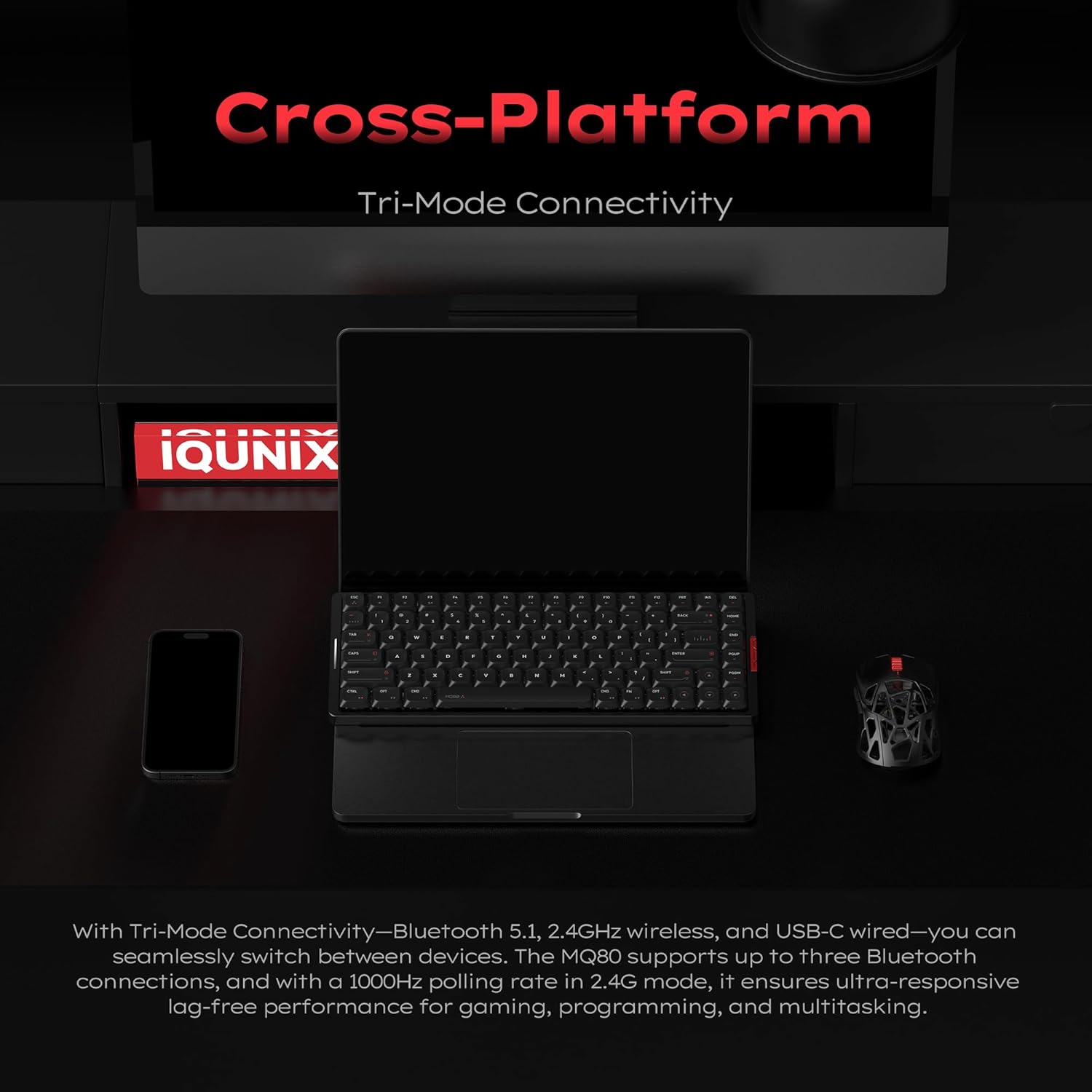
Image: The IQUNIX MQ80 keyboard positioned with a laptop, smartphone, and mouse, illustrating its seamless cross-platform tri-mode connectivity.
2.4 GHz belaidis ryšys
- Pakuotėje raskite 2.4G USB imtuvą.
- Prijunkite 2.4G USB imtuvą prie laisvo kompiuterio USB prievado.
- Switch the keyboard to 2.4G mode. The keyboard will automatically connect.
Bluetooth ryšys
- Perjunkite klaviatūrą į Bluetooth režimą.
- Savo įrenginyje (kompiuteryje, planšetiniame kompiuteryje, išmaniajame telefone) įjunkite „Bluetooth“ ir ieškokite naujų įrenginių.
- Select "IQUNIX MQ80" from the list of available devices to pair.
- The keyboard can store up to three Bluetooth connections. Use Fn + 1/2/3 to switch between paired devices.
Laidinis USB-C ryšys
- Connect the provided Type-C cable to the keyboard's USB-C port.
- Kitą laido galą prijunkite prie kompiuterio USB prievado.
- Klaviatūra automatiškai persijungs į laidinį režimą.
Naudojimo instrukcijos
Pagrindinės funkcijos ir išdėstymas
The MQ80 features an 80% layout, providing essential keys while maintaining a compact form factor. Refer to the image below for a visual representation of the key layout.
Paveikslėlis: aiškus vaizdas iš viršaus į apačią view of the IQUNIX MQ80 keyboard, illustrating its 80% layout with all keys visible.
RGB apšvietimo pritaikymas
The MQ80 features dynamic RGB lighting with 16 million colors and various effects. You can customize the lighting directly on the keyboard using key combinations or through the VIA software for more advanced control.
Video: Demonstrates various RGB lighting effects on the IQUNIX MQ80 keyboard, showcasing the dynamic color options.
Video: Shows additional RGB lighting effects on the IQUNIX MQ80, highlighting the range of customization available.

Image: The IQUNIX MQ80 keyboard illuminated with vibrant blue RGB backlighting, showcasing its dynamic lighting capabilities.
VIA programinės įrangos palaikymas
The IQUNIX MQ80 supports VIA software for powerful key remapping, macro recording, and advanced RGB lighting customization. No coding is required to personalize your keyboard settings.
- Download the VIA software from the official IQUNIX websvetainę.
- Connect your keyboard in wired mode to ensure proper detection by the software.
- Use the intuitive interface to remap keys, create custom macros, and adjust lighting effects to match your workflow and style.

Image: A laptop screen displaying the VIA software interface, demonstrating the options for custom key mappings, macros, and RGB settings for the IQUNIX MQ80.
Karštai keičiami jungikliai
The MQ80 features a hot-swappable design, allowing you to easily change switches without soldering. This enables customization of your typing feel and sound.
- Išjunkite klaviatūrą arba atjunkite ją nuo įrenginio.
- Norėdami atsargiai nuimti norimą jungiklį, naudokite pateiktą jungiklio traukiklį.
- Align the pins of the new switch with the sockets on the PCB and gently press it into place until it clicks.

Image: A hand demonstrating the hot-swappable feature of the IQUNIX MQ80 keyboard by using a tool to remove a key switch.

Image: A detailed diagram of the Kailh POM Gold Red Linear Switch, highlighting its components and specifications like total travel, pre-travel, lifespan, and actuation force.
Video: A demonstration of the typing sounds produced by the IQUNIX MQ80 Low Profile Keyboard, highlighting its acoustic profile.
Video: Illustrates the creamy typing feel of the IQUNIX Low Profile Keyboard, emphasizing the smooth and satisfying keystroke experience.
Priežiūra
Klaviatūros valymas
To maintain the appearance and functionality of your MQ80 keyboard:
- Use a soft, lint-free cloth to wipe down the aluminum body.
- For keycaps, a damp cloth with mild soap and water can be used. Ensure keycaps are completely dry before reattaching.
- Suslėgtu oru pašalinkite dulkes ir šiukšles tarp klaviatūros dangtelių ir jungiklių.
- Avoid using harsh chemicals or abrasive materials, as these can damage the finish and keycap legends.

Vaizdas: Stambus planas view of the high-purity PBT keycaps, emphasizing their durable, oil-resistant, and long-lasting qualities.
Trikčių šalinimas
If you encounter issues with your IQUNIX MQ80 keyboard, refer to the following common solutions:
- Klaviatūra nereaguoja:
- Įsitikinkite, kad klaviatūra įkrauta.
- Check the connectivity mode switch (2.4G, Bluetooth, Wired) and ensure it matches your connection type.
- For wireless connections, try re-pairing or re-inserting the 2.4G receiver.
- For wired connections, try a different USB port or cable.
- „Bluetooth“ ryšio problemos:
- Įsitikinkite, kad jūsų įrenginyje įjungtas „Bluetooth“.
- Forget the device in your device's Bluetooth settings and re-pair.
- Try connecting to a different Bluetooth slot (Fn + 1/2/3).
- RGB apšvietimas neveikia arba yra netinkamas:
- Patikrinkite klaviatūros akumuliatoriaus lygį.
- Use the VIA software to reset or reconfigure lighting settings.
- Raktai neregistruojami arba įvedami du kartus:
- Ensure switches are fully seated in their sockets.
- Jei sugedęs konkretus jungiklis, jį pakeiskite naudodami karštojo keitimo funkciją.
Specifikacijos
| Prekės ženklas | IQUNIX |
| Modelio numeris | MQ80 Low Profile Klaviatūra |
| Gaminio matmenys | 12.64 x 1.08 x 4.9 colio |
| Prekės svoris | 3.98 svaro |
| Ryšio technologija | 2.4 GHz belaidis ryšys, „Bluetooth 5.1“, laidinis USB-C ryšys |
| Klaviatūros aprašymas | Mechaninis |
| Raktų skaičius | 84 |
| Foninis apšvietimas | RGB (16 milijonų spalvų) |
| Ypatingos savybės | Ergonomic, Backlit, Low-Profile Key, Programmable Keys, Hot-Swappable |
| Baterijos veikimo laikas | Iki 350 valandų (vienas įkrovimas) |
| Suderinami įrenginiai | Laptop, PC, Tablet (Mac & Windows ready) |

Image: A technical diagram illustrating the precise dimensions of the IQUNIX MQ80 keyboard, including its length, width, and ultra-thin profile.

Image: The underside of the IQUNIX MQ80 keyboard, showcasing its full aluminum CNC body and durable 180-grit anodized finish.
Vaizdo įrašas: Viršijimasview of the IQUNIX MQ80 Low Profile Mechanical Keyboard, highlighting its key features and design.
Video: Showcases the tri-mode connectivity of the IQUNIX Low Profile Mechanical Keyboard, demonstrating seamless switching between Bluetooth, 2.4G, and wired modes.
Garantija ir palaikymas
IQUNIX products are designed for durability and performance. For specific warranty details and technical support, please refer to the official IQUNIX websvetainėje arba susisiekite tiesiogiai su jų klientų aptarnavimo tarnyba. Išsaugokite pirkimo kvitą kaip pirkimo įrodymą garantijos pretenzijoms.
Norėdami gauti daugiau pagalbos, apsilankykite IQUNIX Store on Amazon.