
1. Įvadas
This manual provides detailed instructions for the setup, operation, and maintenance of your HiSpyCam S120 Dual Lens Hidden Camera DIY Module. Please read this manual thoroughly before using the device to ensure proper functionality and to maximize its capabilities. This device is designed for discreet surveillance and monitoring in various indoor and outdoor environments.
2. Kas yra dėžutėje
- Kameros modulis
- USB įkrovimo laidas
3. Produktas baigtasview
The HiSpyCam S120 DIY Module is a compact surveillance device. Familiarize yourself with its components:

3.1 vaizdas: Baigėsiview of the HiSpyCam S120 DIY Module, highlighting the camera lenses, Micro SD Card Slot, USB port, Reset button, and ON/OFF switch.
- Kameros objektyvai: Dual lenses for wide-angle viewing.
- „Micro SD“ kortelės lizdas: For local storage of recordings (supports up to 256GB, card not included).
- USB prievadas: For charging the device and continuous power supply.
- Atkūrimo mygtukas: Used to restore factory settings or restart the device.
- ĮJUNGIMO/IŠJUNGIMO jungiklis: Įjungia arba išjungia įrenginį.
4. Sąrankos vadovas
Follow these steps to set up your HiSpyCam S120:
- Įkraukite įrenginį: Connect the camera module to a power source using the provided USB charging cable. Ensure it is fully charged before first use.
- Įdėkite Micro SD kortelę: If local storage is desired, insert a compatible Micro SD card (up to 256GB, not included) into the Micro SD Card Slot.
- Atsisiųskite programą: Scan the QR code in the included instructions or search for the recommended application (e.g., 'HomeEye' as mentioned in customer reviews) on your smartphone's app store.
- Maitinimas: Pastumkite įjungimo/išjungimo jungiklį į padėtį „Įjungta“.
- Prisijunkite prie tinklo: The camera supports multiple connection methods. Refer to the 'Connectivity' section for detailed instructions on connecting via Wi-Fi or direct hotspot.

4.1 vaizdas: Illustration of the three primary connection methods for the camera module.
5. Naudojimo instrukcijos
Once set up, operate your camera via the dedicated smartphone application.
- Tiesiogiai View: Atidarykite programėlę ir pasirinkite savo fotoaparatą view gyvas kvailystage.
- Įrašymo režimai:
- Nepertraukiamas įrašymas: Records continuously to the Micro SD card.
- Judesio aktyvuojamas įrašymas: Įrašo tik aptikus judesį, taip taupoma vieta saugykloje.
- Timing Video: Schedule specific times for recording.
- Prieiga prie Footage: Įrašyta footage galima pasiekti ir iš naujoviewed through the app, either from the Micro SD card or cloud storage (if subscribed).
- Privatumo režimas: Norėdami laikinai išjungti įrašymą ir tiesioginį transliavimą, programėlėje įjunkite privatumo režimą. viewing.
6. Ryšys
The HiSpyCam S120 offers flexible connectivity options:
- Wi-Fi Connection (2.4GHz): Connect the camera to your home or office 2.4GHz Wi-Fi network for remote access and control via the app. The smart network switching technology ensures uninterrupted monitoring even during WiFi outages.
- Camera's Hotspot (AP Mode): For direct, local connection without an internet router, the camera can generate its own Wi-Fi hotspot. Connect your smartphone directly to this hotspot for local viewvaldymas.
- „Micro SD“ kortelė: Record directly to a Micro SD card for local storage without requiring any network connection.
7. Pagrindinės savybės
7.1 Full HD 1080P Resolution & Dual-Lens Innovation
Experience clear video quality with Full HD 1080P resolution. The advanced dual-lens system provides a wider coverage area compared to single-lens cameras, enhancing surveillance capabilities day and night.

7.1 vaizdas: Visual comparison demonstrating the wider field of view provided by the dual-lens system.
7.2 Smart Cloud Storage & Local Backup
The camera supports both secure cloud storage (subscription optional) for automatic backup of footage and continuous local recording to a Micro SD card (up to 256GB). Access your recordings anytime, anywhere through the encrypted platform.
7.3 AI-Powered Motion Alerts
Equipped with advanced motion detection technology, the camera intelligently identifies movement and sends instant notifications to your smartphone. This feature helps minimize false alarms while ensuring you are alerted to important activity.
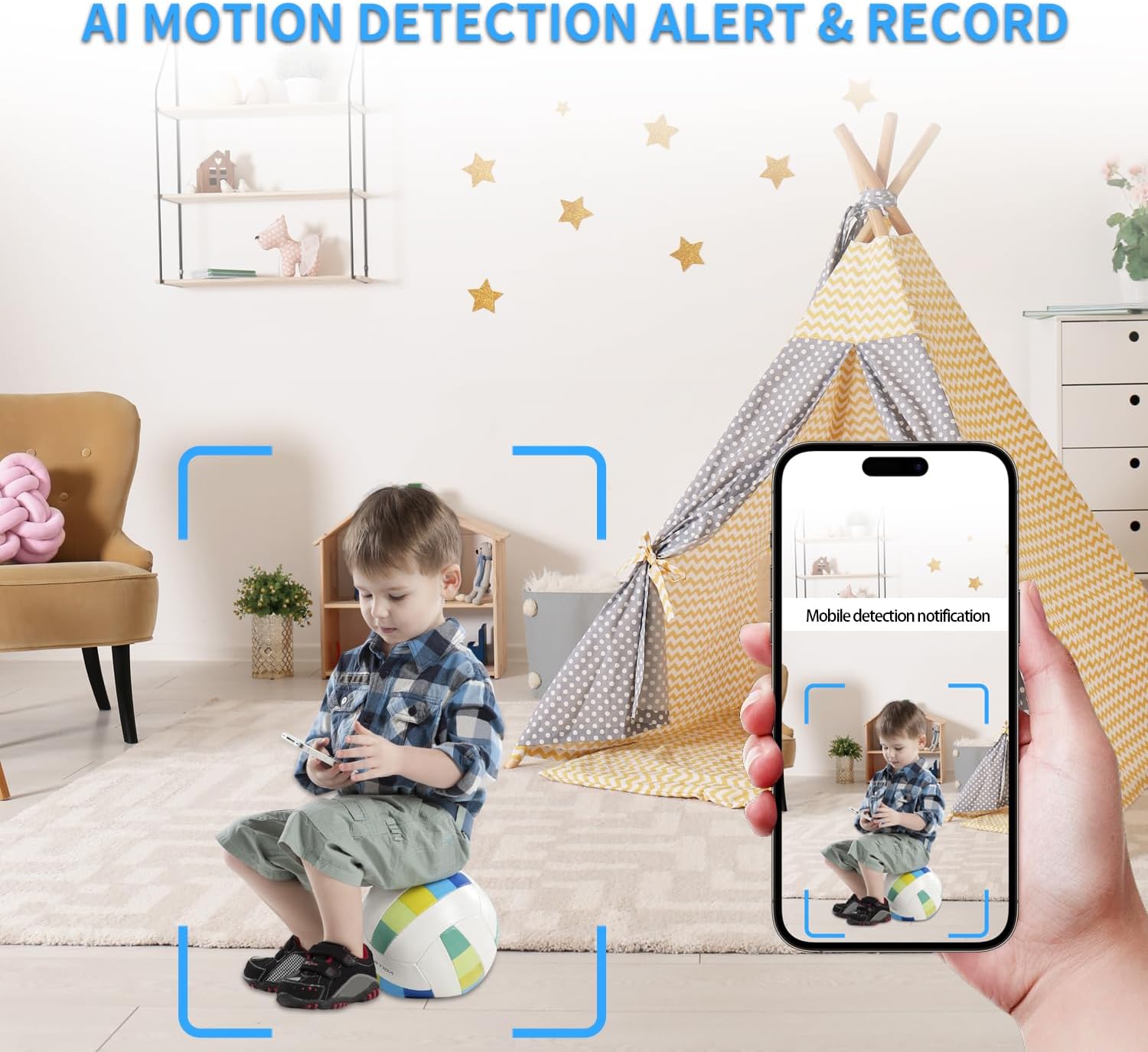
7.2 vaizdas: Example of an AI motion detection alert received on a smartphone.
7.4 Remote Access on the App
Monitor your space remotely from anywhere using the dedicated smartphone application. The app allows for live viewįrašytos muzikos atkūrimastage, and control over camera settings.

7.3 vaizdas: A user accessing live camera feed remotely via the smartphone app.
7.5 Platus Viewing Angle and Multi-User Access
The dual lenses provide a wide viewing angle for comprehensive coverage. The system also supports multi-user access, allowing multiple individuals to view the camera feed and receive notifications.

7.4 vaizdas: Visual representation of various app functionalities including notifications, motion detection, wide coverage, and multi-user support.
8. Priežiūra
- Įkrovimas: Recharge the camera using the provided USB cable when the battery is low. For continuous operation, keep it plugged into a power source.
- SD kortelės tvarkymas: Reguliariai kurkite svarbių duomenų atsargines kopijastage from the Micro SD card. Format the card periodically to maintain optimal performance.
- Valymas: Gently clean the camera lenses with a soft, dry cloth to ensure clear image quality. Avoid using harsh chemicals.
- Firmware atnaujinimai: Check the app regularly for any available firmware updates to ensure your device has the latest features and security enhancements.
9. Problemų sprendimas
- Fotoaparatas neprisijungia prie „Wi-Fi“:
- Įsitikinkite, kad jūsų „Wi-Fi“ tinklas yra 2.4 GHz dažnio. Kamera nepalaiko 5 GHz tinklų.
- Patikrinkite „Wi-Fi“ slaptažodžio tikslumą.
- Perkelkite fotoaparatą arčiau „Wi-Fi“ maršrutizatoriaus.
- Reset the camera using the reset button and try connecting again.
- Prasta vaizdo kokybė:
- Ensure the camera lenses are clean.
- Check network stability for live streaming.
- Jei įmanoma, programėlėje pakoreguokite vaizdo įrašo raiškos nustatymus.
- Judesio aptikimas neveikia:
- Patikrinkite, ar programėlės nustatymuose įjungtas judesio aptikimas.
- Sureguliuokite jautrumo lygius.
- Įsitikinkite, kad fotoaparatas view nėra trukdoma.
- Trumpas baterijos veikimo laikas:
- Battery life is approximately 70-90 minutes on a full charge. For extended use, keep the camera connected to a power source.
- Frequent motion detection events or continuous live viewing can drain the battery faster.
- SD kortelė neįrašo:
- Ensure the SD card is correctly inserted and formatted (FAT32 recommended).
- Check if the SD card is full; delete old footage or replace the card.
- Patikrinkite įrašymo nustatymus programėlėje.
10. Specifikacijos
| Funkcija | Detalė |
|---|---|
| Modelio pavadinimas | Dual Lens DIY Module (S120) |
| Vaizdo įrašymo raiška | 1080p |
| Ryšio technologija | Belaidis ryšys (Wi-Fi) |
| Ryšio protokolas | „Wi-Fi“ (2.4 GHz) |
| Maitinimo šaltinis | Maitinamas baterijomis |
| Baterijos tipas | 1 ličio polimero baterija (pridedama) |
| Valdiklio tipas | Programėlė |
| Viewing kampas | 120 laipsnių |
| Kadrų dažnis | 15–20 kadrų per sekundę |
| Saugojimo palaikymas | Iki 256 GB talpos „Micro SD“ kortelė (nepridedama) |
| Įspėjimo tipas | Tik judėjimas |
| Fokusavimo tipas | Automatinis fokusavimas |
| Gaminio matmenys | 1 x 1 x 1 colio |
| Prekės svoris | 3.84 uncijos |
| Naudojimas viduje / lauke | Viduje, Lauke |
11. Garantija ir palaikymas
All HiSpyCam Security Cameras come with a premium 1-Year Full Warranty and lifetime technical support. Our customer service team is available 24/7 and guarantees a response within 2 hours. We also offer a 30-Day Money Back guarantee and a 365-Day Free Replacement promise.
For technical assistance or warranty claims, please contact HiSpyCam customer support through the contact information provided with your product packaging or on the official HiSpyCam websvetainę.