
1. Įvadas
Thank you for choosing the STRICH SDP-300W Digital Piano. This manual provides essential information for the proper setup, operation, and maintenance of your instrument. Please read it thoroughly to ensure optimal performance and longevity of your digital piano.

Figure 1: STRICH SDP-300W Digital Piano in Black with included headphones and music stand.
2. Pakuotės turinys
Patikrinkite, ar pakuotėje yra visi toliau išvardyti daiktai. Jei kurių nors daiktų trūksta arba jie pažeisti, susisiekite su klientų aptarnavimo tarnyba.
- STRICH SDP-300W Digital Piano Unit
- Baldų stovų komponentai
- Trijų pedalų blokas
- Muzikos poilsis
- Power Adapter (Input AC: 100V-240V, Output DC: 12V 3A)
- Ausinės
- Assembly Hardware (screws, screwdriver)
- Vartotojo vadovas
3. Surinkimo instrukcijos
Follow these steps to assemble your digital piano. It is recommended to have two people for assembly due to the weight of the main unit.
- Unpack all components and lay them out on a soft, flat surface to prevent scratches.
- Assemble the furniture stand using the provided screws and screwdriver. Ensure all connections are secure.
- Attach the three-pedal unit to the designated area on the assembled stand.
- Carefully place the digital piano unit onto the assembled stand, aligning the mounting holes. Secure the piano unit to the stand using the remaining screws.
- Insert the music rest into the slot on top of the piano unit.
- Connect the pedal cable from the three-pedal unit to the 'PEDAL' port on the back of the piano.
- Connect the power adapter to the 'POWER' port on the back of the piano and then to a wall outlet.
For a visual guide on assembly, please refer to the following video:
1 vaizdo įrašas: Išsamus aprašymasview of the STRICH SDP-300W, including assembly and key feel demonstration.
4. Valdikliai ir funkcijosview
Your STRICH SDP-300W Digital Piano is equipped with a range of controls and features designed to enhance your playing experience.
4.1. Klaviatūra
- 88 Hammer-Action Weighted Keys: Provides a realistic piano feel with simulated ivory texture.
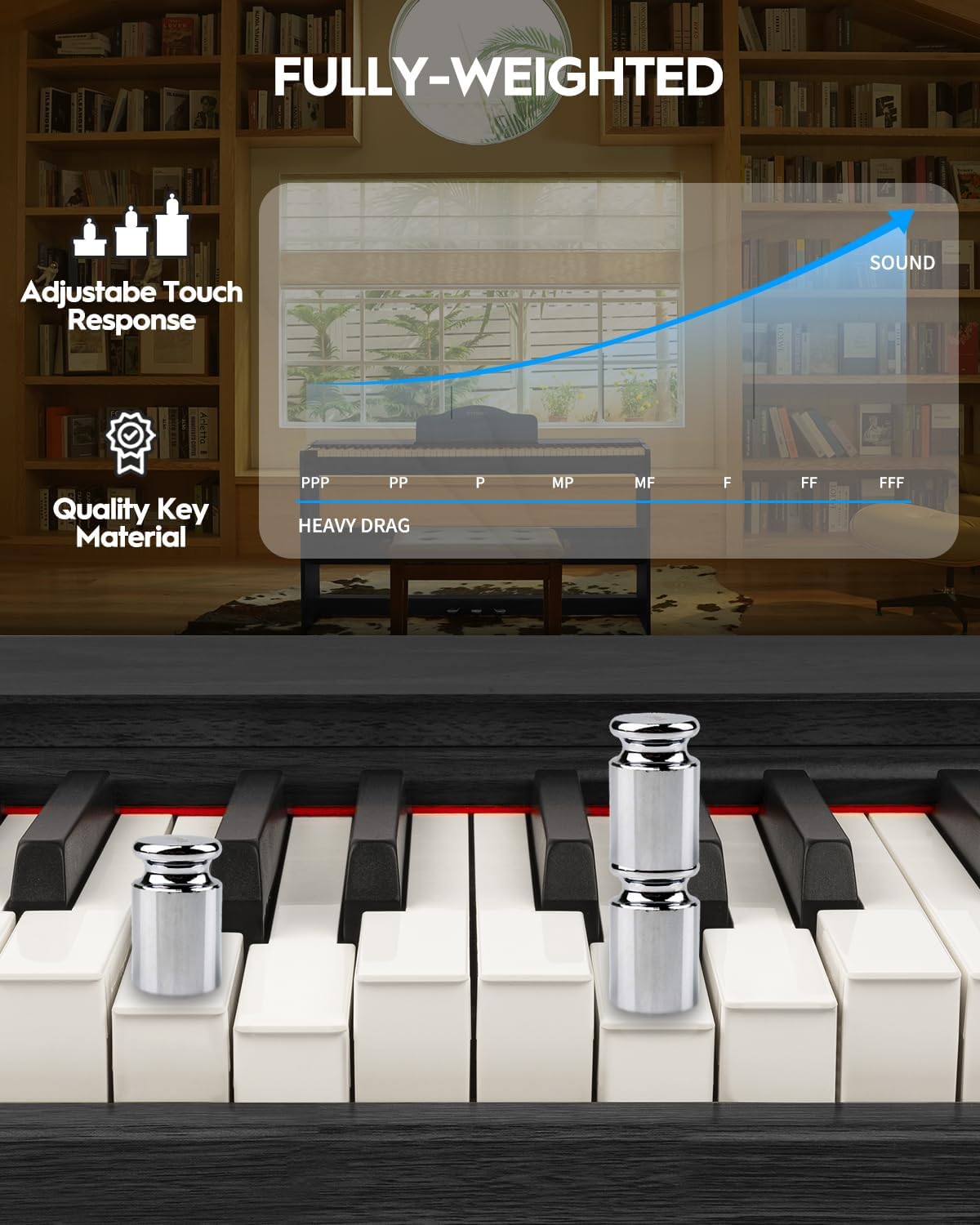
Figure 2: Detail of the fully-weighted, hammer-action keys with adjustable touch response.
4.2. Valdymo skydelis
The intuitive control panel allows easy access to various functions:
- Maitinimo mygtukas: Įjungia arba išjungia pianiną.
- Garsumo valdymas: Reguliuoja bendrą išvesties garsumą.
- Tono pasirinkimas: Choose from 128 preset timbres.
- Ritmo pasirinkimas: Select from 200 drum rhythms.
- Demonstracinės dainos: Access 110 built-in demonstration songs.
- Įrašymas / atkūrimas: Record and listen to your performances.
- Perkelti: Adjust the pitch of the keyboard in semitone steps.
- Layer/Split: Combine two voices or split the keyboard into two sections.
- Oktavos poslinkis: Shift the pitch of the keyboard up or down by octaves.
- Chorus Effects: Apply chorus effects to your sound.
- Smart Chord Function: Provides intelligent auto-chord accompaniment.

3 pav. Išsamus view valdymo skydelio su įvairiais funkcijų mygtukais.
4.3. Pedalai
- Trijų pedalų blokas: Includes Sustain, Sostenuto, and Soft pedals for expressive playing.
5. Naudojimo vadovas
5.1. Įjungimas / išjungimas ir garsumo reguliavimas
To power on the piano, press the 'POWER' button. Adjust the volume using the dedicated volume control knob or buttons on the control panel.
5.2. Selecting Tones and Rhythms
Use the 'TONE' and 'RHYTHM' buttons on the control panel to browse and select from the available 128 timbres and 200 drum rhythms. The display will show the selected number.

Figure 4: The digital piano offers a wide range of sounds and rhythms for musical exploration.
5.3. Įrašymas ir atkūrimas
Utilize the 'RECORD' and 'PLAYBACK' functions to capture your performances. This feature is ideal for self-assessment and practice.
5.4. Ryšio parinktys
The SDP-300W offers versatile connectivity:
- USB MIDI: Connect to a computer or smart device for MIDI functionality, compatible with teaching apps.
- Belaidis ryšys („Bluetooth“): Connect wirelessly to teaching apps on iPad or phone for interactive learning and composition.
- Audio-in Port: Connect external audio sources to play through the piano's 25Wx2 speakers, allowing you to play along with your favorite tracks.
- Ausinių lizdas (6.35 mm): Privačiai praktikai, netrukdant kitiems.

Figure 5: Rear panel connections for power, MIDI, USB, headphones, audio input, and sustain pedal.
See the piano's connectivity in action:
Video 2: Demonstration of MIDI, Bluetooth, weighted keys, and pedals on the STRICH digital piano.
5.5. Tylioji praktika
Connect headphones to the 6.35mm headphone jack for silent practice sessions. The internal speakers will automatically mute when headphones are connected.

Figure 6: Enjoy private practice sessions using headphones.
6. Priežiūra
Proper care will ensure your digital piano remains in excellent condition.
- Valymas: Fortepijono paviršių nuvalykite minkšta, sausa šluoste. Jei nešvarumai sunkiai įveikiami, šiek tiek nuvalykite.ampen the cloth with water and a mild soap, then wipe dry immediately. Avoid abrasive cleaners or solvents.
- Pagrindinė priežiūra: Nuvalykite klavišus minkšta, šiek tiek drėgna šluosteamp audiniu. Nenaudokite per didelio drėgnumo.
- Vieta: Avoid placing the piano in direct sunlight, near heat sources, or in areas with extreme temperature fluctuations or high humidity.
7. Problemų sprendimas
Jei kyla problemų, žr. toliau pateiktas dažniausiai pasitaikančias problemas ir sprendimus:
| Problema | Galima priežastis | Sprendimas |
|---|---|---|
| Nėra garso | Per mažas garsumas; prijungtos ausinės; maitinimo problema. | Padidinkite garsumą; atjunkite ausines; patikrinkite maitinimo jungtį. |
| Raktai nereaguoja | Piano not powered on; internal malfunction. | Ensure piano is on; contact customer support if issue persists. |
| Connectivity issues (USB-MIDI/Bluetooth) | Incorrect connection; device not paired. | Ensure cables are correctly connected; follow device pairing instructions. |
8. Specifikacijos
- Modelio pavadinimas: SDP-300W
- Raktų skaičius: 88
- Rakto tipas: Hammer-Action Weighted Keys with Simulated Ivory Texture
- Matmenys: 12.4 "D x 51.2" P x 27.8" A
- Prekės svoris: 59.4 svaro (27 kilogramo)
- Garsiakalbiai: 25W x 2
- Tembrai: 128 iš anksto nustatytas
- Ritmai: 200 drum rhythms
- Polifonija: 128 (maks.)
- Ryšys: USB-MIDI, Wireless (Bluetooth), Audio-in, 6.35mm Headphone Jack
- Maitinimo šaltinis: Corded Electric (Input AC: 100V-240V, Output DC: 12V 3A)
- Medžiagos tipas: Wood (Casing), Plastic (Keys)
- Spalva: Juoda
9. Garantija ir palaikymas
For warranty information, please refer to the documentation included with your purchase or contact STRICH customer support. For technical assistance or service inquiries, please visit the official STRICH websvetainėje arba susisiekite su klientų aptarnavimo skyriumi.