
1. Įvadas
The iDiskk Security Lock Box Shoulder Bag is designed to protect your valuables with advanced security features. This bag incorporates fingerprint and password unlocking mechanisms, along with Apple MFi certification for seamless integration with the Find My app on iOS devices. It also features RFID blocking technology to safeguard your personal information.
This manual provides detailed instructions for the proper setup, operation, and maintenance of your iDiskk Security Lock Box Shoulder Bag. Please read this manual thoroughly before using the product.
1 vaizdo įrašas: Oficialus produktas baigtasview of the iDiskk Security Lock Box Shoulder Bag, highlighting its design and key features.
2. Saugos informacija
- Do not expose the bag to extreme temperatures or direct sunlight for prolonged periods.
- Avoid submerging the bag in water or exposing it to heavy rain.
- Keep the fingerprint sensor and keypad clean and dry to ensure optimal performance.
- Do not attempt to force open the bag if it is locked. Refer to the troubleshooting section for assistance.
- Use only the provided charging cable for the internal battery.
- Laikyti vaikams nepasiekiamoje vietoje, kad išvengtumėte atsitiktinio užrakinimo ar sugadinimo.
3. Pakuotės turinys
Patikrinkite, ar pakuotėje yra visi reikalingi daiktai:
- iDiskk Security Lock Box Shoulder Bag
- Shoulder Strap (chain and leatherette)
- USB įkrovimo laidas
- Vartotojo vadovas
4. Produktas baigtasview
The iDiskk Security Lock Box Shoulder Bag features a durable metallic construction with integrated electronic locking mechanisms. Key components include:
- Pirštų atspaudų jutiklis: Located on the top surface for quick biometric unlocking.
- Skaitmeninė klaviatūra: For password entry, located alongside the fingerprint sensor.
- Būsenos indikatoriaus lemputė: Provides visual feedback on lock status (e.g., green for unlocked, red for locked/error).
- Įkrovimo prievadas: Skirta vidinei baterijai įkrauti.
- Pečių dirželio tvirtinimo taškai: For securing the detachable shoulder strap.

1 pav. Išsamus view of the iDiskk Security Lock Box Shoulder Bag, highlighting the intelligent unlocking method (fingerprint sensor), secure code keypad, and shoulder straps.

Figure 2: Close-up of the bag's top panel, illustrating the fingerprint and password unlocking areas.
5. Sąranka
5.1 Pradinis įkrovimas
Before first use, fully charge the bag's internal battery using the provided USB cable. Connect the cable to the charging port on the bag and a compatible USB power source. The status indicator light will show charging status (e.g., red for charging, green for fully charged).
5.2 Setting Up Fingerprint and Password
The bag comes with a default password (e.g., 12345#) and allows any fingerprint to unlock initially. It is crucial to set your personal fingerprint(s) and password for security.
- Pakeisti numatytąjį slaptažodį:
- Paspauskite klavišą „#“.
- Enter the default password (e.g., 12345#).
- Press the '*' key.
- Enter your new 6-digit password followed by '#'.
- Re-enter your new 6-digit password followed by '#' to confirm.
- The status indicator will confirm successful password change.
- Register Fingerprint(s): (Up to 3 fingerprints can be registered)
- With the bag unlocked, press and hold the fingerprint sensor until the indicator light flashes.
- Place your finger on the sensor, lift, and repeat several times from different angles until the indicator light confirms successful registration (e.g., solid green light).
- Jei reikia, pakartokite su papildomais pirštų atspaudais.
5.3 Connecting to Apple Find My App (iOS Only)
The iDiskk bag is MFi certified and can be tracked using the Apple Find My app on your iOS device. No additional app download is required.
- Įsitikinkite, kad jūsų „iPhone“ arba „iPad“ įrenginyje įjungtas „Bluetooth“ ryšys.
- Open the "Find My" app.
- Navigate to the "Items" tab and tap "Add Item".
- Select "Other Supported Item".
- The app will search for nearby compatible devices. Select "safeBag" (or similar name) and tap "Connect".
- You can rename your bag and choose an emoji for it. Tap "Continue" and then "Agree" to the terms.
- Kai susiesite, galite view its location on the map, play a sound, or get directions to your bag.

Figure 3: Step-by-step guide for connecting your iDiskk bag to the Apple Find My app.

Figure 4: The Find My app interface displaying the bag's location and options like "Play Sound" and "Directions".
6. Naudojimo instrukcijos
6.1 Atrakinimas naudojant pirštų atspaudus
To unlock the bag using your registered fingerprint:
- Tvirtai uždėkite registruotą pirštą ant pirštų atspaudų jutiklio.
- The status indicator light will turn green, and you will hear an audible click as the lock disengages.
- Gently lift the lid to open the bag.
6.2 Unlocking with Password
To unlock the bag using your set password:
- Press the '#' key to activate the keypad.
- Enter your 6-digit password followed by the '#' key.
- The status indicator light will turn green, and you will hear an audible click as the lock disengages.
- Gently lift the lid to open the bag.
Video 2: Official product video demonstrating the fingerprint and password unlocking features of the iDiskk Security Lock Box Shoulder Bag.
6.3 Using Find My Features
Once paired with the Apple Find My app, you can utilize its features:
- Rasti: View the bag's current or last known location on a map.
- Paleisti garsą: If the bag is nearby but out of sight, tap "Play Sound" in the app to make the bag emit an audible alert.
- Prarastas režimas: Mark your bag as lost to receive notifications if it's found by another Apple device user. You can also display contact information for the finder.
6.4 RFID Blocking Protection
The iDiskk Security Lock Box Shoulder Bag is equipped with RFID blocking material to protect your credit cards, passports, and other RFID-enabled items from unauthorized scanning and electronic theft.
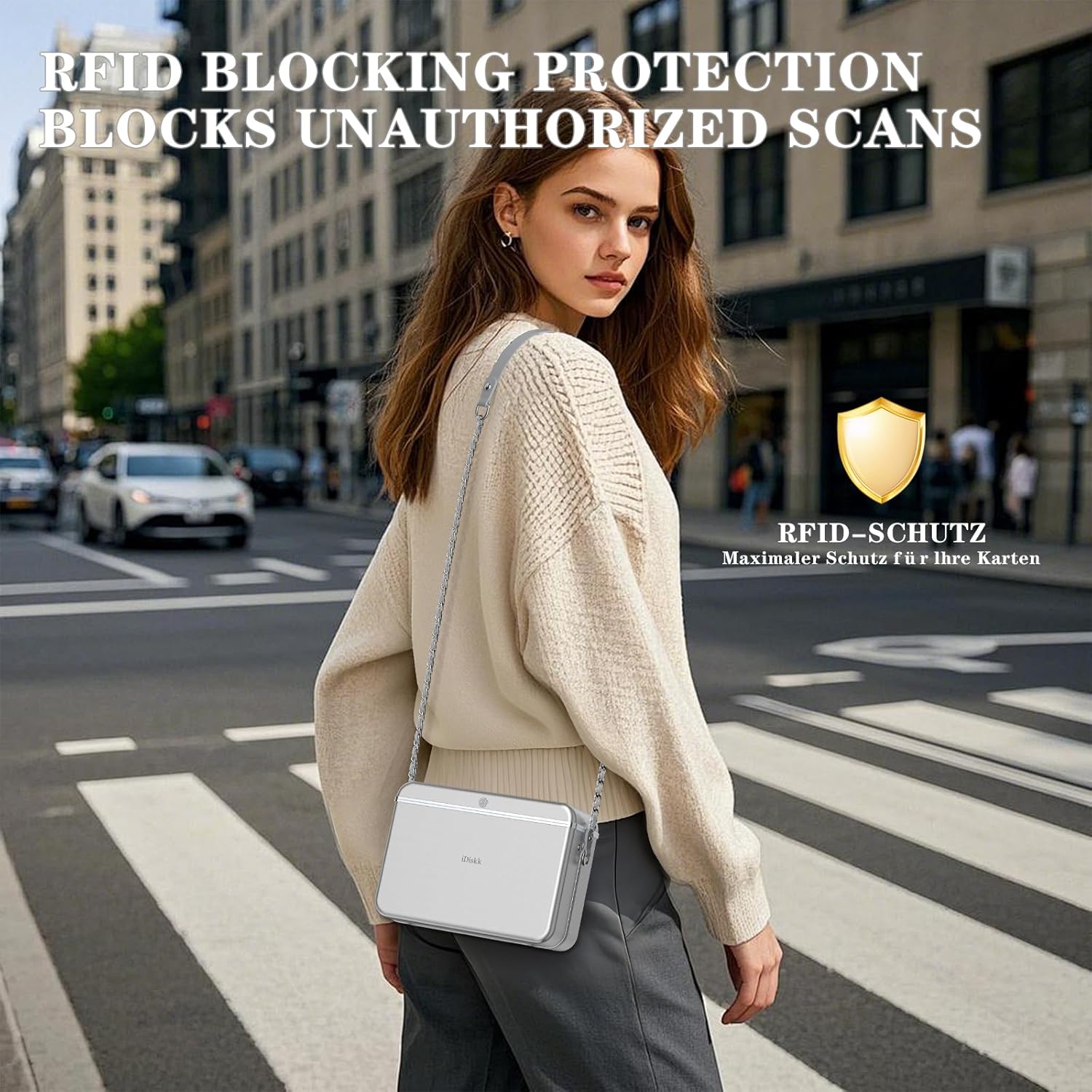
Figure 5: Illustration of the bag's RFID blocking capability, preventing unauthorized data scans.
7. Priežiūra
- Valymas: Išorę nuvalykite minkšta, damp cloth. Do not use harsh chemicals or abrasive cleaners. Ensure the fingerprint sensor and keypad are free of dust and debris.
- Akumuliatoriaus priežiūra: Recharge the battery regularly, even if the bag is not in frequent use, to maintain battery health. Avoid completely draining the battery.
- Saugykla: Nenaudojamą maišelį laikykite vėsioje, sausoje vietoje.
8. Problemų sprendimas
8.1 Bag Does Not Open
- Patikrinkite akumuliatorių: Ensure the bag is sufficiently charged. A low battery might prevent the locking mechanism from operating. Charge the bag for at least 30 minutes and try again.
- Incorrect Fingerprint/Password: Verify you are using a registered fingerprint or the correct password. The status indicator will typically flash red for incorrect attempts.
- Sensor/Keypad Cleanliness: Ensure the fingerprint sensor and keypad are clean and dry. Moisture or dirt can interfere with recognition.
- Mechanical Jam: If the lock mechanism sounds like it's engaging but the lid doesn't open, gently press down on the lid while attempting to unlock. If the issue persists, contact customer support.
8.2 Find My App Not Locating Bag
- „Bluetooth“ ryšys: Ensure Bluetooth is active on your iOS device and the bag is within range.
- Bag Battery: The bag needs to have sufficient battery power to transmit its location.
- Įrenginio suporavimas iš naujo: If connection issues persist, try removing the bag from the Find My app and re-pairing it.
9. Specifikacijos
| Gaminio matmenys | 7.3 x 2.56 x 3.4 inches (L*W*H) |
| Vidiniai matmenys | 7.3 x 2.2 x 3.4 inches (L*W*H) |
| Prekės svoris | 2 svaro |
| Pečių dirželio ilgis | 47.2 colių |
| Baterija | Reikalinga 1 ličio jonų baterija |
| Atrakinimo metodai | Pirštų atspaudai, slaptažodis |
| Stebėjimas | Apple Find My App (iOS Only) |
| Apsaugos funkcijos | RFID blokavimas |

Figure 6: Visual representation of the bag's dimensions and internal capacity.
10. Garantija ir palaikymas
The iDiskk Security Lock Box Shoulder Bag comes with a standard manufacturer's warranty. For warranty details, product support, or to report any issues, please contact iDiskk customer service through their official websvetainėje arba mažmenininke, iš kurios įsigijote produktą. Išsaugokite pirkimo įrodymą, jei galėtumėte pateikti pretenzijas dėl garantijos.

Figure 7: iDiskk customer support is available to assist with product inquiries and issues.