
SIMO SolHero24
SIMO Solis Hero 4G LTE Portable Mobile Hotspot Instruction Manual
Model: SolHero24 | Brand: SIMO
1. Produktas baigtasview
The SIMO Solis Hero is a versatile 2-in-1 device designed to provide reliable global Wi-Fi connectivity and serve as a portable power bank. It offers seamless internet access in over 140 countries without the need for a SIM card or contract, automatically connecting to the strongest available network. Its robust design is suitable for various travel and remote work scenarios.
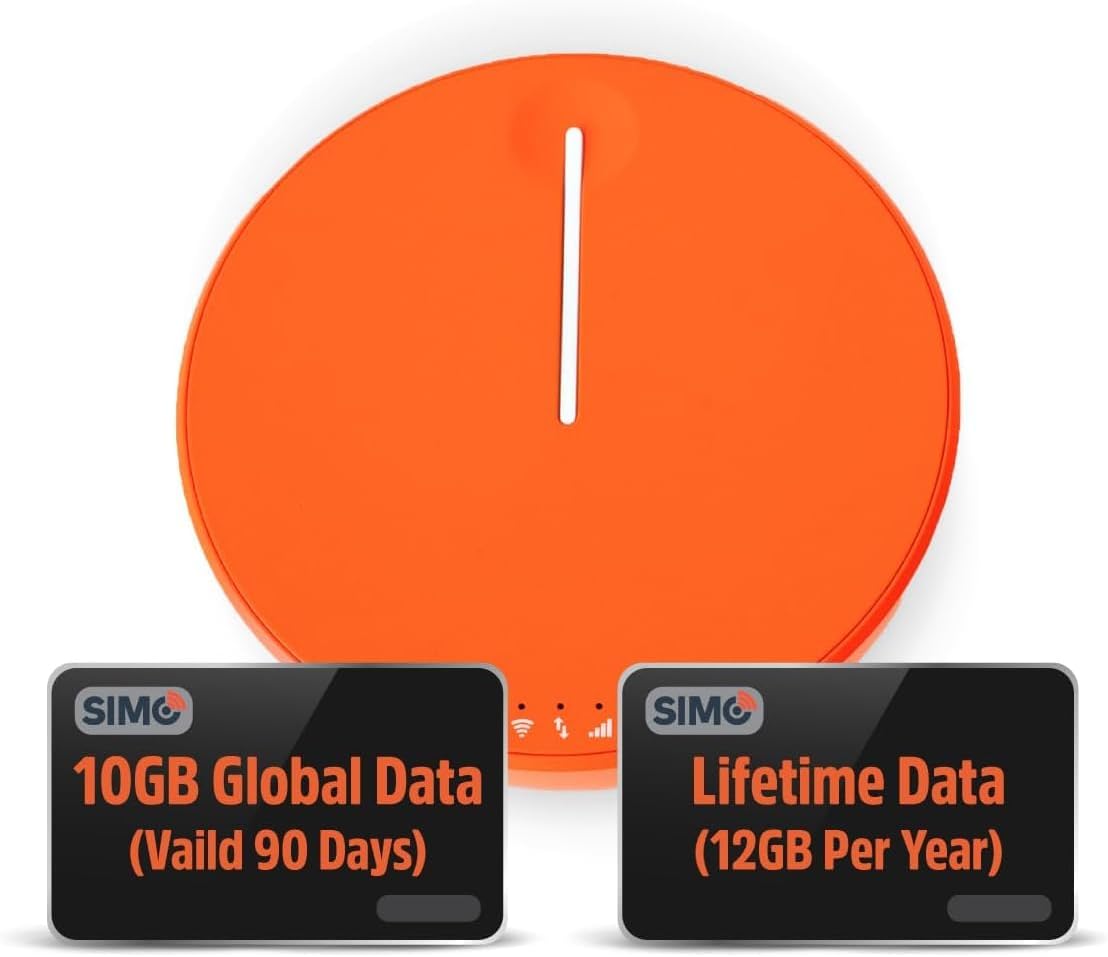
Figure 1.1: SIMO Solis Hero 4G LTE Portable Mobile Hotspot device.
Pagrindinės funkcijos:
- 2-in-1 Device: Functions as a mobile hotspot and a 5250mAh power bank.
- Visuotinis ryšys: Access to 300+ mobile networks in 140+ countries with SignalScan technology.
- No SIM Card or Contract: Utilizes virtual SIM technology for hassle-free connection.
- Lifetime Data Plan: Includes 1GB of global data every month for the life of the device.
- Patvarus dizainas: IP68-rated for dust, water, and drop protection.
- Kelių įrenginių palaikymas: Prijungia iki 10 įrenginių vienu metu.

1.2 pav. Baigtaview of Solis Hero key features.
2. Kas yra dėžutėje
Upon opening your SIMO Solis Hero package, you will find the following components:
- SIMO Solis Hero Hotspot Device
- Dėklas nešiojimui
- USB-C įkrovimo laidas
- Greitos pradžios vadovas
- Registration & Support Card
Video 2.1: Official unboxing and setup guide for the SIMO Solis Hero. This video demonstrates the contents of the box and initial steps to get started.

Figure 2.1: Visual representation of the Solis Hero components and initial setup steps.
3. Sąrankos vadovas
3.1 Pradinis įrenginio aktyvinimas
- Įkraukite įrenginį: Before first use, fully charge your Solis Hero using the provided USB-C charging cable. Connect the cable to the device and a compatible USB power adapter (not included).
- Maitinimas: Paspauskite ir palaikykite nuspaudę įrenginio maitinimo mygtuką, kol užsidegs indikatoriaus lemputės.
- Download the Solis App: Scan the QR code on the Registration & Support Card or search for 'Solis Wi-Fi' in your device's app store (available for iOS and Android).
- Užregistruokite savo įrenginį: Open the Solis app and follow the on-screen instructions to create an account and register your Solis Hero using its serial number. This step is crucial for activating your Lifetime Data plan and any included global data.
3.2 Prisijungimas prie „Wi-Fi“.
- Locate Wi-Fi Network: On your smartphone, tablet, or laptop, go to your Wi-Fi settings.
- Select Solis Hero Network: Find the Wi-Fi network name (SSID) broadcast by your Solis Hero device. The SSID and password are typically found on a sticker on the device or in the Quick Start Guide.
- Įveskite slaptažodį: Input the Wi-Fi password when prompted.
- Prisijunkite: Your device should now be connected to the Solis Hero's Wi-Fi network.
4. Naudojimo instrukcijos
4.1 „Wi-Fi“ ryšys
- The Solis Hero automatically connects to the strongest 4G LTE network available in your location using SignalScan technology.
- You can manage connected devices and monitor data usage through the Solis app.
4.2 Išorinės baterijos funkcionalumas
- The built-in 5250mAh battery allows you to charge other devices.
- Connect your device to the Solis Hero using a compatible charging cable.
- The Solis Hero can provide over 16 hours of battery life for its own operation, or it can be used to charge external devices.
4.3 Data Plans and Management
Your Solis Hero comes with a Lifetime Data plan (1GB per month) and an additional 10GB of global data (valid for 90 days). Additional data can be purchased as needed via the Solis app.

Figure 4.1: Flexible data plans are available through the Solis app to suit various usage needs.
5. Priežiūra ir priežiūra
- Valymas: Įrenginį valykite minkšta, sausa šluoste. Venkite abrazyvinių valiklių ar tirpiklių.
- Saugykla: Laikykite prietaisą vėsioje, sausoje vietoje, apsaugotoje nuo tiesioginių saulės spindulių ir ekstremalių temperatūrų.
- Akumuliatoriaus priežiūra: Norėdami pailginti baterijos veikimo laiką, venkite dažnai visiškai iškrauti įrenginį. Reguliariai jį įkraukite, net jei ilgą laiką nenaudojate.
- Atsparumas vandeniui ir dulkėms: While IP68-rated, avoid intentional submersion or exposure to harsh environments to maintain device integrity.
6. Įprastų problemų šalinimas
| Problema | Galima priežastis | Sprendimas |
|---|---|---|
| Nėra interneto ryšio | No data plan active or data exhausted. Weak signal. Device not powered on. | Check data plan status in Solis app. Move to an area with better signal. Ensure device is powered on and fully charged. |
| Įrenginys neįkraunamas | Faulty cable or adapter. Charging port obstruction. | Try a different USB-C cable and power adapter. Check charging port for debris. |
| Lėtas interneto greitis | Congested network. Data throttling after high usage. Too many connected devices. | Move to a less congested area. Check data plan details for speed limitations. Disconnect unused devices. |
| Nepavyksta prisijungti prie „Wi-Fi“ tinklo | Incorrect Wi-Fi password. Device too far from hotspot. | Verify Wi-Fi password. Move closer to the Solis Hero device. |
7. Techninės specifikacijos
| Funkcija | Detalė |
|---|---|
| Modelio numeris | SolHero24 |
| Baterijos talpa | 5250 mAh ličio jonų akumuliatorius (pridedamas) |
| Matmenys | 4.41 x 4.37 x 2.05 colio |
| Prekės svoris | 9.7 uncijos |
| Ryšys | 4G LTE, Wi-Fi (connects to 300+ mobile networks) |
| Maksimalus prijungtų įrenginių skaičius | 10 |
| Patvarumo įvertinimas | IP68 (Dust, Water, Drop Protection) |
8. Garantija ir klientų aptarnavimas
SIMO products are backed by responsive customer service. For any inquiries, technical assistance, or warranty claims, please refer to the contact information provided on your Registration & Support Card or visit the official SIMO websvetainę.
Taip pat galite apsilankyti SIMO Store on Amazon Norėdami gauti daugiau informacijos ir paramos išteklių.
Susiję dokumentaiSolHero24


Ask a question about this manual
Ask about setup, troubleshooting, compatibility, parts, safety, or missing instructions. Manuals+ will review the question and use this page’s manual context to help answer it.