
1. Įvadas
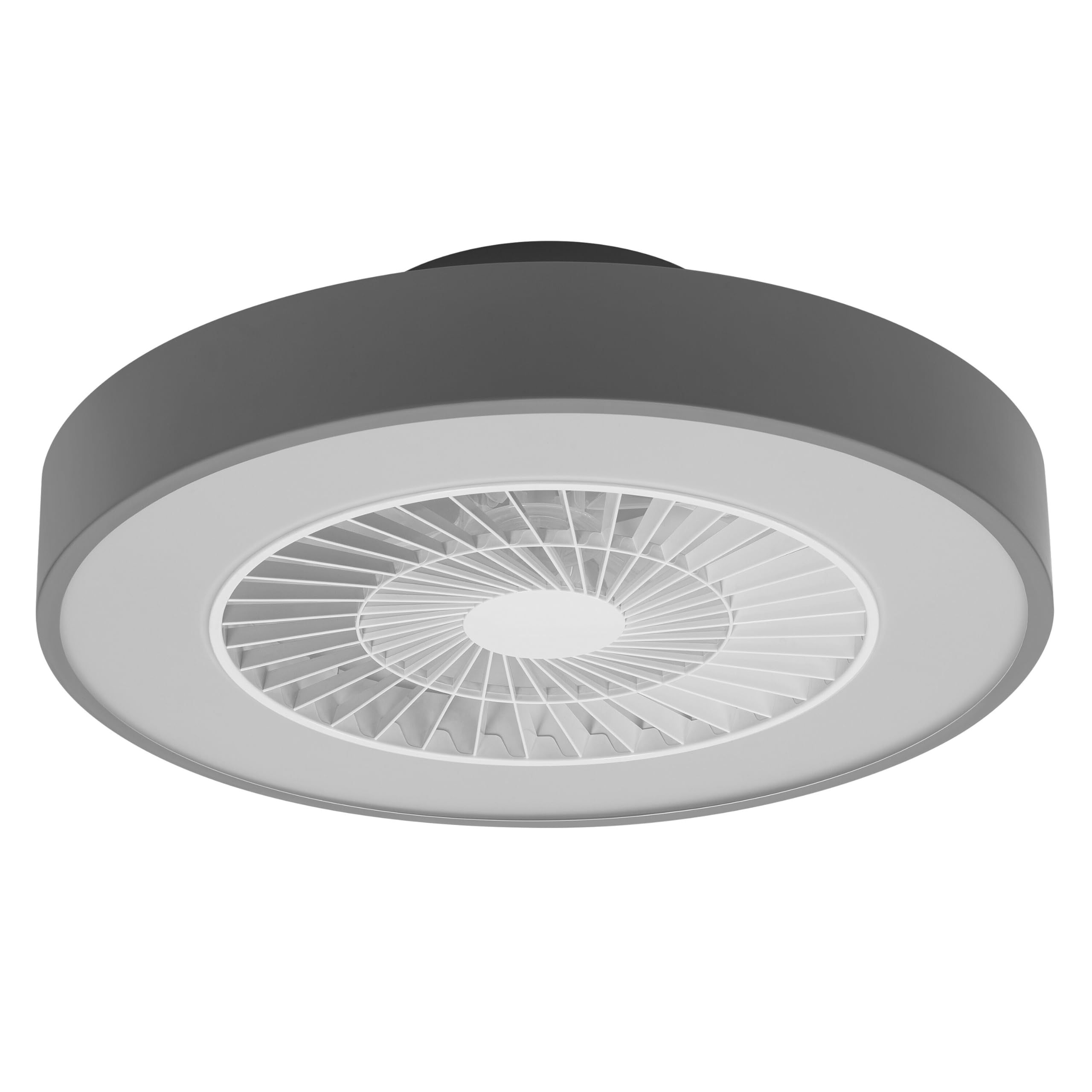
This manual provides detailed instructions for the installation, operation, and maintenance of your Osram SMART+ WiFi LED Ceiling Fan, Cylinder 550mm model. This innovative device combines an LED light fixture with an integrated fan, designed to provide both illumination and air circulation in various indoor environments.
The fan features adjustable speed settings, while the integrated LED light offers a customizable color temperature range from warm white (3000 K) to daylight white (6500 K) and is fully dimmable. Control options include a dedicated remote control, a smartphone application, and voice assistants for a seamless user experience.
2. Saugos informacija
Prieš montuodami ir naudodami atidžiai perskaitykite visas saugos instrukcijas. Nesilaikant šių instrukcijų, gali kilti elektros smūgis, gaisras arba gali kilti kūno sužalojimas.
- Visus elektros prijungimus turi atlikti kvalifikuotas elektrikas.
- Always disconnect power at the circuit breaker before beginning any installation, maintenance, or cleaning procedures.
- Verify the suitability and structural integrity of the ceiling and wall before mounting the fan. If in doubt, consult a professional.
- Šis gaminys skirtas naudoti tik patalpose.
- Ensure all components are securely fastened before restoring power.

3. Pakuotės turinys
Atsargiai išpakuokite dėžę ir įsitikinkite, kad visos dalys yra ir nepažeistos. Jei trūksta kokių nors dalių arba jos pažeistos, susisiekite su klientų aptarnavimo tarnyba.
- 1x Osram SMART+ WiFi LED Ceiling Fan Cylinder 550mm
- 1x nuotolinio valdymo pultas
- Mounting accessories (screws, dowels, bracket)
- Instrukcijų vadovas
4. Sąranka ir diegimas
The Osram SMART+ WiFi LED Ceiling Fan is designed for simple assembly. Complete accessories are included for installation. The fan has dimensions of 60 x 60 cm, making it suitable for standard ceiling covers.
Diegimo žingsniai:
- Nutraukite galią: Before starting any work, ensure the main power supply to the installation area is switched off at the circuit breaker.
- Paruoškite montavimą: Mark and drill holes for the mounting bracket on the ceiling. Ensure the holes are correctly spaced and sized for the provided dowels and screws.
- Fix the Support: Securely attach the mounting bracket to the ceiling using the provided dowels and screws.
- Prijunkite laidus: Connect the electrical cables according to the wiring diagram provided in the manual. Ensure all connections are tight and secure.
- Install the Fan: Attach the ceiling fan unit to the mounted bracket, ensuring it is securely locked in place.
- Atkurti maitinimą: Kai įrengimas bus baigtas ir visos jungtys bus tvirtai pritvirtintos, atkurkite elektros tiekimą automatiniu jungikliu.


5. Naudojimo instrukcijos
Your Osram SMART+ WiFi LED Ceiling Fan can be operated using the included remote control, the SMART+ app, or voice commands.
5.1. Nuotolinio valdymo pultas
The remote control allows for direct adjustment of fan speed, light brightness, and color temperature without needing a network connection.

- Maitinimo mygtukas: Įjungia / išjungia ventiliatorių ir šviesą.
- Ventiliatoriaus greičio mygtukai: Adjusts the fan speed (typically 3 levels).
- Šviesos įjungimas / išjungimas: Šviesą reguliuoja nepriklausomai.
- Ryškumo reguliavimas: Dims or brightens the light.
- Spalvos temperatūros reguliavimas: Changes the light color from warm white to daylight white.
- Vasaros / žiemos režimas: Switches between airflow directions for cooling (summer) or circulating warm air (winter).


6. Smart Features (WiFi, App, Voice Control)
The Osram SMART+ WiFi LED Ceiling Fan integrates seamlessly into your smart home ecosystem, offering advanced control options via WiFi.
6.1. SMART+ App Control
Control your fan and light settings from anywhere using the SMART+ app on your smartphone or tablet. The app allows for precise adjustments of fan speed, light brightness, and color temperature, as well as scheduling and scene creation.
- Atsisiųskite programą: Ieškokite "SMART+ App" in the App Store (iOS 14.0 or higher) or Google Play Store (Android 8.0 or higher). You can also scan the QR code or visit l.ead.me/SmartPlusWifi.
- Poravimas: Follow the in-app instructions to pair your ceiling fan with the SMART+ app via your home WiFi network (2.4 GHz).
- Savybės: Once paired, you can control individual fan and light functions, group multiple devices, create automated routines, and manage settings remotely.


6.2. Valdymas balsu
Integrate your Osram SMART+ Ceiling Fan with compatible voice assistants like Google Home and Amazon Alexa for hands-free control.
- Sąranka: Link your SMART+ account with your preferred voice assistant app (e.g., Google Home, Amazon Alexa).
- Komandos: Use simple voice commands to turn the fan or light on/off, adjust speed, brightness, or color temperature. For example, "Alexa, turn on the ceiling fan" or "Hey Google, set fan speed to medium."

7. Priežiūra
Reguliarus valymas užtikrina optimalų jūsų lubų ventiliatoriaus veikimą ir ilgaamžiškumą.
- Valymas: Before cleaning, ensure the power is disconnected. Wipe the fan and light surfaces with a soft, dry, or slightly damp audinys. Nenaudokite abrazyvinių valiklių ar tirpiklių.
- Patikra: Reguliariai patikrinkite visus tvirtinimo varžtus ir jungtis, kad įsitikintumėte, jog jie yra tvirtai priveržti.
- Šviesos šaltinis: The integrated LED light source is designed for a long lifespan (30,000 hours) and is not user-replaceable.
8. Problemų sprendimas
If you encounter issues with your Osram SMART+ WiFi LED Ceiling Fan, refer to the following common problems and solutions:
| Problema | Galima priežastis | Sprendimas |
|---|---|---|
| Fan/Light does not turn on | Nėra maitinimo; Atsilaisvinę laidai; Išsikrovusi nuotolinio valdymo pulto baterija. | Check circuit breaker; Verify electrical connections (consult electrician); Replace remote control batteries. |
| Nuotolinio valdymo pultas nereaguoja | Batteries depleted; Obstruction between remote and fan; Remote out of range. | Replace batteries; Ensure clear line of sight; Operate within closer range. |
| WiFi disconnection or app control issues | Weak WiFi signal; Router issues; Incorrect app pairing. | Ensure strong 2.4 GHz WiFi signal; Restart router; Re-pair device in SMART+ app. |
| Ventiliatorius triukšmingas | Loose mounting; Obstruction in fan blades; Motor issue. | Check mounting screws; Ensure no obstructions; If noise persists, contact support. |
If the problem persists after attempting these solutions, please contact Osram customer support.
9. Specifikacijos
| Funkcija | Specifikacija |
|---|---|
| Prekės ženklas | Osram |
| Modelio pavadinimas | SMART+ Wifi Ceiling Fan LED Cylinder 550mm + RC |
| Modelio numeris | 4099854472800 |
| Spalva | Pilka |
| Stilius | Cilindras |
| Matmenys | 60 x 60 cm |
| Svoris | 4000 gramų |
| Medžiaga | Akrilnitrilo butadieno stirenas (ABS) |
| Maitinimo šaltinis | kintamoji srovė (kintamoji srovė) |
| Energijos suvartojimas | 78 vatų |
| ttage | 6 Volts (Note: This may refer to a control circuit voltage; the main power supply is AC.) |
| Šviesos tipas | LED |
| Šviesos išvestis | 2500 liumenų |
| Spalvos temperatūra | 3000 K (Warm White) to 6500 K (Daylight White) |
| Pritemdomas | Taip |
| Gyvenimo trukmė | 30,000 valandos |
| Ventiliatoriaus greičio lygiai | 3 |
| Variklio tipas | Variklis be šepetėlių |
| Kontrolės metodas | App, Remote Control, Voice |
| Išmaniųjų namų suderinamumas | Yes (via SMART+ App, Google Home, Amazon Alexa) |
| Tinklo protokolas | „Wi-Fi“ (2.4 GHz) |
| Belaidis veikimas | No (Refers to main power supply, not control via WiFi) |
| Energijos vartojimo efektyvumo klasė | E |
| Diegimo tipas | Savarankiškas montavimas |
| Naudojimo aplinka | Vidinis |
10. Garantija ir palaikymas
Osram products are manufactured to high-quality standards. This product comes with a standard manufacturer's warranty. Please refer to the warranty card included in your package or visit the official Osram websvetainėje, kurioje pateikiamos išsamios garantijos sąlygos.
For technical support, troubleshooting assistance, or warranty claims, please contact Osram customer service through their official websvetainėje arba kontaktinę informaciją, pateiktą jūsų produkto dokumentuose.
Osram Official Websvetainė: www.osram.com


