
1. Įvadas
Welcome to the user manual for your new boAt Rockerz 413 Bluetooth Over-Ear Headphones. These headphones are designed to provide a superior audio experience with features such as 60 hours of playback, powerful 40mm drivers, ENx Technology for clear calls, Dual Pairing for seamless device switching, and a low-latency BEAST Mode for gaming.
Please read this manual carefully to ensure proper use and to maximize the performance and longevity of your headphones.
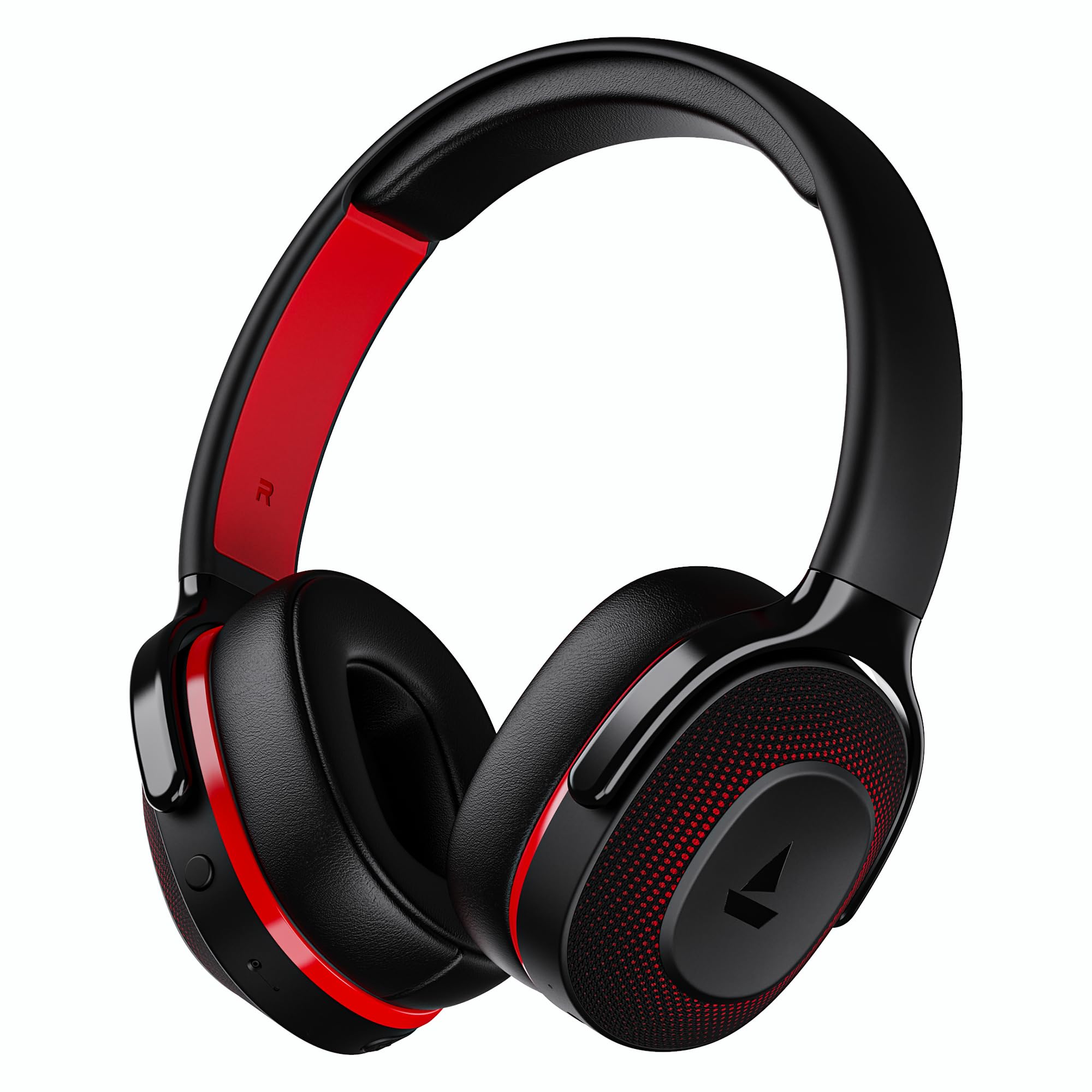
Image: boAt Rockerz 413 Bluetooth Headphones in Black & Red.
2. Kas yra dėžutėje
Upon opening your boAt Rockerz 413 package, you should find the following items:
- BoAt Rockerz 413 ausinės
- Įkrovimo kabelis
3. Produktas baigtasview ir valdikliai
Familiarize yourself with the physical components and controls of your headphones.

Vaizdas: Stambus planas view of the right ear cup, highlighting the easy access control buttons for power, volume, and mode selection. The headphones feature an adaptive fit design and support dual pairing with Bluetooth v5.2.
Valdymo mygtukai:
- Maitinimo mygtukas: Paspauskite ir palaikykite, kad įjungtumėte / išjungtumėte. Trumpai paspauskite, kad paleistumėte / pristabdytumėte.
- Garsumo padidinimas (+): Trumpas paspaudimas, norint padidinti garsumą. Ilgas paspaudimas, norint pereiti į kitą takelį.
- Sumažinti garsumą (-): Trumpas paspaudimas, jei norite sumažinti garsumą. Ilgas paspaudimas, jei norite pereiti į ankstesnį takelį.
- Daugiafunkcis mygtukas: (Specific function may vary, often for call management or voice assistant).
- Režimo mygtukas: Activates BEAST Mode for low latency gaming.
4. Sąranka
4.1 Įjungimas / išjungimas
- Norėdami įjungti: Paspauskite ir palaikykite maitinimo mygtuką maždaug 3 sekundes, kol užsidegs LED indikatorius.
- Norėdami išjungti: Paspauskite ir palaikykite maitinimo mygtuką maždaug 5 sekundes, kol užges LED indikatorius.
4.2 Bluetooth poravimas
- Prieš naudodami pirmą kartą įsitikinkite, kad ausinės yra visiškai įkrautos.
- Power on the headphones. They will automatically enter pairing mode, indicated by a flashing LED light (e.g., blue and red alternating).
- Savo įrenginyje (išmaniajame telefone, planšetiniame kompiuteryje, nešiojamajame kompiuteryje) įjunkite „Bluetooth“.
- Ieškokite available Bluetooth devices and select "boAt Rockerz 413" from the list.
- Once connected, the LED indicator will show a steady blue light or flash slowly.
4.3 Dvigubas susiejimas
The Rockerz 413 supports dual pairing, allowing you to connect to two devices simultaneously (e.g., a smartphone and a laptop). This enables seamless switching between audio sources without manual disconnection.
- Prijunkite ausines prie pirmojo įrenginio, kaip aprašyta 4.2 skyriuje.
- Išjunkite „Bluetooth“ pirmame įrenginyje. Ausinės vėl įsijungs susiejimo režimu.
- Prijunkite ausines prie antrojo įrenginio.
- Iš naujo įjunkite „Bluetooth“ pirmajame įrenginyje. Ausinės automatiškai prisijungs prie abiejų įrenginių.
- Audio will play from the device that is actively playing content.
Image: The boAt Rockerz 413 headphones demonstrating their adaptive fit and the capability for dual pairing with Bluetooth v5.2.
5. Naudojimo instrukcijos
5.1 Garso atkūrimas
- Leisti / pristabdyti: Trumpai paspauskite maitinimo mygtuką.
- Kitas takelis: Ilgai paspauskite garsumo didinimo (+) mygtuką.
- Ankstesnis takelis: Ilgai paspauskite garsumo mažinimo (-) mygtuką.
- Garsumo valdymas: Trumpai paspauskite garsumo didinimo (+) arba garsumo mažinimo (-) mygtukus.
5.2 Call Management (ENx Technology)
The boAt Rockerz 413 features ENx Technology, which enhances your voice and cancels surrounding noise for clear call quality.
- Atsiliepti / Baigti skambutį: Trumpai paspauskite daugiafunkcį mygtuką.
- Atmesti skambutį: Ilgai paspauskite daugiafunkcį mygtuką.
- Padėjėjas balsu: Double press the Multi-function Button (if supported by your device).

Image: The boAt Rockerz 413 headphones showcasing ENx Technology for enhanced call clarity.
5.3 BEAST Mode (Low Latency Gaming)
Activate BEAST Mode for a low-latency audio experience, ideal for gaming. This mode reduces audio delay to 60ms, providing synchronized sound with your gameplay.
- Activate BEAST Mode: Press the dedicated Mode Button. You may hear an audio prompt confirming activation.
- Deactivate BEAST Mode: Press the Mode Button again.

Image: boAt Rockerz 413 headphones shown alongside a smartphone displaying a game, emphasizing the 60ms low latency BEAST Mode for an immersive gaming experience.
5.4 boAt Signature Sound with 40mm Drivers
Experience rich and balanced audio with the boAt Signature Sound, delivered through powerful 40mm dynamic drivers. These drivers are engineered to provide clear highs, detailed mids, and deep bass for an enjoyable listening experience across various genres.

Image: An exploded diagram of the boAt Rockerz 413 ear cup, illustrating the internal 40mm drivers and components responsible for delivering boAt Signature Sound.
6. Įkrovimas
Your boAt Rockerz 413 headphones offer an impressive 60 hours of playback on a single charge.
- Prijunkite pridedamą įkrovimo laidą prie ausinių įkrovimo prievado.
- Kitą laido galą prijunkite prie USB maitinimo šaltinio (pvz., sieninio adapterio, kompiuterio USB prievado).
- Įkrovimo metu LED indikatorius švies raudonai.
- Kai prietaisas bus visiškai įkrautas, LED indikatorius užsidegs mėlynai arba užges, priklausomai nuo modelio.
- Venkite naudoti greituosius įkroviklius arba įkroviklius su garsutage exceeding 5V to prevent damage.

Image: Close-up of the boAt Rockerz 413 headphone ear cup, highlighting its 60 hours of playback capability.
7. Priežiūra
Norėdami užtikrinti ausinių ilgaamžiškumą ir optimalų veikimą, laikykitės šių priežiūros nurodymų:
- Laikykite ausines sausas. Saugokite jas nuo vandens ar per didelės drėgmės.
- Reguliariai valykite ausų pagalvėles ir galvos juostą minkštu, sausu skudurėliu.
- Venkite ekstremalių temperatūrų.
- Nenaudojamas ausines laikykite vėsioje, sausoje vietoje.
- Nebandykite ardyti ar modifikuoti ausinių, nes tai panaikins garantiją.
8. Problemų sprendimas
| Problema | Galimas sprendimas |
|---|---|
| Ausinės neįsijungia | Įsitikinkite, kad ausinės įkrautos. Prijunkite prie maitinimo šaltinio ir bandykite dar kartą. |
| Nepavyksta susieti su įrenginiu |
|
| Nėra garso ar mažas garsumas |
|
| Call quality issues (ENx Tech) |
|
| Latency in gaming (BEAST Mode) |
|
9. Specifikacijos
| Funkcija | Detalė |
|---|---|
| Prekės ženklas | valtis |
| Modelio pavadinimas | Rokerzas |
| Modelio numeris | PB0019 |
| Ausų išdėstymas | Virš ausies |
| Formos faktorius | Virš ausies |
| Triukšmo valdymas | Aktyvus triukšmo slopinimas |
| Bluetooth versija | 5.2 |
| Belaidė technologija | Bluetooth |
| Garso tvarkyklės tipas | Dinaminis vairuotojas |
| Vairuotojo dydis | 40 mm |
| Baterijos veikimo laikas (vidutinis) | 60 valandų |
| Kontrolės metodas | Mygtukas |
| Produkto savybės | ENx Technology, BEAST Mode, Dual Pairing |
| Suderinami įrenginiai | Tablets, Desktops, Telephones, Cellphones, Laptops, Smart Speaker, Television |
| Specifiniai naudojimo būdai | Gaming, Music, Travel |
| Medžiaga | Audinys |
| Prekės svoris | 300 gramų |
| Kilmės šalis | Kinija |
10. Garantija
The boAt Rockerz 413 headphones come with a 1 metų garantija nuo pirkimo datos. Išsaugokite pirkimo įrodymą garantiniams reikalavimams. Garantija taikoma gamybos defektams, bet neapima žalos, atsiradusios dėl netinkamo naudojimo, nelaimingų atsitikimų, neleistinų modifikacijų ar įprasto nusidėvėjimo.
For detailed warranty terms and conditions, please refer to the official boAt websvetainėje arba susisiekite su klientų aptarnavimo tarnyba.
11. Parama
For further assistance, technical support, or warranty claims, please contact boAt customer service:
- Gamintojo kontaktai: Imagine Marketing Ltd
- El. paštas: info@imaginemarketingindia.com
„boAt Hearables“ programėlė
Enhance your experience by downloading the boAt Hearables App. Scan the QR code below or visit the provided link to access additional features, stream music, listen to audiobooks, and find user help guides.
Image: A smartphone screen displaying a QR code for the boAt Hearables App, which allows users to stream music, listen to audiobooks, and access user guides.
Atsisiųskite programėlę čia: boAt Hearables App Link