
1. Įvadas
The EARU Automatic Voltage Protector (Model EARU-1005) is an advanced electrical safety device designed to protect your valuable home and office appliances from damaging power fluctuations. This device offers comprehensive protection against over-voltage, pagal ttage, and overcurrent conditions, ensuring the longevity and safe operation of your electrical equipment. It features adjustable thresholds and an auto-reconnect function for convenience and continuous protection.
2. Pagrindinės savybės
- All-in-One Protection: Safeguards appliances from power surges, over-voltage (above 275V), under-voltage (below 175V), and adjustable overcurrent (1A-63A).
- Tikslumo reguliavimas: Customizable cut-off thresholds for over-voltage (200V-275V) and under-voltage (175V-200V) to suit specific grid conditions and appliance needs.
- Automatinio atkūrimo funkcija: Automatically restores power within 60-300 seconds once grid voltage stabilizes within the set safe range, eliminating manual intervention.
- Puikus laidumas: Constructed with 100% pure copper conductors for minimal resistance, efficient operation, and enhanced long-term reliability under heavy 63A loads.
- DIN bėgelio montavimas: Designed for easy and secure integration into standard 2-Pole, 36mm width DIN Rail electrical panels.
- Visapusiška sauga: Provides robust protection for an entire household against unpredictable voltage svyravimai ir viršįtampiai.
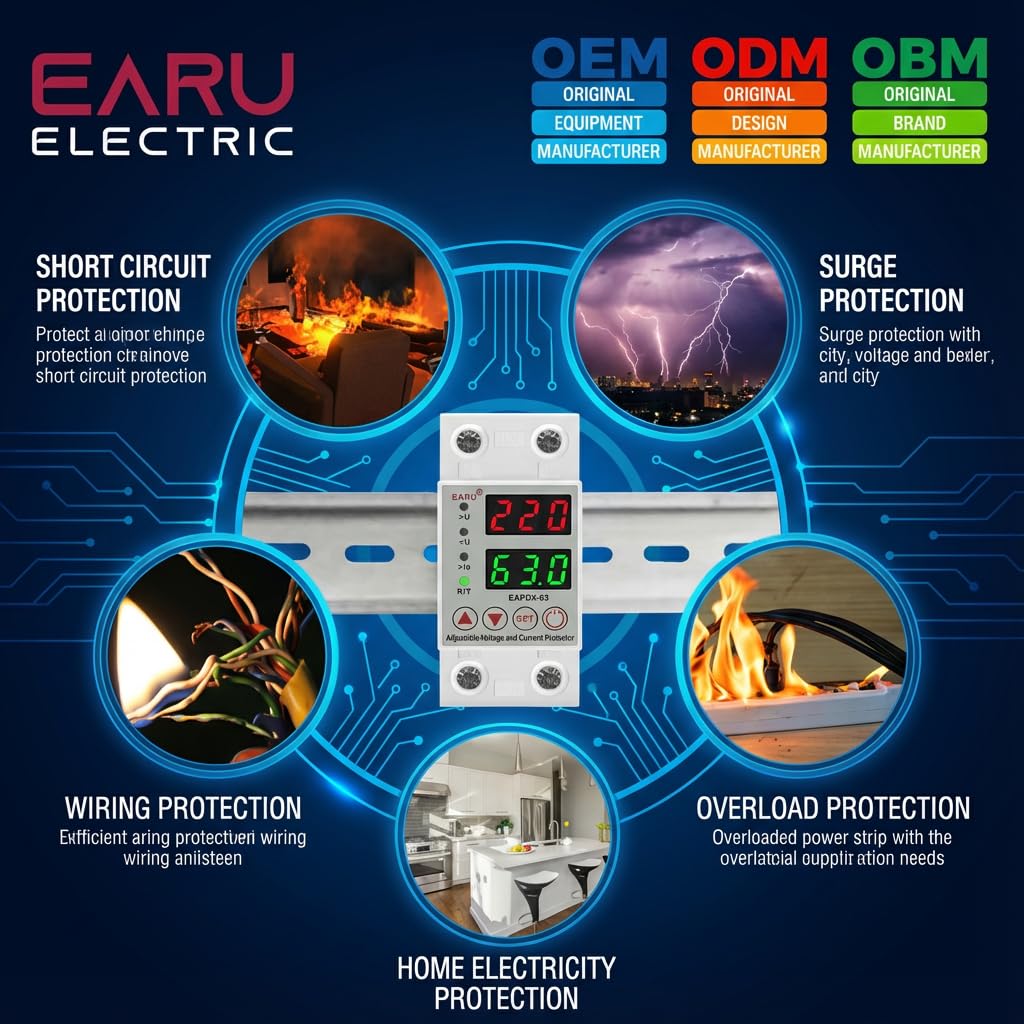
2.1 vaizdas: Baigtaview of the protection capabilities of the EARU Automatic Voltage gynėjas.
3. Saugos informacija
Please read and understand all safety instructions before installing or operating the device. Failure to do so may result in electric shock, fire, or serious injury.
- Montavimą turėtų atlikti tik kvalifikuotas elektrikas, laikydamasis vietinių elektros kodeksų ir taisyklių.
- Prieš bet kokius montavimo ar techninės priežiūros darbus įsitikinkite, kad pagrindinis maitinimo šaltinis yra atjungtas.
- Do not operate the device if it appears damaged or has been exposed to moisture.
- Verify correct wiring connections (Line and Neutral) to prevent malfunction or damage.
- Prietaisas skirtas naudoti tik patalpose.
- Neviršykite maksimalios 63 A srovės vertės.
4. Produktas baigtasview
4.1. Komponentai ir ekranas
The EARU Automatic Voltage Protector features a clear digital display and intuitive control buttons for easy monitoring and adjustment.
- ttage Ekranas: Rodo dabartinį eilutės garsumątage.
- Dabartinis ekranas: Shows the current load in Amperes.
- Indikacinės lemputės:
>U: Pertekltage indikatorius.<U: Nepakankamas tomastage indikatorius.>Ie: Overcurrent indicator.R/T: Reset/Time indicator.
- Valdymo mygtukai:
- Up Arrow (▲) / Down Arrow (▼): Naudojamas parametrų reikšmėms koreguoti.
- SET mygtukas: Press and hold for 3 seconds to enter setting mode.
- Įjungimo / išjungimo mygtukas: Toggles power to the protected circuit.
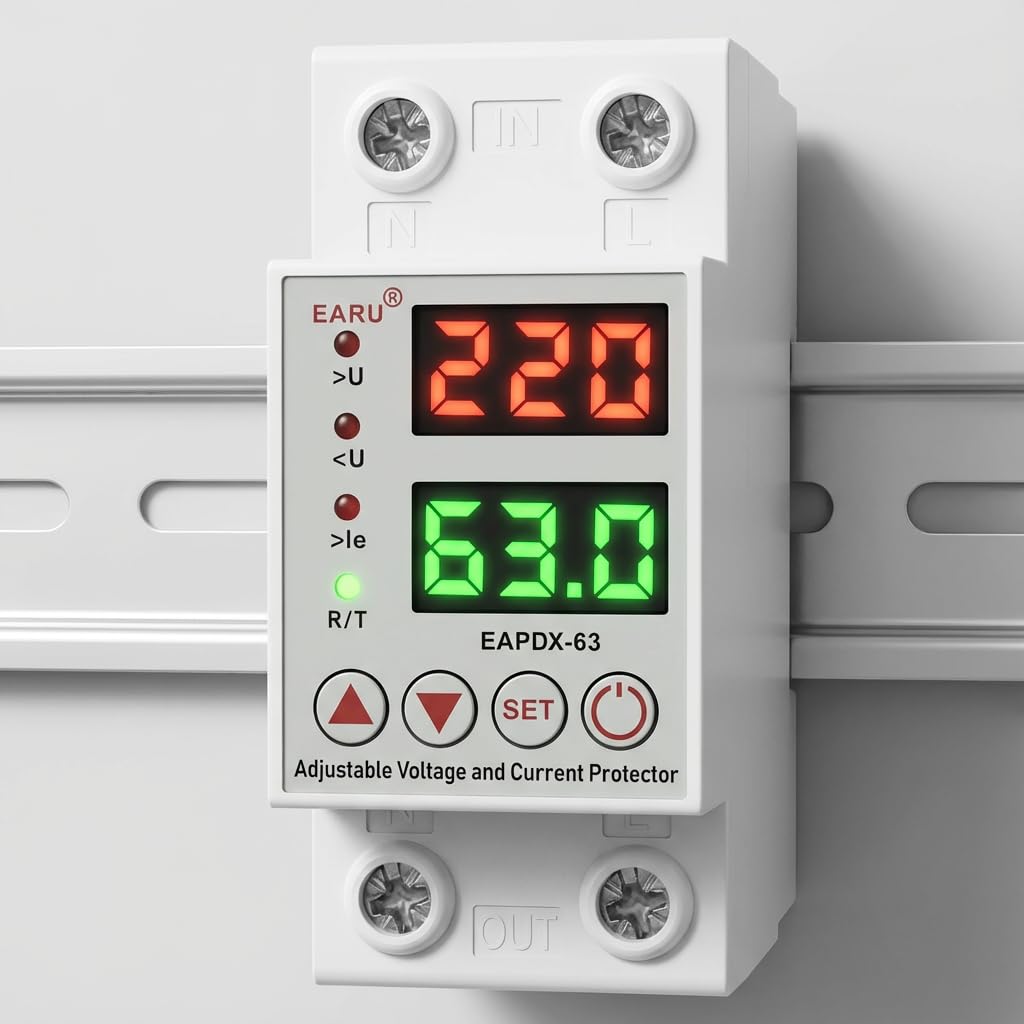
4.1 vaizdas: priekis view of the EARU Automatic Voltage Protector, highlighting its digital display and control buttons.
5. Sąranka ir diegimas
The EARU Automatic Voltage Protector is designed for DIN Rail mounting. Ensure proper wiring and secure installation.
5.1. Montavimas
Mount the device onto a standard 36mm width DIN Rail within your electrical panel. Ensure it is securely clipped into place.
5.2. Laidų schema
Connect the incoming power supply (Line and Neutral) to the "IN" terminals and the outgoing load to the "OUT" terminals. Refer to the diagram below for correct wiring.

5.1 pav.: pvz.ample wiring configuration for DIN Rail installation.

Image 5.2: Device dimensions for installation planning.
6. Naudojimo instrukcijos
The device allows for precise adjustment of protection parameters. Follow these steps to configure your voltage gynėjas.
6.1. Parameter Setting Mode
- Įsitikinkite, kad įrenginys įjungtas.
- Paspauskite ir palaikykite NUSTATYTI button for approximately 3 seconds until the display changes to show "P-1" or a similar setting indicator. This indicates you are in parameter setting mode.
- Naudokite Rodyklė aukštyn (▲) ir Rodyklė žemyn (▼) buttons to navigate through the different parameters (P-1 to P-6).
- Once you have selected a parameter, press the NUSTATYTI button briefly to enter its adjustment mode.
- Naudokite Rodyklė aukštyn (▲) ir Rodyklė žemyn (▼) mygtukai, norėdami pakeisti vertę.
- Paspauskite NUSTATYTI button again to confirm the value and move to the next parameter, or wait a few seconds for the device to automatically save and exit the setting mode.
6.2. Parametrų aprašymai
| Parametras | Aprašymas | Reguliuojamas diapazonas |
|---|---|---|
| P-1 | Per tomastage nustatymas | 240V - 300V (or OFF) |
| P-2 | Nepakankamas tomastage nustatymas | 140V - 200V (or OFF) |
| P-3 | Overcurrent setting | 1A - 40A / 63A / 80A (depending on model) |
| P-4 | Reset/start delay | 1-ieji–300-ieji |
| P-5 | Relay recovery delay | 1-ieji–300-ieji |
| P-6 | Overcurrent recovery delay | 1-ieji–300-ieji |
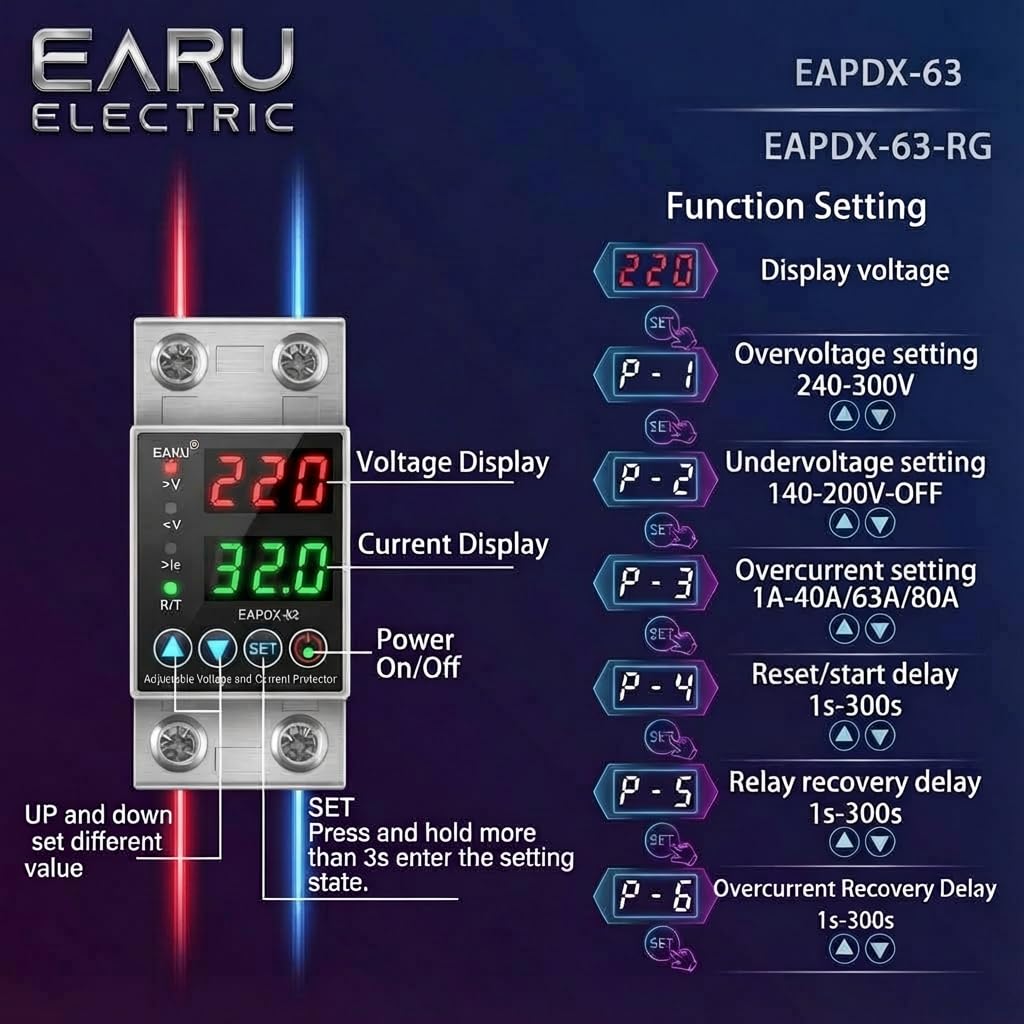
Image 6.1: Function setting guide for the device.
6.3. Video Guide: Setting Parameters
Video 6.1: This video demonstrates how to adjust the over-voltage, pagal ttage, overcurrent, and recovery delay settings on the EARU Automatic Voltage Protector. It shows the step-by-step process of entering the setting mode and modifying each parameter.
7. Priežiūra
The EARU Automatic Voltage Protector requires minimal maintenance. Regular checks can ensure optimal performance.
- Reguliariai tikrinkite įrenginį, ar nėra matomų pažeidimų ar atsilaisvinusių jungčių.
- Ensure the ventilation slots are clear of dust and debris to prevent overheating.
- Clean the exterior with a dry, soft cloth. Do not use liquid cleaners or solvents.
- Do not attempt to open or repair the device yourself. Refer to qualified personnel for servicing.
8. Problemų sprendimas
If you encounter issues with your EARU Automatic Voltage Protector, refer to the following common troubleshooting steps:
| Problema | Galima priežastis | Sprendimas |
|---|---|---|
| Įrenginys neįsijungia | No input power; incorrect wiring; internal fault. | Check main power supply. Verify wiring connections. If problem persists, contact support. |
| Power cuts off frequently | ttage/current outside set thresholds; unstable grid. | Check current voltage/current readings. Adjust P-1, P-2, P-3 settings if necessary. Monitor grid stability. |
| Device does not auto-reconnect | Recovery delay (P-4, P-5, P-6) set too long; persistent fault. | Verify recovery delay settings. Ensure grid conditions have stabilized. Manually reset if safe to do so. |
| Neteisingas ttage/dabartinis rodmuo | Calibration issue; faulty sensor. | Kreipkitės pagalbos į klientų aptarnavimo tarnybą. |
9. Specifikacijos
| Funkcija | Detalė |
|---|---|
| Prekės ženklas | EARU |
| Modelis | EARU-1005 |
| Gaminio matmenys (IxPxH) | 7.7 x 3.5 x 6.5 cm |
| Prekės svoris | 450 g |
| Įvesties tomastage | 230 voltų kintamoji srovė |
| Maksas Vatastage | 13800 vatų |
| Maksimali srovė | 63 Amperes |
| Per tomastage Apsaugos diapazonas | Adjustable 200V-275V (Cut-off above 275V default) |
| Nepakankamas tomastage Apsaugos diapazonas | Adjustable 175V-200V (Cut-off below 175V default) |
| Auto-Reconnect Delay | Reguliuojamas 60-300 sekundžių |
| Montavimo tipas | DIN Rail (2-Pole, 36mm width) |
| Laidininko medžiaga | 100% Pure Copper |
| Kilmės šalis | Indija |
10. Garantija ir palaikymas
The EARU Automatic Voltage Protector (Model EARU-1005) is backed by a 1-Year Manufacturer Warranty. This warranty covers defects in materials and workmanship under normal use.
- For warranty claims or technical support, please contact EARU customer service.
- Išsaugokite pirkimo kvitą kaip pirkimo įrodymą garantijos galiojimui.
- Neleistinas remontas ar modifikavimas panaikina garantiją.