
Insignia NS-24F201CA26
Insignia NS-24F201CA26 24-inch 720p HD HDR LED Fire TV Smart TV User Manual
Model: NS-24F201CA26
Įvadas
Ačiū, kad pirkoteasing the Insignia NS-24F201CA26 24-inch 720p HD HDR LED Fire TV Smart TV. This manual provides essential information for the safe and efficient use of your television. Please read these instructions thoroughly before operating your new TV and retain them for future reference.
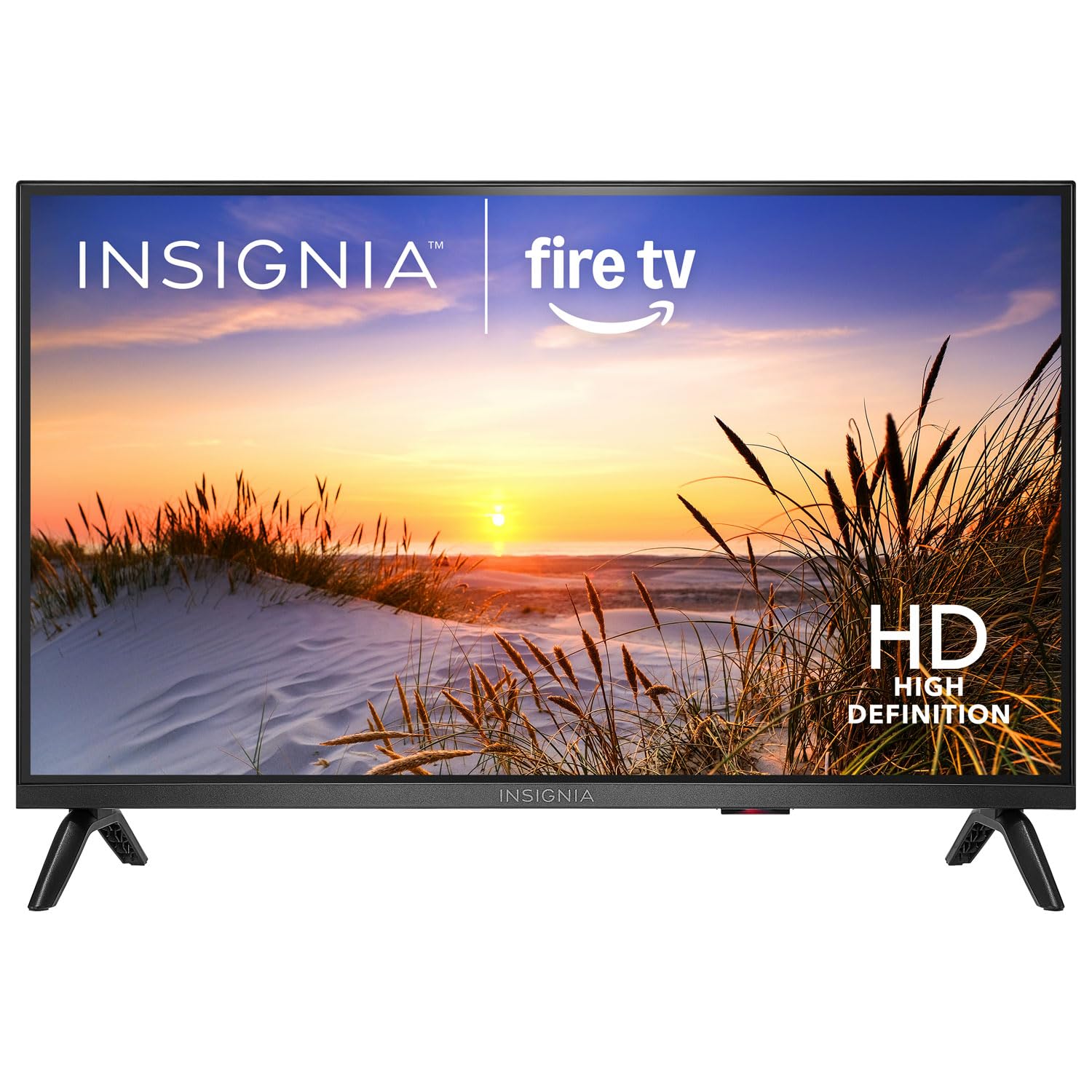
Vaizdas: priekis view of the Insignia NS-24F201CA26 24-inch Fire TV Smart TV, showcasing its slim bezel and screen.
Svarbi saugos informacija
Always follow these basic safety precautions when using your television to reduce the risk of fire, electric shock, and injury:
- Saugokite televizorių nuo lietaus ar drėgmės.
- Neatidarykite televizoriaus korpuso. Visus techninės priežiūros darbus patikėkite kvalifikuotiems techninės priežiūros specialistams.
- Užtikrinkite tinkamą vėdinimą. Neužblokuokite ventiliacijos angų.
- Saugokite maitinimo laidą, kad ant jo neužeitų ar nesuspaustų.
- Atjunkite televizorių nuo elektros tinklo žaibuojant arba kai jis ilgą laiką nenaudojamas.
- Laikykite televizorių atokiau nuo šilumos šaltinių, tokių kaip radiatoriai, šildytuvai, viryklės ar kiti šilumą skleidžiantys prietaisai.
- Naudokite tik gamintojo nurodytus priedus/priedus.
Kas yra dėžutėje
Carefully unpack your new product and ensure all items are present:
- Insignia NS-24F201CA26 24-inch Fire TV Smart TV
- Balso nuotolinio valdymo pultas su Alexa
- AAA baterijos (2)
- Maitinimo laidas
- TV stovas (2 vnt.)
- TV stovo varžtai
- Greito sąrankos vadovas
- Important Safety Information Sheet
Sąranka
1. Stovo arba sieninio laikiklio pritvirtinimas
You can either attach the included stand or mount the TV to a wall. If wall mounting, refer to the instructions provided with your wall mount kit. For stand attachment:
- Place the TV face-down on a clean, cushioned surface to prevent screen damage.
- Sulygiuokite stovo dalis su varžtų skylėmis televizoriaus apačioje.
- Pritvirtinkite kiekvieną stovo dalį pridėtais varžtais. Įsitikinkite, kad jie tvirtai priveržti.
Image Description: An illustration showing the process of attaching the two stand feet to the bottom of the television using screws. (Specific image not available in provided data)
2. Prietaisų prijungimas
Connect your external devices (e.g., cable box, Blu-ray player, gaming console) to the TV's HDMI ports. The TV has 2 HDMI ports.
- HDMI: Didelės raiškos vaizdo ir garso įrašams.
- USB: Skirta USB atminties įrenginiams prijungti.
- Antena / kabelis: Skirta antenos arba kabelinės televizijos tiekimui prijungti.
- Optinė skaitmeninė garso išvestis: Skirta prijungti prie garso juostos arba garso imtuvo.
- Galia: Prijunkite maitinimo laidą prie televizoriaus, o tada – prie sieninio lizdo.
Image Description: A diagram illustrating the various input/output ports on the back of the television, including HDMI, USB, and power connections. (Specific image not available in provided data)
3. Pradinis įjungimas ir pirmoji sąranka
- Įkiškite maitinimo laidą į elektros lizdą.
- Paspauskite GALIA nuotolinio valdymo pulto mygtuką.
- Follow the on-screen instructions to complete the initial setup, which includes selecting your language, connecting to a Wi-Fi network, and signing in to your Amazon account for Fire TV features.
Televizoriaus valdymas
Nuotolinis valdymasview
The included Voice Remote with Alexa allows you to navigate the Fire TV interface, control playback, and use voice commands.
Image Description: A detailed diagram of the Voice Remote with Alexa, highlighting each button and its function. (Specific image not available in provided data)
- Maitinimo mygtukas: Įjungia arba išjungia televizorių.
- Balso mygtukas („Alexa“): Paspauskite ir palaikykite, kad suaktyvintumėte „Alexa“ balso komandas.
- Navigacijos žiedas: Naudokite norėdami naršyti meniu ir pasirinkti elementus.
- Namų mygtukas: Grąžina į „Fire TV“ pagrindinį ekraną.
- Atgal mygtukas: Grįžta į ankstesnį ekraną.
- Garsumo didinimas / sumažinimas: Reguliuoja televizoriaus garsumą.
- Nutildymo mygtukas: Nutildo arba įjungia garsą.
- Programėlės mygtukai: Greita prieiga prie populiarių transliacijos programų.
Pagrindinės funkcijos
- Maitinimo įjungimas/išjungimas: Paspauskite GALIA nuotolinio valdymo pulto mygtuką.
- Garsumo valdymas: Naudokite VOL+ or TŪRIS - mygtukai.
- Įvesties pasirinkimas: From the Fire TV home screen, navigate to the "Inputs" section to switch between HDMI inputs, live TV, or other sources.
Išmaniojo televizoriaus funkcijos („Fire TV“)
Your Insignia Fire TV provides access to a vast library of streaming content, apps, and live TV options.
- Pagrindinis ekranas: Displays recommended content, recently used apps, and input options.
- Programos: Download and manage streaming applications from the Amazon Appstore.
- „Alexa“ valdymas balsu: Press and hold the Voice button on your remote and speak commands to search for content, launch apps, control smart home devices, and more.
Tėvų kontrolė
To manage content access for children, you can set up parental controls:
- From the Fire TV home screen, navigate to Nustatymai.
- Pasirinkite Parinktys, tada Tėvų kontrolė.
- Follow the on-screen prompts to enable parental controls and set a PIN. You can restrict purchases, app launches, and content based on ratings.
Priežiūra
Ekrano valymas
- Prieš valydami visada atjunkite televizorių nuo elektros tinklo.
- Lengvai naudokite minkštą, nepūkuotą audinį dampnuplaukite vandeniu arba specializuotu ekrano valikliu.
- Švelniai valykite ekraną. Nespauskite per stipriai.
- Never use abrasive cleaners, waxes, or solvents.
Bendroji priežiūra
- Keep the TV in a well-ventilated area.
- Venkite dėti daiktų ant televizoriaus viršaus.
- Nelaikykite televizoriaus tiesioginiuose saulės spinduliuose ar ekstremaliose temperatūrose.
Trikčių šalinimas
Prieš kreipdamiesi į palaikymo tarnybą, išbandykite šiuos įprastus sprendimus:
| Problema | Galimas sprendimas |
|---|---|
| Nėra galios | Įsitikinkite, kad maitinimo laidas yra tvirtai prijungtas prie televizoriaus ir veikiančio elektros lizdo. Išbandykite kitą lizdą. |
| Nėra vaizdo, bet yra garsas | Patikrinkite įvesties šaltinį. Įsitikinkite, kad prijungtas įrenginys įjungtas ir veikia tinkamai. |
| Nėra garso, bet vaizdas yra | Check the volume level and ensure the TV is not muted. Verify audio cables are connected correctly. |
| Nuotolinio valdymo pultas neveikia | Replace the batteries (2 AAA batteries). Ensure there are no obstructions between the remote and the TV. |
| Nepavyksta prisijungti prie „Wi-Fi“. | Įsitikinkite, kad jūsų „Wi-Fi“ maršrutizatorius įjungtas ir yra diapazone. Iš naujo įveskite „Wi-Fi“ slaptažodį. Paleiskite televizorių ir maršrutizatorių iš naujo. |
Specifikacijos
| Funkcija | Detalė |
|---|---|
| Modelio numeris | NS-24F201CA26 |
| Ekrano dydis | 24 inches (Display Size Class) |
| Rezoliucija | 720p HD |
| Ekrano technologija | LED |
| Atnaujinimo dažnis | 60 Hz |
| Picture Quality Enhancement | HDR |
| Operacinė sistema | FireOS |
| Ryšio technologija | Wi-Fi |
| Iš viso HDMI prievadų | 2 |
| Gaminio matmenys (D x P x A) | 17.7D x 53.7W x 36.3H cm (with stand) |
| Vattage | 35 W |
| Reikalingos baterijos | 2 AAA baterijos (pridedamos nuotolinio valdymo pultui) |
| Ypatingos savybės | Parental Controls, Smart Home Compatible |
Garantija ir palaikymas
This Insignia product is covered by a limited warranty. For specific warranty terms and conditions, please refer to the warranty card included with your product or visit the official Insignia websvetainę.
For technical support, troubleshooting assistance, or service inquiries, please contact Insignia Customer Support. Contact information can typically be found on the manufacturer's websvetainėje arba greitojo nustatymo vadove.
- Palaikymas internetu: Apsilankykite www.insigniaproducts.com/support (pvzamp(nuoroda, tikroji nuoroda gali skirtis).
- Pagalba telefonu: Refer to your product documentation for regional phone numbers.
Ask a question about this manual
Ask about setup, troubleshooting, compatibility, parts, safety, or missing instructions. Manuals+ will review the question and use this page’s manual context to help answer it.