
1. Įvadas
This manual provides essential information for setting up, operating, maintaining, and troubleshooting your FUNYET Mini Gaming PC, Model STA-CF-01. Please read this manual thoroughly before using the product to ensure optimal performance and longevity.
2. Produktas baigtasview ir Savybės
The FUNYET Mini Gaming PC is a compact yet powerful desktop computer designed for high-performance tasks such as gaming, 3D rendering, and multitasking. It features advanced components and connectivity options to meet diverse user needs.
Pagrindinės funkcijos:
- Desktop-Level Performance: Equipped with an Intel i7-12700HK processor (up to 4.7GHz) and an NVIDIA GeForce RTX 3050 8GB GPU for demanding applications.
- Efficient Multitasking & Fast Storage: Features 32GB DDR4 RAM (expandable up to 64GB across 2 SODIMM slots) and a 1TB M.2 SSD (supporting PCIe 4.0/SATA3) for rapid boot times and smooth operation.
- Pažangi aušinimo sistema: Dual built-in fans ensure optimal temperature management during intensive use, contributing to stable performance and extended hardware lifespan.
- Didelės spartos ryšys: Includes a 2.5Gbps and a Gigabit Ethernet port for reliable wired network connections, alongside WiFi 5 and Bluetooth 5.0 for wireless convenience.
- Universalus prievadų pasirinkimas: Offers 4x USB 3.2 Gen2, 2x USB 2.0, 2x HDMI 2.0, 1x DisplayPort 1.4, 1x Type-C (data+DP), and a 3.5mm audio jack for extensive peripheral and multi-monitor support.
- Compact and Upgradeable Design: A space-saving form factor with easily accessible slots for RAM and storage upgrades.
Vizuali pabaigaview:

2.1 pav.: priekis view of the FUNYET Mini Gaming PC, highlighting its compact design and RGB lighting.
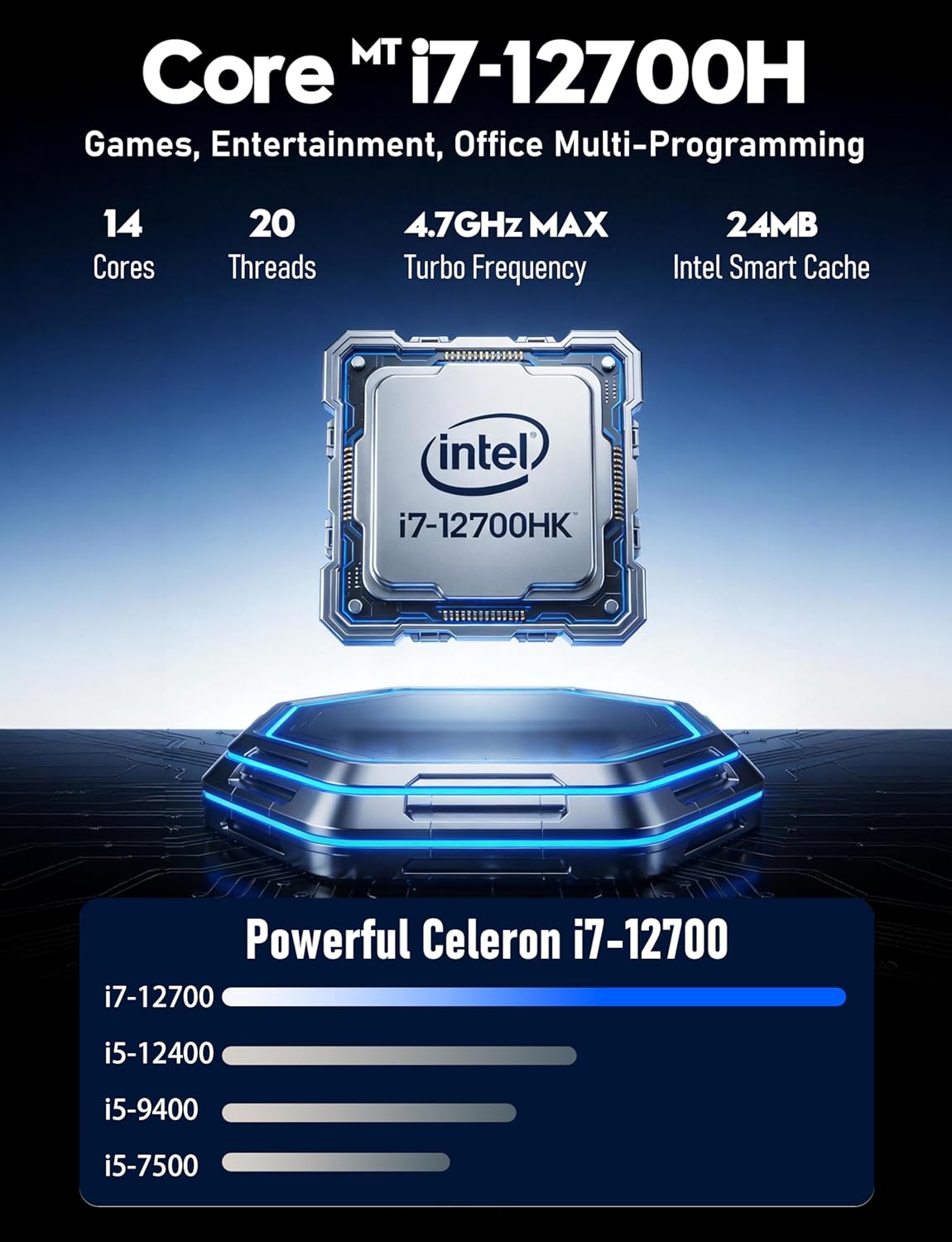
2.2 pav. Išsamus view of the Intel Core i7-12700HK processor, emphasizing its core count and turbo frequency.

Figure 2.3: Illustration of the NVIDIA GeForce RTX 3050 graphics card, noting its 8GB memory and raytracing capabilities.
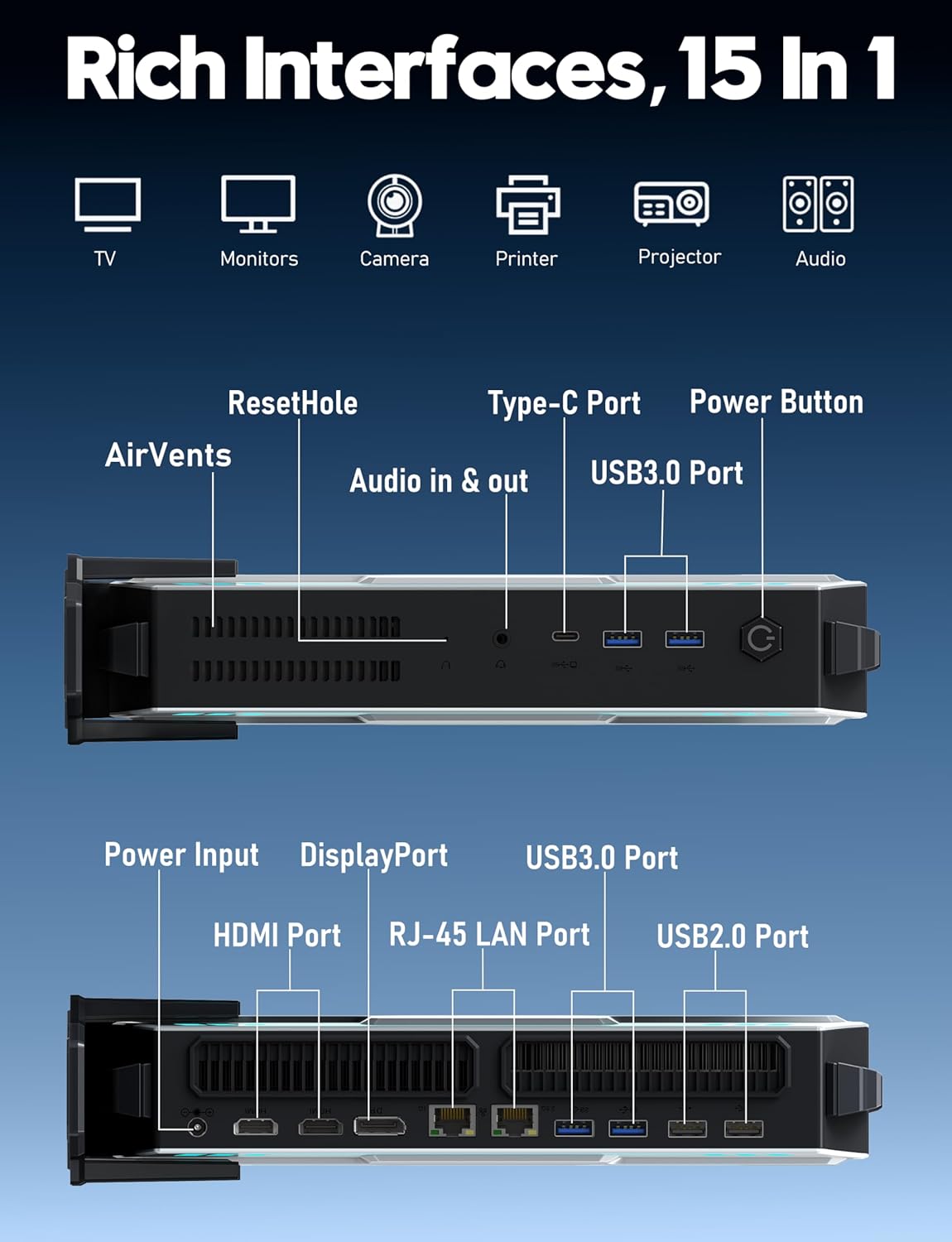
2.4 pav. Baigtaview of the various input/output ports available on the FUNYET Mini Gaming PC, including USB, HDMI, DisplayPort, and LAN.
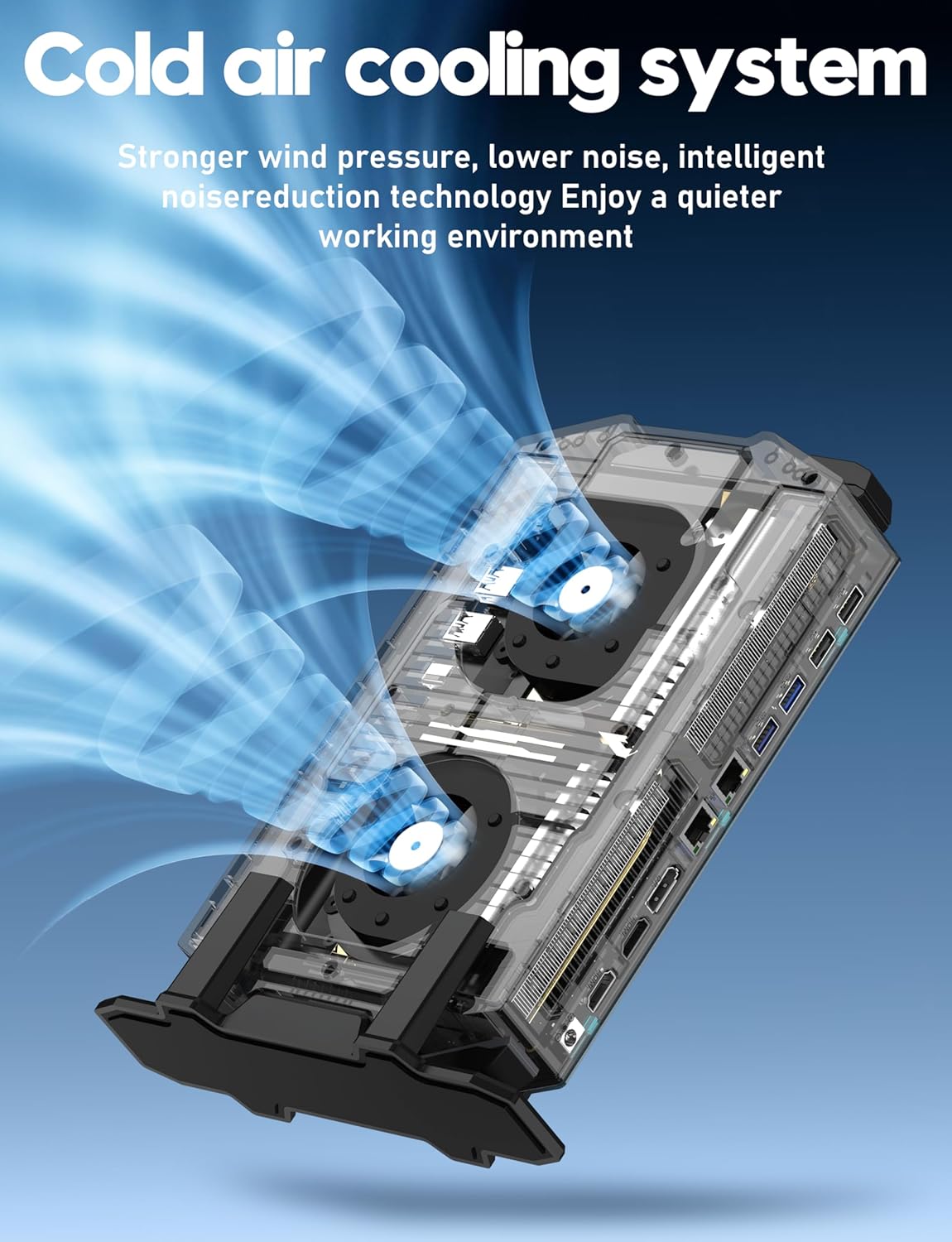
Figure 2.5: Diagram illustrating the cold air cooling system with dual fans, designed for efficient heat dissipation.
Produkto vaizdo įrašas:
2.1 vaizdo įrašas: oficialus produkto vaizdo įrašasasing the FUNYET Mini Gaming PC's features, design, and performance capabilities.
3. Sąrankos vadovas
Follow these steps to set up your FUNYET Mini Gaming PC:
- Išpakuokite kompiuterį: Atsargiai išimkite mini kompiuterį ir visus priedus iš pakuotės.
- Prijungti ekraną: Connect your monitor(s) to the PC using the available HDMI, DisplayPort, or Type-C video outputs. The PC supports up to three 4K displays simultaneously.

3.1 pav. Pvzample setup with the Mini PC connected to multiple 4K displays.
- Prijunkite išorinius įrenginius: Plug in your USB keyboard, mouse, and any other desired peripherals into the available USB 2.0 or USB 3.2 Gen2 ports.
- Prisijunkite prie tinklo: For a wired connection, plug an Ethernet cable into one of the RJ-45 LAN ports. For wireless, ensure the WiFi antenna (if external) is connected or that the internal WiFi is enabled.
- Prijunkite maitinimą: Plug the power adapter into the DC-in port on the PC, then connect the power cord to an electrical outlet.
- Maitinimas: Press the power button located on the front of the Mini PC. The RGB lighting will illuminate, indicating the PC is starting.
4. Naudojimo instrukcijos
Your FUNYET Mini Gaming PC comes with Windows 11 Pro pre-installed. Here are basic operating guidelines:
- Pradinė „Windows“ sąranka: On first boot, follow the on-screen instructions to complete the Windows 11 Pro setup, including language, region, network connection, and user account creation.
- Tvarkyklės diegimas: Essential drivers are pre-installed. However, it is recommended to check for and install the latest graphics drivers from NVIDIA's official website for optimal gaming and display performance.
- Programinės įrangos atnaujinimai: Reguliariai tikrinkite, ar yra „Windows“ naujinimų, naudodami Nustatymai > „Windows“ naujinimas kad jūsų sistemoje būtų naujausios saugos pataisos ir funkcijos.
- Prisijungimas prie WiFi: If not connected via Ethernet, click the network icon in the taskbar, select your desired WiFi network, enter the password, and click Connect.
- Bluetooth įrenginiai: Norėdami susieti „Bluetooth“ įrenginius, eikite į Nustatymai > „Bluetooth“ ir įrenginiai, turn on Bluetooth, and select "Add device".
- Išjungti / paleisti iš naujo: To properly shut down or restart the PC, click the Start button, then the Power icon, and select "Shut down" or "Restart".
5. Priežiūra
Proper maintenance ensures the longevity and performance of your Mini PC:
- Valymas:
- Reguliariai valykite kompiuterio išorę minkštu, sausu skudurėliu.
- Use compressed air to gently clear dust from the air vents to maintain efficient cooling. Ensure the PC is powered off before cleaning vents.
- Programinės įrangos atnaujinimai: Keep Windows and all drivers updated. This includes graphics drivers, chipset drivers, and BIOS updates (if available from FUNYET support).
- Saugyklos valdymas: Periodiškai valykite nereikalingus files and applications to free up disk space. Consider using Windows' built-in Disk Cleanup tool.
- Atsarginiai duomenys: Reguliariai kurkite svarbių duomenų atsargines kopijas išoriniame diske arba debesies saugykloje, kad išvengtumėte duomenų praradimo.
- Aplinkos sąlygos: Operate the PC in a well-ventilated area, away from direct sunlight, excessive heat, humidity, and dust.
6. Problemų sprendimas
Jei kyla problemų, žr. toliau pateiktas dažniausiai pasitaikančias problemas ir sprendimus:
| Problema | Galimas sprendimas |
|---|---|
| Nėra galios |
|
| Monitoriuje nėra vaizdo |
|
| Lėtas našumas |
|
| Tinklo ryšio problemos |
|
7. Specifikacijos
Detailed technical specifications for the FUNYET Mini Gaming PC (Model STA-CF-01):
| Komponentas | Detalė |
|---|---|
| Modelio numeris | STA-CF-01 |
| Operacinė sistema | Windows 11 Pro |
| Procesorius | Intel Core i7-12700HK (14 Cores/20 Threads, up to 4.7GHz) |
| Vaizdo plokštė | NVIDIA GeForce RTX 3050 (8 GB GDDR6 skirta) |
| RAM | 32GB DDR4 (2x SODIMM slots, expandable up to 64GB) |
| Sandėliavimas | 1TB M.2 SSD (Supports PCIe 4.0/SATA 3.0) |
| Maksimali ekrano skiriamoji geba | 3840 x 2160 (4K) |
| Vaizdo išvestys | 2x HDMI 2.0, 1x DisplayPort 1.4, 1x Type-C (DisplayPort Alt Mode) |
| USB prievadai | 4x USB 3.2 Gen2, 2x USB 2.0, 1x Type-C (Data) |
| Tinklas | 2.5Gbps Ethernet, Gigabit Ethernet, WiFi 5, Bluetooth 5.0 |
| Garsas | 3.5mm garso lizdas |
| Matmenys (IxPxH) | 6 x 1.6 x 10 colio |
| Prekės svoris | 2.8 svaro |
| Spalva | Pilka |
8. Garantija ir palaikymas
FUNYET is committed to providing quality products and customer service.
- Garantija: All FUNYET products come with a 2-year free repair warranty.
- Exchanges/Returns: A 6-month free exchange and return policy is offered.
- Susisiekite su palaikymo komanda: For any questions or assistance with your product, please contact FUNYET support.
- Telefonas: +1 800-986-9631 (4 AM - 10 PM PT, per business day)
- El. paštas: funyetstore@outlook.com
FUNYET support aims to reply within 24 hours.