
1. Įvadas
This manual provides essential instructions for the safe operation and maintenance of your karuisrc K600GPS-7 GPS Drone. Please read this manual thoroughly before operating the drone to ensure proper usage and to prevent damage or injury. Retain this manual for future reference.
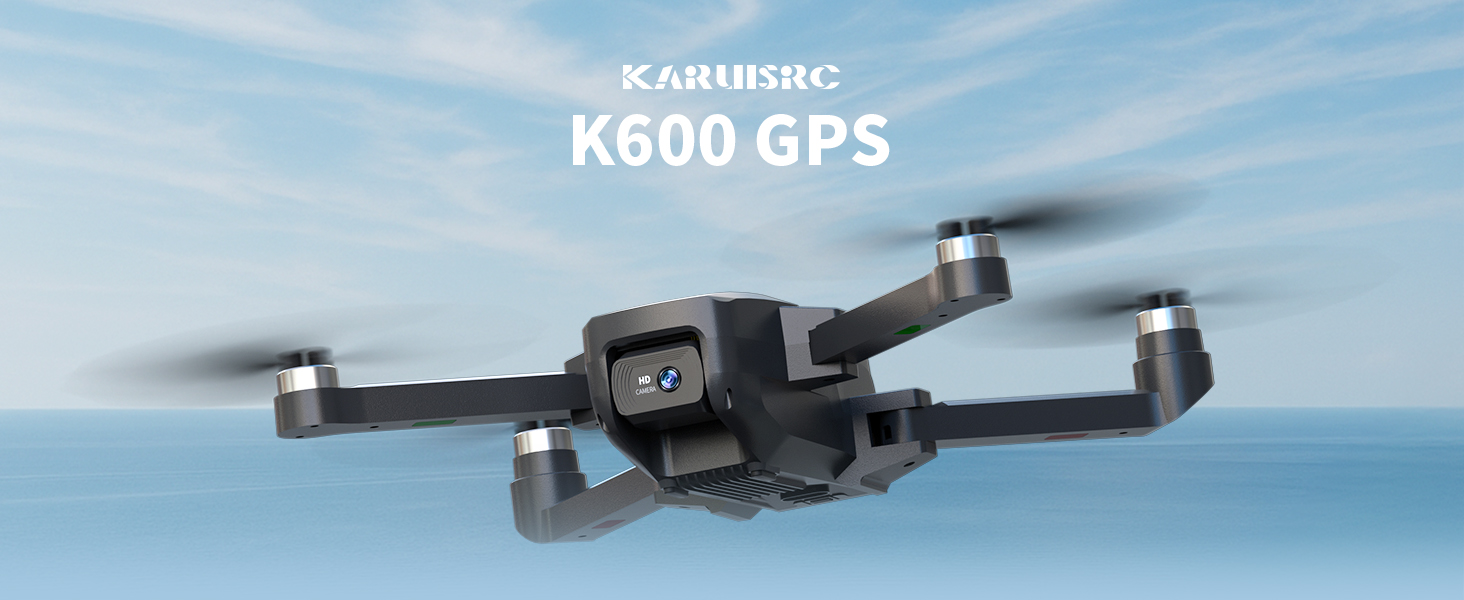
The karuisrc K600GPS-7 drone features a 110° FOV, 90° adjustable 1080P HD camera, 5G Wi-Fi connectivity, a 4.5-inch HD LCD screen on the remote, and a 1312 ft transmission range.
2. Saugos gairės
Adhering to these safety guidelines is crucial for safe drone operation and to prevent accidents or damage.
- Patikra prieš skrydį: Always inspect the drone, remote control, and propellers for any damage before each flight. Ensure batteries are fully charged.
- Aplinkos sąlygos: Do not fly in strong winds, rain, snow, or fog. Maintain clear line of sight with the drone.
- Skrydžio zona: Operate in open areas, away from people, animals, buildings, and power lines. Avoid flying over crowds or private property.
- Baterijos sauga: Use only the provided charger and batteries. Do not overcharge or puncture batteries. Discontinue use if batteries show signs of swelling or damage.
- Gerbti privatumą: Naudodamiesi kameros funkcija, nepamirškite privatumo įstatymų.
- Amžiaus rekomendacija: This drone is intended for adults.
3. Pakuotės turinys
Patikrinkite, ar pakuotėje yra visi reikalingi daiktai:
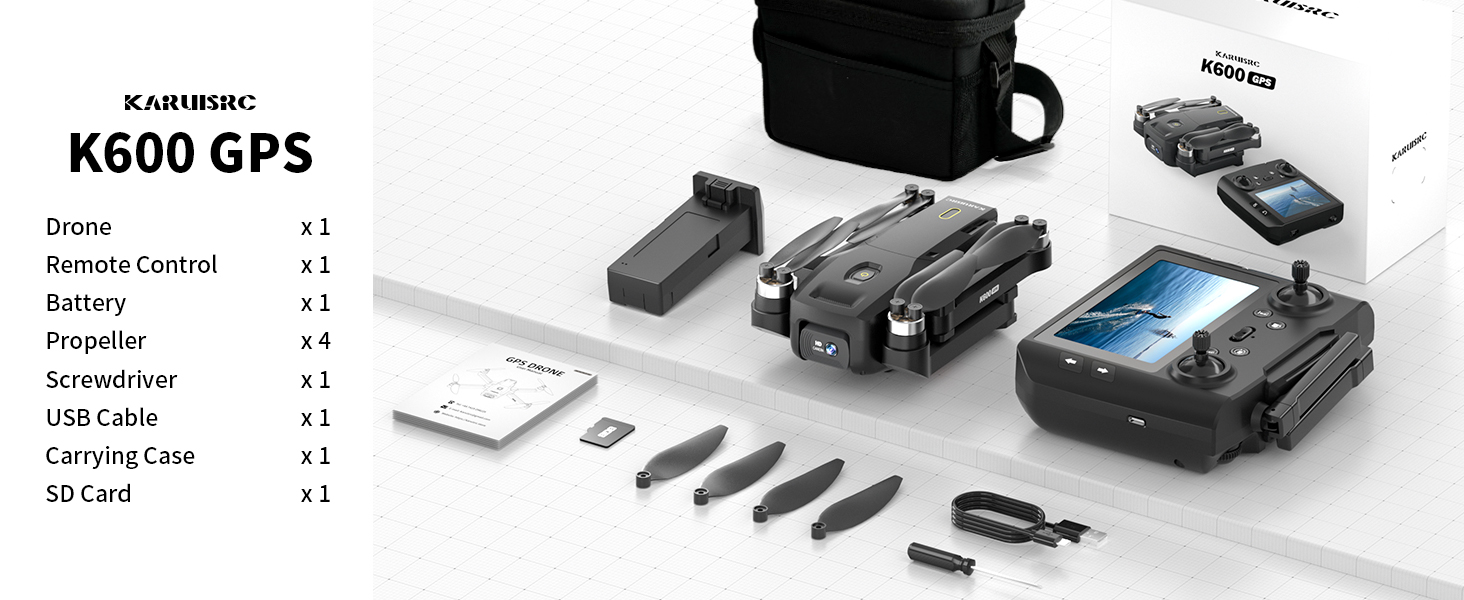
The karuisrc K600GPS-7 package includes the drone, remote control, battery, propellers, screwdriver, USB cable, carrying case, and an SD card.
- karuisrc K600GPS-7 Drone x 1
- Remote Control with 4.5-inch LCD Screen x 1
- Drone Battery (Lithium Ion) x 1
- Atsarginiai sraigtai x 4
- Atsuktuvas x 1
- USB įkrovimo laidas x 1
- Nešiojimo dėklas x 1
- 32GB SD Card x 1
- Vartotojo vadovas x 1
4. Produktas baigtasview
4.1 Drono komponentai

The karuisrc K600GPS-7 drone features a foldable design for portability, equipped with a 1080p HD camera and GPS module.
- Sulankstomos rankos: Kompaktiškam laikymui ir transportavimui.
- Propeleriai: Keturi pagrindiniai skrydžio propeleriai.
- HD kamera: Front-facing 1080p camera with 90-degree adjustable angle.
- Bottom Camera: For optical flow positioning and landing assistance.
- GPS modulis: Enables precise positioning and intelligent flight functions.
- Baterijų skyrius: Houses the removable Lithium Ion flight battery.
4.2 Nuotolinis valdymas

The remote control for the karuisrc K600GPS-7 features an integrated 4.5-inch HD LCD screen for real-time video feed and flight data.
- 4.5 colio HD LCD ekranas: Displays real-time video feed and flight parameters.
- Valdymo lazdos: Kairė svirtis – droseliui/krypčiai, dešinė – posvyriui/krypčiai.
- Funkciniai mygtukai: Dedicated buttons for one-key takeoff/landing, auto-return, photo/video capture, and speed modes.
- Antenos: For stable signal transmission.
- Baterijų skyrius: For remote control batteries (not included, typically AA).
5. Sąrankos vadovas
5.1 Akumuliatorių įkrovimas
- „Drone“ baterija: Connect the drone battery to the USB charging cable and plug it into a 5V/2A USB adapter (not included). The indicator light will show charging status and turn off when fully charged. Charging time is approximately 120-150 minutes.
- Nuotolinio valdymo pulto baterija: Insert 3 AA batteries (not included) into the remote control's battery compartment, ensuring correct polarity.
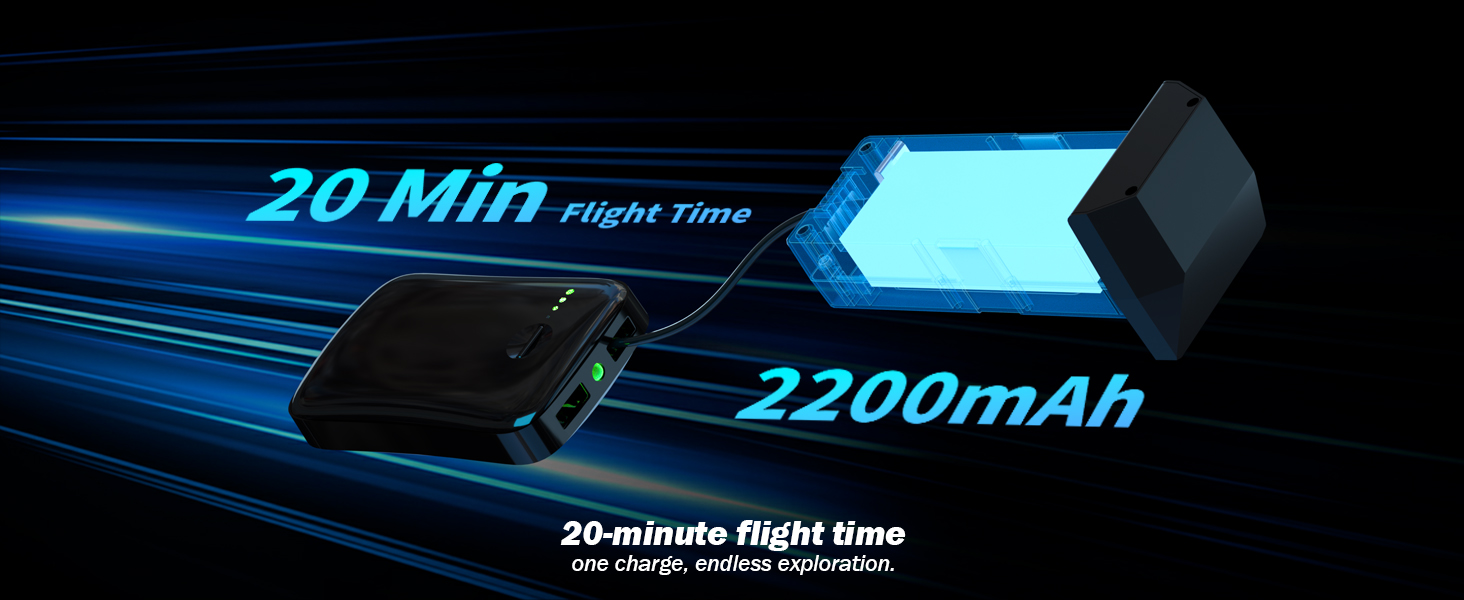
The karuisrc K600GPS-7 drone battery provides approximately 20 minutes of flight time with a 2200mAh capacity.
5.2 Propelerio montavimas
Attach the propellers to the motor shafts according to the markings (A and B) on both the propellers and the drone arms. Use the provided screwdriver to secure them firmly.
5.3 SD kortelės įdėjimas
Insert the provided 32GB SD card into the drone's SD card slot. Ensure it is inserted correctly until it clicks into place. This card is used for storing photos and videos.

The karuisrc K600GPS-7 drone supports an SD card for media storage, with a 32GB card included.
5.4 Susiejimas ir kalibravimas
- Padėkite droną ant lygaus, lygaus paviršiaus.
- Turn on the drone, then turn on the remote control. The remote will automatically search for the drone.
- Once paired, perform gyroscope calibration by moving both control sticks to the bottom-left or bottom-right corners simultaneously until the drone's indicator lights flash rapidly and then become solid.
- Perform GPS calibration by rotating the drone horizontally and then vertically as instructed by the remote control's screen or indicator lights. Wait for sufficient GPS satellites to be acquired (usually indicated by solid green lights).
6. Naudojimo instrukcijos
6.1 Pagrindiniai skrydžio valdymo įtaisai

Operating the karuisrc K600GPS-7 drone in an open environment allows for optimal flight experience.
- Pakilimas/nusileidimas: Press the one-key takeoff/landing button or push both control sticks to the bottom-outward corners to start/stop motors, then push the left stick up to ascend.
- Kilti / nusileisti: Push the left control stick up/down.
- Pirmyn/atgal: Push the right control stick up/down.
- Left/Right Sideward Flight: Push the right control stick left/right.
- Posūkis į kairę / į dešinę (kryptis): Push the left control stick left/right.
6.2 GPS Intelligent Flight Functions
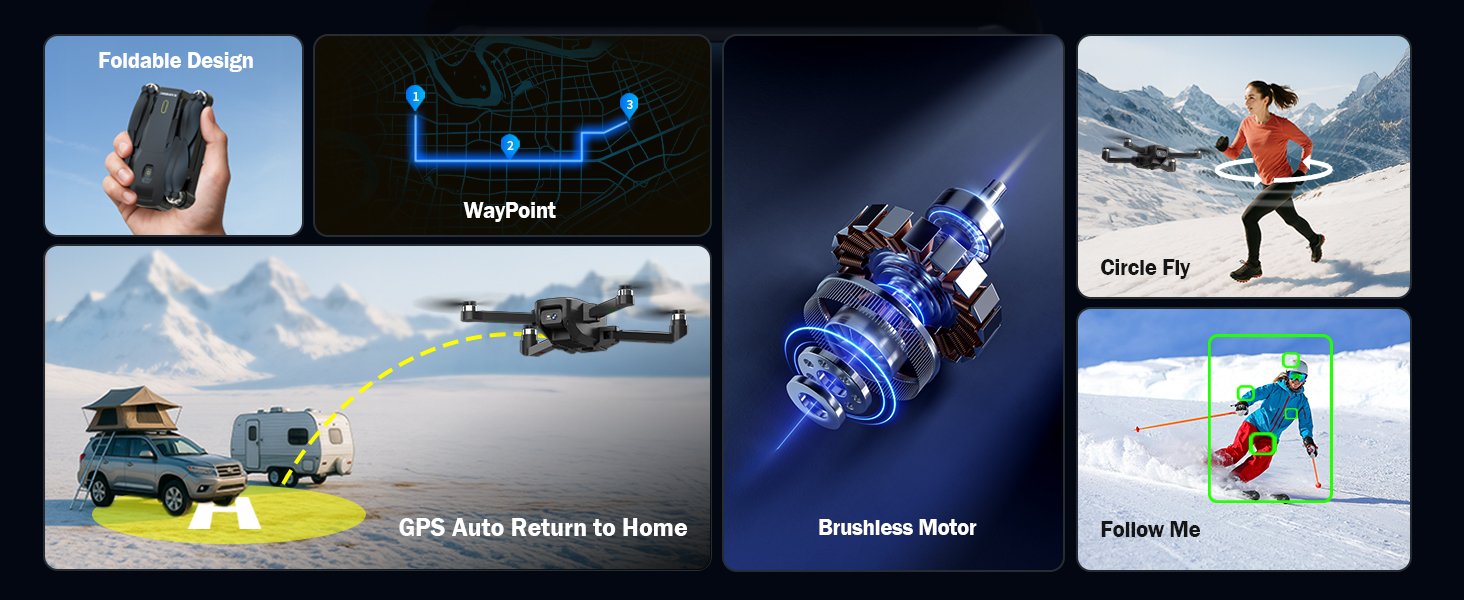
The karuisrc K600GPS-7 drone offers advanced features including WayPoint flight, Circle Fly, GPS Auto Return to Home, and Follow Me mode.
- GPS Auto Return to Home (RTH): The drone will automatically return to its takeoff point if the signal is lost, battery is low, or RTH is manually activated. Ensure sufficient GPS signal before flight.
- Sekite mane režimas: The drone will automatically follow the remote control (or connected smartphone) at a set distance (3-50 meters) and altitude, keeping the subject centered.
- Kelio taško skrydis: Plan a custom flight path by tapping points on the map within the companion app. The drone will fly along the designated route.
- „Circle Fly“: The drone will orbit around a designated point or the remote control, capturing footage from various angles.

The GPS auto-return function ensures the karuisrc K600GPS-7 drone safely returns to its starting point.
6.3 Kameros veikimas

The karuisrc K600GPS-7 features a 1080p HD camera with 90-degree electric adjustment for versatile aerial photography and videography.
- Fotografavimas: Press the dedicated photo button on the remote control to take a picture.
- Vaizdo įrašymas: Press the dedicated video button to start recording. Press again to stop.
- Kameros kampo reguliavimas: Use the designated button or dial on the remote to adjust the camera's vertical angle (90-degree electric adjustment).
- Dvi kameros: Switch between the front and bottom cameras via the remote or companion app for different perspectives.
6.4 LCD Screen Usage
The 4.5-inch HD LCD screen on the remote control provides a clear, real-time view from the drone's camera. It also displays important flight data such as altitude, distance, speed, and battery level. Monitor this information to ensure safe and controlled flight.
7. Priežiūra
Reguliarus drono aptarnavimas užtikrina jo ilgaamžiškumą ir optimalų veikimą.
- Valymas: Use a soft, dry cloth to clean the drone and remote control. Avoid using solvents or harsh chemicals.
- Propelerio apžiūra: Reguliariai tikrinkite sraigtus, ar nėra įtrūkimų, sulinkimų ar kitų pažeidimų. Pažeistus sraigtus nedelsdami pakeiskite, naudodami pateiktas atsargines dalis.
- Akumuliatoriaus priežiūra: Baterijas laikykite vėsioje, sausoje vietoje. Nelaikykite visiškai įkrautų arba visiškai iškrautų baterijų ilgą laiką. Ilgalaikiam laikymui įkraukite jas iki maždaug 50–60 %.
- Variklio priežiūra: Keep motors free from dust and debris. Do not attempt to lubricate motors.
- Saugykla: When not in use, store the drone and its accessories in the provided carrying case to protect them from dust and physical damage.
8. Problemų sprendimas
Dažniausiai pasitaikančias problemas ir jų sprendimus rasite šiame skyriuje.
| Problema | Galima priežastis | Sprendimas |
|---|---|---|
| Dronas neįsijungia | Baterija neįkrauta arba netinkamai įdėta. | Įsitikinkite, kad drono baterija yra visiškai įkrauta ir teisingai įdėta. |
| Nuotolinio valdymo pultas neįsijungia | AA batteries not inserted or depleted. | Insert fresh AA batteries with correct polarity. |
| Drone cannot pair with remote | Incorrect pairing sequence or interference. | Ensure drone and remote are turned on in sequence. Move to an area with less interference. Repeat pairing steps. |
| Dronas dreifuoja skrydžio metu | Gyroscope not calibrated or strong wind. | Perform gyroscope calibration on a flat surface. Avoid flying in strong winds. |
| GPS funkcijos neveikia | Insufficient GPS signal or calibration not performed. | Fly in an open outdoor area. Perform GPS calibration. Wait for sufficient satellite acquisition. |
| Prasta fotoaparato vaizdo kokybė | Objektyvas nešvarus arba apšvietimo sąlygos prastos. | Clean the camera lens. Ensure adequate lighting for recording. |
| SD kortelės klaida | SD kortelė netinkamai įdėta arba sugadinta. | Reinsert the SD card. Try formatting the card (backup data first) or use a different compatible SD card. |
9. Specifikacijos
| Funkcija | Detalė |
|---|---|
| Prekės ženklas | karuisrc |
| Modelio pavadinimas | K600GPS-7 |
| Ypatingos savybės | Auto Follow, Auto-Landing, GPS Auto Return |
| Spalva | Juoda |
| Vaizdo įrašymo raiška | 1080p |
| Ryšio technologija | Wi-Fi, Bluetooth |
| Įgūdžių lygis | Visi |
| Prekės svoris | 150 gramų (5.3 uncijos) |
| Vaizdo įrašymo formatas | MP4 |
| Valdymo tipas | Nuotolinio valdymo pultas |
| Medžiaga | Plastikiniai |
| Baterijos elementų sudėtis | Ličio jonas |
| Baterijos įtrauktos | Yes (1 Nonstandard Battery for drone) |
| Pridedamas nuotolinio valdymo pultas | Taip |
| Optinių jutiklių technologija | CMOS, CCD |
| Gaminio matmenys | 7.09 colio ilgio x 1.97 colių pločio x 8.66 colio aukščio |
| Gamintojas | karuisrc |
| Pasiekiama pirmoji data | 11 m. birželio 2025 d |
10. Garantija ir palaikymas
karuisrc is committed to providing quality products and customer satisfaction. For any questions, technical assistance, or warranty claims, please contact our support team.

karuisrc customer support is available Monday to Sunday, 24 hours a day.
- El. paštas: Karuisrc@gmail.com
- Telefonas: +44 7419 298225
Please have your model number (K600GPS-7) and purchase information ready when contacting support.