
Produktas baigtasview
The ASTRO Gaming A20 Gen 2 Wireless Headset provides a high-quality audio experience for gaming across multiple platforms. Designed for comfort and performance, it features low-latency wireless connectivity and a convenient flip-to-mute microphone.
Pagrindinės funkcijos:
- Suderinamumas su naujos kartos sistemomis: Seamlessly works with PlayStation 5, PlayStation 4, Windows, and Mac OS.
- Lag-Free Wireless Audio: 2.4GHz USB wireless transmitter ensures low-latency, high-quality sound.
- Ilgai veikianti baterija: Up to 15 hours of wireless gaming on a single charge.
- Apverčiamas ir nutildomas mikrofonas: Flexible boom mic with an intuitive flip-to-mute function for instant control.
- Visos dienos komfortas: Lightweight design with padded headband and ear cushions for extended wear.
Kas yra dėžutėje
- A20 belaidės ausinės
- USB siųstuvas
- USB-C į USB-A įkrovimo laidas
Sąrankos instrukcijos
Follow these steps to set up your ASTRO Gaming A20 Gen 2 Wireless Headset:
- Įkraukite ausines: Connect the headset to a power source using the provided USB-C to USB-A charging cable. Ensure the headset is fully charged before first use for optimal battery life.
- Connect the USB Transmitter: Plug the USB transmitter into an available USB port on your PlayStation console (PS5 or PS4) or your Windows/Mac computer. The transmitter facilitates the 2.4GHz wireless connection.
- Maitinimas: Turn on your ASTRO Gaming A20 Gen 2 Wireless Headset. The headset should automatically pair with the USB transmitter. Refer to your device's audio settings to ensure the headset is selected as the input and output device.
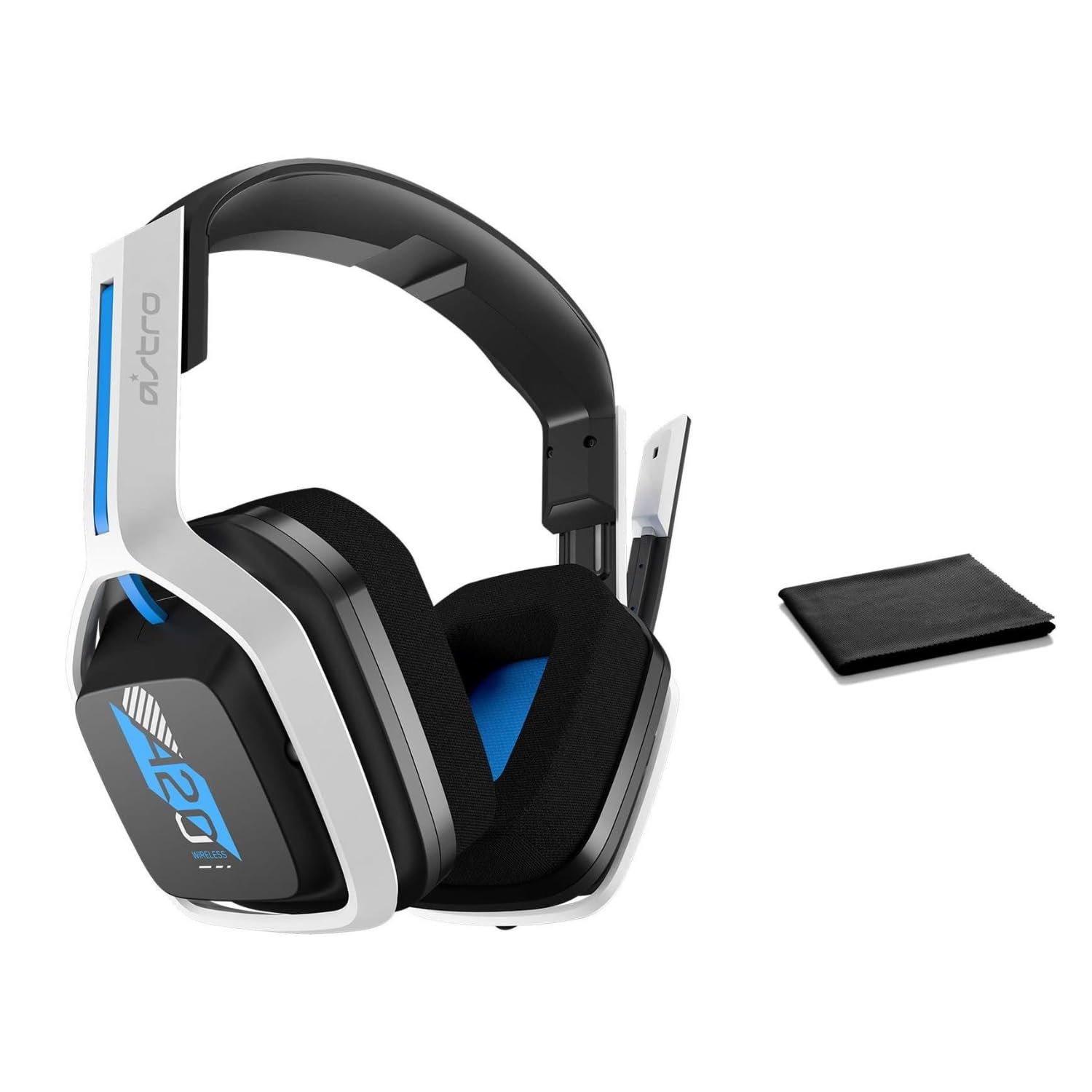
Image: The ASTRO Gaming A20 Gen 2 Wireless Headset, ready for use.
Naudojimo instrukcijos
Mikrofono funkcionalumas
The headset features a flexible boom microphone with a flip-to-mute function. To mute your microphone, simply flip the boom arm upwards. To unmute and activate the microphone, flip the boom arm back down to its original position.
Garsumo valdymas
Adjust the audio volume using the dedicated volume control located on the headset. Rotate the dial or press the buttons (depending on the specific model variant) to increase or decrease the sound output.
Priežiūra
Kad užtikrintumėte ausinių ilgaamžiškumą ir optimalų veikimą:
- Valymas: Use the included premium microfiber cloth to gently wipe down the headset and accessories. This helps keep your headset dust-free and smudge-free.
- Saugykla: Store the headset in a clean, dry place away from extreme temperatures and direct sunlight when not in use.
- Akumuliatoriaus priežiūra: For best battery health, avoid fully discharging the headset frequently. Charge it regularly.
Trikčių šalinimas
If you encounter issues with your ASTRO Gaming A20 Gen 2 Wireless Headset, consider the following:
- Nėra garso / mikrofono, kuris neveikia: Ensure the USB transmitter is securely plugged into your device and the headset is powered on and paired. Check your device's audio settings to confirm the headset is selected as the default input/output. For the microphone, ensure it is not in the 'flipped-up' (muted) position.
- Ryšio problemos: Try unplugging and re-plugging the USB transmitter. If issues persist, try connecting to a different USB port.
- Akumuliatorius neįkraunamas: Verify the charging cable is properly connected to both the headset and the power source. Try a different USB port or power adapter.
- Programinės aparatinės įrangos atnaujinimas: Visit the official ASTRO Gaming support website for any available firmware updates for your headset, as these can resolve various performance issues.
Specifikacijos
| Funkcija | Detalė |
|---|---|
| Modelio pavadinimas | 939-001876 |
| Prekės ženklas | ASTRO žaidimai |
| Ryšio technologija | Bevielis |
| Belaidis ryšys | 2.4GHz bevielis ryšys |
| Suderinami įrenginiai | Mac OS, PlayStation 4, Playstation 5, Windows |
| Baterijos veikimo laikas | 15 valandų |
| Įkrovimo laikas | 15 valandų |
| Mikrofonas | Apversti ir nutildyti |
| Ausų išdėstymas | Virš ausies |
| Prekės svoris | 11.2 uncijos (318 gramų) |
| Medžiaga | Plastikiniai |
| Įtraukti komponentai | A20 Wireless Headset, USB transmitter, USB-C to USB-A charging cable |
Garantija ir palaikymas
For detailed warranty information and technical support, please refer to the official ASTRO Gaming websvetainėje arba susisiekite su jų klientų aptarnavimo tarnyba. Išsaugokite pirkimo įrodymą garantiniams reikalavimams.