
Įvadas
This manual provides detailed instructions for the installation, operation, and maintenance of your Ctronics 4K Hybrid Zoom 10x Outdoor WiFi Surveillance Camera, Model 930-4KD. This camera is designed for outdoor security, featuring dual lenses, 10x hybrid zoom, auto-tracking, human detection, color night vision, two-way audio, and an IP66 weatherproof rating.
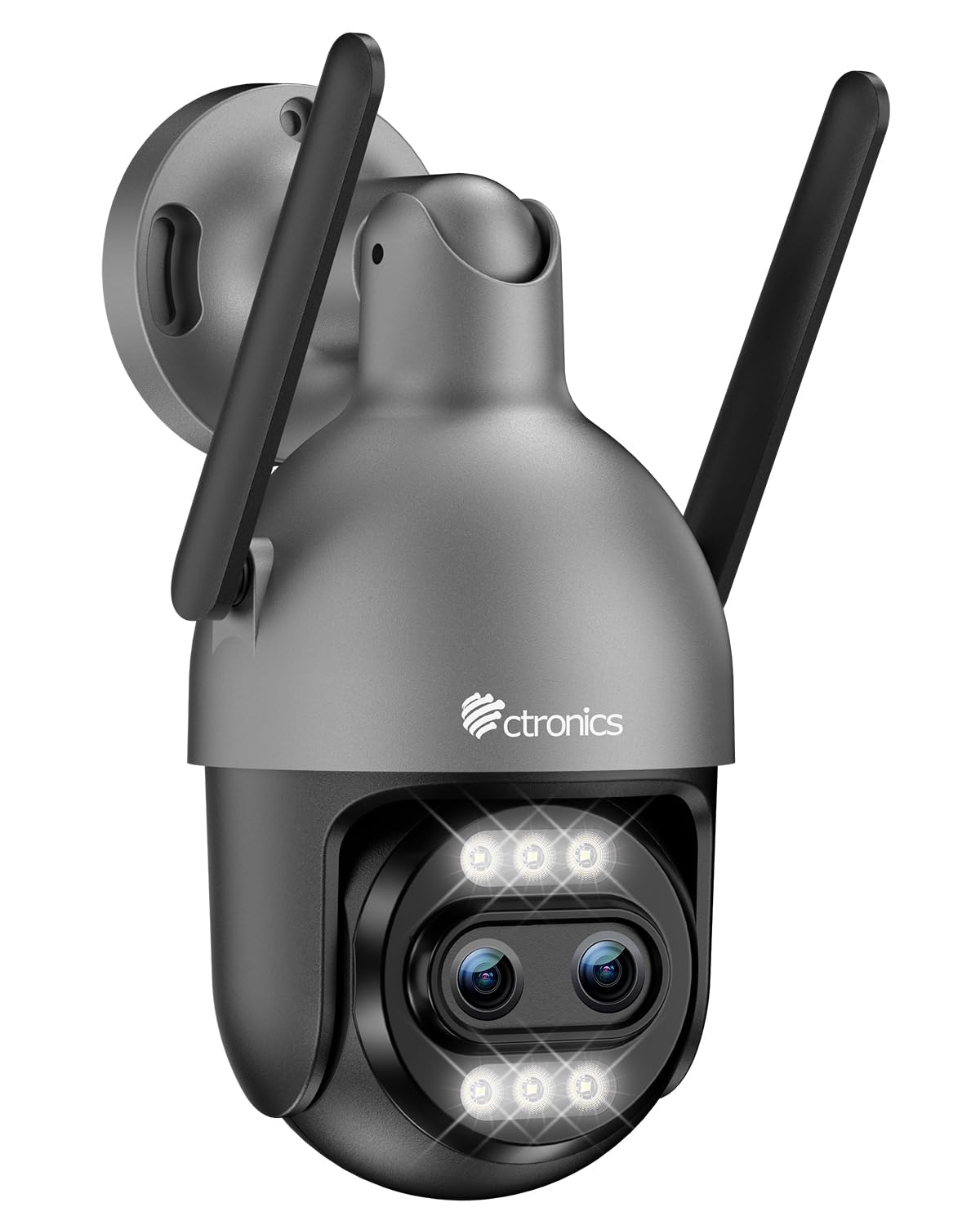
Image: Ctronics 4K Hybrid Zoom 10x Outdoor WiFi Surveillance Camera, Model 930-4KD.
1. Sąranka ir diegimas
1.1 Pakuotės turinys
Patikrinkite, ar pakuotėje yra visi komponentai:
- Ctronics 4K Hybrid Zoom 10x Outdoor WiFi Surveillance Camera (Model 930-4KD)
- Maitinimo adapteris
- Montavimo varžtai ir inkarai
- Waterproof Kit for Network Cable
- Vartotojo vadovas (šis dokumentas)
1.2 Fizinis įrengimas
The camera is designed for outdoor use and ceiling mounting. Choose a location that provides optimal surveillance coverage and has a stable surface for mounting. Ensure the camera is within range of your Wi-Fi network or close to an Ethernet connection point.
- Mark the drilling positions on the wall or ceiling using the mounting template (if provided, otherwise use the camera base).
- Gręžkite skyles ir įstatykite sieninius inkarus.
- Pritvirtinkite kameros pagrindą prie paviršiaus naudodami pateiktus varžtus.
- Adjust the camera angle as needed before final tightening.

Vaizdas: pvzample of a Ctronics dual-lens PTZ camera, similar to Model 930-4KD, mounted for outdoor surveillance.
1.3 Maitinimas ir tinklo prijungimas
Connect the camera to power using the provided power adapter. For network connectivity, you have two options:
- „Wi-Fi“ ryšys: Ensure your Wi-Fi network is 2.4GHz or 5GHz compatible. Follow the in-app instructions for Wi-Fi setup.
- Laidinis ryšys: Connect an Ethernet cable from your router to the camera's network port. Use the waterproof kit to protect the connection if installed outdoors.
1.4 Programėlės diegimas ir konfigūravimas
Download the official Ctronics Pro app from your smartphone's app store (iOS or Android). Alternatively, use the HiP2P Client software for Windows or Mac OS.
- Install the Ctronics Pro app on your smartphone or HiP2P Client on your computer.
- Užregistruokite paskyrą ir prisijunkite.
- Follow the on-screen prompts to add your camera. This typically involves scanning a QR code on the camera or manually entering its ID.
- Configure initial settings such as time zone, recording preferences, and alert notifications.

Image: The Ctronics multi-platform software interface, showing compatibility with desktop, laptop, tablet, and smartphone devices.
2. Naudojimo instrukcijos
2.1 Tiesiogiai View ir Įrašymas
Once connected, access the live feed through the Ctronics Pro app or HiP2P Client. You can view real-time video, initiate manual recordings, and capture screenshots.
2.2 Išplėstinės funkcijos
- 10 kartų hibridinis priartinimas: Utilize the digital controls in the app to zoom in and out, combining optical and digital zoom for detailed views.
- Auto Zoom Tracking: Enable this feature to allow the camera to automatically track detected human movement and zoom in for clearer identification.
- Žmogaus aptikimas: Configure motion detection zones and sensitivity. The camera will send alerts upon detecting human shapes, reducing false alarms.
- Spalvotas naktinis matymas: The camera employs Starlight vision technology and LED lights to provide full-color video even in low-light conditions, up to 30 meters.
- Dvipusis garsas: Use the built-in microphone and speaker to communicate with visitors or deter intruders remotely.
- PTZ valdymas: Pan, Tilt, and Zoom the camera remotely via the app to adjust the viewing angle and cover a 360-degree area.

Image: The Ctronics 10x Hybrid Zoom camera, highlighting its advanced optical capabilities.
2.3 Saugojimo parinktys
The camera supports local recording to a Micro SD card (up to 256GB). Ensure the card is inserted correctly and formatted through the app. Cloud storage options may also be available through the Ctronics service.
3. Priežiūra
- Valymas: Reguliariai valykite kameros objektyvą ir korpusą minkšta,amp šluoste, kad būtų užtikrinta aiški vaizdo kokybė. Nenaudokite stiprių cheminių medžiagų.
- Firmware atnaujinimai: Check the Ctronics Pro app periodically for firmware updates. Keeping your camera's firmware updated ensures optimal performance and security.
- Maitinimas: Įsitikinkite, kad maitinimo adapteris ir laidas nėra pažeisti.
4. Problemų sprendimas
| Problema | Sprendimas |
|---|---|
| Kamera neprisijungia prie „Wi-Fi“. | Ensure the camera is within Wi-Fi range. Check Wi-Fi password. Try resetting the camera and re-adding it to the app. Verify your router supports 2.4GHz/5GHz. |
| Nėra vaizdo arba juodas ekranas | Check power connection. Ensure network connection is stable. Restart the camera and the app. |
| Judesio aptikimo įspėjimai yra per dažni / reti | Adjust motion detection sensitivity and detection zones in the app settings. |
| Neveikia dvipusis garsas | Check microphone and speaker permissions in the app. Ensure volume levels are adequate. |
| SD kortelė neįrašo | Ensure the SD card is inserted correctly and formatted within the app. Check if the card is full or corrupted. Replace if necessary. |
5. Specifikacijos
| Funkcija | Detalė |
|---|---|
| Modelio pavadinimas | 930-4KD |
| Prekės ženklas | Ctronics |
| Ryšio technologija | Wired, WiFi |
| Ypatingos savybės | Two-Way Audio, Local Recording, UHD Resolution, PTZ Technology, Night Vision |
| Naudojimas | Lauke |
| Suderinami įrenginiai | Computer, Laptop, Smartphone, Tablet |
| Maitinimo šaltinis | Elektros kabelis (12 voltų) |
| Montavimo tipas | Montavimas ant lubų |
| Spalva | Silver (argenté) |
| Formos faktorius | Kupolas |
| Medžiaga | Metalas |
| Įspėjimo tipas | Garsas ir judesys |
| Šviesos šaltinio tipas | LED |
| Effective Capture Resolution | 8 megapikselio |
| Tarptautinis apsaugos įvertinimas | IP66 |
| Kontrolės metodas | Taikymas |
| Belaidė technologija | Bluetooth (for initial setup/pairing, likely) |
| Screen Capture Resolution | 4K |
| Efektyvi vaizdo raiška | 3840.0 (likely 3840x2160 for 4K) |
| Naktinio matymo diapazonas | 30 metrai |
| Naktinio matymo tipas | Žvaigždžių šviesa |
| Matmenys (I x P x A) | 15 x 15 x 15 cm |
| Vaizdo įrašymo formatas | MP4 |
| Optinis priartinimas | 6x |
| Fokusavimo tipas | Automatinis fokusavimas |
| Priartinimo tipas | 6x Optical Zoom + 4x Digital Zoom (10x Hybrid) |
| Optinių jutiklių technologija | CMOS |
| „Flash“ atminties tipas | Micro SD |
| Max Flash Memory Supported | 256 GB |
6. Garantija ir palaikymas
For warranty information, technical support, or further assistance, please refer to the official Ctronics website or contact their customer service directly. Details are typically provided on the product packaging or the official Ctronics support page.
You can also find additional resources and FAQs on the Ctronics official websvetainė: www.ctronics.com