
VIDCASTIVE V30
Vartotojo vadovas
VIDCASTIVE 4K Mini Hidden Camera
Modelis: V30
Prekės ženklas: VIDCASTIVE
1. Įvadas
Thank you for choosing the VIDCASTIVE 4K Mini Hidden Camera. This compact and powerful device is designed to provide discreet and reliable indoor security monitoring. Featuring dual-band Wi-Fi, AI human detection, night vision, and flexible storage options, it offers comprehensive surveillance for your home, office, or personal space. Please read this manual carefully to ensure proper setup, operation, and maintenance of your camera.
Pagrindinės funkcijos:
- Dviejų dažnių „WiFi“ ryšys: Supports both 2.4GHz and 5GHz networks for stable and flexible connection.
- Pailgintas akumuliatoriaus veikimo laikas: Up to 15 hours continuous recording, and up to 150 days standby with remote shutdown.
- Quick Setup & App Control: Easy 3-minute setup via intuitive mobile app for real-time alerts and live viewing.
- Ultra-Compact 4K Coverage: Portable 1.6-inch design with crisp 4K live streaming and 150° wide viewing angle, plus 5x digital zoom.
- Smart Motion Detection & Night Vision: Advanced PIR sensor and AI human detection reduce false alarms. Clear infrared night vision up to 26 ft.
- Cloud & SD Card Recording: Free 3-day looping cloud storage and support for microSD cards up to 256GB (not included).
2. Kas yra dėžutėje
Išpakuodami, patikrinkite pakuotės turinį:
- Kameros korpusas
- Fotoaparato stovas
- USB-C įkrovimo laidas
- Naudotojo vadovas (šis dokumentas)

Image: The VIDCASTIVE 4K Mini Hidden Camera, its retail box, and a smartphone displaying the camera's app interface.
3. Produktas baigtasview
Susipažinkite su savo fotoaparato fiziniais komponentais.

Paveikslėlis: Kameros demonstracijaasing its compact form factor, indicating its small size and portability.
The camera features a lens, an infrared sensor for night vision, a PIR motion sensor, a power switch, a USB-C charging port, and a microSD card slot. Its small dimensions (1.6 x 1.6 x 1.6 inches) allow for discreet placement.
4. Sąrankos vadovas
4.1. Fotoaparato įkrovimas
Before first use, fully charge the camera using the provided USB-C cable and a standard 5V USB power adapter (not included). The charging indicator light will change color or turn off once fully charged.
4.2. Inserting/Removing MicroSD Card
The camera supports microSD cards up to 256GB (not included) for local storage. Gently insert the card into the microSD slot until it clicks into place. To remove, push the card in slightly until it springs out.

Image: A microSD card being inserted into the camera's slot, demonstrating the local storage option.
4.3. Programėlės diegimas ir paskyros sukūrimas
Download the official mobile application from your smartphone's app store (iOS or Android). Ieškokite "WiFi Camera" or refer to the QR code in the quick start guide. Follow the on-screen instructions to create an account and log in.
4.4. Prisijungimas prie Wi-Fi
The camera supports both 2.4GHz and 5GHz Wi-Fi networks. For initial setup, ensure your phone is connected to the same Wi-Fi network you intend to connect the camera to. Open the app, select 'Add Device', and follow the prompts to connect the camera to your Wi-Fi network. This typically involves scanning a QR code generated by the app with the camera's lens.

Image: Visual representation of the camera's dual-band Wi-Fi capability, supporting both 2.4GHz for range and 5GHz for speed.
5. Naudojimo instrukcijos
5.1. Gyvai View ir skaitmeninis priartinimas
Prisijungę atidarykite programėlę, kad galėtumėte pasiekti tiesioginę transliaciją view. You can monitor your space in real-time. The camera provides crisp 4K live streaming. Use the in-app controls to utilize the 5x digital zoom feature to examine details more closely without significant loss of clarity.

Image: A close-up of the camera lens with a graphic overlay indicating 4K resolution and 5x digital zoom capabilities.
5.2. Judesio aptikimas ir įspėjimai
The camera features an advanced PIR motion sensor and AI human detection to intelligently distinguish people from other movements, reducing false alarms. When motion is detected, you will receive instant alerts on your smartphone. You can customize motion detection zones and schedules within the app to focus on specific areas and times.
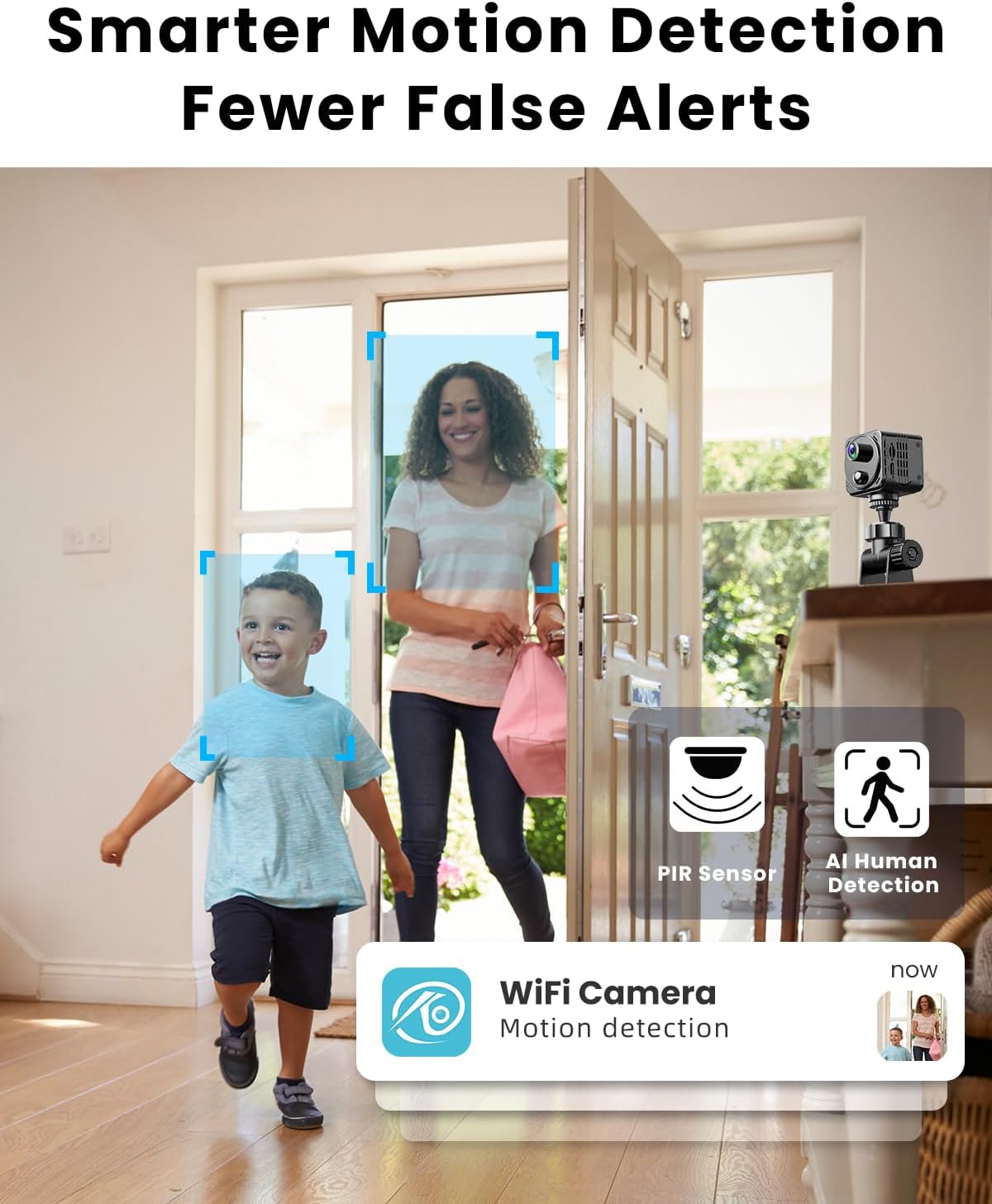
Image: A scene demonstrating AI human detection, with bounding boxes around people and a notification for motion detection.
5.3. Naktinis matymas
The camera automatically switches to infrared night vision in low-light conditions, providing clear video up to 26 feet away in complete darkness. The infrared lights are invisible, ensuring discreet monitoring without a visible red glow.

Image: A dark room scene with the camera's night vision active, showing clear visibility up to 26 feet.
5.4. Įrašymas ir saugojimas
Your camera offers two primary storage options:
- Saugykla debesyje: Enjoy free 3-day looping cloud storage for motion-triggered video clips. No subscription is required for this basic service.
- „MicroSD“ kortelė: For local storage, the camera supports microSD cards up to 256GB (not included). This provides a flexible backup option.
You can play back, download, and share footage directly through the mobile app.
5.5. Baterijos veikimo laiko valdymas
The built-in 3000mAh rechargeable battery offers various operational durations:
- Nepertraukiamas įrašymas: Vienu įkrovimu veikia iki 15 valandų.
- Energijos taupymo rėžimas: With motion detection enabled, battery life can extend from a few days to several weeks, depending on activity frequency.
- Budėjimo režimas: When turned off remotely via the app, the camera can stay in standby for up to 150 days. You can wake it up anytime through the app.
Image: Visual breakdown of the camera's battery performance across continuous, power-saving, and ultra-standby modes.
6. Priežiūra
Kad užtikrintumėte savo fotoaparato ilgaamžiškumą ir optimalų veikimą:
- Valymas: Kameros objektyvą ir korpusą valykite minkšta, sausa šluoste. Venkite abrazyvinių valiklių ar tirpiklių.
- Vieta: Place the camera in a stable, dry environment away from direct sunlight, extreme temperatures, and strong magnetic fields.
- Akumuliatoriaus priežiūra: For long-term storage, charge the battery to about 50% to prolong its lifespan. Avoid fully discharging the battery frequently.
- Firmware atnaujinimai: Periodically check the app for available firmware updates to ensure your camera has the latest features and security enhancements.
7. Problemų sprendimas
If you encounter issues with your camera, refer to the table below for common problems and solutions.
| Problema | Galima priežastis | Sprendimas |
|---|---|---|
| Camera won't connect to Wi-Fi | Incorrect Wi-Fi password; Camera too far from router; Router settings (firewall, band selection). | Double-check password. Move camera closer to router. Ensure router supports 2.4GHz or 5GHz and is not blocking the connection. Try restarting router and camera. |
| Poor video quality / Lagging stream | Weak Wi-Fi signal; Network congestion; Insufficient internet bandwidth. | Improve Wi-Fi signal strength. Reduce network traffic. Check internet speed. Switch to 5GHz Wi-Fi if available for faster speeds. |
| Motion alerts are too frequent / False alarms | Sensitivity too high; Environmental factors (pets, shadows, moving objects). | Adjust motion detection sensitivity in the app. Utilize AI human detection. Set up specific motion detection zones to exclude high-traffic areas. |
| Camera not recording to SD card | SD card full or corrupted; SD card not inserted correctly; Incorrect recording settings. | Format the SD card via the app. Reinsert the SD card. Check recording settings in the app to ensure local recording is enabled. Use a high-quality SD card. |
| Baterija greitai išsikrauna | Continuous recording; Frequent motion detection; Extreme temperatures. | Switch to power-saving mode. Reduce motion detection sensitivity or frequency. Ensure camera is not exposed to extreme heat or cold. |
8. Specifikacijos
| Funkcija | Detalė |
|---|---|
| Modelio pavadinimas | V30 |
| Naudojimas viduje / lauke | Vidinis |
| Vaizdo įrašymo raiška | 4K |
| Ryšio protokolas | „Wi-Fi“ (2.4 GHz ir 5 GHz) |
| Maitinimo šaltinis | Maitinamas baterija (3000 mAh) |
| Valdiklio tipas | Android, iOS (Smartphone App) |
| Montavimo tipas | Tabletop Mount (Camera Stand included) |
| Ypatingos savybės | HD Resolution, Local Recording, Motion Sensor (PIR & AI Human Detection), Night Vision, Portable |
| Saugojimo parinktys | Cloud (3-day free looping), MicroSD (up to 256GB) |
| Matmenys (I x P x A) | 1.6 x 1.6 x 1.6 colio |
| Prekės svoris | 8.1 uncijos |
| Medžiaga | Plastikiniai |
9. Garantija ir palaikymas
VIDCASTIVE is committed to providing high-quality products and excellent customer support. For any inquiries, technical assistance, or warranty claims, please refer to the following resources:
- Palaikymas internetu: Visit the official VIDCASTIVE store on Amazon for FAQs and contact information: VIDCASTIVE Amazon Store
- Apsaugos planai: Extended protection plans may be available for purchase to cover your device beyond the standard warranty period. Check product listing for details.
Prašome išsaugoti pirkimo kvitą kaip pirkimo įrodymą garantijos tikslais.
Ask a question about this manual
Ask about setup, troubleshooting, compatibility, parts, safety, or missing instructions. Manuals+ will review the question and use this page’s manual context to help answer it.