
Stiprus SRT427
STRONG 4K UHD Box SRT 427 User Manual
Įvadas
This manual provides comprehensive instructions for the installation, operation, and maintenance of your STRONG 4K UHD Box SRT 427. Please read this manual carefully before using the device to ensure proper functionality and to prevent damage. Keep this manual for future reference.
Pakuotės turinys
Prieš tęsdami sąranką, patikrinkite, ar pakuotėje yra visi šie elementai:
- STRONG 4K UHD Box SRT 427
- Nuotolinio valdymo pultas (baterijos neįtrauktos)
- Maitinimo adapteris
- HDMI kabelis
- Greito montavimo vadovas
Sąranka
Follow these steps to set up your STRONG 4K UHD Box SRT 427:
- Prijungimas prie televizoriaus: Connect one end of the HDMI cable to the HDMI OUT port on the SRT 427 and the other end to an available HDMI IN port on your television.
- Prijunkite prie maitinimo: Plug the power adapter into the DC IN port on the SRT 427, then plug the adapter into a wall outlet.
- Connect to Internet (Optional): For internet-based features, connect an Ethernet cable to the LAN port on the SRT 427, or configure Wi-Fi settings after initial boot-up.
- Įdėkite baterijas į nuotolinio valdymo pultą: Atidarykite nuotolinio valdymo pulto baterijų skyrių ir įdėkite 2 x AAA baterijas (nepridedamos), užtikrindami teisingą poliškumą.
- Maitinimas: Turn on your TV and select the correct HDMI input source. The SRT 427 should power on automatically. If not, press the power button on the remote control.
- Pradinės sąrankos vedlys: Follow the on-screen instructions to complete the initial setup, including language selection, network configuration, and channel scanning.
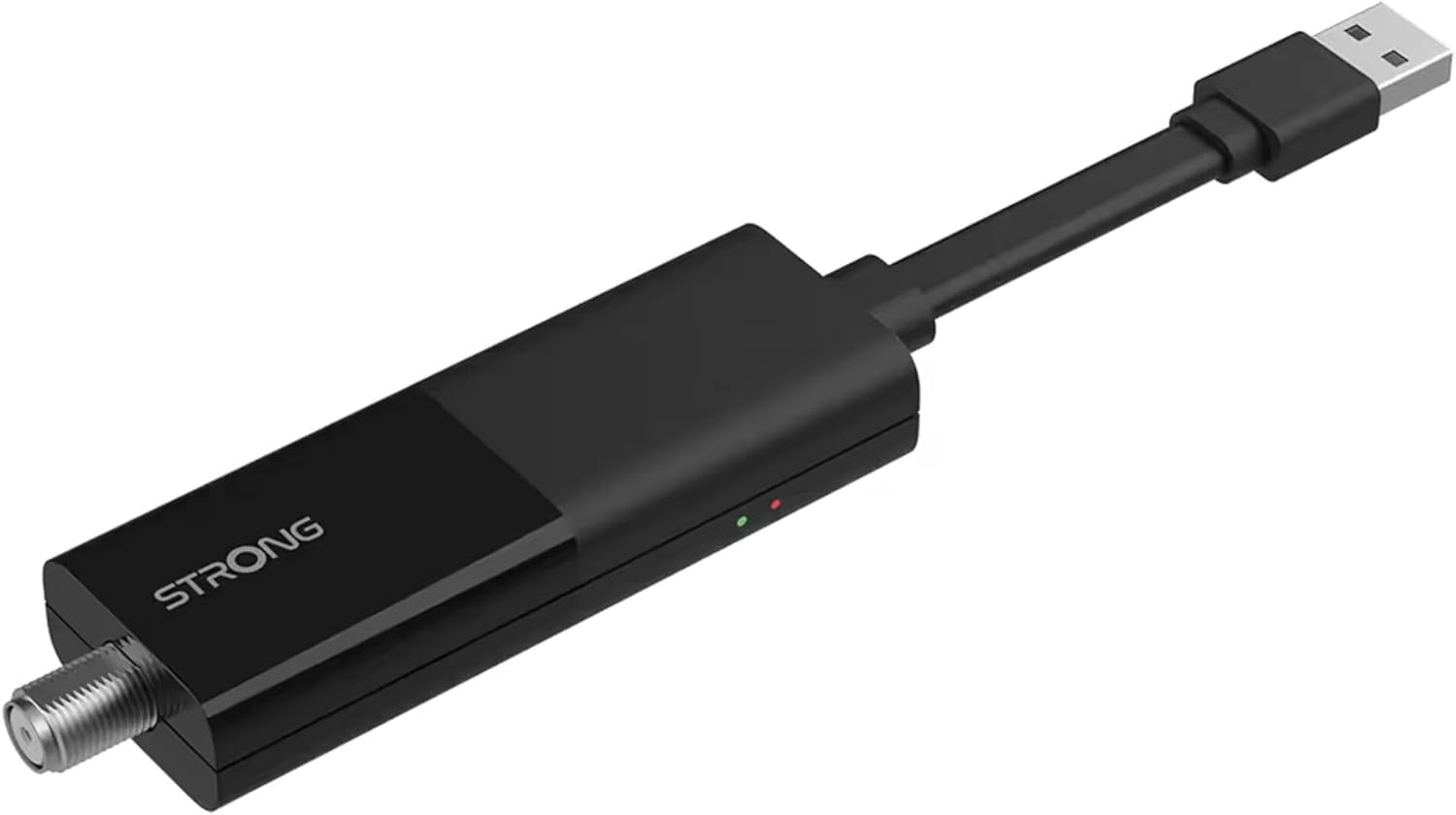
Image: The STRONG 4K UHD Box SRT 427, a compact black USB dongle-style device with a USB connector on one end and an F-type coaxial antenna input on the other, featuring the 'STRONG' logo and small indicator lights.
Naudojimo instrukcijos
Once the initial setup is complete, you can begin using your SRT 427. Use the remote control to navigate the user interface.
- Pagrindinis ekranas: Paspauskite NAMAI button to access the main menu, where you can find applications, settings, and media options.
- Navigacija: Naudokite rodyklių klavišus (Aukštyn, žemyn, kairėn, dešinėn) to move through menus and options. Press OK patvirtinti pasirinkimą.
- Garsumo valdymas: Naudokite VOL+ ir VOL- mygtukai garso garsumui reguliuoti.
- Kanalo pasirinkimas: If connected to an antenna, use the CH+ ir CH- buttons to change channels, or enter channel numbers directly using the numeric keypad.
- Nustatymai: Access the settings menu to customize display, audio, network, and system preferences.
- Medijos atkūrimas: Connect a USB storage device to the USB port to play media files (photos, videos, music) through the built-in media player.
Priežiūra
Proper maintenance ensures the longevity and optimal performance of your SRT 427.
- Valymas: Disconnect the device from power before cleaning. Use a soft, dry cloth to wipe the exterior. Do not use liquid cleaners or abrasive materials.
- Vėdinimas: Ensure the device is placed in a well-ventilated area. Do not block ventilation openings.
- Temperatūra: Saugokite, kad prietaisas nepatektų į ekstremalias temperatūras, tiesioginius saulės spindulius ar didelę drėgmę.
- Firmware atnaujinimai: Periodically check for firmware updates through the system settings to ensure you have the latest features and bug fixes.
Trikčių šalinimas
If you encounter issues with your SRT 427, refer to the following common problems and solutions:
| Problema | Sprendimas |
|---|---|
| Nėra galios | Check if the power adapter is securely connected to the device and the wall outlet. Ensure the outlet is functional. |
| Nėra vaizdo televizoriuje | Verify the HDMI cable is correctly connected to both the SRT 427 and the TV. Ensure the TV is set to the correct HDMI input source. |
| Nėra garso | Check the volume level on both the SRT 427 and your TV. Ensure audio settings in the SRT 427 menu are correct. |
| Nuotolinio valdymo pultas neveikia | Check and replace the batteries. Ensure there are no obstructions between the remote and the device's IR sensor. |
| Nepavyksta prisijungti prie „Wi-Fi“. | Ensure your Wi-Fi router is on and within range. Re-enter the Wi-Fi password in the network settings. Try restarting both the SRT 427 and your router. |
Specifikacijos
Technical specifications for the STRONG 4K UHD Box SRT 427:
- Modelio numeris: SRT427
- Gaminio matmenys: 5.91 x 7.87 x 5.91 colio
- Prekės svoris: 1.76 svaro
- Baterijos: 1 AAAA batteries required (for remote control, typically)
- Gamintojas: Stiprus
- Language (Default): Italian (may vary by region, user configurable)
- ASIN: B0FDPX7PRQ
- Pirmą kartą pasiekiama data: 21 m. rugpjūčio 2025 d
Garantija ir palaikymas
For warranty information and technical support, please refer to the warranty card included in your product packaging or visit the official Strong webNebandykite patys taisyti įrenginio, nes tai gali panaikinti garantiją.
Oficialus Websvetainė: www.strong.tv
Ask a question about this manual
Ask about setup, troubleshooting, compatibility, parts, safety, or missing instructions. Manuals+ will review the question and use this page’s manual context to help answer it.