
DIERYA DK68E
DIERYA DK68E 60% Mechanical Gaming Keyboard User Manual
Model: DK68E | Brand: DIERYA
Įvadas
This manual provides detailed instructions for the setup, operation, maintenance, and troubleshooting of your DIERYA DK68E 60% Mechanical Gaming Keyboard. Please read this manual thoroughly to ensure proper use and to maximize your keyboard's performance and longevity.
Kas yra dėžutėje
- DIERYA DK68E mechaninė klaviatūra
- USB-C į USB-A laidas
- Klaviatūros traukiklis
- Vartotojo vadovas (šis dokumentas)

Image: The DIERYA DK68E keyboard with its detachable USB-C cable.
Sąranka
- Išpakuokite klaviatūrą: Atsargiai išimkite klaviatūrą ir visus priedus iš pakuotės.
- Prijunkite USB kabelį: Insert the USB-C end of the provided cable into the port on the keyboard. Connect the USB-A end to an available USB port on your computer.
- Pradinis pripažinimas: Jūsų kompiuteris turėtų automatiškai aptikti ir įdiegti reikiamas klaviatūros tvarkykles. Šis procesas gali užtrukti kelias akimirkas.
- Vieta: Position the keyboard comfortably on your desk. The keyboard features two-stage adjustable feet for ergonomic typing angles.

Image: Illustration of the USB-C port on the keyboard and the USB-A connector for the computer.

Image: Detail of the keyboard's adjustable feet and anti-slip pads for customized tilt.
Naudojimo instrukcijos
Pagrindinės klaviatūros funkcijos
The DIERYA DK68E is a 60% layout keyboard, meaning some keys are accessed via function (Fn) layer combinations. Refer to the keycaps for secondary functions, typically indicated on the front or side of the key.
RGB foninio apšvietimo valdymas
The keyboard features 16.8 million colors and 20 pre-set RGB lighting effects. These can be customized directly on the keyboard or through the webpagrįstas vairuotojas.
- Keisti apšvietimo efektą: Use the designated Fn key combination (e.g., Fn + \) to cycle through pre-set effects.
- Sureguliuokite ryškumą: Use Fn key combinations to increase or decrease backlight brightness.
- Išjungti foninį apšvietimą: A specific Fn key combination will typically toggle the backlight on/off.
Speciali garsumo rankenėlė
The multi-functional knob located on the top right of the keyboard provides convenient media control:
- Pasukti: Reguliuoja sistemos garsumą.
- Paspauskite: Perjungia medijos atkūrimą / pristabdymą.
- Paspauskite ir palaikykite: May mute/unmute audio (refer to specific keyboard documentation for exact function).

Image: The multi-function metal knob for volume and media control.
Web-based Driver (KeyFlow WebOS)
The DIERYA DK68E features a driver-free, web-based customization tool. This allows for advanced personalization without software installation, compatible with Windows, Mac, and Linux.
- Prieiga: Atidarykite a web browser and navigate to the official DIERYA web driver portal (URL typically provided in a quick start guide or on the manufacturer's websvetainė).
- Funkcijos: Per web interface, you can perform:
- Klavišų perrašymas
- Complex macro recording
- Quick shortcuts assignment
- Per-key RGB personalization

Image: The KeyFlow WebOS interface for programming and RGB customization.
Pagrindinės funkcijos baigtosview
- Karšto keitimo dizainas: Supports both 3-pin and 5-pin mechanical switches, allowing for easy customization of typing feel and sound without soldering.
- Tarpiklio tvirtinimo konstrukcija: Provides a flexible typing feel and contributes to a satisfying acoustic profile.
- Iš anksto sutepti linijiniai jungikliai: Factory-lubricated for smooth and consistent keystrokes, rated for 50 million keystrokes.
- 5-Layer Sound-Dampputų susidarymas: Reduces hollow sounds and minimizes noise for an enhanced typing experience.
- Double-Shot Keycaps: Constructed with double-shot injection molding to ensure legends never fade from wear.
- 1000 Hz apklausos dažnis: Ensures ultra-responsive gaming and typing with lightning-fast command execution.

Vaizdas: Viršview of the DIERYA DK68E's core features.
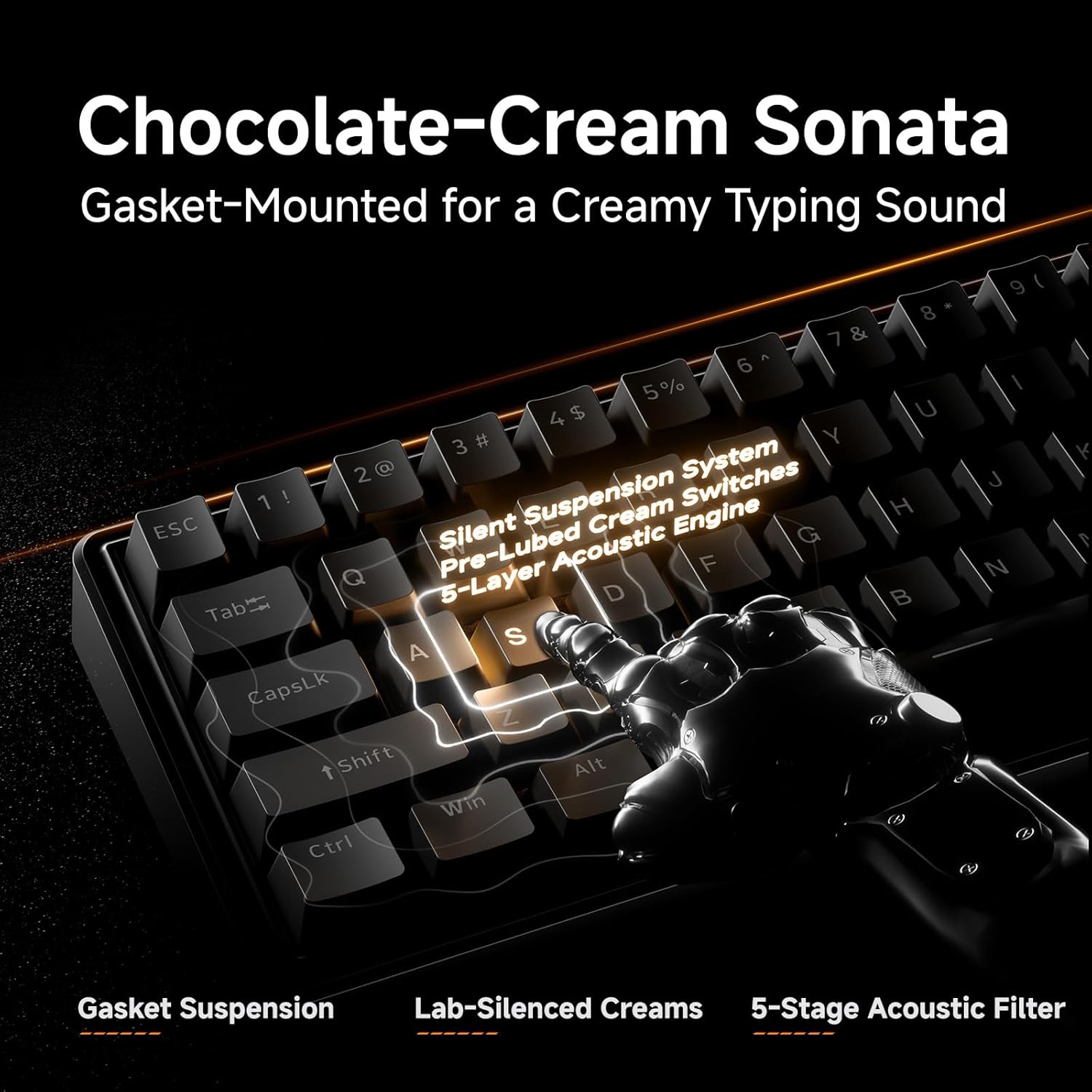
Vaizdas: Išsamus view of the gasket-mounted design and internal dampening sluoksniai.

Image: Demonstration of the hot-swappable switch system.
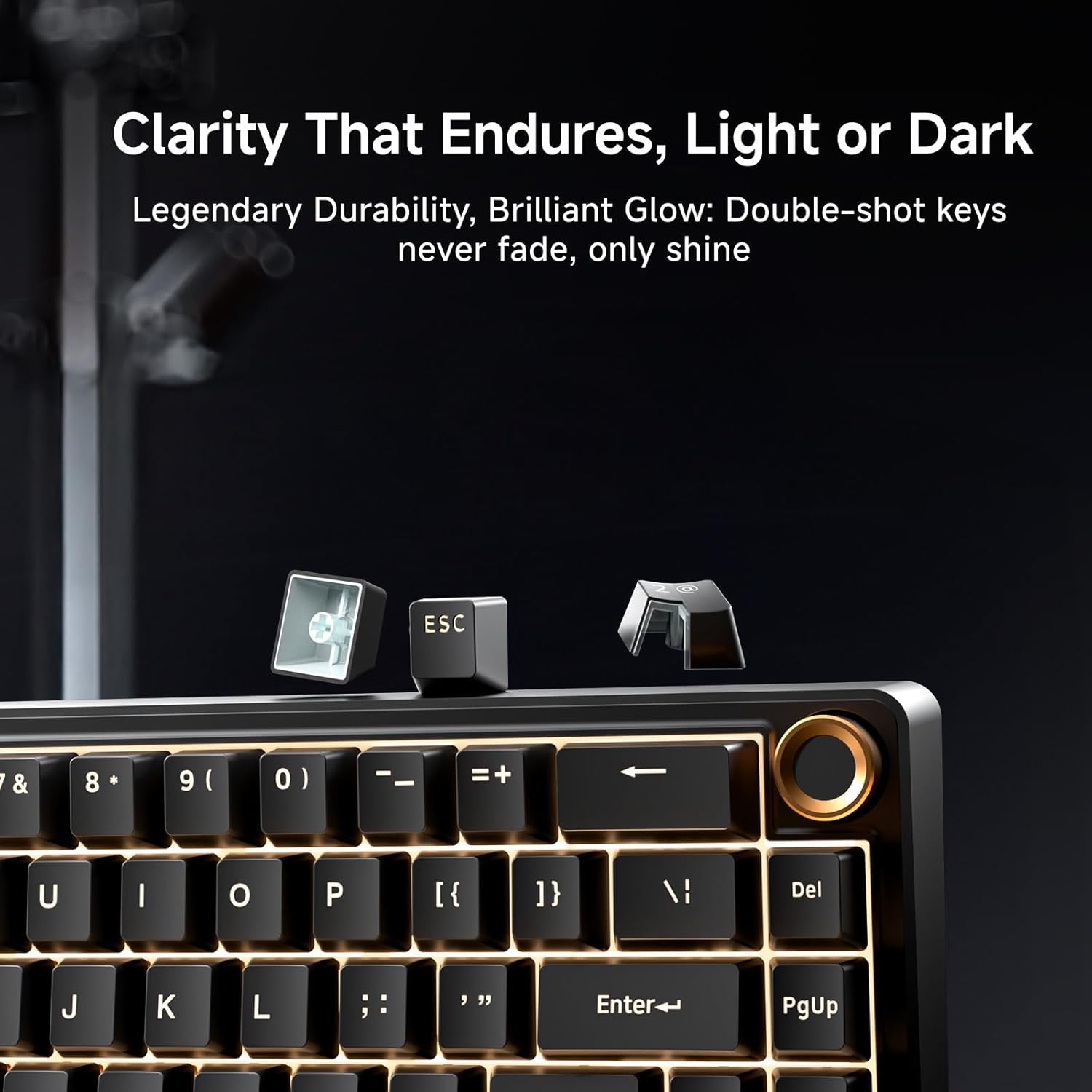
Image: Examination of the durable double-shot keycaps.
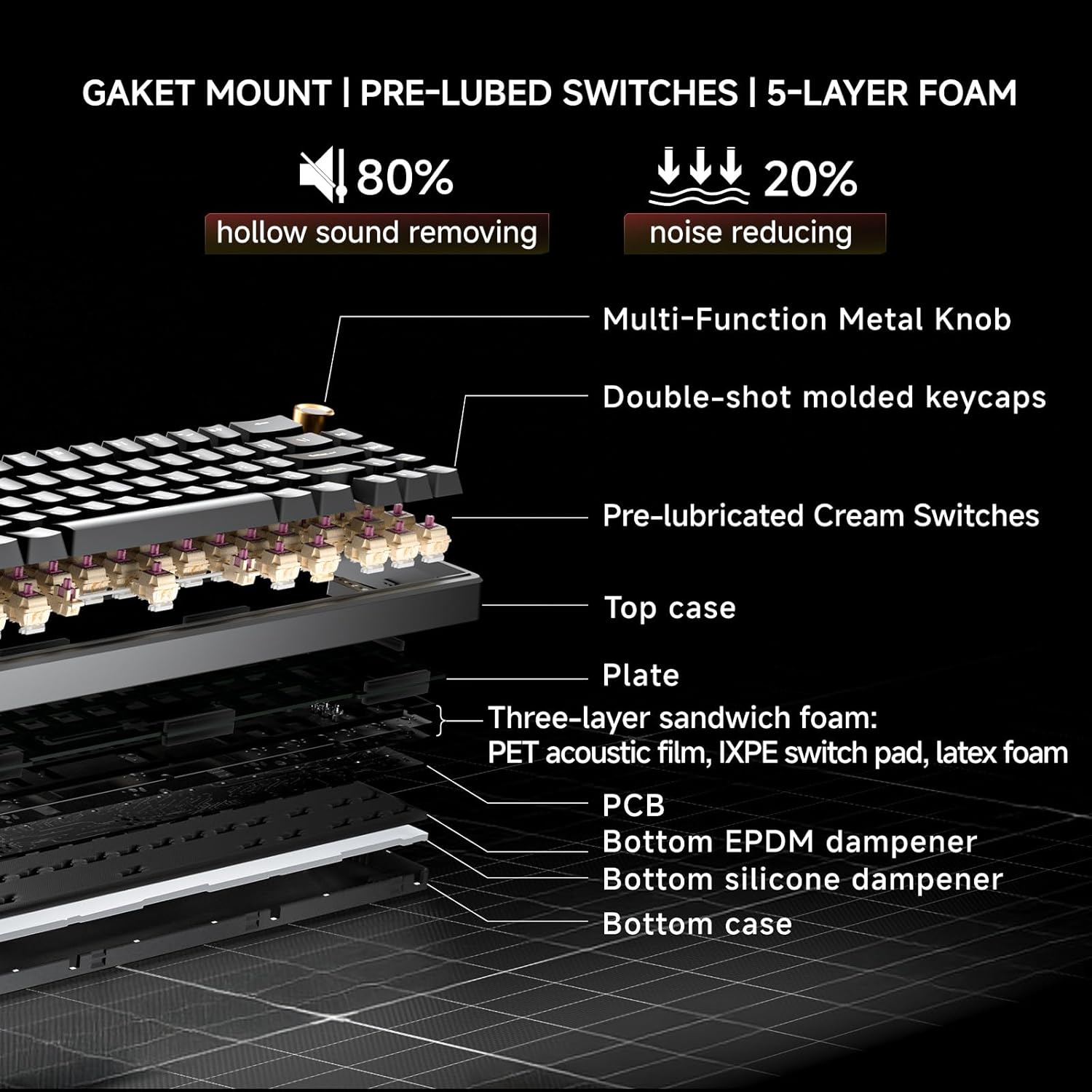
Image: Cross-section diagram detailing the gasket mount, pre-lubed switches, and 5-layer foam construction.
Priežiūra
Valymas
- Bendras valymas: Use a soft, dry cloth to wipe the keyboard surface. For dust between keycaps, use compressed air.
- Gilus valymas (klaviatūros dangteliai): Use the provided keycap puller to carefully remove keycaps. Clean the keycaps with mild soap and water, then ensure they are completely dry before reattaching. Clean the exposed switch stems and plate with a brush or compressed air.
Switch Replacement (Hot-Swappable)
The DK68E's hot-swappable sockets allow for easy switch replacement without soldering.
- Nuimti klaviatūros dangtelį: Use the keycap puller to gently remove the keycap from the switch you wish to replace.
- Nuimkite jungiklį: Use a switch puller (often integrated with the keycap puller) to grasp the top and bottom clips of the switch. Gently pull the switch straight up to remove it from the PCB.
- Įdėkite naują jungiklį: Align the pins of the new switch with the holes on the PCB. Ensure the pins are straight to avoid bending. Press the switch firmly until it clicks into place.
- Pritvirtinkite klaviatūros dangtelį: Uždėkite klavišo dangtelį atgal ant naujo jungiklio koto.
Atsargiai: Ensure the keyboard is unplugged before performing any maintenance involving switch or keycap removal to prevent accidental inputs or damage.
Trikčių šalinimas
- Klaviatūra nereaguoja:
- Įsitikinkite, kad USB laidas yra tvirtai prijungtas prie klaviatūros ir kompiuterio.
- Pabandykite prijungti klaviatūrą prie kito kompiuterio USB prievado.
- Jei įmanoma, išbandykite klaviatūrą kitame kompiuteryje, kad atmestumėte su kompiuteriu susijusią problemą.
- RGB lemputės neveikia / veikia netinkamai:
- Check the Fn key combinations for RGB control (e.g., brightness, mode change).
- Prisijunkite prie web-based driver to verify or reset RGB settings.
- Raktai neregistruojami arba įvedami du kartus:
- For hot-swappable switches, carefully remove the keycap and then the switch. Reinsert the switch firmly to ensure proper contact with the PCB.
- Nuvalykite aplink pažeistą jungiklį visas šiukšles.
- Computer Wakes Up from Sleep When Keyboard is Connected:
- This can sometimes occur due to USB power settings. In your computer's Device Manager (Windows) or System Information (Mac), locate the USB Root Hubs or keyboard entry. In the power management tab, uncheck "Allow this device to wake the computer."
- Alternatively, unplug the keyboard's USB-C cable when putting the computer to sleep.
Specifikacijos
| Funkcija | Detalė |
|---|---|
| Modelio pavadinimas | DK68E |
| Prekės ženklas | DIERYA |
| Klaviatūros aprašymas | Žaidimų, Mechaniniai |
| Išdėstymas | 60 % (68 klavišai) |
| Ryšio technologija | Wired (USB-A, USB-C) |
| Jungikliai | Pre-Lubed Linear, Hot-Swappable (3-pin & 5-pin compatible) |
| Montavimo stilius | Tarpiklio laikiklis |
| Dampening | 5-Layer Sound-Dampening Putplastis |
| Klaviatūros | Double-Shot Molded |
| Foninis apšvietimas | RGB (16.8 milijono spalvų, 20 iš anksto nustatytų efektų) |
| Programuojamumas | Web-based Driver (KeyFlow WebOS) |
| Apklausos rodiklis | 1000 Hz |
| Suderinami įrenginiai | Nešiojamasis kompiuteris, kompiuteris |
| Medžiaga | Plastikiniai |
| Prekės svoris | 1.65 svaro |
| Pakuotės matmenys | 14.8 x 4.72 x 1.93 colio |
Garantija ir palaikymas
Warranty information for your DIERYA DK68E keyboard is typically included with your purchase documentation. Please refer to those materials for specific terms and conditions.
For further assistance, technical support, or to access the latest drivers and firmware updates, please visit the official DIERYA websvetainėje arba susisiekite tiesiogiai su jų klientų aptarnavimo tarnyba. Taip pat galite apsilankyti DIERYA Store on Amazon dėl produkto informacijos ir palaikymo išteklių.
Ask a question about this manual
Ask about setup, troubleshooting, compatibility, parts, safety, or missing instructions. Manuals+ will review the question and use this page’s manual context to help answer it.