
1. Įvadas
The MINDKEEPS G90 is a retro handheld game console designed for portable gaming. It features a 7-inch IPS HD screen, a quad-core processor, and supports HDMI output for connection to external displays. This manual provides instructions for setting up, operating, and maintaining your G90 console.
2. Pakuotės turinys
Patikrinkite, ar jūsų siuntinyje yra visi toliau išvardyti daiktai:
- G90 Console Unit
- C tipo įkrovimo laidas
- Instrukcijų vadovas (šis dokumentas)
- Apsauginė plėvelė
- HDMI kabelis
- Gamepad Receiver/Adapter
- Alcohol Wipe Pack
- A Pair of Gamepads

Image: Standard accessories included with the G90 console, showing the console, packaging box, data line, and instruction manual.
3. Įrenginio išdėstymas ir valdikliai
Familiarize yourself with the buttons, ports, and features of your G90 console:
Vaizdas: Priekyje ir gale view of the G90 console with labels for 3D joysticks, directional keys, speaker, ESC, R1/R2, L1/L2, vol-/vol+, X/Y/A/B buttons, TF card slot, HDMI port, charging interface, On/Off button, and handle interface.
- 3D Joysticks: For precise directional control in games.
- Directional Keys (D-Pad): Meniu naršymui ir žaidimo valdymui.
- Veiksmų mygtukai (X, Y, A, B): Dėl veiksmų žaidime.
- Pečių mygtukai (L1, L2, R1, R2): Additional control inputs.
- Volume Buttons (vol+, vol-): Reguliuokite garso išvestį.
- ESC mygtukas: Typically used to exit menus or games.
- SELECT/START/A Buttons: Standartiniai žaidimo valdymo mygtukai.
- TF kortelės lizdas: For inserting a TF (microSD) card to expand storage.
- Charging Interface (Type-C): Įkrovimo laido prijungimui.
- HDMI prievadas: For connecting the console to an external display.
- Įjungimo/išjungimo mygtukas: Powers the console on or off.
- Rankenos sąsaja: For connecting external gamepads.
- Garsiakalbiai: Integruoti stereo garsiakalbiai garso išvesčiai.
4. Sąranka
4.1 Konsolės įkrovimas
Before first use, fully charge the console. Connect the provided Type-C charging cable to the console's charging interface and the other end to a compatible USB power adapter (not included) with a maximum load of 2A. The battery indicator will show charging status.
4.2 TF kortelės įdiegimas
The console supports TF card expansion up to 256GB for additional game storage. Locate the TF card slot on the console. Gently insert the TF card into the slot until it clicks into place. To remove, push the card in slightly until it springs out.
4.3 Connecting to an External Display (HDMI Output)
To play games on a larger screen, connect the G90 console to a TV or monitor using the provided HDMI cable. Plug one end of the HDMI cable into the console's HDMI port and the other end into an HDMI input on your display device. Select the correct HDMI input on your display.

Image: The G90 console displaying game content on an external television via HDMI output.
4.4 Connecting External Gamepads
The G90 console supports external gamepads for two-player gaming. Connect the gamepad receiver/adapter to the console's handle interface. The included gamepads should automatically connect to the receiver. Refer to the gamepad's individual instructions for specific pairing procedures if necessary.
5. Naudojimo instrukcijos
5.1 Maitinimo įjungimas/išjungimas
- Norėdami įjungti: Press and hold the On/Off button until the screen illuminates.
- Norėdami išjungti: Press and hold the On/Off button until a power-off prompt appears, then confirm. A short press will typically put the device into sleep mode.
5.2 Navigation and Game Selection
Use the 3D joysticks or directional keys to navigate through the console's menu interface. Press the 'A' button (or equivalent action button) to select options or launch games. The 'ESC' button typically functions as a back or exit command.
5.3 Garsumo reguliavimas
Use the 'vol+' and 'vol-' buttons located on the console to increase or decrease the audio volume from the integrated stereo speakers.
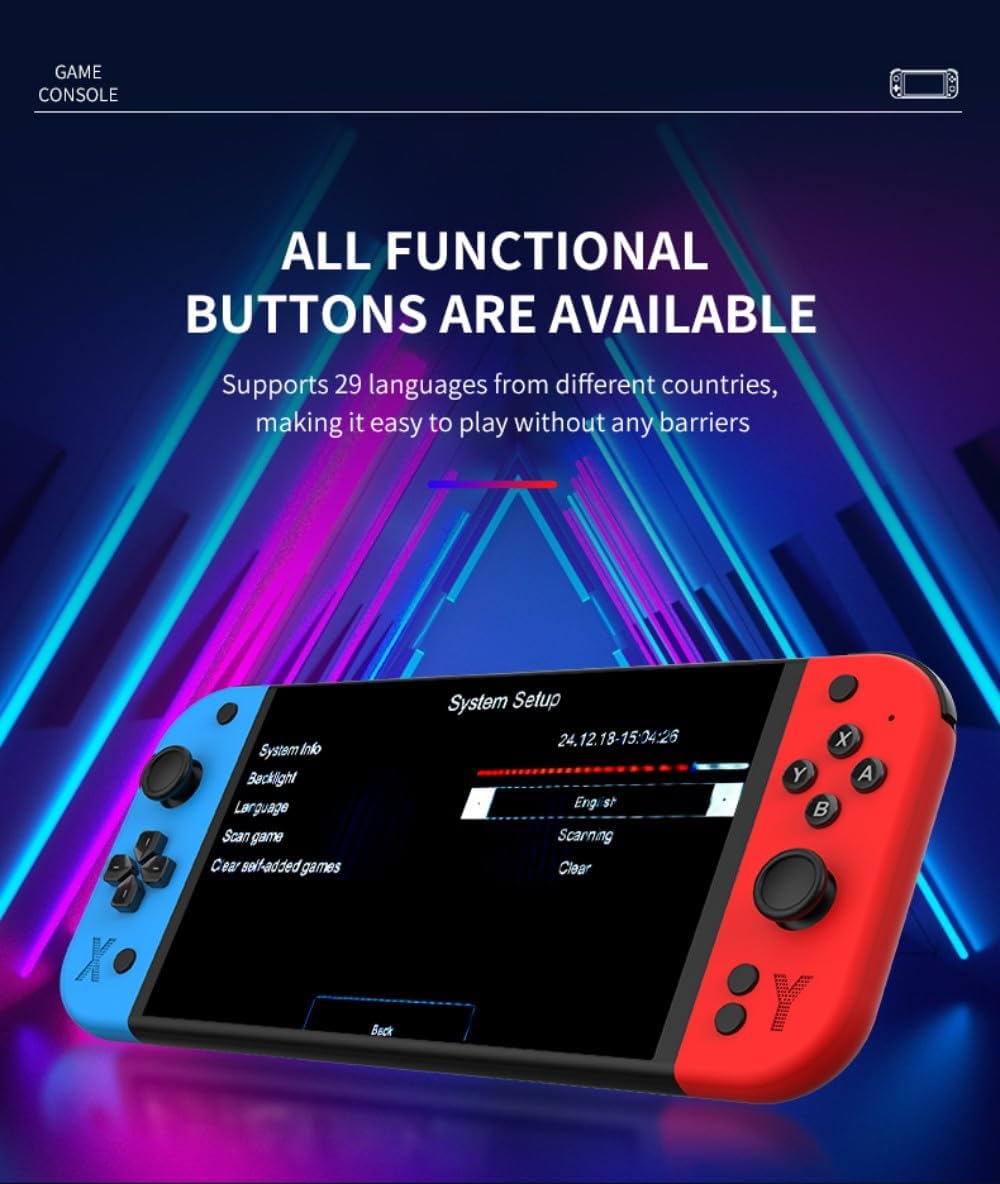
5.4 Kalbos nustatymai
The G90 console supports 29 languages. To change the system language:
- Navigate to the 'System Setup' menu.
- Select 'Language' from the options.
- Iš sąrašo pasirinkite norimą kalbą.
Image: The G90 console's 'System Setup' screen, highlighting the language selection option.
6. Priežiūra
6.1 Valymas
Use a soft, dry cloth to clean the console's exterior. For the screen, use a microfiber cloth. Avoid using harsh chemicals or abrasive materials, as they may damage the finish or screen. The included alcohol wipe pack can be used for screen cleaning.
6.2 Akumuliatoriaus priežiūra
Norėdami pailginti baterijos veikimo laiką:
- Venkite dažnai visiškai iškrauti akumuliatorių.
- Store the console in a cool, dry place when not in use for extended periods.
- Charge the console regularly, even if not in use, to maintain battery health.
7. Problemų sprendimas
- Konsolė neįsijungia: Ensure the console is fully charged. Connect the charging cable and try again.
- Ekranas tuščias arba mirga: Check HDMI cable connection if using an external display. Restart the console.
- Games are lagging or freezing: Ensure the TF card is properly inserted. Some games may require specific settings adjustments within the emulator.
- Nėra garso: Check the volume settings on the console and any connected external display. Ensure headphones are properly connected if in use.
- External gamepads not connecting: Ensure the gamepad receiver is properly inserted into the console's handle interface. Check gamepad batteries.
If issues persist, please refer to the support information provided with your purchase.
8. Specifikacijos
| Funkcija | Specifikacija |
|---|---|
| Modelio numeris | 14RE304OZ04BKFYXRX3 |
| Ekranas | 7-inch IPS HD Screen, OCA Lamination Technology |
| Rezoliucija | 1024x600 |
| CPU | Quad-core ARM Cortex-A7MP |
| RAM | DDR3 1GB |
| ROM | eMMC 4 GB |
| Operacinė sistema | Linux 5.1 RetroArch |
| HDMI išvestis | Supports HDMI high-definition output |
| Kalbos | Palaiko 29 kalbas |
| Garsas | Aukštos kokybės stereofoniniai garsiakalbiai |
| Baterija | 4000 mAh |
| TF kortelių palaikymas | Up to 256GB expansion |
| Įkrovimas | Type-C, max 2A load |
| External Gamepads | Supports external gamepads for two-player battles |
| Vairasvirtės | Dual 3D stereo joysticks |
| Medžiaga | ABS |
| Console Body Dimensions | 24.5 x 2.8 x 10.5 cm |
| Console Body Weight | 393g |
| Rekomenduojamas amžius | 15 metai ir daugiau |
9. Garantija ir palaikymas
For warranty information and technical support, please refer to the documentation included with your purchase or contact MINDKEEPS customer service through the retailer where the product was purchased. Keep your proof of purchase for warranty claims.