
1. Įvadas
This manual provides essential information for setting up, operating, maintaining, and troubleshooting your Lenovo Laptop Computer 2026 Edition, Model IdeaPad Slim 3. Please read this manual thoroughly before using your device to ensure proper function and longevity.
2. Pakuotės turinys
Patikrinkite, ar pakuotėje yra visi reikalingi daiktai:
- Lenovo Laptop Computer 2026 Edition (IdeaPad Slim 3)
- Maitinimo adapteris
- SD kortelių skaitytuvas
- Greito paleidimo vadovas (jei pridėtas)
- Warranty Information Card (if included)
3. Produktas baigtasview
Familiarize yourself with the components and features of your Lenovo IdeaPad Slim 3 laptop.
3.1 Pagrindinės savybės

This image displays the Lenovo IdeaPad Slim 3 laptop and highlights its primary features. It includes an Intel Core i7-13620H processor, a 15.3-inch WUXGA IPS display (1920x1200 resolution), and an HD camera with a privacy shutter. The laptop is 0.70 inches thin and weighs 3.51 lbs. It comes with 24GB DDR5 RAM, upgradable to 40GB, and a 512GB SSD, upgradable to 4TB. Audio is provided by dual 2W speakers. The device supports Rapid Charge Boost and features a Metal A Cover for durability, meeting Military Grade standards.
3.2 Ekranas ir klaviatūra

This image focuses on the laptop's display and keyboard. The 15.3-inch WUXGA IPS display offers a 1920x1200 resolution, 300 nits brightness, anti-glare properties, and a 16:10 aspect ratio. It boasts up to a 90% active area ratio and is an Eyesafe Display, TÜV Rheinland Certified for low blue light. The keyboard is non-backlit and includes a numeric keypad.
3.3 Power and Audio
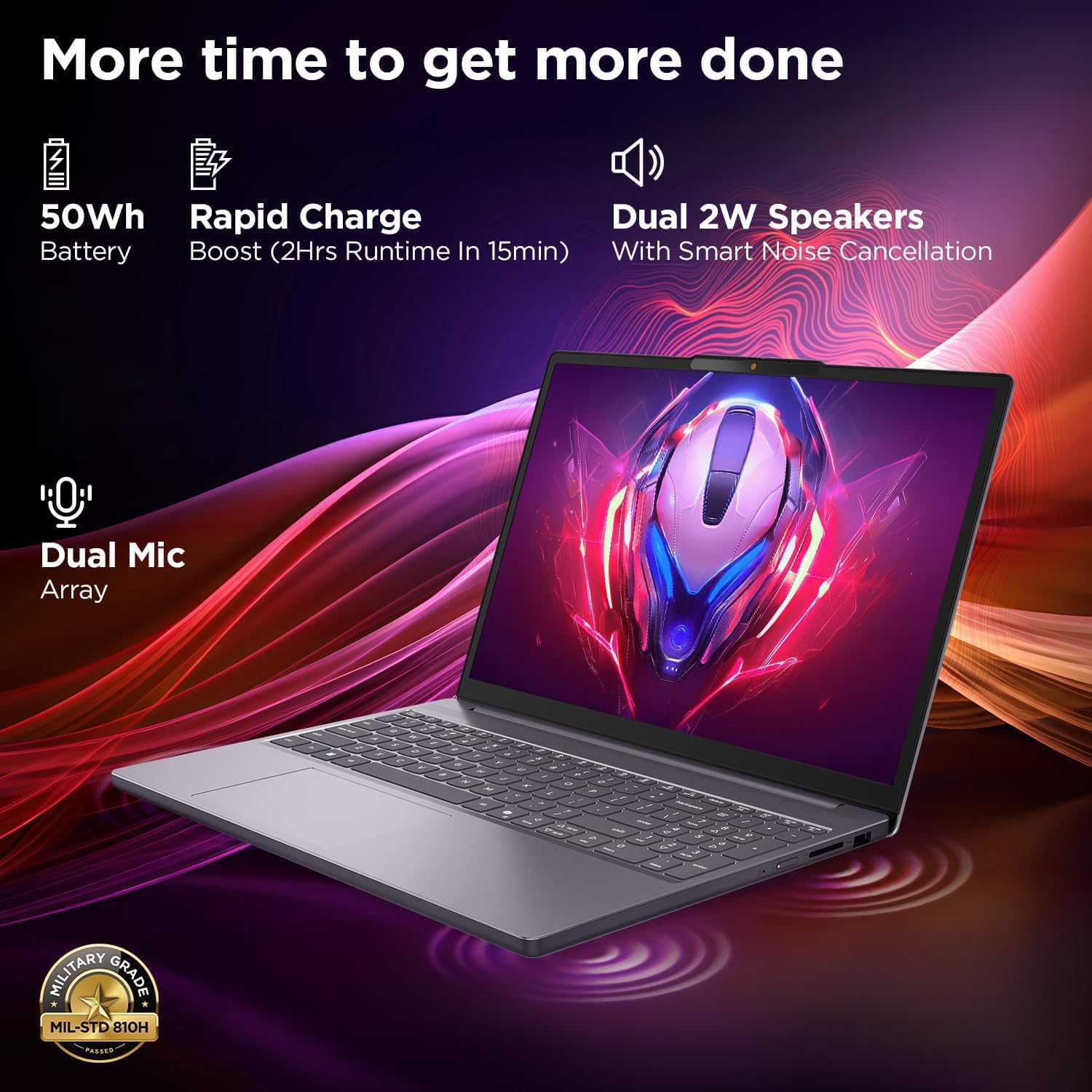
This image highlights the laptop's power and audio capabilities. It features a 50Wh battery with Rapid Charge Boost, providing 2 hours of runtime from a 15-minute charge. Dual 2W speakers with Smart Noise Cancellation and a Dual Mic Array enhance audio quality. The laptop also meets Military Grade MIL-STD 810H durability standards.
3.4 Prievadai ir jungiamumas

This image illustrates the various ports available on the Lenovo IdeaPad Slim 3. These include a power button, an SD card reader, a power connector, two USB-A ports (5Gbps), an HDMI port, and a USB-C port (5Gbps) with USB Power Delivery 3.0 and DisplayPort 1.2 support for data transfer and external displays. A headphone/microphone combo jack (3.5mm) is also present.
3.5 Keyboard and Touchpad Layout
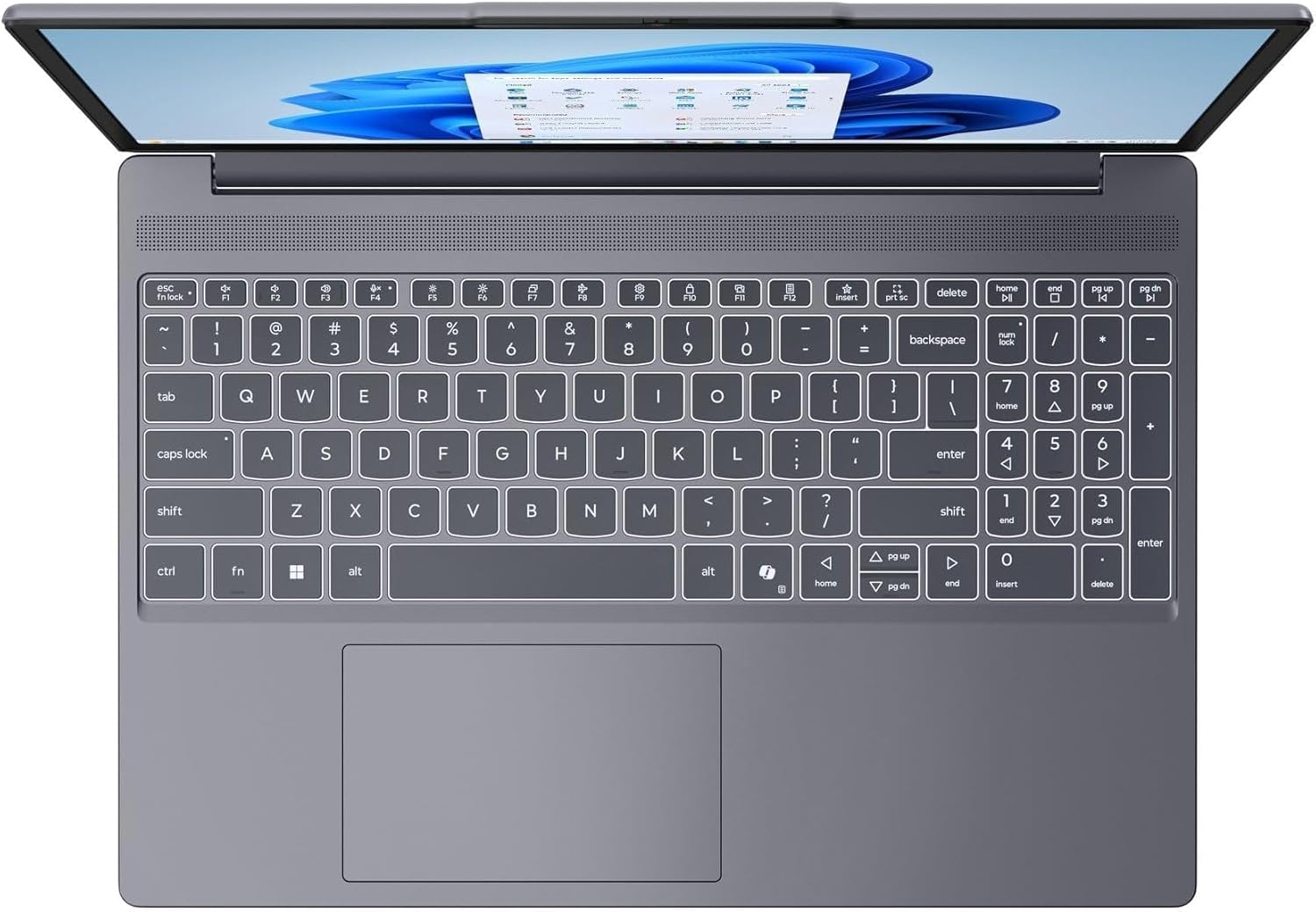
Šis paveikslėlis pateikia vaizdą iš viršaus į apačią view of the laptop's full-size keyboard with a numeric keypad and the integrated touchpad. It shows the standard QWERTY layout along with function keys and dedicated navigation keys.
3.6 Laptop Exterior (Closed)
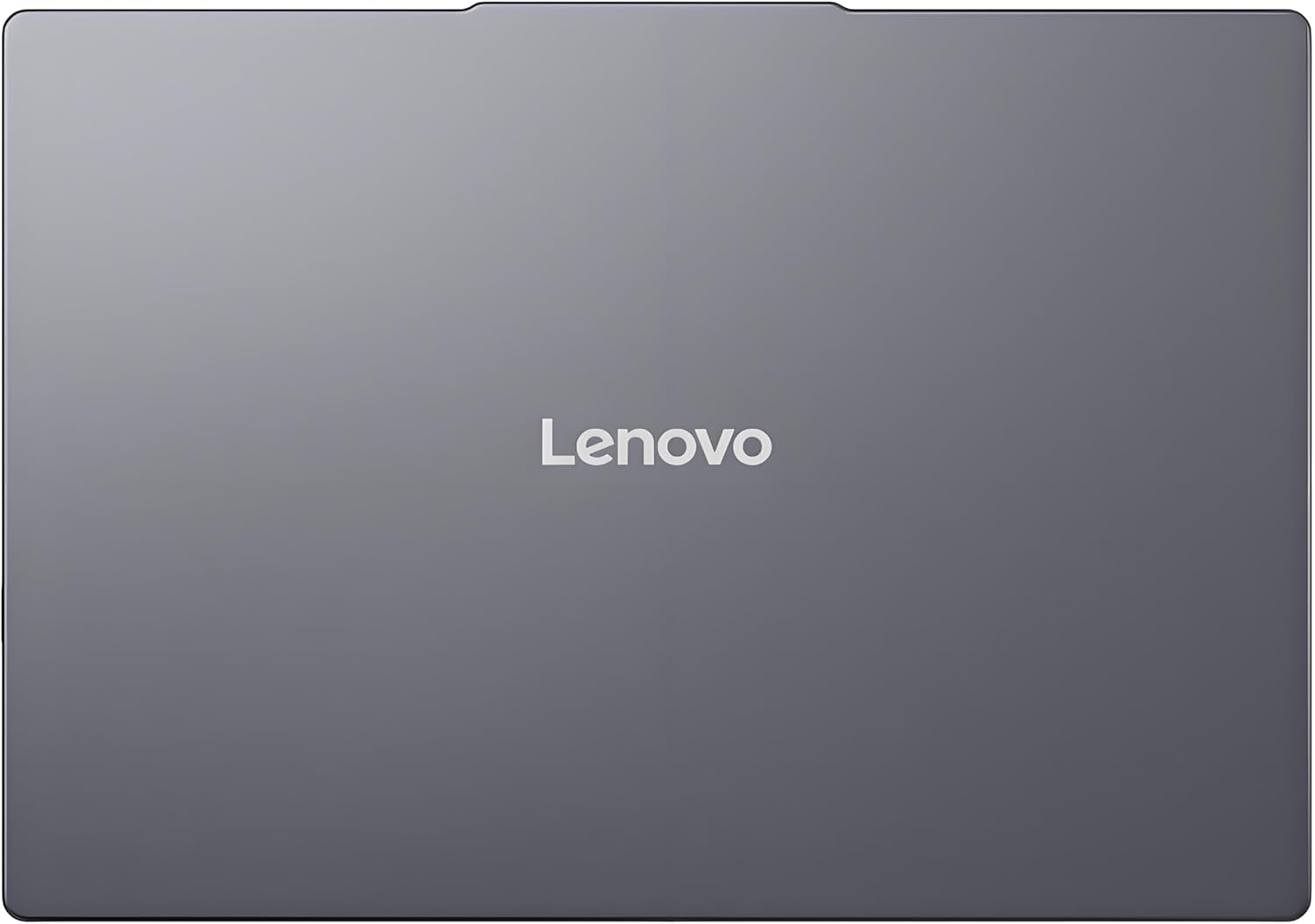
This image shows the top cover of the Lenovo IdeaPad Slim 3 laptop when closed, featuring the Lenovo brand logo centrally placed on the grey metallic surface.
3.7 Laptop Bottom View

This image displays the bottom panel of the Lenovo IdeaPad Slim 3 laptop, showing the ventilation grilles for cooling and rubber feet for stability.
4. Sąranka
4.1 Pradinis įjungimas ir įkrovimas
- Prijunkite maitinimo adapterį: Prijunkite maitinimo adapterį prie nešiojamojo kompiuterio maitinimo jungties, o tada – prie sieninio lizdo.
- Įkraukite akumuliatorių: Prieš pirmą kartą naudodami nešiojamąjį kompiuterį, leiskite jam įsikrauti bent 30 minučių arba tol, kol akumuliatoriaus indikatorius rodys pakankamą įkrovą.
- Maitinimas: Open the laptop lid and press the power button located on the side or keyboard deck.
- "Windows" sąranka: Vykdykite ekrane pateikiamus nurodymus, kad užbaigtumėte „Windows 11 Home“ sąranką, įskaitant kalbos, regiono, tinklo ryšio ir vartotojo paskyros kūrimą.
4.2 Prisijungimas prie tinklo
- „Wi-Fi“: During Windows setup or later, click the Wi-Fi icon in the taskbar, select your network, enter the password, and click Connect.
- Ethernet (if applicable via adapter): Connect an Ethernet cable from your router/modem to a compatible USB-C adapter (not included) and then to the laptop's USB-C port.
5. Naudojimo instrukcijos
5.1 Klaviatūros ir jutiklinės planšetės naudojimas
- Klaviatūra: The laptop features a full-size keyboard with a numeric keypad. Use the Fn key in combination with function keys (F1-F12) for special functions like adjusting brightness, volume, or enabling/disabling Wi-Fi.
- Jutiklinė dalis: The integrated touchpad supports multi-touch gestures for navigation, scrolling, and zooming. Refer to Windows settings for customizing touchpad gestures.
5.2 Išorinių įrenginių prijungimas
- USB įrenginiai: Connect USB peripherals (mouse, keyboard, external drives) to the available USB-A or USB-C ports.
- HDMI / ekrano prievadas: Use the HDMI port or USB-C (with DP 1.2 support) to connect an external monitor or projector.
- Bluetooth įrenginiai: Enable Bluetooth in Windows settings to pair wireless headphones, speakers, or other Bluetooth accessories.
- SD kortelė: Insert an SD card into the dedicated SD card reader slot for data transfer.
5.3 Energijos valdymas
- Miegojimo rezimas: Uždarykite dangtį arba trumpai paspauskite maitinimo mygtuką, kad perjungtumėte nešiojamąjį kompiuterį į miego režimą.
- Išjungti: Click the Start button, then Power, and select "Shut down" to turn off the laptop completely.
- Paleisti iš naujo: Click the Start button, then Power, and select "Restart" to reboot the laptop.
6. Priežiūra
6.1 Nešiojamojo kompiuterio valymas
- Ekranas: Lengvai naudokite minkštą, nepūkuotą audinį dampnuplaukite vandeniu arba ekrano valikliu. Nepurkškite skysčio tiesiai ant ekrano.
- Klaviatūra ir korpusas: Naudokite minkštą, sausą šluostę. Įsisenėjusius nešvarumus lengvai nuvalykite.amp Galima naudoti šluostę su švelniu muilo tirpalu, užtikrinant, kad skystis nepatektų į angas.
- Vėdinimas: Reguliariai valykite ventiliacijos groteles suslėgtu oru, kad nesusikauptų dulkės, kurios gali turėti įtakos aušinimo efektyvumui.
6.2 Akumuliatoriaus priežiūra
- Venkite ekstremalių temperatūrų.
- Neiškraukite akumuliatoriaus dažnai iki galo.
- Jei nešiojamąjį kompiuterį ketinate laikyti ilgą laiką, įkraukite bateriją iki maždaug 50–60 %.
6.3 Programinės įrangos naujiniai
- Reguliariai tikrinkite, ar yra „Windows“ naujinimų, naudodami Nustatymai > „Windows“ naujinimas.
- Apsilankykite oficialioje „Lenovo“ palaikymo svetainėje website for driver and firmware updates specific to your IdeaPad Slim 3 model.
7. Problemų sprendimas
| Problema | Galimas sprendimas |
|---|---|
| Nešiojamasis kompiuteris neįsijungia. | Ensure the power adapter is securely connected and the outlet is functional. Try a different outlet. If the battery is completely drained, allow it to charge for a while before attempting to power on. |
| Ekranas tuščias arba juodas. | Check if the laptop is powered on. Adjust screen brightness using function keys. Connect an external monitor to check if the issue is with the laptop's internal display. |
| „Wi-Fi“ ryšio problemos. | Ensure Wi-Fi is enabled in Windows settings. Restart your router/modem. Check for updated Wi-Fi drivers on the Lenovo support websvetainę. |
| Lėtas veikimas. | Close unnecessary applications. Check Task Manager for resource-intensive processes. Ensure Windows and drivers are up to date. Run a disk cleanup. |
| Klaviatūra arba jutiklinė planšetė nereaguoja. | Restart the laptop. Check for driver updates. Ensure no physical obstructions are present. |
8. Specifikacijos
| Funkcija | Detalė |
|---|---|
| Prekės ženklas | Lenovo |
| Modelio pavadinimas | „IdeaPad Slim 3“ |
| Ekrano dydis | 15.3 Inches WUXGA IPS |
| Rezoliucija | 1920 x 1200 pikselių |
| Procesorius | 13th Gen Intel Core i7-13620H (2.4 GHz, up to 4.9 GHz) |
| RAM | 24GB DDR5 RAM (Upgradable to 40GB) |
| Sandėliavimas | 1TB NVMe M.2 SSD (Upgradable to 4TB) |
| Operacinė sistema | Windows 11 Home |
| Grafika | Integruota |
| Belaidis ryšys | „WiFi 6“ (802.11ax) |
| Bluetooth | Bluetooth 5.2 |
| Uostai | 2x USB-A (5Gbps), 1x USB-C (5Gbps, PD 3.0, DP 1.2), 1x HDMI, 1x Headphone/Mic Combo, 1x SD Card Reader, Power Connector |
| Webkumštelis | HD Camera with Privacy Shutter |
| Garsas | Dual 2W Speakers with Smart Noise Cancellation, Dual Mic Array |
| Baterija | 50Wh, Rapid Charge Boost |
| Matmenys (I x P x Storis) | 13.52" x 9.43" x 0.7" |
| Svoris | 3.51 svaro |
| Ypatingos savybės | Privacy Shutter, Power Delivery, Military Grade Durability (MIL-STD 810H) |
9. Informacija apie garantiją
Your Lenovo Laptop Computer 2026 Edition (IdeaPad Slim 3) comes with a Ribota garantija. The specific terms and duration of your warranty may vary by region and purchase date. For detailed warranty information, including coverage, terms, and conditions, please refer to the warranty card included with your product or visit the official Lenovo support websvetainė:
https://support.lenovo.com/warranty
Rekomenduojama užregistruoti savo gaminį „Lenovo“ svetainėje. website to facilitate warranty claims and receive important updates.
10. Parama
For further assistance, technical support, or to download the latest drivers and manuals, please visit the official Lenovo Support websvetainė:
You may also contact Lenovo customer service directly. Contact information can typically be found on the support websvetainė jūsų konkrečiam regionui.