
1. Produktas baigtasview
The Bonacell RGB Wireless Controller is designed to enhance your gaming experience on PS5 Pro, PS5 Slim, and PC. It features advanced functionalities such as dual vibration, 6-axis motion sensing, customizable RGB lighting, programmable back paddles, and a turbo function. This manual provides detailed instructions for setup, operation, and troubleshooting.

Image 1: The Bonacell RGB Wireless Controller is compatible with multiple devices, including PS5 consoles and Windows PCs.
2. Controller Layout and Components
Familiarize yourself with the various buttons and components of your Bonacell RGB Wireless Controller.

Image 2: Detailed diagram showing the layout of the multifunctional controller, including all buttons, sticks, and ports.
- Jutiklinė dalis: Interactive surface for in-game navigation.
- Bendrinimo mygtukas: Žaidimo turinio bendrinimui.
- MENIU mygtukas: Accesses in-game menus.
- Kryžminis klavišas (D-pad): Kryptinis įvedimas.
- Pranešėjas: Integruota garso išvestis.
- Kairė lazda: Pirminis judesių valdymas.
- Turbo mygtukas: Activates turbo mode for rapid input.
- 3.5 mm ausinių lizdas: Ausinėms prijungti.
- Šviesos mygtukas: Controls RGB lighting modes.
- Namų mygtukas: Powers on/off and accesses system menus.
- Dešinė lazda: Camera and secondary movement control.
- R1/L1 Buttons: Pečių sagos.
- USB įkrovimo prievadas: Type-C port for charging and wired connection.
- R2/L2 Triggers: Analoginiai trigeriai.
- SET (Marco) Button: For macro programming.
- PR/PL Paddles: Programmable rear paddles.
3. Sąranka ir prijungimas
3.1 Initial Pairing with PS5 Console
- Įsitikinkite, kad PS5 konsolė įjungta.
- Connect the Bonacell RGB Wireless Controller to the PS5 console using a Type-C data cable (included or original).
- Paspauskite ir palaikykite Bendrinimo mygtukas + Pagrindinis mygtukas on the wireless controller simultaneously for 3 seconds to initiate pairing.
- Once paired, the controller can be used wirelessly. The Home button can then activate the controller with a single click without restarting the console.
3.2 Prijungimas prie kompiuterio
The controller offers two methods for PC connection:
3.2.1 Laidinis ryšys
- Prijunkite valdiklį prie kompiuterio naudodami C tipo duomenų kabelį.
- Kompiuteris turėtų automatiškai aptikti ir įdiegti reikiamas tvarkykles.
3.2.2 Belaidis „Bluetooth“ ryšys
- Įsitikinkite, kad jūsų kompiuteryje įjungtas „Bluetooth“ ryšys.
- Valdiklyje paspauskite ir palaikykite Bendrinimo mygtukas + Pagrindinis mygtukas simultaneously for 3 seconds to enter pairing mode. The indicator light will flash.
- On your PC, go to Bluetooth settings and search for new devices. Select the Bonacell controller when it appears.
- Vykdykite visus ekrane pateikiamus nurodymus, kad užbaigtumėte susiejimo procesą.
4. Naudojimo instrukcijos
4.1 RGB apšvietimo režimai
The controller features 9 vibrant RGB lighting effects.

Image 3: The controller offers seven light colors and three light modes, including breathing, strobe, and static effects, with a color memory function.
- Paspauskite LIGHT mygtukas to cycle through the 9 available lighting effects (e.g., breath, strobe, static).
- The controller includes a color memory function, ensuring your preferred lighting color is displayed upon subsequent use.
4.2 Dvigubas vibracijos grįžtamasis ryšys
Experience immersive feedback with the controller's dual vibration motors.

Image 4: The dual motor vibration feedback provides a delicate and immersive sensation during gameplay.
- The dual motors provide tactile feedback for in-game actions, such as explosions and impacts.
4.3 6-Axis Gyroscope and Sensitive Joysticks
Achieve precise control with the integrated 6-axis gyroscope and sensitive 3D joysticks.

Image 5: The sensitive 6-axis somatosensory and 3D joysticks contribute to an ultimate gaming experience with enhanced precision.
- The 6-axis gyroscope allows for motion-based controls, enhancing aiming and in-game interactions.
- Sensitive 3D joysticks provide accurate and responsive input.
4.4 Programmable Back Paddles and Macro Function
- The rear paddles (PR/PL) can be programmed to execute complex button combinations (macros).
- Naudokite SET (Marco) button to program sequences like R2 + Triangle + L3 onto a single paddle for quick execution.
4.5 Turbo režimas
- Suaktyvinti Turbo režimas to transform single button presses into rapid, automatic fire. This is useful for games requiring fast, repetitive inputs.
4.6 Garso funkcijos
The controller supports both wired and Bluetooth audio functions.
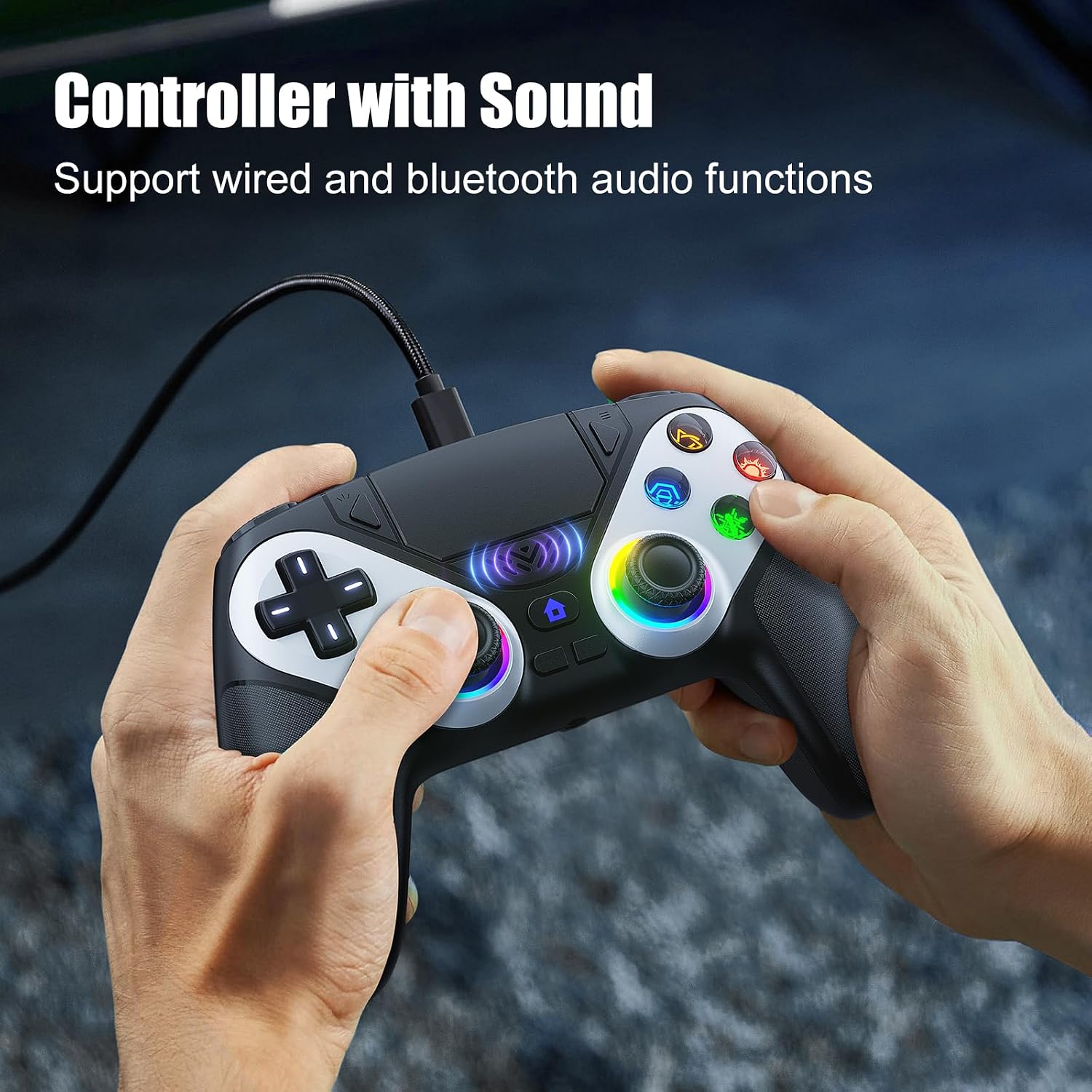
Image 6: The controller supports wired and Bluetooth audio functions, allowing for headset connection via the 3.5mm jack.
- Prijunkite ausines prie 3.5 mm ausinių lizdas for private audio.
- The built-in speaker provides in-game audio cues.
- Pastaba: To use the controller's microphone, headphones must be connected.
5. Valdiklio įkrovimas
- The controller has a 1000 mAh battery capacity.
- Charging can be done via the Type-C port using a cable or a compatible charging base.
- Pilnas įkrovimas paprastai trunka maždaug 2.5 valandas.
- Once fully charged, the controller provides up to 16 hours of usage time.
6. Problemų sprendimas
- Controller not charging or turning on: Įsitikinkite, kad C tipo laidas yra tvirtai prijungtas prie valdiklio ir maitinimo šaltinio. Išbandykite kitą laidą arba įkrovimo prievadą.
- Headphones not working correctly: Verify that the headphones are fully plugged into the 3.5mm jack. Check headphone volume settings on the console/PC and the controller. Remember that a microphone requires headphones to be connected.
- Ryšio problemos: For PS5, ensure initial wired pairing was successful. For PC Bluetooth, ensure PC Bluetooth is active and the controller is in pairing mode. Try re-pairing the controller.
- If issues persist, please refer to the support information provided with your purchase or contact Bonacell customer support.
7. Specifikacijos
| Funkcija | Specifikacija |
|---|---|
| Produkto pavadinimas | Wireless Controller for P-5 |
| Produkto svoris | 0.26 kg (340 grams with packaging) |
| Gaminio matmenys | 165 x 105 x 45 mm (Controller) / 17 x 7 x 12 cm (Package) |
| Baterijos talpa | 1000 mAh |
| Naudojimo laikas | Iki 16 valandų |
| Įkrovimo laikas | Maždaug 2.5 val |
| Įkrovimo būdas | Type-C cable or charging base |
| Funkcijos | Dual Shock Motor, 6-Axis Gyroscope, RGB Lighting, Back Paddles, Turbo Mode, Touchpad, 3.5mm Audio Jack, Speaker |
| Medžiaga | ABS |
| Suderinamumas | PS5 Pro, PS5 Slim, Windows PC |
8. Garantija ir palaikymas
For warranty information, returns, or specific support inquiries, please refer to the documentation included with your purchase or contact the seller directly. If you encounter any issues not covered in this manual, such as charging problems or audio malfunctions, please reach out to customer support for assistance.