
Įvadas
This manual provides detailed instructions for the operation and maintenance of your TRU RED 12-Digit Display Printing Calculator. Designed for efficiency, this multi-function calculator assists in tracking purchases, expenses, and transactions with ease. It is suitable for various environments including school, home, and office settings.
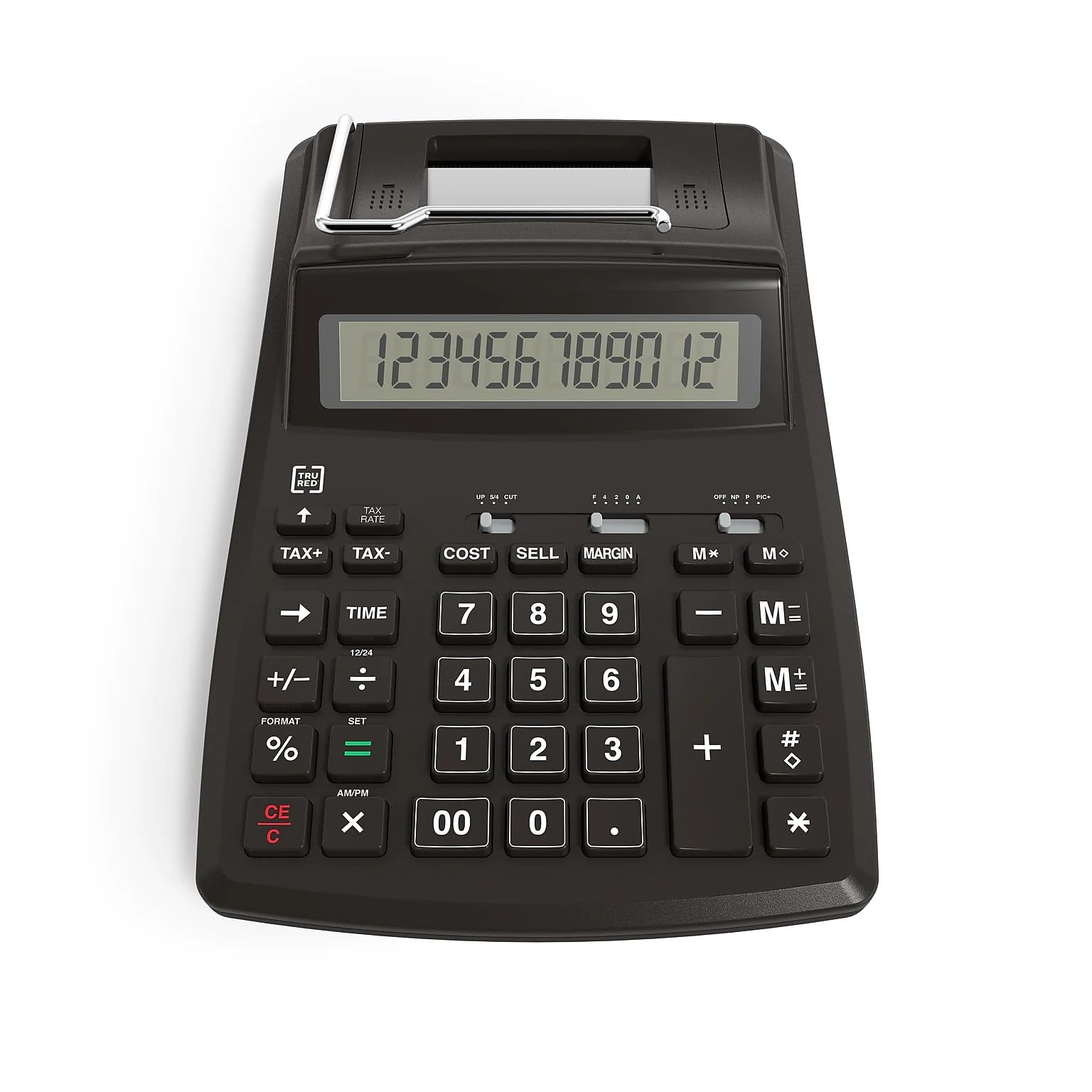
Key features include a 12-digit LCD display, fast printing capabilities, and specialized keys for financial calculations.
Sąranka
Skaičiuoklės įjungimas
Your TRU RED printing calculator can be powered in two ways:
- Kintamosios srovės maitinimas: Connect the provided AC adapter to the calculator and a standard wall outlet.
- Baterijos galia: For portable use, insert 4 AA batteries into the battery compartment located on the underside of the calculator. Ensure correct polarity.
Popieriaus ritinio montavimas
The calculator features an easy-to-install paper roll system for its printing function.
- Atidarykite popieriaus ritinėlio dangtelį, esantį skaičiuotuvo viršutinėje galinėje dalyje.
- Įdėkite naują popieriaus ritinį į skyrių, užtikrindami, kad popierius būtų tiekiamas iš ritinio apačios.
- Feed the leading edge of the paper into the printer slot until it emerges from the front.
- Close the paper roll cover securely.

Naudojimo instrukcijos
Pagrindiniai skaičiavimai
The calculator operates like a standard 12-digit display calculator for basic arithmetic functions (addition, subtraction, multiplication, division).
- Įveskite skaičius naudodami skaičių klaviatūrą.
- Press the desired operation key (+, -, x, /).
- Paspauskite = klavišą, kad būtų rodomas rezultatas.
- Naudokite CE/C key to clear the current entry or the entire calculation.
Spausdinimo funkcija
The calculator can print your calculations at a speed of up to 2 lines per second.
- Spausdinimo režimas: Ensure the print switch (if available, typically labeled PRINT/NON-PRINT) is set to PRINT to record calculations on the paper roll.
- Nespausdinimo režimas: Set the switch to NON-PRINT to perform calculations without printing, saving paper.
Finansiniai raktai
Utilize the dedicated financial keys for business calculations:
- KAINA: Used for cost calculations.
- PARDUOTI: Used for selling price calculations.
- MARGIN: Skaičiuoja pelno maržas.
- MOKESTIS+ / MOKESTIS-: Add or subtract tax from a value. Refer to the calculator's specific tax rate setting instructions for initial setup.
Papildomos funkcijos
- Calendar and Clock: The calculator includes integrated calendar and clock functions. Consult the full product manual for specific instructions on setting and viewšių savybių.
Priežiūra
Valymas
Norėdami išlaikyti skaičiuotuvo išvaizdą ir funkcionalumą:
- Išorę nuvalykite minkšta, sausa šluoste.
- Do not use liquid cleaners or abrasive materials, as these can damage the display or casing.
Popieriaus ritinio keitimas
Replace the paper roll when it runs out or becomes low, following the steps outlined in the "Installing the Paper Roll" section.
Baterijos keitimas
If using battery power, replace all 4 AA batteries when the display dims or the calculator stops functioning correctly. Ensure proper disposal of old batteries.
Trikčių šalinimas
- Calculator not turning on: Patikrinkite kintamosios srovės adapterio jungtį arba pakeiskite baterijas.
- Ekranas tuščias arba blankus: Ensure power source is connected or batteries are fresh.
- Printer not working: Verify paper roll is correctly installed and the print mode is active. Check for paper jams.
- Neteisingi skaičiavimai: Double-check input values and ensure correct function keys are being used. Clear previous calculations with the CE/C raktas.
Specifikacijos
| Funkcija | Detalė |
|---|---|
| Ekrano tipas | 12 skaitmenų LCD |
| Spausdinimo greitis | Iki 2 eilučių per sekundę |
| Maitinimo šaltinis | AC Power or 4 AA batteries |
| Matmenys (I x P) | 23.4 cm x 15.5 cm (9.2" L x 6.1" W) |
| Produkto matmenys (bendrai) | 34.29 x 20.32 x 8.89 cm; 710 g |
| Specialios funkcijos | Cost, Sell, Margin, Tax keys, Calendar, Clock |
| Modelio numeris | 44780-CA |
| UPC | 718103374491 |
| Gamintojas | Kabės |
| Kilmės šalis | Kanada |
Informacija apie garantiją
This TRU RED 12-Digit Display Printing Calculator comes with a 1 metų ribota gamintojo garantija. Please retain your proof of purchase for any warranty claims. For full details regarding warranty coverage and terms, refer to the documentation included with your product or contact customer support.
Palaikymas
For technical assistance, product inquiries, or warranty service, please contact Staples customer support. You can find contact information on the official Staples website or through the documentation provided with your calculator.
Manufacturer Contact Information: 500 STAPLES DR FRAMINGHAM MA 01702-4474 United States of America