
1. Įvadas
This manual provides detailed instructions for the installation, operation, and maintenance of your Duronic DM6A2 Dual Monitor Arm. The DM6A2 is designed to securely hold two computer monitors, offering flexible adjustments for an ergonomic workspace. It features a gas spring mechanism for smooth height adjustments and integrated cable management to maintain an organized desk.
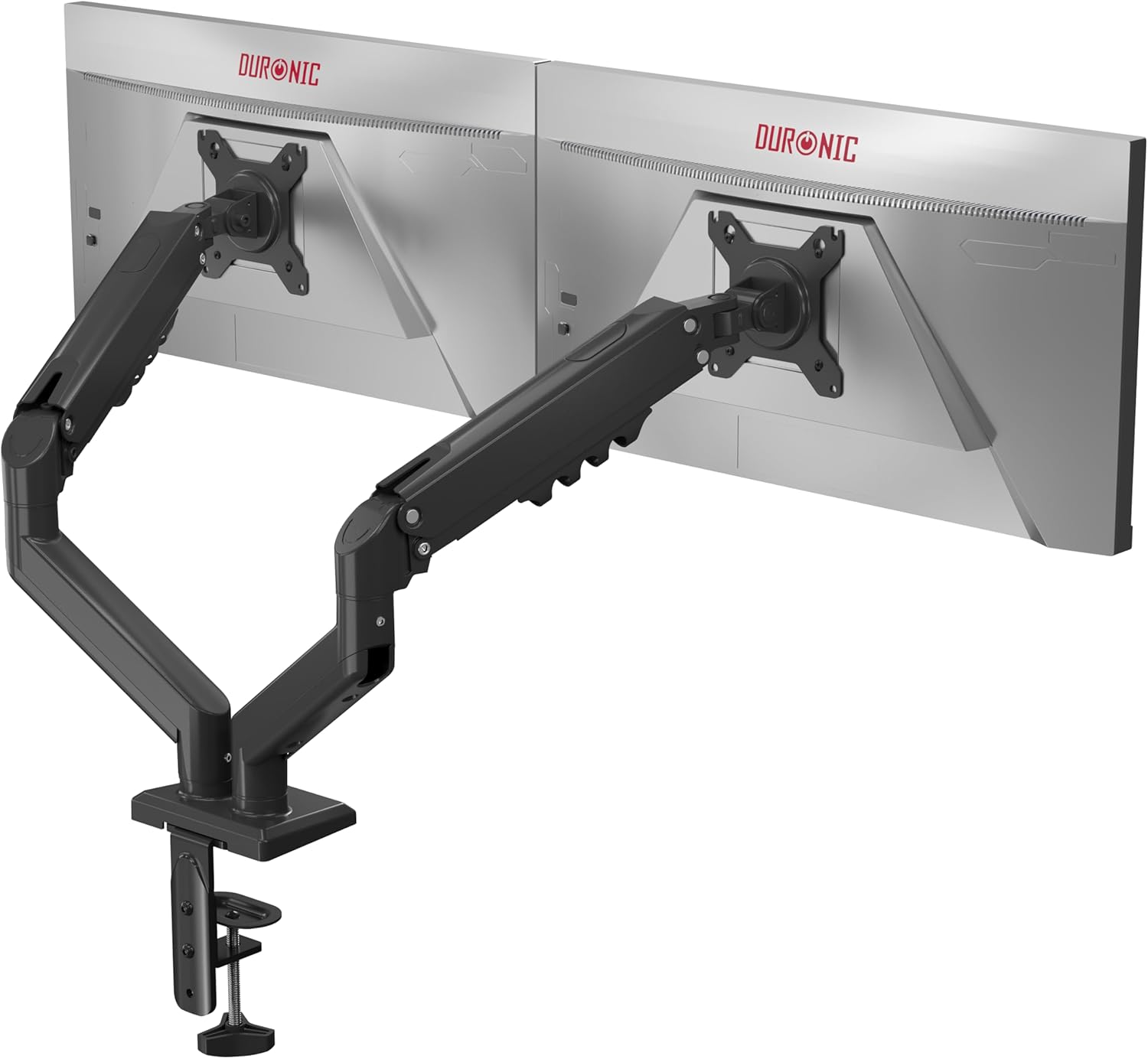
Image 1.1: The Duronic DM6A2 Dual Monitor Arm supporting two monitors.
2. Saugos informacija
Please read all instructions carefully before installation and use. Failure to follow these instructions may result in product damage, injury, or property damage.
- Įsitikinkite, kad jūsų stalo paviršius yra pakankamai tvirtas, kad atlaikytų monitoriaus svirties ir dviejų monitorių bendrą svorį.
- Neviršykite maksimalios 9 kg (19.8 svaro) svorio ribos vienai rankai.
- Ensure all screws are tightened securely before use. Do not overtighten.
- Laikykite vaikus ir naminius gyvūnus atokiau nuo įrengimo vietos.
- Adjust the gas spring tension carefully to match your monitor's weight. Improper tension can cause monitors to drop or spring up unexpectedly.
3. Pakuotės turinys
Verify that all components are present before beginning installation. If any parts are missing or damaged, please contact Duronic customer support.
- Main pole and base
- Two monitor arms with gas springs
- Two VESA mounting plates
- Rašomasis stalas clamp and grommet mounting hardware
- Cable management clips/covers
- Assembly tools (Allen keys, screws)
4. Sąrankos instrukcijos
4.1. Choose Your Mounting Method (Clamp arba žiedas)
The DM6A2 offers two installation options: desk clamp or grommet mount. Select the method suitable for your desk.

Image 4.1: Desk clamp supports thickness from 15mm to 100mm. Grommet mount supports thickness from 15mm to 50mm.
4.1.1. Rašomasis stalas Clamp Montavimas
- Pritvirtinkite clamp base to the main pole.
- Padėkite klamp ant savo stalo krašto.
- Priveržkite klipąamp screw until the arm is securely fastened to the desk. Ensure it is stable.
4.1.2. Žiedinio tvirtinimo elemento montavimas
- Jei jūsų stalas turi įvorės angą, įkiškite įvorės pagrindą per angą.
- Pritvirtinkite pagrindą iš po stalo, naudodami pateiktą plokštelę ir veržlę.
- Attach the main pole to the grommet base.
4.2. Pritvirtinkite VESA plokštes prie monitorių
The DM6A2 supports VESA 75x75mm and 100x100mm mounting patterns.

Image 4.2: The DM6A2 supports monitors from 13 to 32 inches and VESA patterns 75x75mm and 100x100mm, with a maximum weight of 9kg per arm.
- Atsargiai padėkite monitorių ekranu žemyn ant minkšto, švaraus paviršiaus.
- Align the VESA mounting plate with the screw holes on the back of your monitor.
- Secure the plate using the appropriate screws provided. Do not overtighten.
4.3. Monitorių montavimas prie rankų
- Slide the VESA plate with the attached monitor onto the end of each monitor arm.
- Ensure the monitor is securely seated on the arm.
- Tighten any locking screws on the VESA head to prevent accidental detachment.
4.4. Sureguliuokite dujų spyruoklės įtempimą
The gas spring mechanism allows for smooth and stable monitor positioning. You must adjust the tension to match the weight of your monitors.

Image 4.3: The internal gas spring mechanism provides smooth monitor adjustments.

Image 4.4: Adjust the gas spring tension using the provided tool.
- Use the provided Allen key to adjust the tension screw located on the arm.
- Turn clockwise to increase tension (for heavier monitors) or counter-clockwise to decrease tension (for lighter monitors).
- Adjust until the monitor stays at the desired height when released, without drifting up or down.
4.5. Kabelių valdymas
Route your monitor cables through the integrated cable management clips or covers on the arms to keep your workspace tidy.
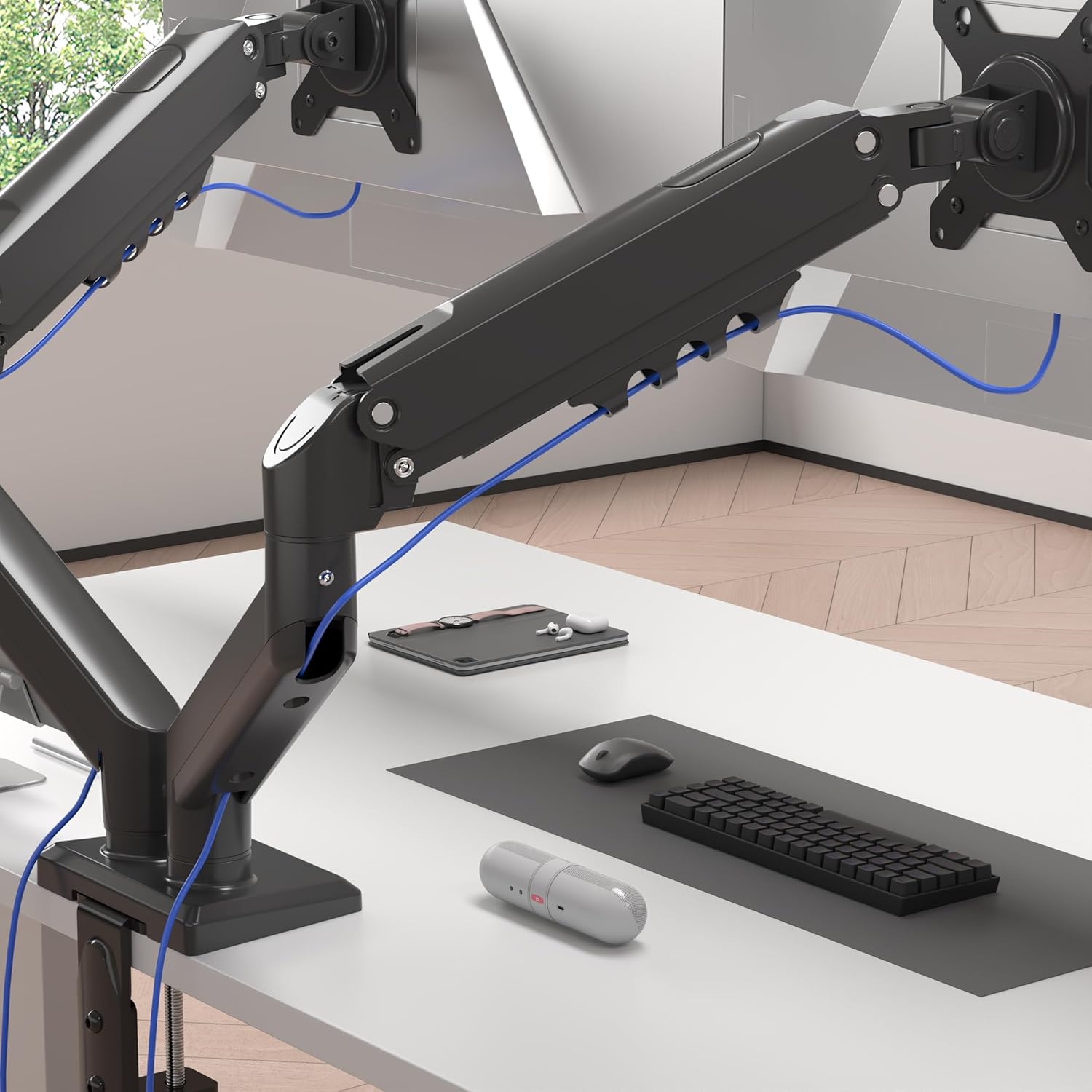
Image 4.5: Cables are neatly organized using the arm's cable management system.
5. Naudojimo instrukcijos (reguliavimas)
The Duronic DM6A2 offers a range of adjustments for optimal viewkomfortas.
5.1. Aukščio reguliavimas
Gently push or pull the monitor to the desired vertical position. The gas spring will hold it in place once the tension is correctly set.
5.2. Pakreipimo reguliavimas
The monitor can be tilted up or down to reduce glare and improve viewkampų.

Image 5.1: The monitor can be tilted from -90° to +85°.
5.3. Pasukimo reguliavimas
Swivel the monitor left or right to share your screen with others or adjust your viewing kampas.

Image 5.2: The monitor can swivel +/-90°.
5.4. Sukimosi reguliavimas
Pasukite monitorių 360 laipsnių kampu, kad perjungtumėte horizontalią ir vertikalią orientacijas.

Image 5.3: The monitor can rotate 360° for landscape or portrait viewing.
6. Priežiūra
- Valymas: Nuvalykite monitoriaus laikiklį minkšta,amp audinys. Venkite abrazyvinių valiklių.
- Periodiniai patikrinimai: Reguliariai tikrinkite visus varžtus ir jungtis, kad jie būtų tvirtai priveržti. Jei reikia, priveržkite.
- Dujinės spyruoklės reguliavimas: If your monitor's weight changes, or if the arm starts to drift, readjust the gas spring tension as described in Section 4.4.
7. Problemų sprendimas
- Monitor sags or drops: The gas spring tension is too low for the monitor's weight. Increase tension by turning the adjustment screw clockwise.
- Monitor springs up or is difficult to push down: The gas spring tension is too high for the monitor's weight. Decrease tension by turning the adjustment screw counter-clockwise.
- Ranka nestabili: Užtikrinkite, kad stalas klamp or grommet mount is securely tightened to the desk. Check all arm connections for tightness.
- Monitor does not rotate/tilt/swivel smoothly: Check for any obstructions. Ensure the pivot points are not overtightened. A small amount of silicone lubricant can be applied to moving parts if needed, but avoid contact with electrical components.
8. Specifikacijos
| Modelio numeris | DM6A2 |
| Prekės ženklas | Duronic |
| Suderinamas monitoriaus dydis | 13–32 colių |
| Svorio talpa vienai rankai | Iki 9 kg (19.8 svarų) |
| VESA suderinamumas | 75x75mm, 100x100mm |
| Pakreipimo diapazonas | -90° iki +85° |
| Pasukamas diapazonas | +/- 90 ° |
| Rotacija | 360° (peizažas / portretas) |
| Montavimo parinktys | Stalas Clamp, Grommeto kalnas |
| Stalas Clamp Storis | 15 mm - 100 mm |
| Žiedinio tvirtinimo storis | 15 mm - 50 mm |
| Medžiaga | Aluminium, Metal |
9. Garantija ir palaikymas
For warranty information or technical support, please refer to the documentation included with your purchase or visit the official Duronic website. If you encounter any issues not covered in this manual, please contact Duronic customer service for assistance.