
1. Įvadas
Thank you for choosing the SCS Sentinel Wireless Key Selector. This manual provides essential information for the safe and efficient installation, operation, and maintenance of your device. Please read these instructions carefully before use and retain them for future reference.
This wireless key selector is designed to provide secure and convenient access control for your gate system, offering both full and pedestrian opening options via a physical key.
2. Saugos informacija
- Bendra sauga: Always follow local safety regulations and guidelines during installation and operation.
- Elektros sauga: This device operates on battery power. Ensure correct battery polarity during installation.
- Montavimas: Installation should be performed by a qualified individual if you are unsure about any steps. Ensure the mounting surface is stable and secure.
- Vaikai: Keep keys and the device out of reach of children to prevent unauthorized access or injury.
- Priežiūra: Disconnect power (remove battery) before performing any maintenance.
3. Pakuotės turinys
Patikrinkite, ar pakuotėje yra visi komponentai:
- SCS Sentinel Wireless Key Selector Unit
- Tvirtinimo detalės (varžtai, sieniniai kaiščiai)
- Keys (2 or more, depending on model)
- CR2032 Battery (may be pre-installed or separate)
- Instrukcijų vadovas (šis dokumentas)
4. Produktas baigtasview
The SCS Sentinel Wireless Key Selector is a robust and compact device designed for outdoor use. Its IP55 rating ensures protection against dust and water splashes.
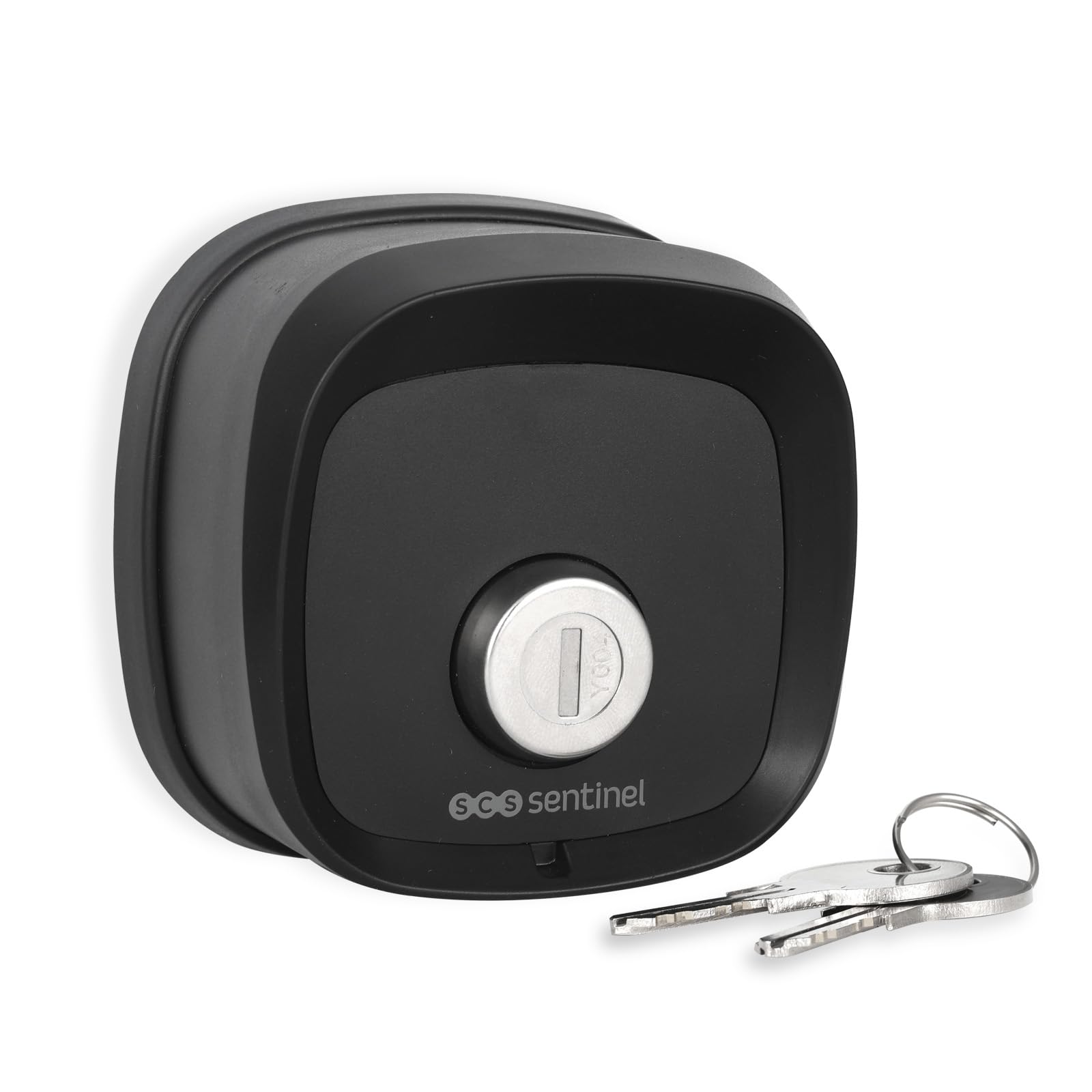
4.1 paveikslas: Priekyje view of the key selector with a key. This shows the key cylinder and the SCS Sentinel logo.

4.2 paveikslas: Atgal view of the key selector. The label indicates model number AAA0054, power supply 3V (1 x CR2032), and an IP44 rating (note: product is rated IP55 for general use).

4.3 paveikslas: The key selector mounted on a wall next to a gate, demonstrating its discreet and integrated appearance.
5. Sąranka ir diegimas
5.1. Akumuliatoriaus įdėjimas
- Carefully open the back cover of the key selector unit.
- Įdėkite vieną CR2032 3V bateriją, užtikrindami teisingą poliškumą (+/-).
- Saugiai uždarykite galinį dangtelį.
5.2. Įrenginio montavimas
- Choose a suitable location near your gate, ensuring it is easily accessible but protected from direct impact.
- Mark the drilling points on the wall using the key selector as a template.
- Išgręžkite skyles ir įkiškite pateiktus sieninius kaiščius.
- Secure the key selector unit to the wall using the provided screws. Ensure it is firmly attached.
5.3. Pairing with Your Gate System
The wireless key selector must be paired with your existing SCS Sentinel gate automation system. Refer to your gate system's instruction manual for specific pairing procedures. Generally, the process involves:
- Activating the learning mode on your gate control unit.
- Activating the key selector by turning the key to send a signal.
- Confirming successful pairing on your gate control unit.
6. Naudojimo instrukcijos
The SCS Sentinel Wireless Key Selector offers dual opening functionality:
- Full Opening: Insert the key and turn it to the designated position (e.g., clockwise) to activate the full gate opening.
- Pedestrian Opening: Insert the key and turn it to an alternative designated position (e.g., counter-clockwise) to activate the pedestrian gate opening.
The key selector sends a wireless signal to your gate automation system upon key activation. The specific key turns for full and pedestrian access are typically configured during the pairing process with your gate system.
7. Priežiūra
7.1. Valymas
Clean the exterior of the key selector with a soft, damp šluoste. Nenaudokite abrazyvinių valiklių ar tirpiklių, nes jie gali pažeisti apdailą ar vidinius komponentus.
7.2. Baterijos keitimas
When the battery is low, the signal range may decrease, or the gate system may not respond reliably. Replace the CR2032 battery as follows:
- Atidarykite įrenginio galinį dangtelį.
- Išimkite seną CR2032 bateriją.
- Įdėkite naują CR2032 3V bateriją, laikydamiesi teisingo poliškumo.
- Saugiai uždarykite galinį dangtelį.
- Išmeskite seną bateriją laikydamiesi vietinių taisyklių.
8. Problemų sprendimas
| Problema | Galima priežastis | Sprendimas |
|---|---|---|
| Gate does not open/close when key is turned. | Žemas arba išsikrovęs akumuliatorius. Key selector not paired with gate system. Kliūtis vartų kelyje. Range issue. | Pakeiskite CR2032 bateriją. Refer to Section 5.3 to re-pair the device. Patikrinkite ir pašalinkite visas kliūtis. Ensure the key selector is within range of the gate receiver. |
| Key is difficult to turn. | Dirt or debris in the key cylinder. Mechaninis klausimas. | Apply a small amount of graphite lubricant to the key and insert it into the cylinder. Do not force the key. Jei problema išlieka, susisiekite su palaikymo tarnyba. |
| Unit is not securely mounted. | Loose screws or improper installation. | Tighten mounting screws. If necessary, re-install using appropriate wall plugs for your surface type. |
9. Specifikacijos
| Funkcija | Specifikacija |
|---|---|
| Modelio numeris | AAA0054 |
| Prekės ženklas | SCS Sentinel |
| Matmenys (IxPxH) | 7.8 x 4.2 x 7.8 cm (apytiksliai 78 x 42 x 78 mm) |
| Medžiaga | Plienas |
| Spalva | Juoda |
| Maitinimo šaltinis | 1 x CR2032 3V baterija |
| Apsaugos įvertinimas | IP55 (Dust protected, protected against low-pressure water jets from any direction) |
| Kontrolės metodas | Physical Key (activates wireless signal) |
| Rekomenduojamas naudojimas | Home security, garden security, gate access control |
| Kilmės šalis | Kinija |
10. Garantija
This product is covered by a manufacturer's warranty. Please refer to the warranty documentation provided with your purchase or contact SCS Sentinel customer support for details regarding warranty terms and conditions.
11. Parama
For technical assistance, troubleshooting beyond this manual, or warranty claims, please contact SCS Sentinel customer support. Contact information can typically be found on the manufacturer's websvetainėje arba ant jūsų produkto pakuotės.
Internetiniai ištekliai: Visit the official SCS Sentinel webDUK, papildomos informacijos apie produktus ir pagalbos išteklių svetainė.