
1. Įvadas
Thank you for choosing the STRICH 37-Key Kids Mini Digital Piano Keyboard. This manual provides essential information for the safe and effective use of your new musical instrument. Please read it thoroughly before operation and retain it for future reference.

Figure 1.1: STRICH 37-Key Kids Mini Digital Piano Keyboard (Pink)
2. Saugos informacija
- Naudodami visada prižiūrėkite vaikus.
- Keep the piano away from water and moisture.
- Nelaikykite ekstremalių temperatūrų ar tiesioginių saulės spindulių.
- Naudokite tik pridedamą maitinimo adapterį arba rekomenduojamas baterijas.
- Venkite instrumento numetimo ir stiprių smūgių.
- Užtikrinkite tinkamą vėdinimą aplink įrenginį.
3. Pakuotės turinys
Patikrinkite, ar pakuotėje yra visi reikalingi daiktai:
- STRICH 37-Key Mini Digital Piano Keyboard
- Maitinimo adapteris (DC 6V)
- Kid's Piano Course Music Book
- Key Stickers for learning
- Instrukcijų vadovas

Figure 3.1: Included accessories with the STRICH piano.
4. Sąranka
4.1 Powering the Piano
The piano can be powered by either the included DC 6V power adapter or 4 AA batteries (not included).
4.1.1 Akumuliatoriaus įdėjimas
- Raskite baterijų skyrių pianino apačioje.
- Baterijų skyriaus dangteliui atidaryti naudokite atsuktuvą.
- Įdėkite 4 AA baterijas, užtikrindami teisingą poliškumą (+/-).
- Uždėkite dangtelį ir pritvirtinkite varžtu.
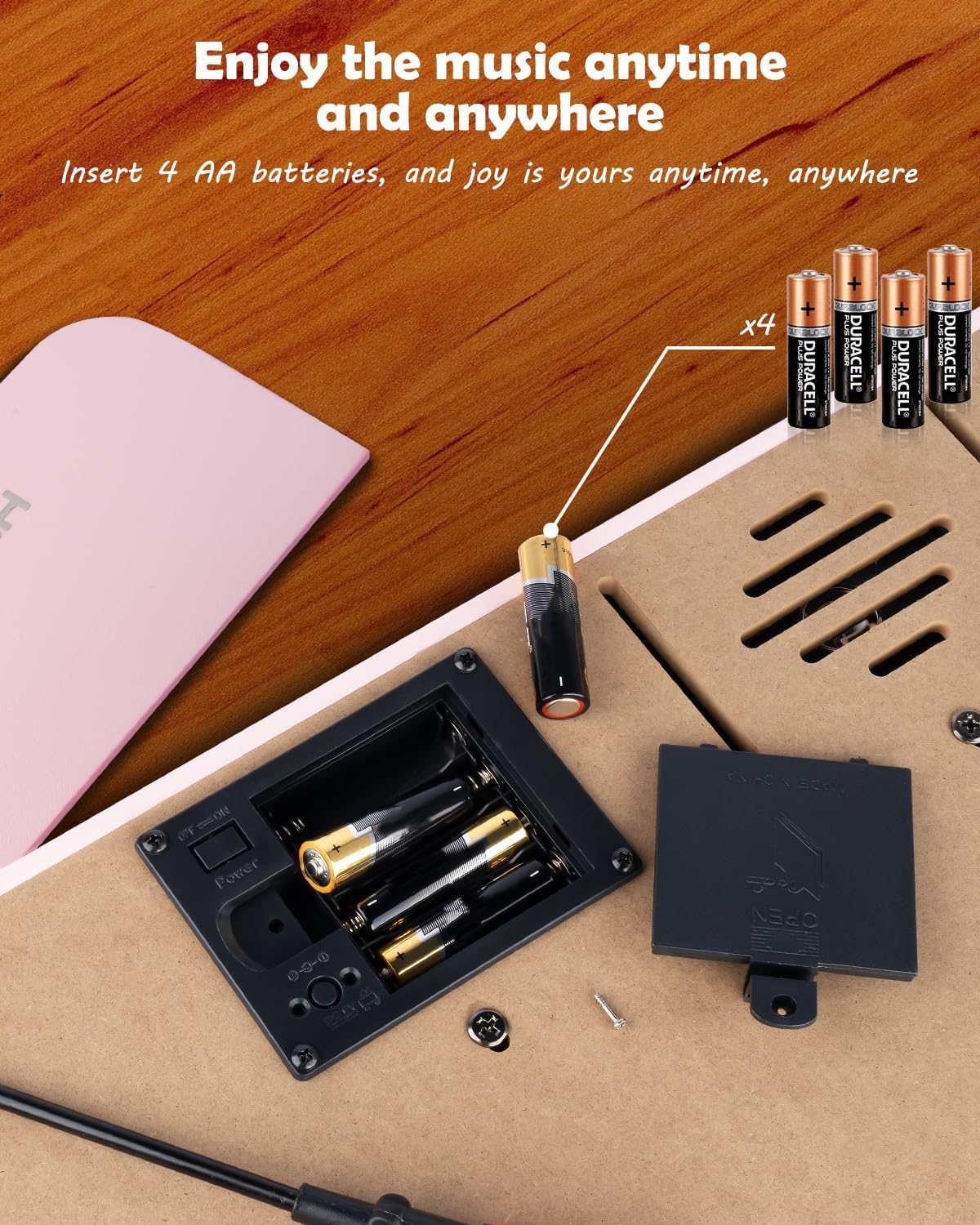
4.1 pav.: Baterijų skyrius 4 AA baterijoms.
4.1.2 Maitinimo adapterio prijungimas
Insert the DC 6V power adapter into the 'DC: 6V' port on the rear panel of the piano, then plug the adapter into a standard wall outlet.
4.2 Applying Key Stickers
The included key stickers are designed to assist with learning. Refer to the 'Kid's Piano Course' music book for guidance on proper placement.

Figure 4.2: Key stickers applied to the piano keys.
4.3 Music Stand Placement
The detachable music stand can be inserted into the slot on the top panel of the piano to hold your music book or tablet.
5. Naudojimo instrukcijos
5.1 Įjungimas / išjungimas ir garsumo valdymas
Locate the 'VOL' knob on the rear panel. Turn the knob clockwise to power on the piano and increase the volume. Turn it counter-clockwise to decrease the volume and power off the piano.

Figure 5.1: Volume and power control knob.
5.2 Išorinių įrenginių prijungimas
The rear panel features various ports for enhanced functionality:
- MIDI Port: Connect to MIDI-compatible devices for advanced musical applications.
- USB prievadas: Connect to a computer or other USB devices.
- TELEFONO prievadas: Plug in headphones for private practice.
- INPUT Port: Connect external audio sources (e.g., MP3 player) to play along.
- SUSTAIN PEDAL Port: Connect an optional sustain pedal for extended note duration.

5.2 pav.: Galinio skydelio jungtys.
5.3 Belaidis ryšys
The piano supports wireless connection, allowing playback of songs and music from compatible mobile phones and tablets. Refer to your device's instructions for pairing with a Bluetooth audio device.
5.4 Learning with the Music Book and Stickers
The included 'Kid's Piano Course' music book provides simple tutorials and songs that correspond to the key stickers. Follow the color and shape codes to play basic melodies.
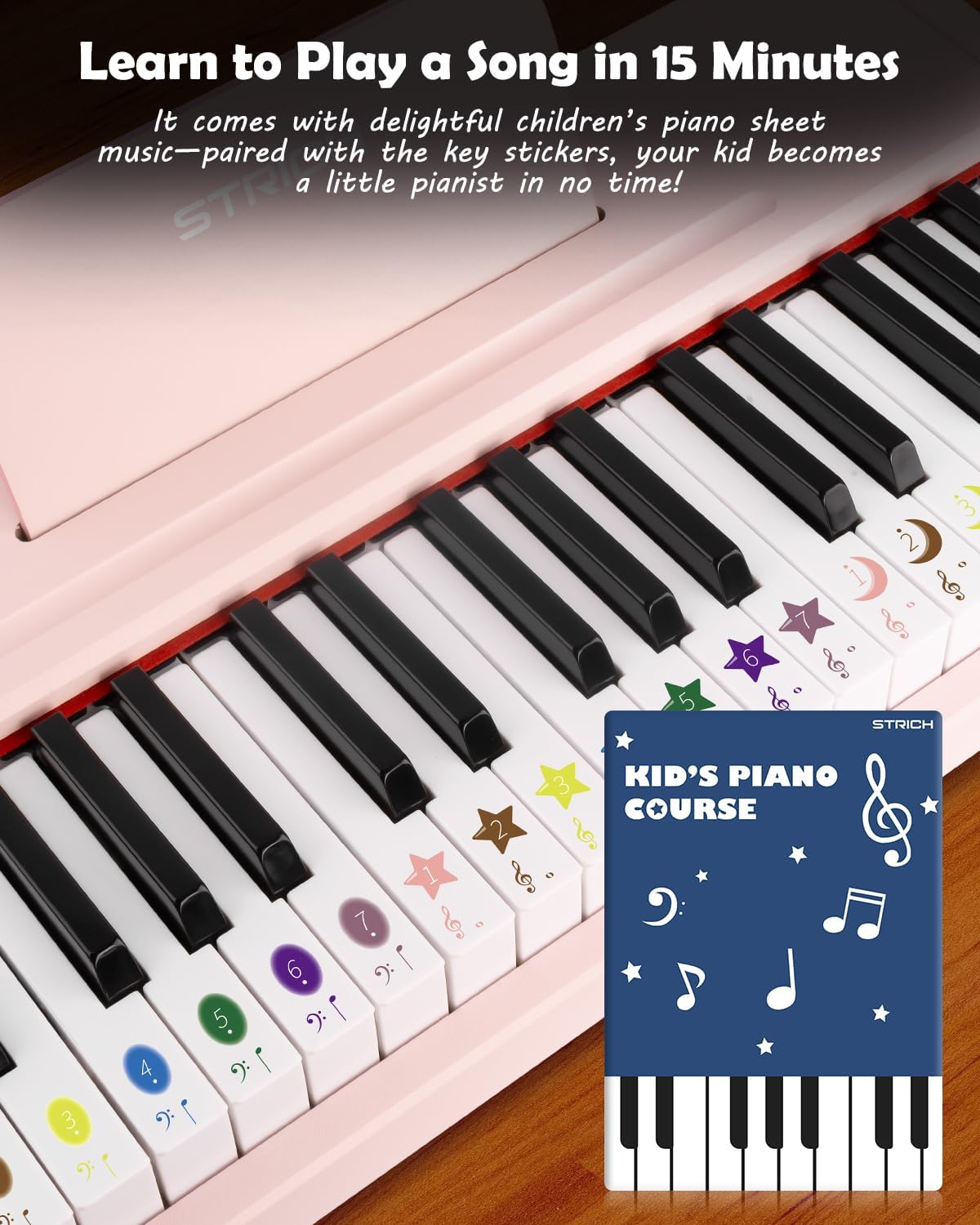
Figure 5.3: Learning to play using the music book and key stickers.
6. Priežiūra
- Clean the piano surface with a soft, dry cloth. Avoid abrasive cleaners or solvents.
- Jei ilgesnį laiką nenaudojate, išimkite baterijas, kad išvengtumėte pratekėjimo.
- Store the piano in a cool, dry place, away from direct sunlight and extreme temperatures.
7. Problemų sprendimas
- Nėra garso: Ensure the piano is powered on and the volume is turned up. Check battery installation or power adapter connection. Verify external devices (headphones, speakers) are correctly connected and powered.
- Klavišai nereaguoja: Ensure the piano is powered on. If using batteries, check battery level.
- Belaidžio ryšio problemos: Ensure the piano's wireless function is active and your external device's Bluetooth is enabled. Try re-pairing the devices.
8. Specifikacijos
| Funkcija | Specifikacija |
|---|---|
| Modelio numeris | SEK-37 |
| Gaminio matmenys | 21.65 x 11.02 x 3.54 colio |
| Prekės svoris | 9.9 svaro |
| Raktai | 37 |
| Maitinimo šaltinis | DC 6V Adapter or 4 AA Batteries |
| Rekomenduojamas amžius | 36 mėnesių – 8 metų |
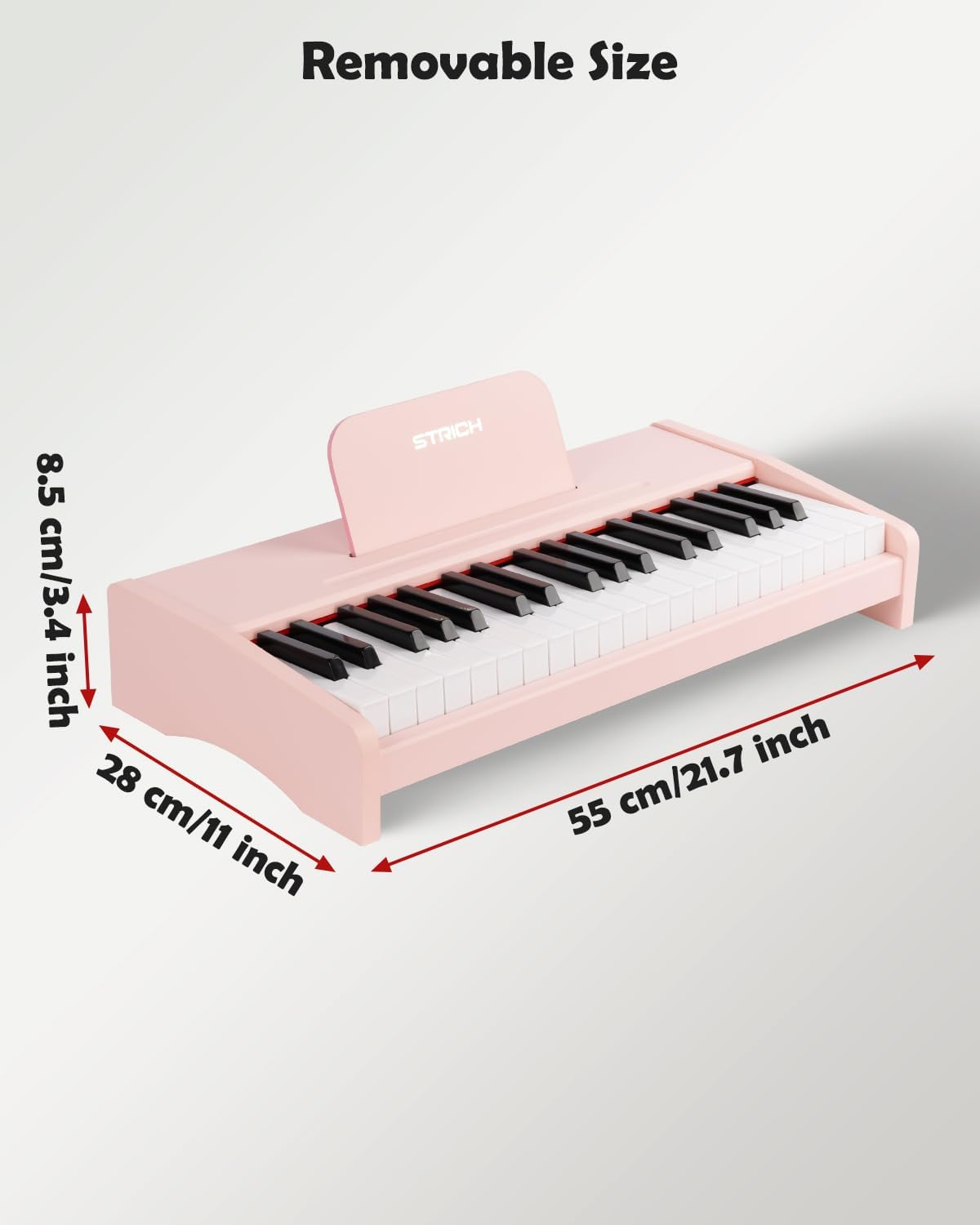
8.1 pav.: Gaminio matmenys.
9. Garantija ir palaikymas
For warranty information or technical support, please refer to the contact details provided with your purchase or visit the official STRICH websvetainėje. Išsaugokite pirkimo įrodymą garantiniams reikalavimams.