
Havit KB896L
Havit x VKS Keyd KB896L RGB Mechanical Gaming Keyboard User Manual
Modelis: KB896L
Įvadas
Thank you for choosing the Havit x VKS Keyd KB896L RGB Mechanical Gaming Keyboard. This manual provides essential information for setting up, operating, maintaining, and troubleshooting your new keyboard. Please read it carefully to ensure optimal performance and longevity of your device.
Pagrindinės savybės
- Patvarus aliuminio lydinio korpusas: Crafted from anodized aluminum for a solid, stable, and aesthetic design.
- Pritaikomas modulinis dizainas: Features a plug-in internal module for easy switch and frame replacement, allowing personalized setups.
- Greitas reagavimas: Ultra-low 8ms latency, full N-key rollover, and anti-ghosting for precise and quick actions.
- Advanced VIA Software Customization: Powerful and user-friendly software for customizing game modes, lighting effects, macros, and more.
- Exclusive VKS x HAVIT Accessories: Includes official VKS team emblem and custom stickers.
- RGB apšvietimas: Customizable RGB illumination to enhance your gaming experience.
- Kompaktiškas 71 klavišų išdėstymas: Efficient design for gaming and productivity.
- Karšto keitimo jungikliai: Easy keycap and switch replacement.

1 pav. Baigtaview of the Havit KB896L's 8 core features, including aluminum casing, modular design, rapid response, gasket structure, VIA software, RGB lights, 71-key layout, and hot-swappable switches.

Figure 2: A gamer utilizing the Havit KB896L keyboard, demonstrating its rapid response capabilities in action.
Sąrankos vadovas
- Išpakuokite klaviatūrą: Atsargiai išimkite klaviatūrą ir visus priedus iš pakuotės.
- Prisijunkite prie kompiuterio:
- Locate the USB-C cable provided with your keyboard.
- Plug the USB-C end into the port on the keyboard.
- Plug the USB-A end into an available USB port on your computer.
The keyboard is plug-and-play and should be recognized by your operating system automatically. No additional drivers are typically required for basic functionality.
- Install VIA Software (Optional but Recommended):
- For advanced customization of key assignments, macros, and RGB lighting, download the VIA software from the official Havit websvetainėje arba pateiktoje nuorodoje (jei yra).
- Norėdami įdiegti programinę įrangą, vadovaukitės ekrane pateikiamomis instrukcijomis.
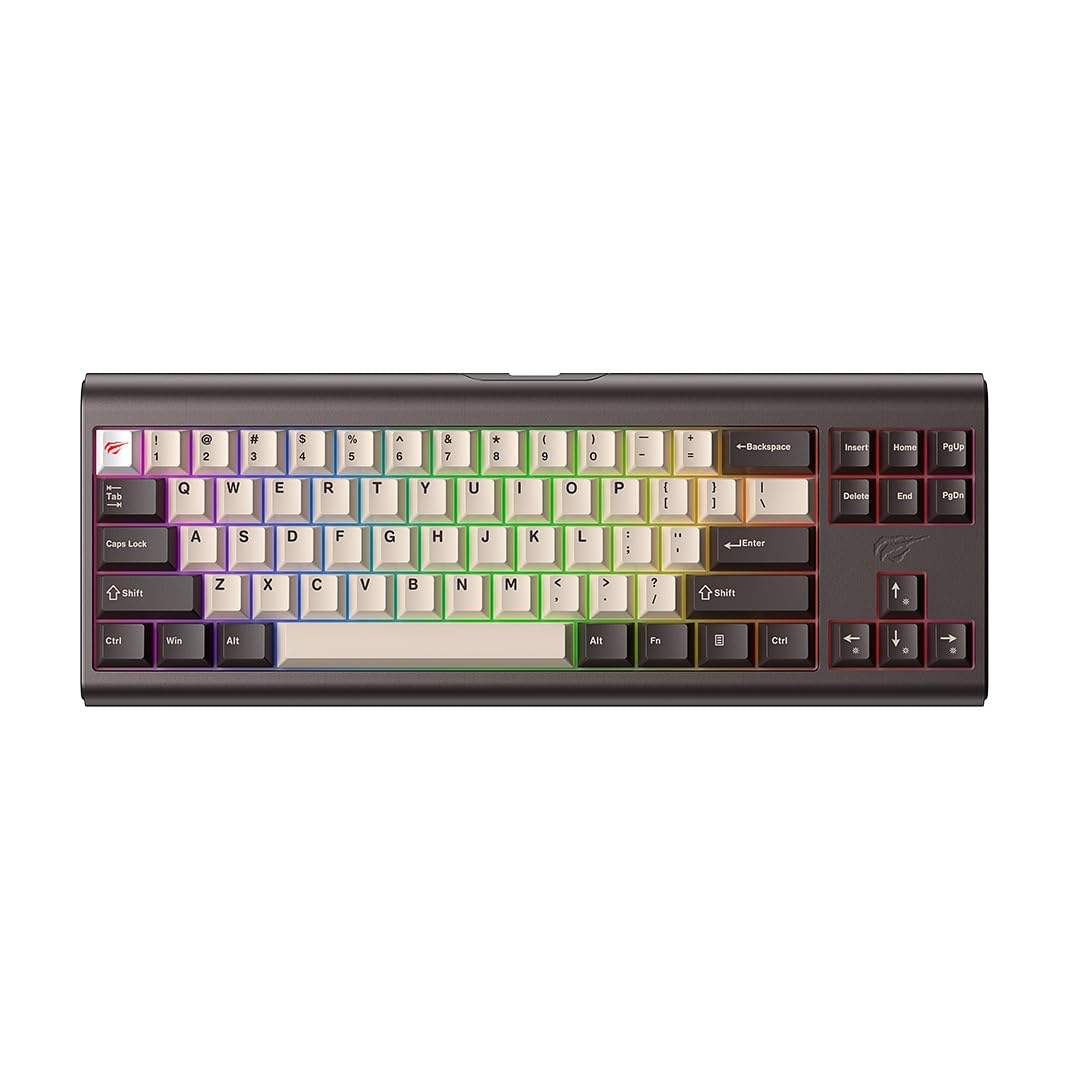
Figure 3: The Havit KB896L keyboard, ready for connection.
Naudojimo instrukcijos
Pagrindinis naudojimas
The Havit KB896L functions as a standard QWERTY keyboard. Simply connect it to your PC, and it will be ready for use. The compact 71-key layout includes essential keys for gaming and general productivity.
RGB apšvietimo valdymas
Your keyboard features customizable RGB lighting. You can cycle through various lighting effects and adjust brightness directly on the keyboard using function key combinations, or through the VIA software for more granular control.
- Apšvietimo režimų keitimas: Refer to the keyboard's specific key combinations (often Fn + a designated key like '\' or 'Ins') to cycle through pre-set RGB effects.
- Ryškumo / greičio reguliavimas: Use Fn + arrow keys (up/down for brightness, left/right for speed) to modify lighting parameters.

Figure 4: The KB896L keyboard showcasing its vibrant RGB illumination.
VIA Software Customization
The VIA software unlocks the full potential of your keyboard, allowing you to:
- Pertvarkyti raktus: Assign any key to a different function.
- Create Macros: Record and assign complex sequences of keystrokes to a single key.
- Customize RGB Effects: Design your own lighting patterns and colors.
- Manage Layers: Configure multiple key layouts for different applications or games.
For detailed instructions on using the VIA software, please refer to the software's built-in help or the official VIA documentation online.

Figure 5: The customizable design of the KB896L, highlighting hot-swappable switches and keycaps.
Karštai keičiami jungikliai
The KB896L features hot-swappable switches, allowing you to change individual switches without soldering. This enables customization of typing feel and sound.
- Nuimti klaviatūros dangtelį: Norėdami švelniai nuimti norimą klavišo dangtelį, naudokite pridedamą klavišo dangtelio traukiklį.
- Nuimkite jungiklį: Use the included switch puller to carefully grip and pull out the switch.
- Įdėkite naują jungiklį: Sulygiuokite naujo jungiklio kaiščius su spausdintinės plokštės skylėmis ir tvirtai spauskite, kol jis užsifiksuos. Įsitikinkite, kad kaiščiai nėra sulenkti.
- Pakeiskite klaviatūros dangtelį: Press the keycap onto the new switch stem.

Figure 6: Internal structure of the KB896L, illustrating the layers including switches, aluminum plate, and various foam dampeners for sound and feel optimization.
Priežiūra ir priežiūra
- Klaviatūros valymas:
- Prieš valydami atjunkite klaviatūrą nuo kompiuterio.
- Dulkėms ir šiukšlėms pašalinti tarp klaviatūros dangtelių naudokite suslėgto oro balionėlį.
- Nuvalykite klavišų dangtelius ir klaviatūros paviršių minkšta, šiek tiek drėgna šluosteamp, nepūkuota šluoste. Venkite per didelės drėgmės.
- Nenaudokite stiprių cheminių medžiagų, tirpiklių ar abrazyvinių valiklių.
- Klaviatūros dangtelio ir jungiklio priežiūra:
- Nuimdami klavišų dangtelius ar jungiklius, darykite tai atsargiai, kad nepažeistumėte komponentų.
- Store spare keycaps and switches in a safe, dry place.
- Kabelių valdymas: Kad nepažeistumėte USB-C laido, venkite staigių lenkimų ir per didelio tempimo.
Trikčių šalinimas
| Problema | Galima priežastis | Sprendimas |
|---|---|---|
| Klaviatūra nereaguoja | Atsilaisvinęs kabelis, sugedęs USB prievadas, tvarkyklės problema. |
|
| RGB apšvietimas neveikia arba yra netinkamas | Lighting mode not selected, software conflict, power issue. |
|
| Neveikia tam tikri klavišai | Faulty switch, bent switch pin, software remapping. |
|
| VIA programinė įranga neaptinka klaviatūros | Software not installed correctly, firmware issue, connection problem. |
|
Specifikacijos
| Funkcija | Detalė |
|---|---|
| Prekės ženklas | Havit |
| Modelio numeris | KB896L - VKS |
| Ryšio technologija | USB-C |
| Suderinami įrenginiai | PC |
| Klaviatūros aprašymas | Mechaninis |
| Jungiklio tipas | Mechanical (Longhua Red) |
| Ypatingos savybės | Customizable RGB lighting, VIA customization software |
| Klaviatūros išdėstymas | QWERTY |
| Spalva | BRONZOS/JUODOS |
| Medžiaga | Aliuminio lydinys |
| Prekės matmenys (I x P x A) | 36 cm x 13.2 cm x 4 cm |
| Prekės svoris | 1.8 kg |
| Raktų skaičius | 71 |
| Veiklos ttage | 5 V ± 0.5 V |
| Veikimo srovė | ≤350mA |
| Rakto gyvavimo trukmė | 50,000,000 kartus |
| Kabelio ilgis | 1.2m (2.4m when stretched) |
| Kilmės šalis | Kinija |
Informacija apie garantiją
The Havit x VKS Keyd KB896L RGB Mechanical Gaming Keyboard comes with a 1 metų gamintojo garantijaŠi garantija taikoma medžiagų ir gamybos defektams, atsiradusiems įprasto naudojimo sąlygomis. Ji netaikoma žalai, atsiradusiai dėl netinkamo naudojimo, nelaimingų atsitikimų, neleistinų modifikacijų ar įprasto nusidėvėjimo.
Please retain your proof of purchase for warranty claims. For specific warranty terms and conditions, refer to the documentation included with your product or visit the official Havit websvetainę.
Palaikymas
If you encounter any issues not covered in the troubleshooting section or require further assistance, please contact Havit customer support:
- Official Havit Websvetainė: www.havit.com (Check for support contact information, FAQs, and driver/software downloads)
- Pagalba el. paštu: Refer to the Havit websvetainėje, kurioje pateikiamas naujausias palaikymo el. pašto adresas.
- Internetiniai ištekliai: Look for community forums or support pages related to Havit products.
When contacting support, please have your product model (KB896L) and proof of purchase ready.
Ask a question about this manual
Ask about setup, troubleshooting, compatibility, parts, safety, or missing instructions. Manuals+ will review the question and use this page’s manual context to help answer it.