
1. Įvadas
Thank you for choosing Crayola Kids Wireless Over-Ear Headphones. These headphones are designed to provide a comfortable and engaging audio experience for children, featuring Bluetooth 5.0 connectivity, a built-in microphone, and FM radio functionality. This manual provides essential information for the safe and effective use of your headphones.
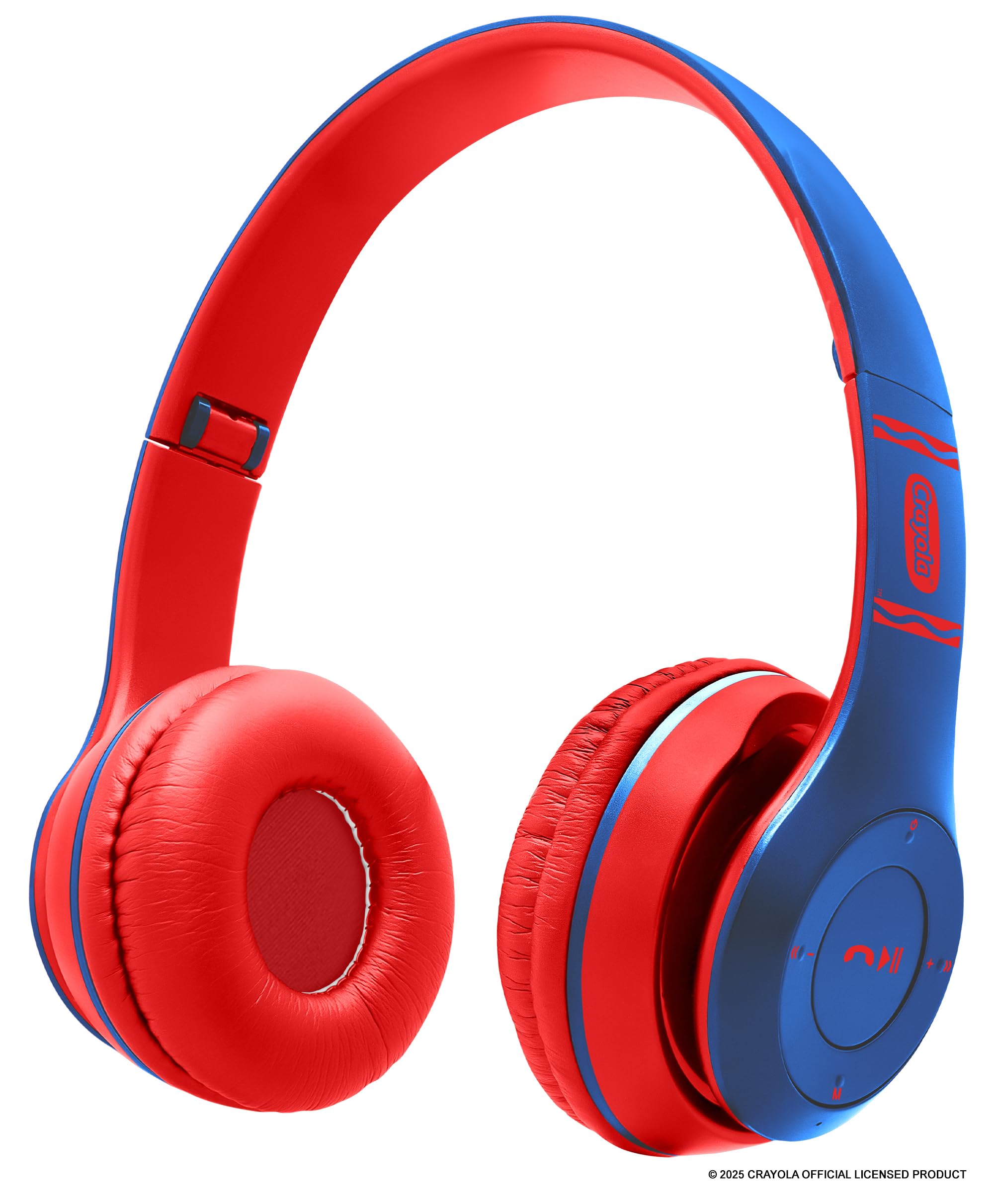
Image: Blue Crayola Kids Wireless Over-Ear Headphones.
2. Pakuotės turinys
Patikrinkite pakuotę, ar joje yra šie daiktai:
- Crayola Kids Wireless Over-Ear Headphones
- USB-C įkrovimo laidas
- Vartotojo vadovas (šis dokumentas)
- Garantijos kortelė
3. Produktas baigtasview
The Crayola Kids Wireless Over-Ear Headphones offer a range of features for versatile use. They are equipped with 40mm drivers for clear sound, a hands-free microphone for calls and online learning, and an adjustable, lightweight design for comfort.

Vaizdas: Viršview of headphone features including FM Radio, long-lasting battery, hands-free microphone, on-board buttons, and Bluetooth connectivity.
Pagrindinės funkcijos:
- "Bluetooth 5.0": Užtikrina stabilų belaidį ryšį iki 32.8 pėdų atstumu.
- Integruotas mikrofonas: For hands-free calls and online communication.
- FM radijas: Integrated radio function for listening to broadcasts.
- Ilgas baterijos veikimo laikas: Iki 5 valandos atkūrimo vienu įkrovimu.
- AUX Wired Option: Allows connection to non-Bluetooth devices using a 3.5mm audio cable (not included).
- Patogus dizainas: Soft over-ear cushions and an adjustable headband for extended wear.

Image: Headphones demonstrating compatibility with various devices such as phones, MP3 players, iPads, and TVs.
4. Sąranka
4.1 Ausinių įkrovimas
- Raskite USB-C įkrovimo prievadą ausinėse.
- Connect the provided USB-C charging cable to the headphones and the other end to a USB power source (e.g., computer USB port, wall adapter).
- The LED indicator will illuminate during charging and change color or turn off when fully charged. A full charge takes approximately 2 hours.
A fully charged battery provides approximately 4-5 hours of playback time.
4.2 Įjungimas / išjungimas
- Norėdami įjungti: Paspauskite ir palaikykite maitinimo mygtuką, kol užsidegs LED indikatorius ir išgirsite garsinį signalą.
- Norėdami išjungti: Paspauskite ir palaikykite maitinimo mygtuką, kol užges LED indikatorius ir išgirsite garsinį signalą.
4.3 Bluetooth poravimas
- Įsitikinkite, kad ausinės yra išjungtos.
- Paspauskite ir palaikykite maitinimo mygtuką maždaug 5–7 sekundes, kol LED indikatorius pakaitomis mirksės mėlynai ir raudonai, rodydamas susiejimo režimą.
- Savo įrenginyje (išmaniajame telefone, planšetiniame kompiuteryje, nešiojamajame kompiuteryje) įjunkite „Bluetooth“ ir ieškokite galimų įrenginių.
- Select "Crayola Headphones" from the list of found devices.
- Kai susiejimas bus atliktas, LED indikatorius lėtai mirksės mėlynai ir išgirsite patvirtinimo signalą.
4.4 Laidinis ryšys (AUX režimas)
To use the headphones with a non-Bluetooth device or when the battery is depleted:
- Connect a 3.5mm audio cable (not included) to the AUX port on the headphones.
- Prijunkite kitą garso kabelio galą prie savo įrenginio garso išvesties lizdo.
- The headphones will automatically switch to wired mode. Note that the on-board controls and microphone may not function in wired mode, and control will be from your connected device.

Image: Blue headphones with a 3.5mm AUX cable plugged into the audio jack.
5. Naudojimo instrukcijos
5.1 Pagrindiniai valdikliai
The headphones feature intuitive buttons for easy control:
- Maitinimo mygtukas: Paspauskite ir palaikykite, kad įjungtumėte / išjungtumėte. Trumpai paspauskite, kad paleistumėte / pristabdytumėte muziką.
- Garsumo padidinimas (+): Trumpas paspaudimas, norint padidinti garsumą. Ilgas paspaudimas, norint pereiti prie kito takelio.
- Sumažinti garsumą (-): Trumpas paspaudimas, norint sumažinti garsumą. Ilgas paspaudimas, norint grįžti į ankstesnį takelį.
- Multi-function Button (Phone Icon): Press to answer/end calls. Press and hold to reject calls. Double-press to redial the last number.
- Režimo mygtukas (M): Short press to switch between Bluetooth mode and FM Radio mode.
5.2 Skambinimas laisvų rankų įranga
When connected via Bluetooth to a smartphone, you can manage calls directly from the headphones:
- Atsiliepti / Baigti skambutį: Trumpai paspauskite daugiafunkcį mygtuką.
- Atmesti skambutį: Paspauskite ir 2 sekundes palaikykite daugiafunkcį mygtuką.
- Perrink paskutinį numerį: Du kartus paspauskite daugiafunkcinį mygtuką.
5.3 FM radijo funkcija
Norėdami naudoti FM radiją:
- Paspauskite Režimas (M) mygtuką, kad perjungtumėte į FM radijo režimą.
- FM režime trumpai paspauskite Maitinimo mygtukas automatiškai nuskaityti ir išsaugoti galimas FM stotis.
- Naudokite Garsumo padidinimas (+) ir Patildyti (-) buttons (short press) to navigate through the saved stations.
6. Priežiūra
Tinkama priežiūra prailgins ausinių tarnavimo laiką:
- Valymas: Wipe the headphones with a soft, dry cloth. Do not use harsh chemicals or abrasive cleaners.
- Saugykla: Ausines laikykite vėsioje, sausoje vietoje, toliau nuo tiesioginių saulės spindulių ir ekstremalių temperatūrų.
- Vandens ekspozicija: Šios ausinės nėra atsparios vandeniui. Venkite sąlyčio su vandeniu ar per didele drėgme.
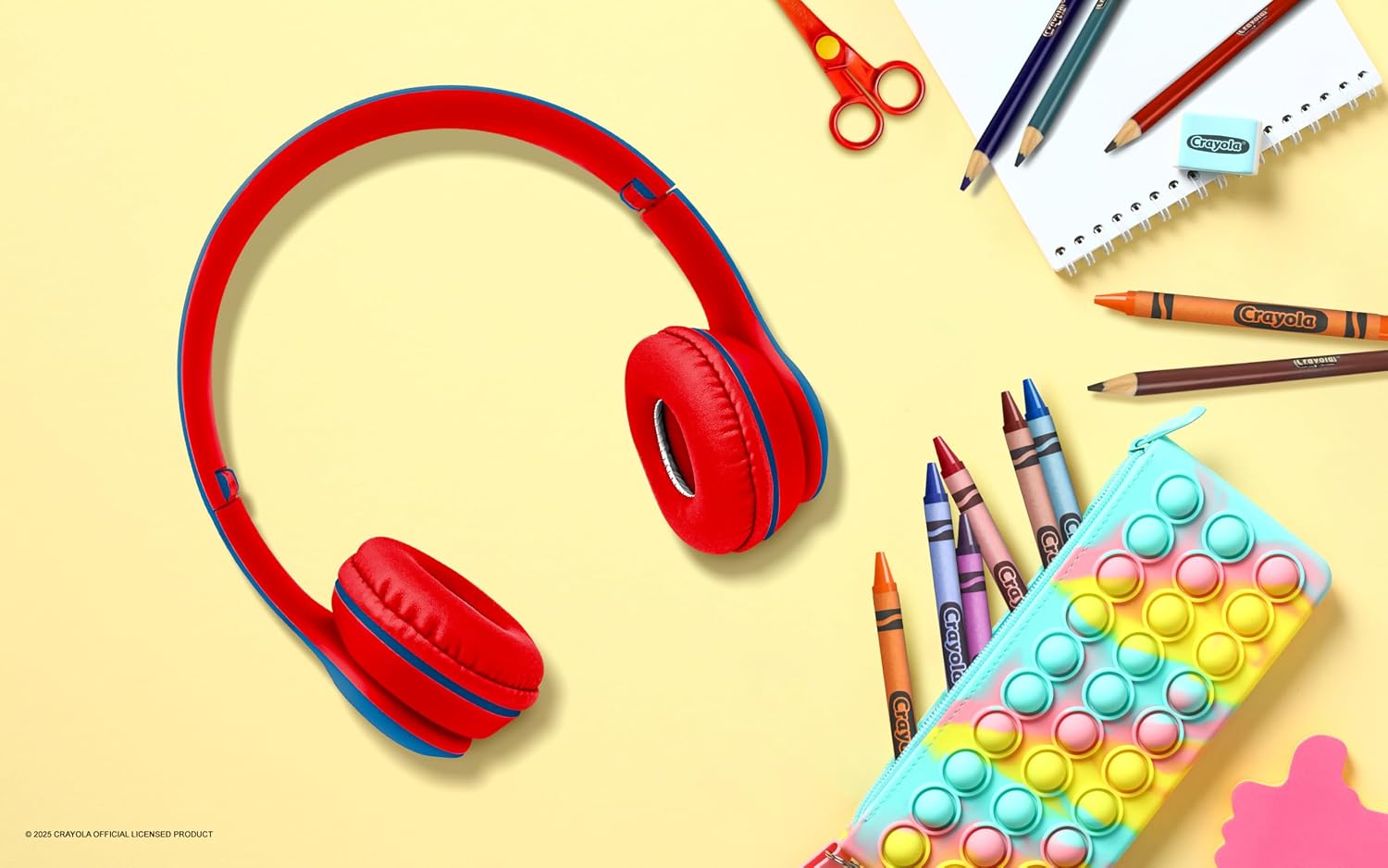
Image: Blue headphones placed on a white desk alongside crayons, pencils, and a notebook, suggesting use in a learning environment.
7. Problemų sprendimas
Jei kyla problemų dėl ausinių, žr. šiuos dažniausiai pasitaikančius sprendimus:
| Problema | Galimas sprendimas |
|---|---|
| Ausinės neįsijungia. | Įsitikinkite, kad ausinės yra visiškai įkrautos. Prijunkite prie maitinimo šaltinio naudodami USB-C laidą. |
| Nepavyksta susieti su „Bluetooth“ įrenginiu. | Make sure the headphones are in pairing mode (flashing blue and red LED). Ensure Bluetooth is enabled on your device and it is within range (32.8 ft). Try restarting both devices. |
| Nėra garso arba garsas per mažas. | Check the volume levels on both the headphones and your connected device. Ensure the headphones are properly paired or the AUX cable is fully inserted. |
| Mikrofonas neveikia. | Ensure the headphones are connected via Bluetooth. The microphone may not function in wired (AUX) mode. Check your device's audio input settings. |
| FM Radio not receiving stations. | Ensure you are in FM mode. Perform an auto-scan for stations. Try moving to a location with better signal reception. |
8. Specifikacijos
- Prekinis ženklas: Crayola
- Modelio numeris: CHPBT348
- Ryšys: „Bluetooth 5.0“, 3.5 mm AUX jungtis
- Ausų išdėstymas: Virš ausies
- Garso tvarkyklė: 40 mm dinaminė tvarkyklė
- Dažnio atsakas: 20 Hz–20 000 Hz
- Jautrumas: 85 dB
- Varža: 32 omai
- Baterijos veikimo laikas: Iki 5 valandų (atkūrimas)
- Įkrovimo laikas: Maždaug 2 valandos (per USB-C)
- Svoris: 0.26 svaro (apie 118 g)
- Medžiaga: Plastikiniai
- Papildomos funkcijos: Built-in Microphone, FM Radio, Volume Control
9. Garantija ir palaikymas
These Crayola Kids Wireless Over-Ear Headphones come with a 1 metų ribota garantijaIšsamias sąlygas ir nuostatas rasite pridėtoje garantijos kortelėje.
For technical support or warranty claims, please contact the manufacturer, Migear Intl, LLC, or refer to the contact information provided on your Warranty Card.

Image: A young girl sitting at a desk with the blue Crayola headphones next to her notebook, ready for learning or entertainment.