
1. Įvadas
The NEEWER BASICS SL30 RGB Stick Light is a versatile and portable LED video light designed for various creative lighting scenarios. It features adjustable brightness, color temperature, and a wide range of RGB effects, making it suitable for photography, videography, live streaming, and events. This manual provides essential information for the safe and effective use of your SL30 RGB Stick Light.

Image: The NEEWER BASICS SL30 RGB Stick Light in use, demonstrating its versatility.
2. Pakuotės turinys
Išpakuodami patikrinkite pakuotės turinį, kad įsitikintumėte, jog yra visos dalys ir jos nepažeistos:
- 1x NEEWER BASICS SL30 RGB Stick Light
- 1x USB-A į USB-C įkrovimo laidas
- 1x dirželis

Image: All items included in the NEEWER BASICS SL30 RGB Stick Light package.
3. Sąranka
3.1 Įrenginio įkrovimas
Before first use, fully charge the SL30 RGB Stick Light. Connect the provided USB-A to USB-C charging cable to the light's USB-C port and a compatible USB power source (e.g., laptop, power bank, USB adapter). The battery indicator will show charging status. A full charge provides approximately 120 minutes of continuous use at maximum brightness.

Image: The USB-C charging port and battery indicator on the SL30 RGB Stick Light.
3.2 Montavimo parinktys
The SL30 RGB Stick Light offers flexible mounting solutions:
- 1/4-inch Screw Holes: Both ends of the light feature standard 1/4-inch screw holes, allowing attachment to tripods, light stands, or other compatible accessories for various angles and setups.
- Magnetinis tvirtinimas: The light has built-in powerful magnets, enabling direct attachment to any metal surface for quick and convenient positioning.
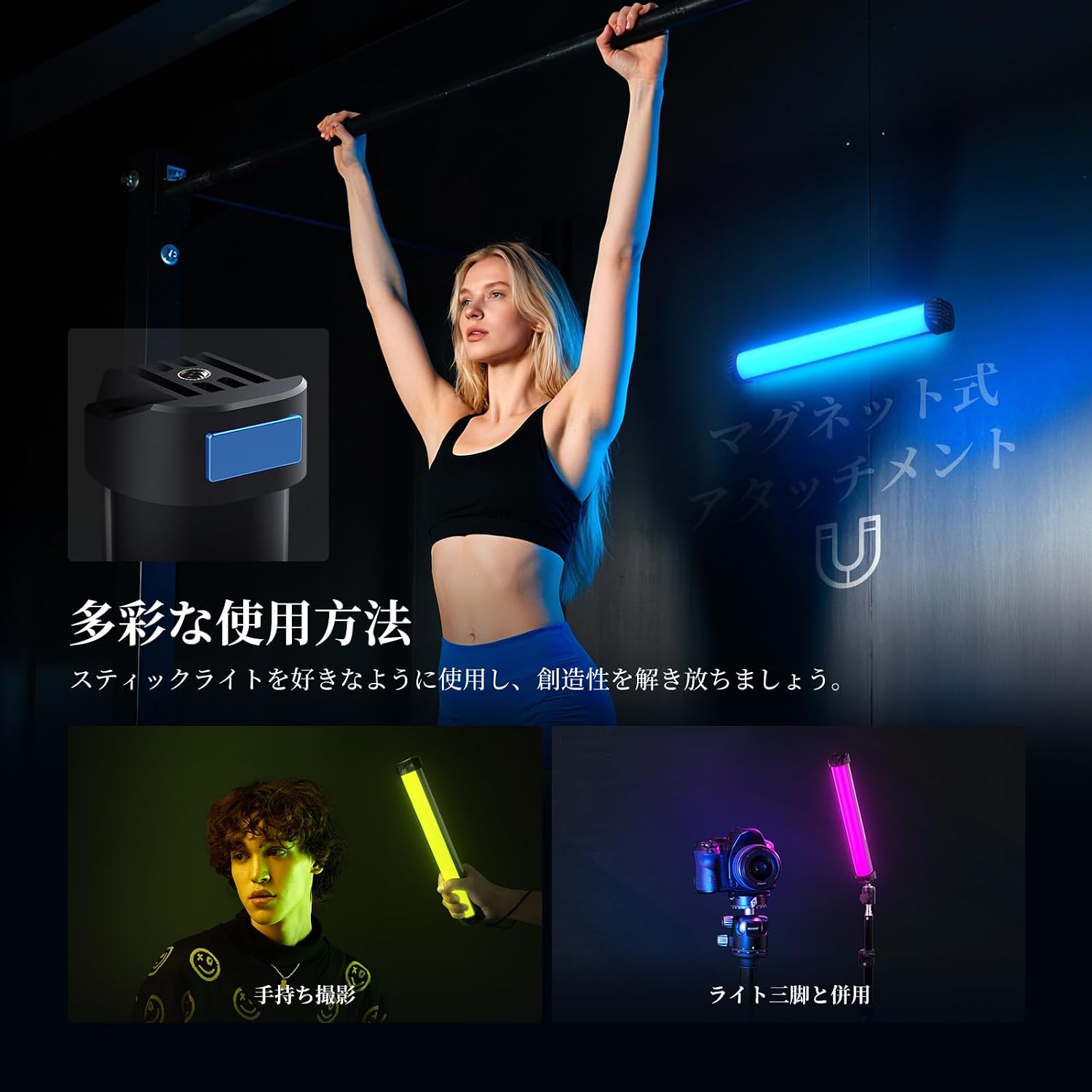
Image: The magnetic base and 1/4-inch screw thread on the SL30 RGB Stick Light.
4. Naudojimo instrukcijos
4.1 Maitinimo įjungimas/išjungimas
Paspauskite ir palaikykite Įjungta/Išjungta button located on the control panel to power the light on or off.
4.2 Režimo pasirinkimas
The SL30 RGB Stick Light features three specialized operating modes:
- CCT režimas: Paspauskite CCT režimas button to enter Color Temperature mode. In this mode, you can select from three preset color temperatures: 6500K (cool white), 4000K (natural light), and 2700K (warm light). Use the Up ir Žemyn mygtukai ryškumui reguliuoti.
- FX režimas: Paspauskite FX režimas button to access 36 dynamic RGB effects. These effects include various lighting simulations and sound-activated modes, adding creative flair to your projects. Use the Up ir Žemyn buttons to cycle through effects or adjust parameters.
- RGB režimas: Paspauskite RGB režimas button to select from 15 static RGB colors. This mode allows for precise color selection to match your creative vision. Use the Up ir Žemyn buttons to select colors or adjust brightness.

Image: Demonstration of CCT mode with different color temperatures.

Image: Visual representation of static and dynamic RGB effects.
4.3 Ryškumo reguliavimas
Bet kuriuo režimu naudokite Up ir Žemyn buttons to increase or decrease the brightness level. The light offers 13 levels of brightness adjustment.

Image: The SL30 RGB Stick Light used for light painting, highlighting its portability.
5. Priežiūra
To ensure the longevity and optimal performance of your NEEWER BASICS SL30 RGB Stick Light, follow these maintenance guidelines:
- Keep the light clean by wiping it with a soft, dry cloth. Avoid using harsh chemicals or abrasive materials.
- Šviestuvą laikykite vėsioje, sausoje vietoje, apsaugotoje nuo tiesioginių saulės spindulių ir ekstremalių temperatūrų.
- Venkite šviestuvo numetimo ar stiprių smūgių.
- Nebandykite patys ardyti ar taisyti įrenginio, nes tai panaikins garantiją.
6. Problemų sprendimas
If you encounter any issues with your SL30 RGB Stick Light, refer to the following common troubleshooting steps:
- Šviesa neįsijungia: Ensure the battery is charged. Connect the light to a power source and try again.
- Lemputė neįkraunama: Check the USB-C cable and power adapter for damage. Try a different cable or power source.
- Nenuoseklus šviesos srautas: Ensure the light is fully charged. If the issue persists, contact customer support.
- Controls unresponsive: Power off the device and restart it. If the problem continues, the device may require servicing.
7. Specifikacijos
| Funkcija | Specifikacija |
|---|---|
| Modelis | SL30 |
| Prekės tipas | RGB lazdelės formos šviesa |
| Galia | 8W |
| Maitinimo įvestis | DC 5V/2A |
| Apšvietimas | 460 liuksų/0.5m |
| CRI | 95 |
| Spalvos temperatūra | 2700K-6500K (6500K, 2700K, 4000K presets) |
| FX Mode Effects | 36 Dynamic RGB Effects |
| RGB Mode Effects | 15 Static RGB Effects |
| Baterijos talpa | 3.7 V 2000 mAh 7.4 Wh |
| Nuolatinio apšvietimo laikas | 120 minutes (at max brightness) |
| Svoris | 210g |
| Matmenys | 295 x 44 x 44 mm |
| Techninės įrangos sąsaja | USB |
| UPC | 191073113329 |
8. Garantija ir palaikymas
8.1 Informacija apie garantiją
The NEEWER BASICS SL30 RGB Stick Light comes with a 1 metų gamintojo garantija from the date of purchase. This warranty covers defects in materials and workmanship under normal use. It does not cover damage caused by misuse, accident, unauthorized modification, or improper operation.
8.2 Pagalba klientams
For any questions, technical assistance, or warranty claims, please contact NEEWER customer support through the retailer where you purchased the product or visit the official NEEWER webkontaktinę informaciją rasite svetainėje. Kreipdamiesi į palaikymo tarnybą, turėkite paruoštą savo produkto modelį ir pirkimo informaciją.