
1. Įvadas
This manual provides detailed instructions for the YOTON MP3 Player with Bluetooth 5.2, Model YM03. This compact and versatile device is designed for portable audio playback, offering features such as Hi-Fi sound quality, expandable storage, and various utility functions. Please read this manual thoroughly to ensure proper use and optimal performance of your device.
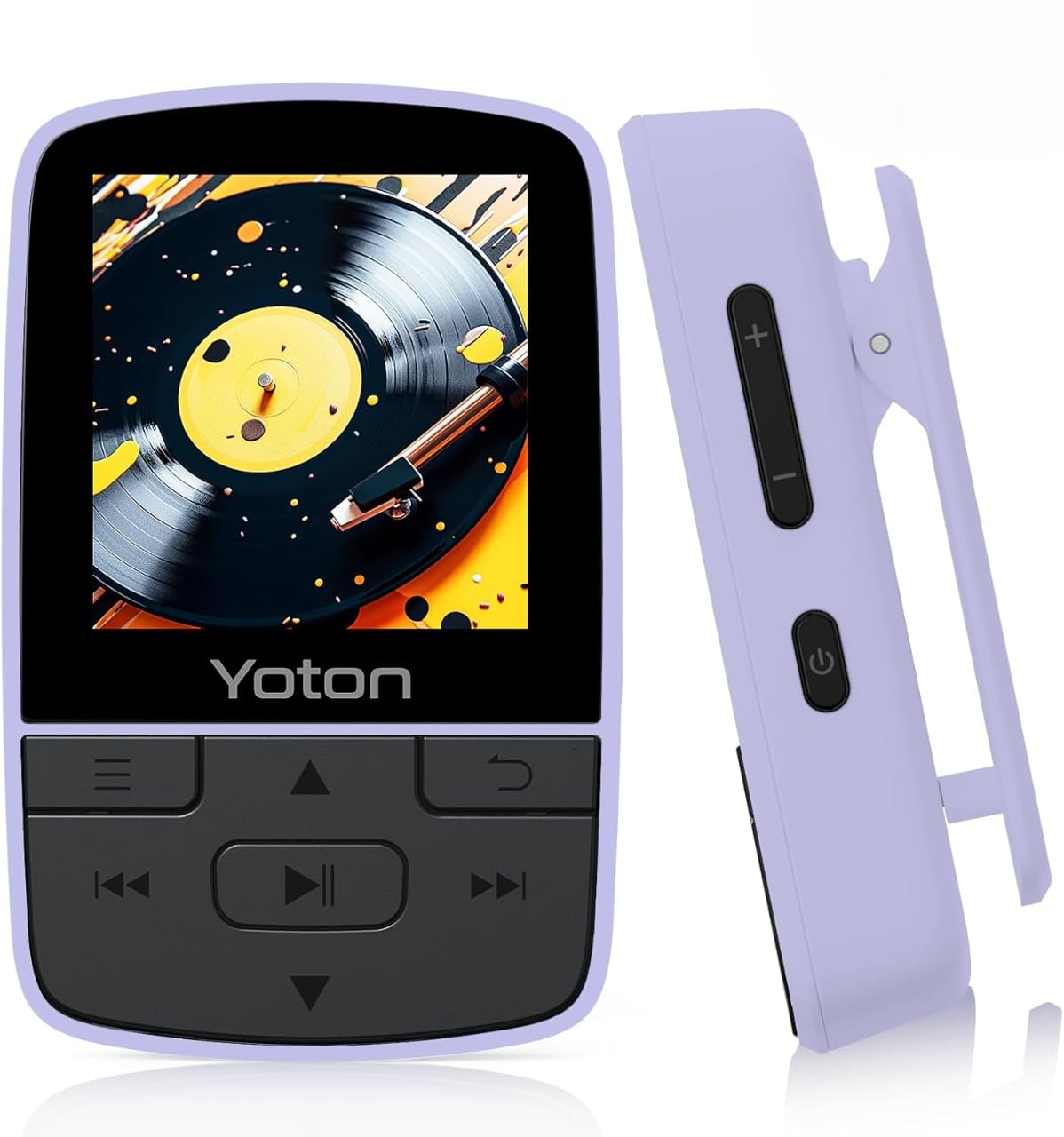
Figure 1: YOTON MP3 Player YM03. This image shows the front of the purple YOTON MP3 player, highlighting its screen and control buttons.
2. Pakuotės turinys
Patikrinkite, ar pakuotėje yra visi toliau išvardyti daiktai:
- Yoton YM03 MP3 Player
- Laidinės ausinės
- USB kabelis
- Greitos pradžios vadovas
Pastaba: A TF (Micro SD) card is not included and must be supplied by the user for expandable storage.
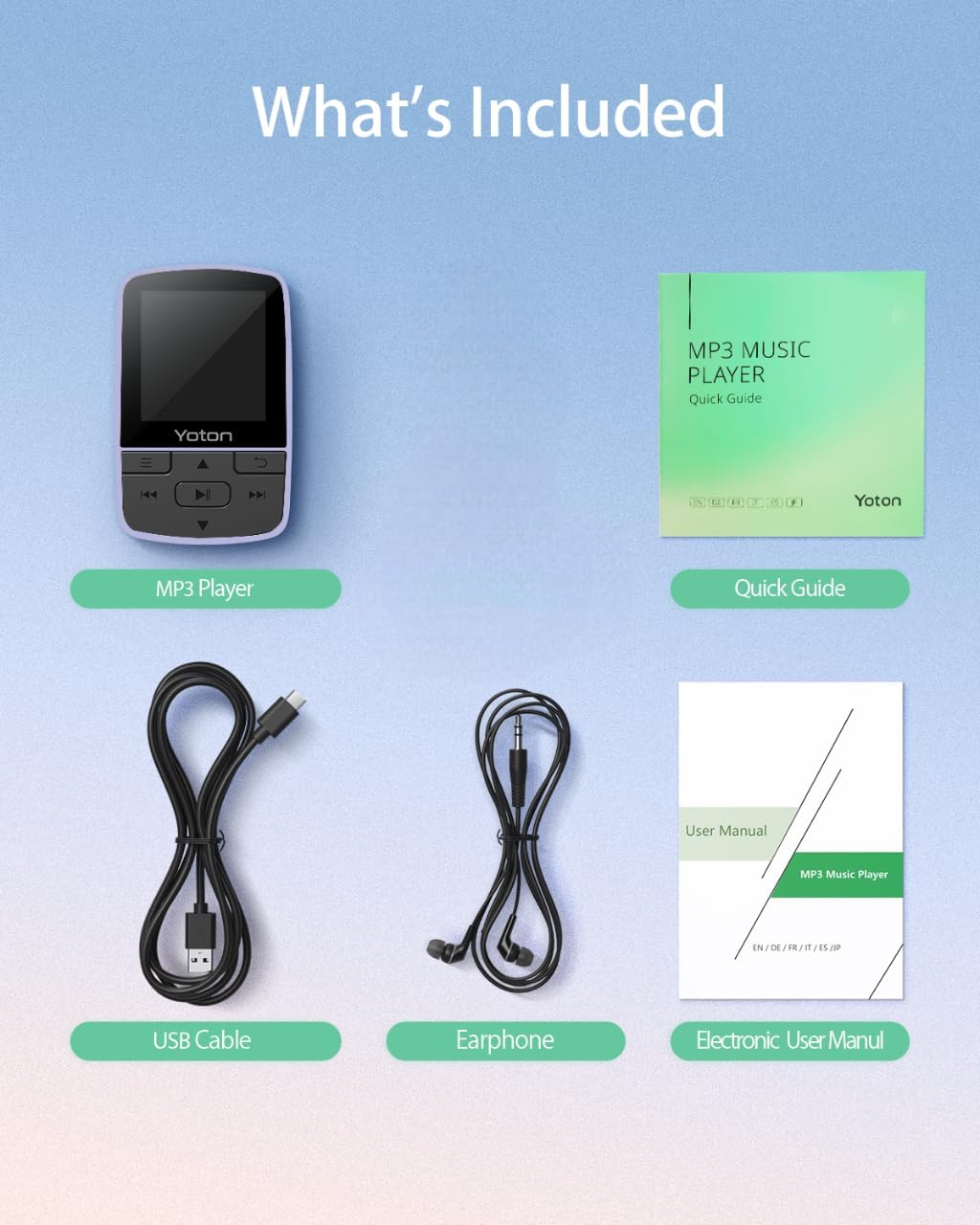
Figure 2: Package Contents. This image displays the YOTON MP3 player, wired earphones, USB cable, and quick guide, laid out on a surface.
Video 1: Unboxing the YOTON MP3 Player. This video demonstrates the unboxing process and shows all items included in the package.
3. Produktas baigtasview
The YOTON MP3 Player YM03 is designed for portability and ease of use. It features a compact design with a built-in sports clip, allowing for hands-free use during activities.
3.1 Pagrindinės savybės
- Hi-Fi garso kokybė: Advanced decoding chip for clear and detailed audio.
- Ultra-Lightweight & Portable: Weighs only 28g with a secure clip for clothing or bags.
- Išplečiama saugykla: Supports TF cards up to 64GB for extensive music libraries.
- "Bluetooth 5.2": Stable and effortless wireless connection to headphones or speakers.
- Daugiafunkcinis: Includes FM Radio, Voice Recorder, Pedometer, and Alarm Clock.

Figure 3: Compact and Clip-On Design. This image shows the YOTON MP3 player with its integrated clip, demonstrating its suitability for active use.

Figure 4: Hi-Fi Sound Quality. This image illustrates the MP3 player's capability for high-fidelity audio playback.
4. Darbo pradžia
4.1 Įrenginio įkrovimas
Connect the YOTON MP3 Player to a USB power source using the provided USB cable. The battery indicator on the screen will show charging status. A full charge typically takes approximately 2-3 hours.
4.2 Micro SD kortelės įdėjimas
Locate the Micro SD card slot on the side of the device. Gently insert a TF (Micro SD) card (up to 64GB, not included) into the slot until it clicks into place. To remove, push the card in again until it springs out.
4.3 Muzikos perkėlimas Files
Connect the MP3 player to your computer using the USB cable. The device will appear as a removable disk. Drag and drop your music files (MP3, AAC, FLAC, WAV, WMA formats supported) into the designated music folder on the player's storage or Micro SD card. Disconnect safely after transfer.
5. Pagrindinė operacija
5.1 Maitinimo įjungimas/išjungimas
Norėdami įjungti arba išjungti įrenginį, paspauskite ir palaikykite nuspaudę maitinimo mygtuką, esantį įrenginio šone.
5.2 Garsumo reguliavimas
Use the dedicated volume control buttons on the side of the device to increase or decrease the audio volume.
5.3 Meniu naršymas
Use the directional buttons (Up/Down/Left/Right) to navigate through menus and select options. The center button typically acts as 'Enter' or 'Confirm', and the 'Return' button (often an arrow icon) takes you back to the previous screen.
5.4 Muzikos atkūrimas
- Leisti / pristabdyti: Press the central play/pause button to start or pause music playback.
- Praleisti takelius: Use the forward/backward buttons to skip to the next or previous track.
- Shuffle/Repeat: While playing music, access the options menu (often by pressing a dedicated menu button or holding a directional button) to select repeat modes (Repeat Off, Repeat 1, Repeat All) or Shuffle playback.
Video 2: YOTON MP3 Player Basic Navigation. This video demonstrates how to navigate the menus, select music, and use playback controls on the MP3 player.
6. Bluetooth ryšys
The YOTON MP3 Player features Bluetooth 5.2 for wireless audio streaming.
6.1 Susiejimas su „Bluetooth“ įrenginiais
- Įsitikinkite, kad jūsų „Bluetooth“ ausinės arba garsiakalbis yra susiejimo režime.
- On the MP3 player, navigate to the 'Bluetooth' menu.
- Pasirinkite „Ieškokite Device' or 'Pair New Device'.
- Choose your device from the list of available devices to establish a connection.
Pastaba: The MP3 player does not support connecting to mobile phones or car audio systems via Bluetooth.
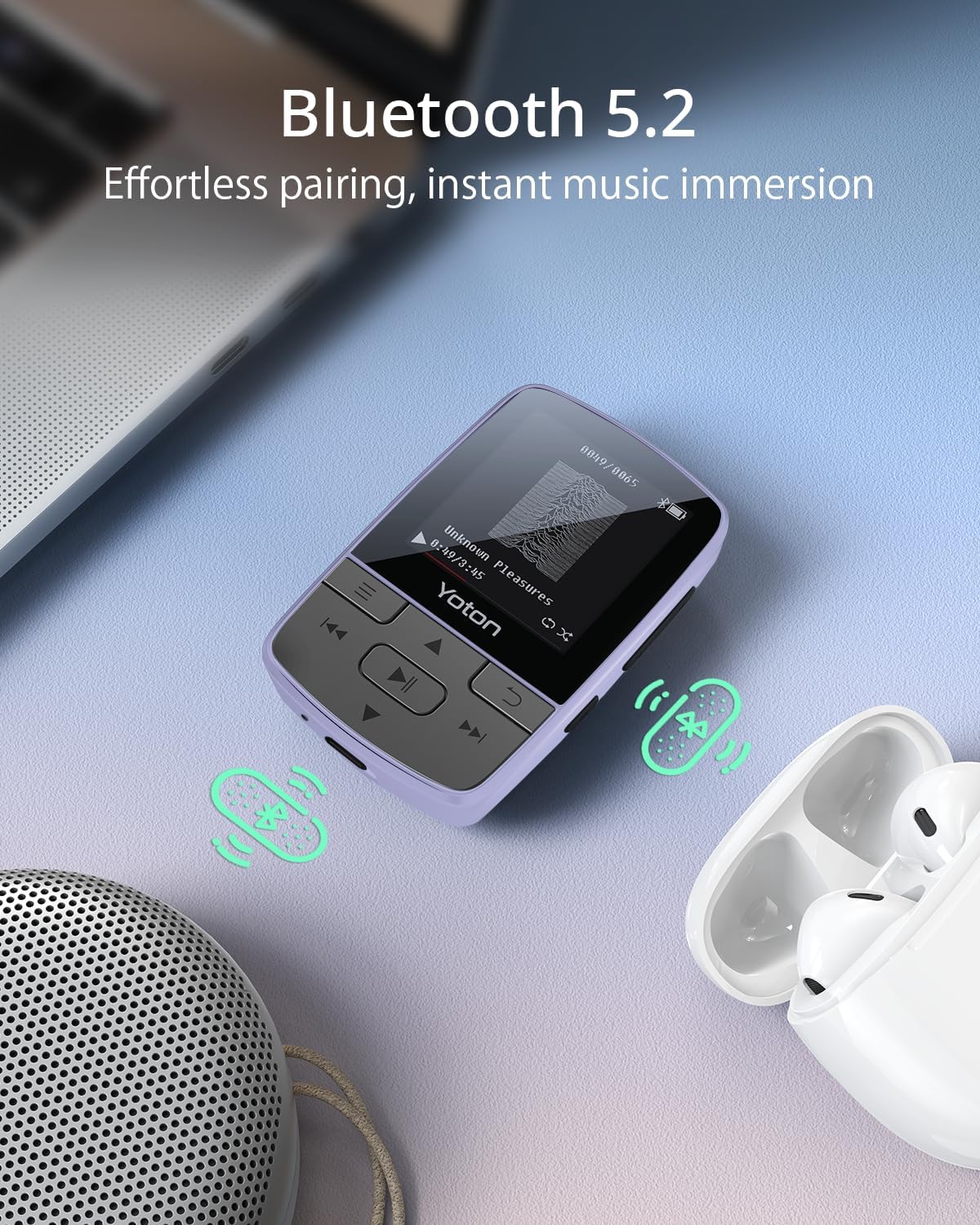
Figure 5: Bluetooth 5.2 Connectivity. This image shows the MP3 player connected wirelessly to earbuds, illustrating its Bluetooth capability.
7. Papildomos funkcijos
The YOTON MP3 Player offers several integrated tools:
- FM radijas: Įsijunkite mėgstamiausias radijo stotis.
- Diktofonas: Record audio memos or lectures.
- Pedometras: Track your steps during workouts.
- Žadintuvas: Nustatykite žadintuvus priminimams arba pažadinimo skambučiams.
Access these features through the main menu of the device.

Figure 6: More Than Music. This image highlights the various functions of the YOTON MP3 player, including Bluetooth, Radio, Pedometer, Picture viewer, Recorder, File browser, Stopwatch, and Settings.
8. Priežiūra
- Laikykite prietaisą sausą. Venkite drėgmės ar skysčių.
- Ekraną ir korpusą valykite minkštu, sausu skudurėliu. Nenaudokite abrazyvinių valiklių.
- Venkite ekstremalių temperatūrų.
- Nebandykite patys ardyti ar taisyti įrenginio. Pagalbos kreipkitės į palaikymo tarnybą.
9. Problemų sprendimas
9.1 Device Does Not Turn On
- Įsitikinkite, kad įrenginys yra visiškai įkrautas. Prijunkite jį prie maitinimo šaltinio bent 30 minučių.
- Paspauskite ir palaikykite maitinimo mygtuką 5–10 sekundes.
9.2 Cannot Transfer Music
- Verify the USB cable is securely connected to both the player and the computer.
- Ensure the Micro SD card is properly inserted and not corrupted.
- Patikrinkite, ar muzika files are in a supported format (MP3, AAC, FLAC, WAV, WMA).
9.3 Bluetooth Pairing Fails
- Make sure the Bluetooth device (headphones/speaker) is in pairing mode and within range.
- Ensure the MP3 player's Bluetooth is enabled.
- Restart both the MP3 player and the Bluetooth device.
- Remember, the MP3 player cannot connect to mobile phones or car audio systems.
9.4 Trumpas baterijos veikimo laikas
- Using wired headphones can extend battery life compared to Bluetooth.
- Sumažinkite ekrano ryškumą.
- Prieš naudodami įsitikinkite, kad prietaisas yra visiškai įkrautas.
10. Specifikacijos
| Prekės ženklas | YOTON |
| Modelio pavadinimas | YM03 |
| Ryšio technologija | Bluetooth 5.2 |
| Atminties talpa | Expandable up to 64 GB (via Micro SD card) |
| Ekrano dydis | 1.4 colių |
| Suderinami įrenginiai | Headphones, Earphones |
| Palaikomas laikmenos tipas | Micro SD |
| Palaikomi garso formatai | MP3, AAC, FLAC, WAV, WMA |
| Vidutinis akumuliatoriaus veikimo laikas | 8 valandų |
| Prekės svoris | 28 gramų |
| Elemento matmenys (D x P x A) | 0.7 "D x 1.5" P x 2.3" A |
| Ypatingos savybės | Built-In Clip, Equalizer, FM Radio, Voice Recorder, Pedometer, Alarm Clock |
11. Garantija ir palaikymas
11.1 Informacija apie garantiją
All products purchased from Yoton are covered by a 1-year warranty. For any concerns regarding product use or accessories, please contact our support team.
11.2 Pagalba klientams
Our professional team is available to offer technology support within 24 hours. You can find more detailed operation instructions on the Amazon product page or by contacting us directly.
For support, please refer to the contact information provided with your product or on the official Yoton websvetainę.