
karuisrc K610
„karuisrc K610“ GPS drono naudotojo vadovas
Modelis: K610
1. Įvadas
This manual provides essential information for the safe operation and maintenance of your karuisrc K610 GPS Drone. Please read this manual thoroughly before operating the drone to ensure proper usage and to prevent damage or injury. The K610 is a foldable GPS quadcopter equipped with a 4K camera, designed for both beginners and experienced users, featuring intelligent flight modes and stable performance.

Image 1.1: The karuisrc K610 GPS Drone in flight.
2. Saugos gairės
Operating a drone requires responsibility. Adhere to the following safety guidelines to ensure a safe flight experience for yourself and others:
- Patikra prieš skrydį: Always inspect the drone, propellers, and battery before each flight. Ensure all components are securely attached and undamaged.
- Aplinkos sąlygos: Fly in open areas, away from people, animals, buildings, and obstacles. Avoid flying in strong winds, rain, snow, or fog.
- Baterijos sauga: Naudokite tik patvirtintas baterijas ir įkroviklius. Neperkraukite ir nepradurkite baterijų. Nustokite naudoti, jei baterijos pažeistos arba išsipūtusios.
- Matymo linija: Visada palaikykite vizualinį matymo lauką su dronu.
- Gerbti privatumą: Do not use the drone to invade privacy.
- Vietos taisyklės: Žinokite ir laikykitės visų vietinių įstatymų ir taisyklių, susijusių su dronų naudojimu.
3. Pakuotės turinys
Patikrinkite, ar pakuotėje yra visi reikalingi daiktai:
- K610 Drone x 1
- Nuotolinio valdymo pultas x 1
- Batteries x 1 (Nonstandard Battery)
- Atsarginiai sraigtai x 4
- Atsuktuvas x 1
- USB kabelis x 1
- Nešiojimo dėklas x 1
- Naudojimo instrukcija x 1

Image 3.1: Included items in the karuisrc K610 drone package.
4. Komponentai baigtiview
4.1 dronas
The K610 drone features a foldable design for portability, brushless motors for stable flight, and an integrated 4K camera.

Image 4.1: The karuisrc K610 drone and remote control.
4.2 Nuotolinis valdymas
The remote control provides intuitive flight control and a mount for your smartphone to view FPV tiekimas.
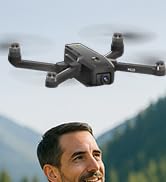
Image 4.2: Remote control with smartphone for FPV viewing.
5. Sąranka
5.1 Baterijos įdėjimas ir įkrovimas
- Insert the modular battery into the drone's battery compartment until it clicks into place.
- To charge, remove the battery from the drone. Connect the USB charging cable to the battery and a suitable USB power adapter (not included).
- The charging indicator on the battery will show its status. Ensure the battery is fully charged before flight.

Image 5.1: Modular battery for the K610 drone.
5.2 Propelerio montavimas
Attach the propellers according to the markings (A and B) on the propellers and motor arms. Ensure they are securely fastened with the provided screwdriver.
5.3 Nuotolinio valdymo pulto sąranka
- Install 3x AA batteries (not included) into the remote control.
- Extend the phone holder and securely mount your smartphone.
5.4 Programėlės diegimas ir prijungimas
- Download the official karuisrc drone app from your smartphone's app store.
- Įjunkite droną, tada įjunkite nuotolinio valdymo pultą.
- On your smartphone, connect to the drone's Wi-Fi network (usually named 'K610-XXXXXX').
- Atidarykite programėlę, kad užmegztumėte ryšį, ir view tiesioginis FPV srautas.

Image 5.2: 5GHz WiFi transmission for real-time viewing.
5.5 Kalibravimas
Before the first flight and after any significant change in location, perform compass and gyroscope calibration as instructed in the app or quick start guide. This ensures stable flight and accurate GPS positioning.
6. Operacinis
6.1 Pagrindiniai skrydžio valdymo įtaisai
Refer to the remote control diagram in the quick start guide for specific joystick and button functions. Generally:
- Left Joystick: Controls altitude (up/down) and rotation (yaw left/right).
- Right Joystick: Controls forward/backward and left/right movement (pitch/roll).
6.2 Pakilimas ir nusileidimas
- Pakilimas vienu klavišu: Press the designated take-off button on the remote or in the app. The drone will automatically ascend to a safe height and hover.
- Rankinis kilimas: Push both joysticks to the bottom-outer corners to unlock motors, then slowly push the left joystick up to ascend.
- Nusileidimas vienu klavišu: Press the designated landing button. The drone will descend and land automatically.
- Rankinis nusileidimas: Slowly pull the left joystick down to descend. Once landed, push both joysticks to the bottom-outer corners to stop motors.
6.3 GPS Features
The K610 drone utilizes GPS for enhanced stability and intelligent flight functions.
- Auto Return Home (RTH): The drone can automatically return to its take-off point if the signal is lost, battery is low, or the RTH button is pressed.

Image 6.1: GPS Auto Return Home functionality.
6.4 Išplėstiniai skrydžio režimai
Access these modes via the drone's app:
- Sekite mane: The drone will automatically follow the remote control or smartphone, capturing footage, kai judėsite.
- Waypoint Flight (Tap Fly): Tap points on the map in the app, and the drone will fly along the specified path.
- Point-of-Interest (Circle Fly): Select a point on the map, and the drone will circle around it at a set radius and altitude.

Image 6.2: Advanced flight modes: Follow Me, Circle Fly, and Tap Fly.
6.5 4K kameros valdymas
The K610 is equipped with a 4K UHD camera with 90° adjustable tilt for capturing high-quality aerial footage ir nuotraukos.
- Nuotraukų / vaizdo įrašų fiksavimas: Norėdami fotografuoti arba pradėti / sustabdyti vaizdo įrašymą, naudokite specialius nuotolinio valdymo pulto arba programėlės sąsajos mygtukus.
- Reguliuojamas kameros kampas: The camera's tilt can be adjusted remotely via the app or remote control.
- SD kortelės palaikymas: Insert an SD card (not included) into the drone for direct storage of high-resolution media.

Image 6.3: The K610's 4K HD Camera.
6.6 Produktas baigtasview Vaizdo įrašas
Watch this video for a visual guide on the karuisrc K610 GPS Drone's features and operation.
6.4 vaizdo įrašas: Viršview of the karuisrc K610 GPS Drone's features and capabilities.
7. Priežiūra
Reguliarus drono aptarnavimas užtikrina jo ilgaamžiškumą ir optimalų veikimą.
- Valymas: Gently wipe the drone and remote control with a soft, dry cloth after each use. Avoid using harsh chemicals.
- Propelerio apžiūra: Reguliariai tikrinkite sraigtus, ar nėra įtrūkimų, sulinkimų ar kitų pažeidimų. Pažeistus sraigtus nedelsdami pakeiskite pridėtomis atsarginėmis dalimis.
- Akumuliatoriaus priežiūra: Baterijas laikykite vėsioje, sausoje vietoje. Nelaikykite visiškai įkrautų arba visiškai iškrautų baterijų ilgą laiką. Ilgalaikiam laikymui įkraukite jas iki maždaug 50–60 %.
- Saugykla: Kai nenaudojate, sulankstykite droną ir laikykite jį nešiojimo dėkle, kad apsaugotumėte jį nuo dulkių ir fizinių pažeidimų.
8. Problemų sprendimas
Jei kyla problemų, žr. toliau pateiktas dažniausiai pasitaikančias problemas ir sprendimus:
| Problema | Galima priežastis | Sprendimas |
|---|---|---|
| Drone does not take off or respond to controls. | Low battery, improper calibration, motors locked. | Charge drone/remote batteries. Perform calibration. Unlock motors (refer to section 6.2). |
| Nestabilus skrydis arba dreifavimas. | Poor calibration, strong winds, damaged propellers. | Recalibrate the drone. Fly in calm conditions. Inspect and replace damaged propellers. |
| No FPV feed on smartphone. | Wi-Fi not connected, app not open, drone/phone too far apart. | Ensure phone is connected to drone's Wi-Fi. Open the app. Move closer to the drone. |
| GPS features (RTH, Follow Me) not working. | Insufficient GPS signal, drone not calibrated. | Fly in an open area with clear sky. Wait for sufficient GPS satellites to connect (indicated by app). Perform GPS calibration. |
9. Specifikacijos
Key technical specifications for the karuisrc K610 GPS Drone:
| Funkcija | Detalė |
|---|---|
| Modelio pavadinimas | K610 |
| Prekės svoris | 204 gramų (7.2 uncijos) |
| Fotoaparatas | 4K UHD (4096×3072P images), 12 MP Effective Still Resolution, 90° Adjustable, CMOS Sensor |
| Vaizdo įrašymo raiška | 1080p (MP4 formatas) |
| Ryšio technologija | Wi-Fi, RF (5GHz FPV Transmission) |
| Valdymo tipas | Nuotolinio valdymo pultas |
| Ypatingos savybės | Adjustable, Auto-Landing, Portable, GPS Auto Return, Follow Me, Waypoint Flight, Point-of-Interest Circle |
| Variklio tipas | Variklis be šepetėlių |
| Baterija | 1 Nonstandard Lithium Ion Battery (included) |
| Skrydžio laikas | Up to 20 minutes (typical 18 minutes) |
| Medžiaga | Plastikiniai |
| Gaminio matmenys | 7 colio ilgio x 2 colių pločio x 8 colio aukščio |

Image 9.1: Brushless motor technology for the K610 drone.
10. Garantija ir palaikymas
For warranty information or technical support, please contact karuisrc customer service. Keep your purchase receipt as proof of purchase.
- Telefonas: +44 7419 298225
- El. paštas: Karuisrc@gmail.com

Image 10.1: karuisrc customer support.
Ask a question about this manual
Ask about setup, troubleshooting, compatibility, parts, safety, or missing instructions. Manuals+ will review the question and use this page’s manual context to help answer it.