
1. Įvadas
Ačiū, kad pirkoteasing the SHIHOT 54" Black Ceiling Fan with Lights and Remote. This modern ceiling fan is designed to provide efficient air circulation and adjustable lighting for various indoor and covered outdoor spaces. It features an ultra-quiet DC motor, 6 adjustable speeds, a reversible function for year-round comfort, and versatile control options via both a remote and a smartphone application. Please read this manual thoroughly before installation and use to ensure safe and optimal performance.
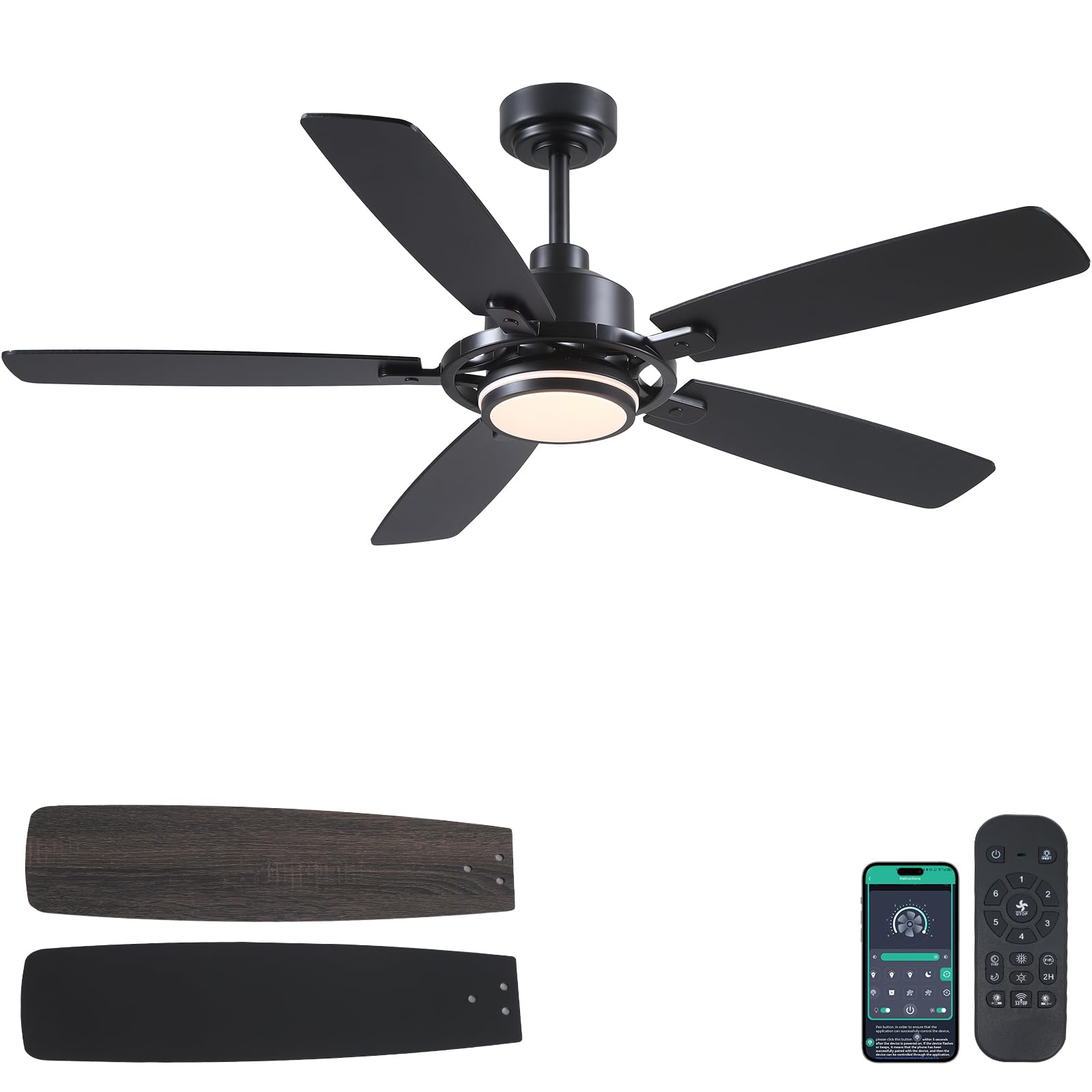
Figure 1: SHIHOT 54-inch Black Ceiling Fan with Lights
2. Saugos informacija
To reduce the risk of electric shock, fire, or personal injury, always follow these basic safety precautions:
- Prieš pradėdami montuoti, atidžiai perskaitykite visas instrukcijas.
- Prieš montuodami ar atlikdami techninę priežiūrą, įsitikinkite, kad elektros tiekimas yra atjungtas nuo pagrindinės saugiklių dėžutės arba grandinės pertraukiklio.
- All electrical connections must be in accordance with local codes, ordinances, and the National Electric Code. If you are unfamiliar with electrical wiring, consult a qualified electrician.
- Tvirtinimo konstrukcija turi būti pajėgi išlaikyti ventiliatoriaus svorį (maždaug 12.32 svaro).
- Ensure there is adequate clearance from the blade tips to the floor (at least 7 feet) and to any walls or obstructions.
- Nenaudokite ventiliatoriaus, jei kuri nors jo dalis yra pažeista.
- Venkite dėti daiktus ventiliatoriaus menčių kelyje.
3. Pakuotės turinys
Patikrinkite, ar pakuotėje yra visi toliau išvardyti komponentai:
- Ventiliatoriaus korpuso surinkimas
- Baldakimas
- Viršelis
- Downrod (4" and 8" options)
- Blades (5 pieces)
- Blades Arm (5 pieces)
- Šviesos šaltinis
- Lamp Šešėlis
- Nuotolinio valdymo pultas
- Imtuvas
- Varžtai ir tvirtinimo detalės
- Instrukcijų vadovas
Video 1: Installation Guide for SHIHOT 54" Ceiling Fans with Lights. This video demonstrates the assembly and installation process of the ceiling fan components.
4. Specifikacijos
| Prekės ženklas | SHIHOT |
| Modelio numeris | 8253 |
| Spalva | Juoda |
| Gaminio matmenys | 54 "D x 54" P x 15.74" A |
| Ašmenų skaičius | 5 |
| Ašmenų medžiaga | Inžinierinė mediena |
| Variklio tipas | DC variklis |
| Greičių skaičius | 6 |
| Triukšmo lygis | 35 decibelų |
| Šviesos tipas | LED (Dimmable, 3 Color Temperatures) |
| Kontrolės metodas | Nuotolinio valdymo pultas, programų valdymas |
| Maitinimo šaltinis | DC (90-265 Volt) |
| Vattage | 50 vatų |
| Kambario tipas | Attic, Bedroom, Dining Room, Kids Room, Kitchen |
| Naudojimas viduje / lauke | Indoor, Covered Outdoor (not directly exposed to rain) |
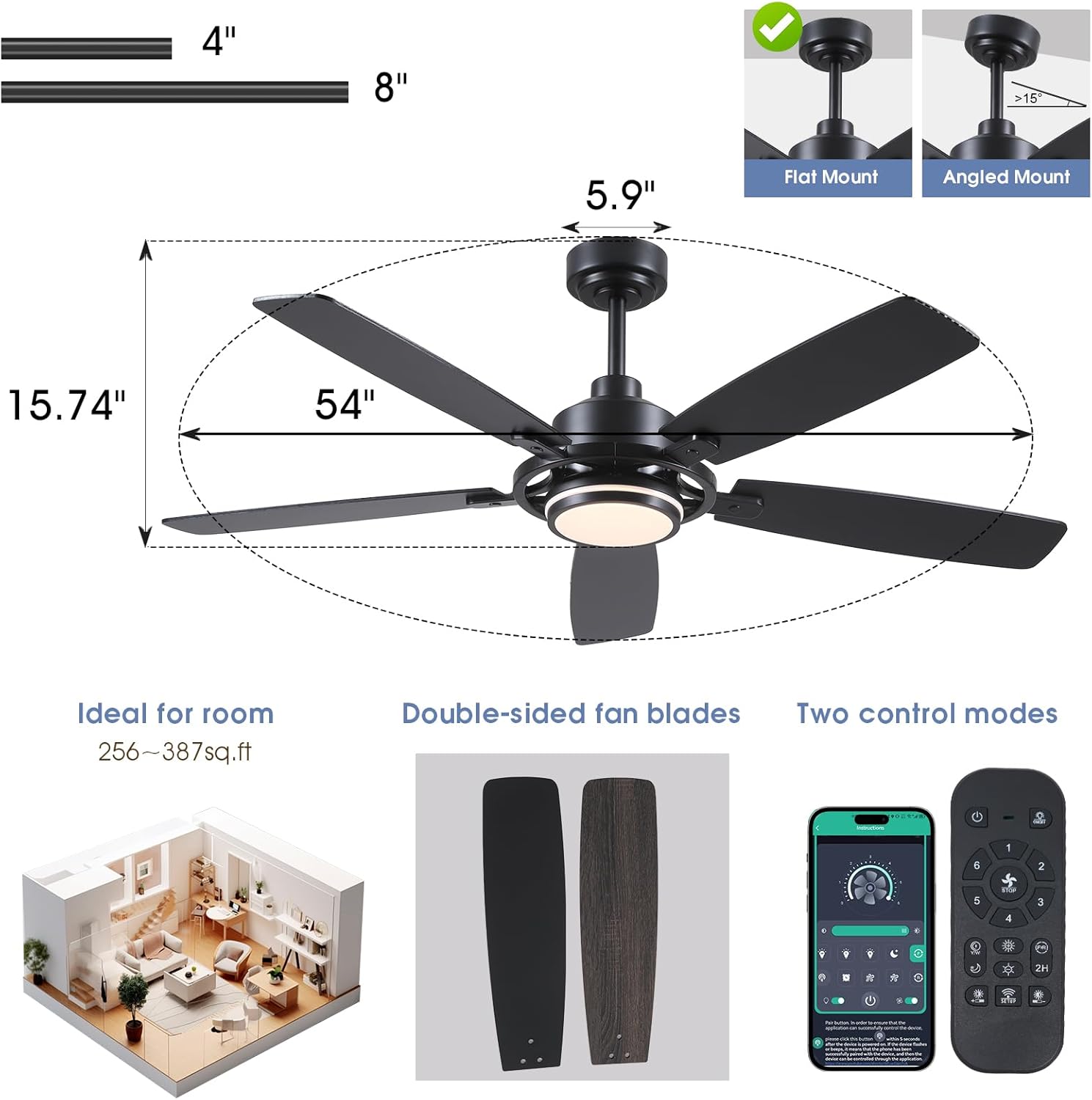
Figure 2: Product dimensions and compatible mounting types (flat and angled up to 15°).
5. Montavimo instrukcijos
Follow these steps for proper installation. Refer to Video 1 for a visual guide.
5.1 Ašmenų surinkimas
- Attach each blade arm to a blade using the provided screws. Ensure the screws are tightened securely.
- Repeat for all five blades.
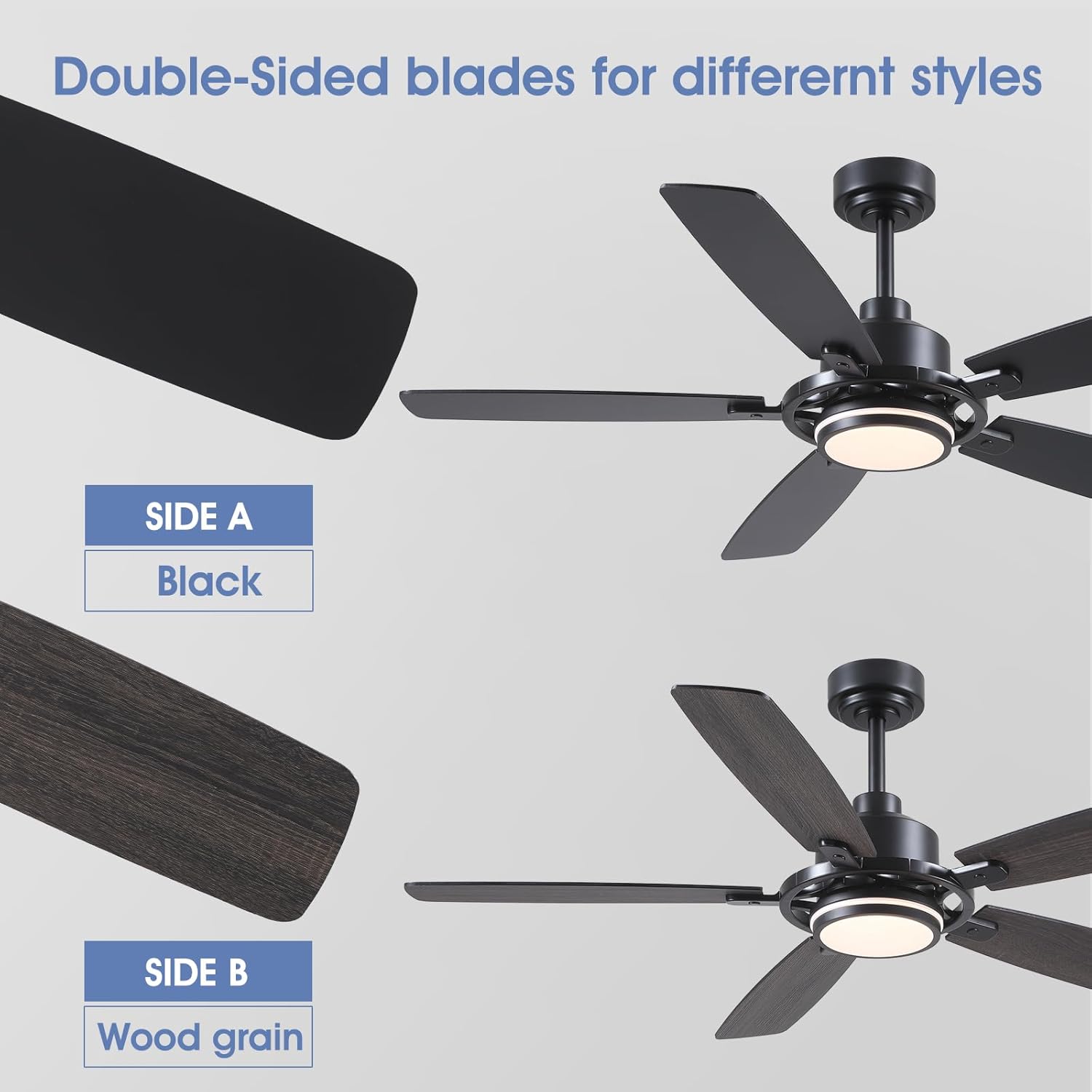
Figure 3: The fan blades are double-sided, offering a black finish on one side and a wood grain finish on the other for versatile styling.
5.2 Motor and Light Assembly
- Secure the light source to the fan body assembly.
- Pritvirtinkite lamp šešėlis.
- Connect the downrod to the fan body, feeding the wires through the downrod.
5.3 Tvirtinimas prie lubų
- Install the mounting bracket to the ceiling junction box using appropriate screws. Ensure the bracket is securely fastened.
- Pakabinkite ventiliatoriaus bloką ant tvirtinimo laikiklio.
- Connect the electrical wires (live, neutral, ground) from the fan to the household wiring. Use wire nuts to secure connections.
- Įstatykite imtuvą į tvirtinimo laikiklį.
- Pritvirtinkite gaubtą, kad jis uždengtų laidus ir tvirtinimo laikiklį.
6. Naudojimo instrukcijos
Your SHIHOT ceiling fan can be controlled via the included remote control or a smartphone application.
6.1 Nuotolinio valdymo pulto funkcijos
Nuotolinio valdymo pultas leidžia reguliuoti įvairius nustatymus:
- Maitinimo įjungimas/išjungimas: Įjungia arba išjungia ventiliatorių ir šviesą.
- Ventiliatoriaus greitis: Pasirinkite iš 6 skirtingų ventiliatoriaus greičių.
- Šviesos įjungimas / išjungimas: Šviesą reguliuoja nepriklausomai.
- Šviesos spalvos temperatūra: Cycle through 3 color temperatures (Warm, Natural, White).
- Ryškumo reguliavimas: Dims or brightens the light (stepless dimming).
- Grįžtamoji funkcija: Keičia peilio sukimosi kryptį.
- Laikmatis: Sets a 1-hour or 2-hour timer for automatic shutdown.

Figure 4: The fan offers 6 adjustable speeds to suit various comfort levels.

Figure 5: The integrated LED light offers stepless dimming from 0-100% and 3 adjustable color temperatures (3000K Warm, 4500K Natural, 6000K White Light).
6.2 Programų valdymas
The fan can also be controlled using the "Fan Lamp Pro" smartphone application. Follow these steps to connect:
- Scan the QR code provided in the manual or on the product packaging to download the "Fan Lamp Pro" app.
- Įsitikinkite, kad jūsų išmaniajame telefone įjungtas „Bluetooth“.
- Turn off the main power to the fan for a few seconds, then turn it back on.
- Within 5 seconds of restoring power, open the app and follow the on-screen instructions to add a new device. The fan light will blink twice to confirm a successful connection.
- Once connected, you can control fan speed, light settings, and other functions directly from your phone.
Video 2: APP Setting for Black Ceiling Fan with Light. This video demonstrates how to connect and control the fan using the smartphone application.
6.3 Reversible Function (Summer/Winter Mode)
The reversible function allows you to change the direction of the fan blades to optimize air circulation for different seasons:
- Vasaros režimas (nuleidžiamoji oro trauka): Blades rotate counter-clockwise, pushing cool air downwards to create a cooling effect.
- Žiemos režimas (atnaujinta oro ventiliacija): Peiliai sukasi pagal laikrodžio rodyklę, traukdami vėsų orą aukštyn ir stumdami šiltą orą žemyn nuo lubų, taip padėdami tolygiau paskirstyti šilumą.
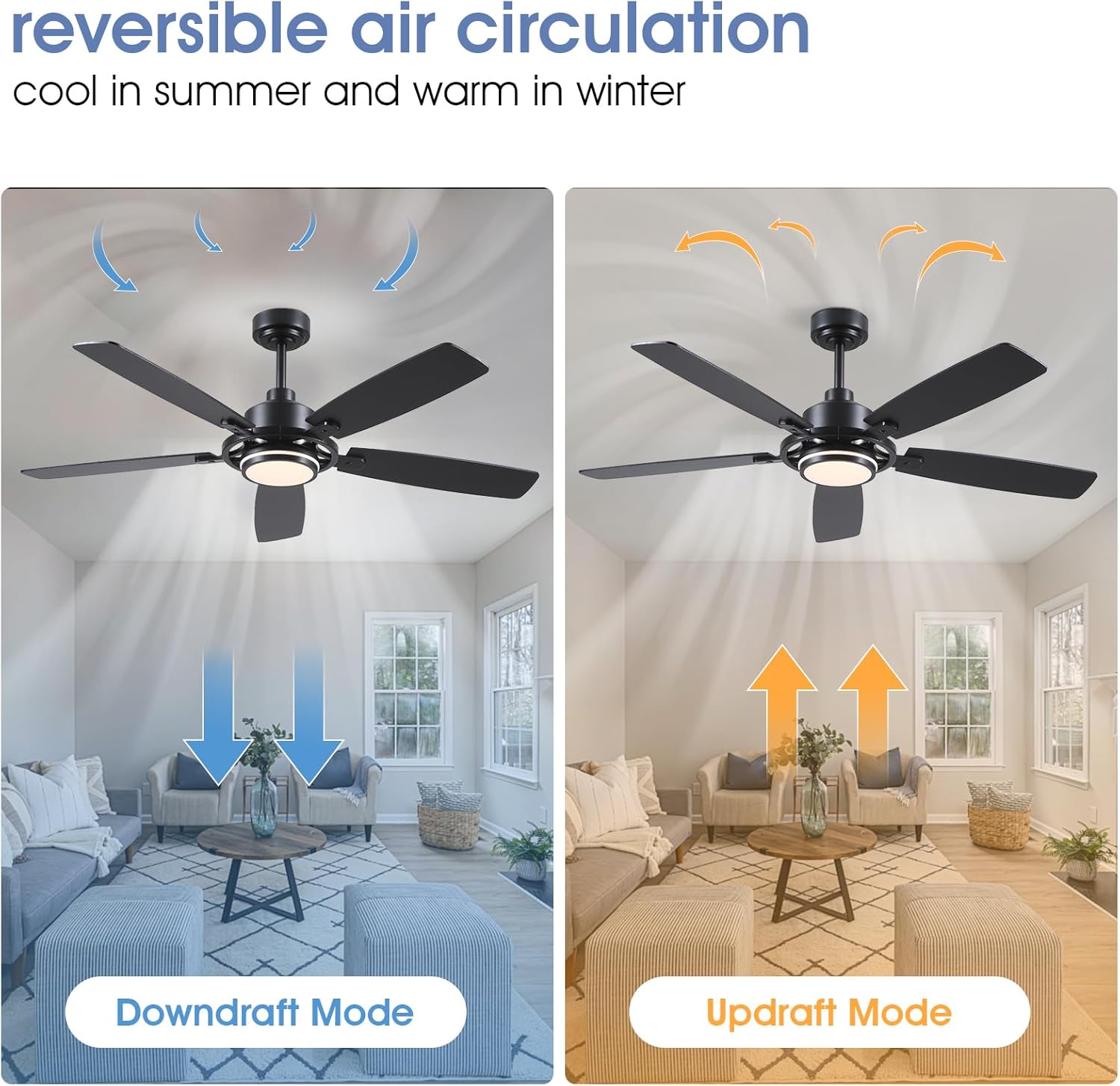
Figure 6: Illustration of downdraft (summer) and updraft (winter) modes for optimal air circulation.
7. Priežiūra
Reguliarus lubų ventiliatoriaus remontas užtikrina jo ilgaamžiškumą ir optimalų veikimą.
- Valymas: Reguliariai nuvalykite ventiliatoriaus mentes ir variklio korpusą minkšta,amp audinys. Nenaudokite abrazyvinių valiklių ar tirpiklių.
- Priveržimo varžtai: Check all screws and connections annually to ensure they are secure. Loose connections can cause noise or wobble.
- Ašmenų balansas: Jei ventiliatorius svyruoja, įsitikinkite, kad visos mentės yra tvirtai pritvirtintos ir subalansuotos. Prireikus galima naudoti balansavimo rinkinį (nepridedamas).
8. Problemų sprendimas
Jei kyla problemų dėl ventiliatoriaus, žr. šias dažniausiai pasitaikančias problemas ir sprendimus:
| Problema | Galima priežastis | Sprendimas |
|---|---|---|
| Ventiliatorius neįsijungia | Loose wire connections, no power, remote battery dead. | Check all wiring connections. Ensure power is supplied to the fan. Replace remote battery. |
| Ventiliatoriaus virpėjimas | Loose blade screws, unbalanced blades, loose mounting bracket. | Tighten all blade screws. Use a balancing kit to balance blades. Secure the mounting bracket. |
| Šviesa neveikia | Loose wire connection, faulty LED driver, light source issue. | Check light wiring connections. Contact customer support if the light source or driver is faulty. |
| Nuotolinis neveikia | Dead battery, remote not paired, interference. | Replace remote battery. Re-pair the remote with the fan (refer to app control section for pairing process). Ensure no strong interference sources are nearby. |
9. Garantija ir palaikymas
For warranty information or technical support, please refer to the contact details provided with your purchase or visit the official SHIHOT store on Amazon. Keep your purchase receipt for warranty claims.