
FUNYET DuetBook N5095
FUNYET 14-inch Laptop N5095
Vartotojo vadovas
Model: DuetBook N5095
Įvadas
This manual provides essential information for setting up, operating, maintaining, and troubleshooting your FUNYET 14-inch Laptop N5095. Please read this guide thoroughly to ensure optimal performance and longevity of your device.

Vaizdas: priekis view of the FUNYET 14-inch Laptop N5095, highlighting its key specifications on the screen.
1. Pradinė sąranka
1.1 Išpakavimas ir pirmasis įjungimas
- Carefully remove the laptop and all accessories from the packaging. The box should contain the laptop, AC adapter, warranty card, and this instruction manual.
- Connect the AC adapter to the laptop's DC-in port and then to a power outlet.
- Atidarykite nešiojamojo kompiuterio dangtį. Nešiojamasis kompiuteris gali įsijungti automatiškai arba gali tekti paspausti klaviatūroje esantį maitinimo mygtuką.
1.2 „Windows 11 Pro“ konfigūracija
Pirmą kartą paleidus sistemą, būsite nukreipti į „Windows 11 Pro“ sąrankos procesą. Vykdykite ekrane pateikiamus nurodymus, kad atliktumėte toliau nurodytus veiksmus.
- Pasirinkite savo regioną ir klaviatūros išdėstymą.
- Prisijunkite prie „Wi-Fi“ tinklo.
- Prisijunkite naudodami „Microsoft“ paskyrą arba sukurkite naują.
- Nustatykite PIN kodą greitam prisijungimui.
- Koreguokite privatumo nustatymus.

Image: The Windows 11 Pro operating system interface shown on the laptop screen.
2. Nešiojamojo kompiuterio valdymas
2.1 Klaviatūra ir jutiklinė planšetė
The laptop features a full-sized keyboard and a large, responsive touchpad for navigation. Refer to the image below for key layout.

Vaizdas: Išsamus view nešiojamojo kompiuterio klaviatūros ir jutiklinės planšetės.
2.2 Išorinių įrenginių prijungimas
Jūsų nešiojamas kompiuteris turi įvairius prievadus išoriniams įrenginiams prijungti:
- USB 3.0 prievadai: Two ports for high-speed data transfer with USB devices.
- HDMI prievadas: Prijunkite prie išorinių ekranų arba projektorių.
- Ausinių lizdas: Garso išvesčiai į ausines arba išorinius garsiakalbius.
- TF kortelės lizdas: For expanding storage with a TF (MicroSD) card.
- Nuolatinės srovės įvesties prievadas: Kintamosios srovės adapterio prijungimui.
Wireless connectivity includes Bluetooth and Wi-Fi (2.4G/5G) for connecting to networks and wireless accessories.
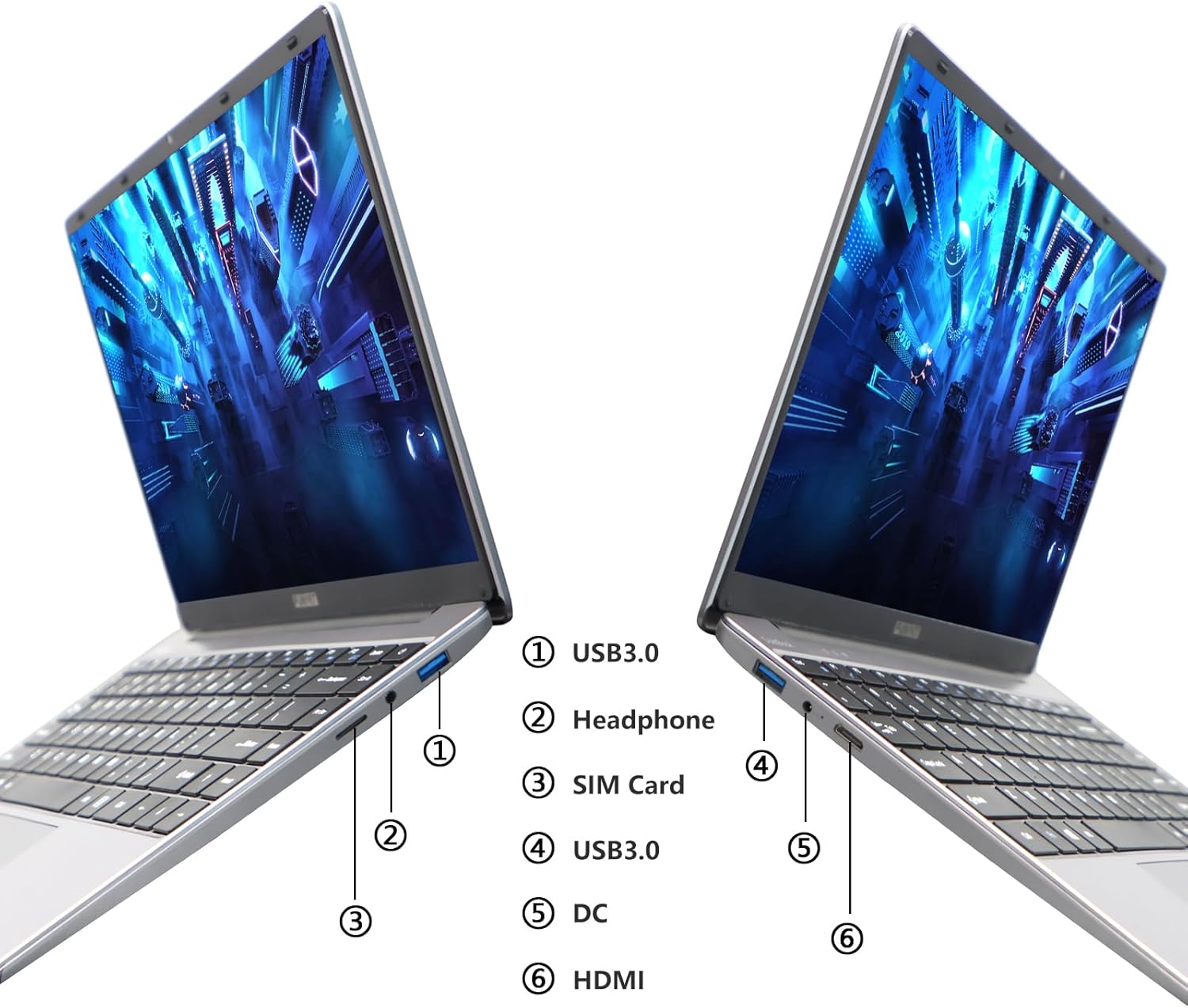
Image: Diagram illustrating the various ports on the sides of the laptop.
2.3 Ekrano funkcijos
The 14.1-inch FHD IPS display offers a 1920x1080 resolution. The laptop supports a 180-degree opening angle, allowing for flexible viewpozicijų.

Image: The laptop's screen fully opened to a 180-degree flat position.
2.4 Akumuliatoriaus valdymas
The laptop is equipped with a 3800mAh (7.6V/5000mAh) battery. For optimal battery life, ensure the laptop is fully charged before first use. Unplug the AC adapter once the battery is fully charged to prevent overcharging. For extended storage, charge the battery to approximately 50% and store the device in a cool, dry place.

Image: Laptop screen showing a full battery charge indicator.
3. Priežiūra
3.1 Bendroji priežiūra
- Keep the laptop clean by wiping surfaces with a soft, dry cloth. Avoid liquid cleaners directly on the screen or keyboard.
- Ensure proper ventilation. Do not block the air vents to prevent overheating.
- Venkite nešiojamojo kompiuterio laikymo ekstremaliose temperatūrose, tiesioginiuose saulės spinduliuose ar didelėje drėgmėje.
- Atsargiai elkitės su nešiojamuoju kompiuteriu, kad išvengtumėte fizinės žalos.
3.2 Saugyklos išplėtimas
The laptop's storage can be expanded using a TF (MicroSD) card. Insert the TF card into the designated slot until it clicks into place. To remove, gently push the card in until it springs out.
4. Problemų sprendimas
| problema | Galima priežastis | Sprendimas |
|---|---|---|
| Nešiojamasis kompiuteris neįsijungia. | Išsikrovusi baterija arba maitinimo adapterio problema. | Ensure the AC adapter is securely connected and the power outlet is functional. Charge the laptop for at least 30 minutes before attempting to power on again. |
| „Wi-Fi“ ryšio problemos. | Incorrect Wi-Fi password, router issues, or Wi-Fi adapter disabled. | Verify the Wi-Fi password. Restart your router. Check Windows settings to ensure Wi-Fi is enabled. |
| Lėtas veikimas. | Per daug veikiančių programų, mažai vietos saugykloje arba pasenusios tvarkyklės. | Close unnecessary applications. Check available storage on the SSD. Update Windows and device drivers. |
| Ekranas tuščias arba mirga. | Display driver issue, external display conflict, or hardware problem. | Restart the laptop. If connected to an external monitor, disconnect it. Update graphics drivers. |
If you encounter issues not listed here or if the suggested solutions do not resolve the problem, please contact FUNYET support.
5. Techninės specifikacijos
| Funkcija | Detalė |
|---|---|
| Modelio pavadinimas | DuetBook N5095 |
| Procesorius | Intel 11th Gen Celeron N5095 (up to 2.9 GHz, 4 Cores, 4 Threads) |
| Grafika | „Intel UHD Graphics“ (integruota) |
| RAM | 16GB DDR4 |
| Sandėliavimas | 512GB SSD (Expandable via TF card) |
| Ekranas | 14.1 colių FHD IPS (1920 x 1080 pikselių) |
| Operacinė sistema | Windows 11 Pro |
| Belaidis ryšys | „Wi-Fi“ (2.4 G / 5 G), „Bluetooth 4.2“ |
| Uostai | 2x USB 3.0, 1x HDMI, 1x Headphone Jack, 1x DC-in, 1x TF Card Slot |
| Baterija | 3800mAh (7.6V/5000mAh) Lithium Ion |
| Matmenys (IxPxH) | 12.7 x 8.3 x 0.8 colio |
| Svoris | 3 svaro |

Image: Visual summary of key laptop features and specifications.
6. Garantija ir palaikymas
FUNYET provides comprehensive support for your laptop:
- Garantija: 2 metų garantija nuo pirkimo datos.
- Grąžinimas / keitimas: 6 months of free replacement or return service.
- Palaikymas internetu: 24/7 online support with instant responses.
- Pagalba telefonu: Available every business day from 4 PM to 10 PM Pacific Time.
For assistance, please contact FUNYET support:
- Telefonas: +1 800-986-9631
- El. paštas: funyetstore@outlook.com
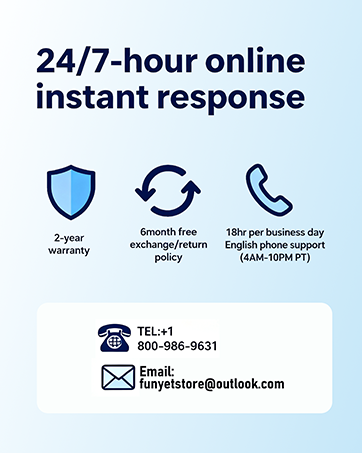
Image: FUNYET customer support and warranty details.
Ask a question about this manual
Ask about setup, troubleshooting, compatibility, parts, safety, or missing instructions. Manuals+ will review the question and use this page’s manual context to help answer it.