
1. Įvadas
This manual provides essential information for the setup, operation, and maintenance of your Tonies Toniebox 2 My First Farm Bundle. The Toniebox 2 is an interactive audio player designed for children aged 1 and up, offering screen-free entertainment through collectible Tonie characters.
The My First Farm Bundle includes a Cloud Pink Toniebox 2 and three soft, squeezable Tonie characters: a Cow, a Horse, and a Pig, each pre-loaded with unique audio content.
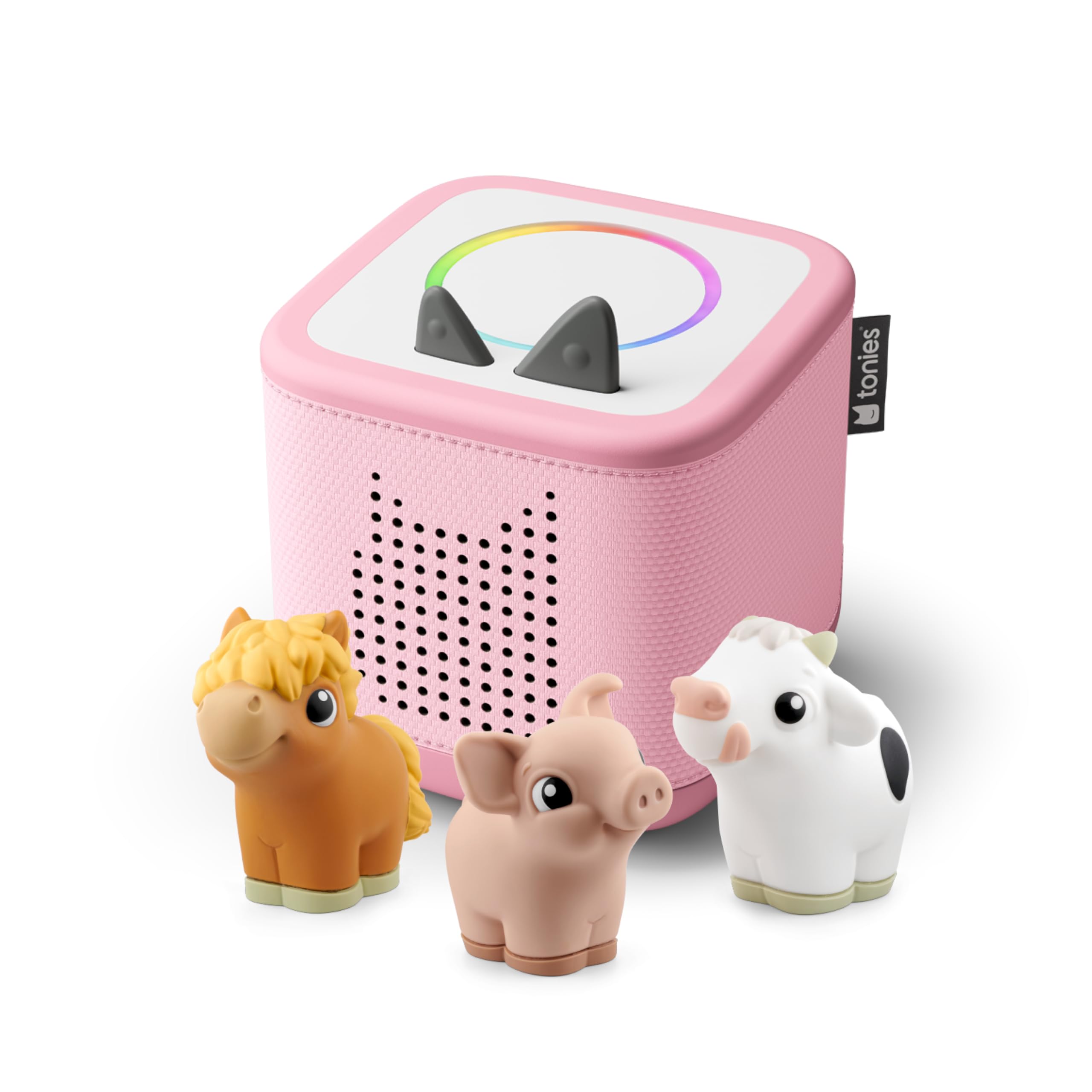
Figure 1: The Toniebox 2 in Cloud Pink with the My First Farm Bundle, featuring the Cow, Horse, and Pig Tonies.
2. Pakuotės turinys
Verify that all items listed below are included in your Toniebox 2 My First Farm Bundle:
- 1 x Cloud Pink Toniebox 2
- 1 x 8.6” (22cm) USB-C Charging Cable
- 1 x Cow Tonie Character
- 1 x Horse Tonie Character
- 1 x Pig Tonie Character
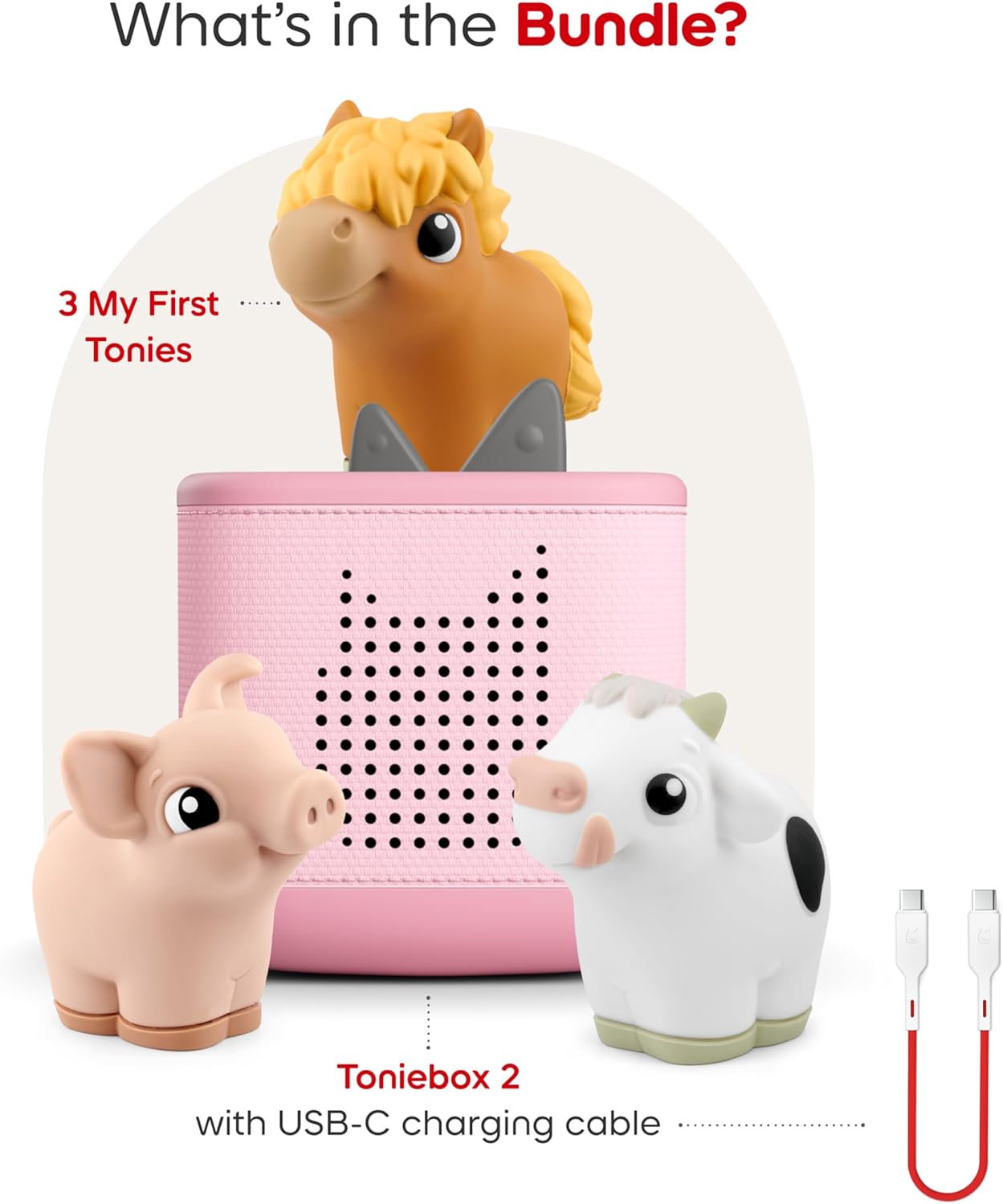
Figure 2: An illustration showing the contents of the My First Farm Bundle: a Cloud Pink Toniebox 2, a USB-C charging cable, and the three My First Tonies: Cow, Horse, and Pig.
3. Savybės
The Toniebox 2 offers several features designed for engaging and safe listening experiences:
- Nepriklausomas žaidimas: Kid-friendly controls allow children to explore stories, songs, and games on their own.
- Patvarumas: Designed for ages 1-9+, the Toniebox 2 is built to withstand active play.
- Platus turinio bibliotekos turinys: Compatible with hundreds of Tonies and Tonieplay games, with new content released regularly.
- Smart Bedtime & Wake-Up: Features a Sleep Timer with Light and a Sunrise Alarm to support healthy sleep routines.
- Interaktyvus žaidimas: Supports Tonieplay interactive games, adventures, challenges, and quizzes (Tonieplay controller sold separately).
- Pramogos be ekrano: Provides a safe, ad-free experience without screens, microphones, or cameras.
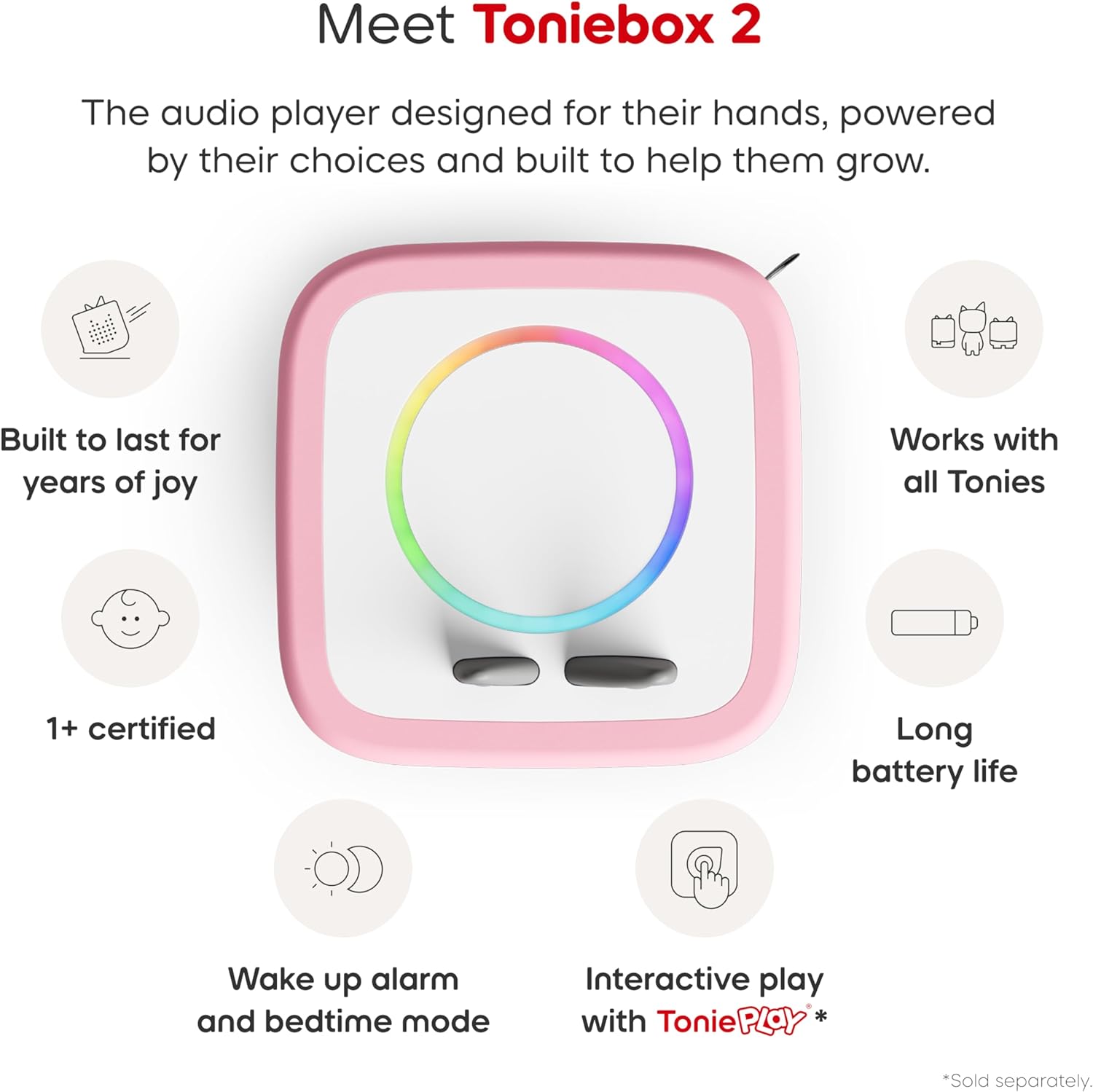
Figure 3: An infographic highlighting key features of the Toniebox 2: built to last, works with all Tonies, 1+ certified, long battery life, wake-up alarm and bedtime mode, and interactive play with Tonieplay.
4. Sąranka
4.1 Pradinė sąranka
The Toniebox 2 requires an initial setup via Wi-Fi using the Tonies app. Follow the in-app instructions to connect your device to your home network and register your Toniebox.
4.2 Įkrovimas
Use the included 8.6” (22cm) USB-C charging cable to power your Toniebox. Connect the USB-C end to the Toniebox and the USB-A end to a compatible power adapter (sold separately) or USB port. The Toniebox contains a rechargeable Lithium Ion battery.

Figure 4: The included 22cm USB-C charging cable, designed for child safety.
5. Naudojimo instrukcijos
5.1 Turinio leidimas
To start playback, simply place any Tonie audio character on top of the Toniebox. The content associated with that Tonie will begin automatically.
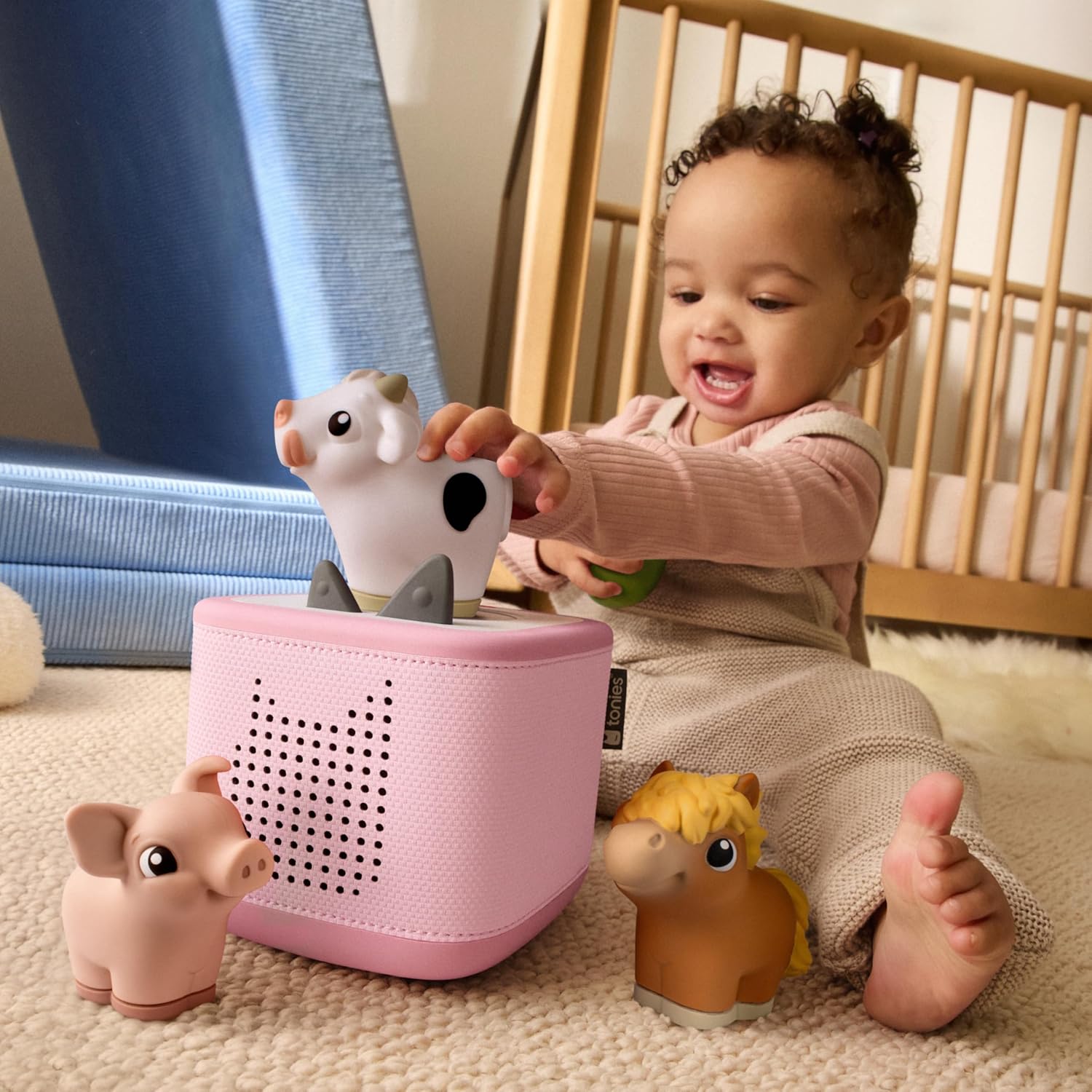
Figure 5: A child independently placing a Tonie character on the Toniebox 2 to initiate audio playback.
5.2 Garsumo valdymas
Adjust the volume by pressing the ears on top of the Toniebox. Pressing the larger ear increases the volume, while pressing the smaller ear decreases it.
5.3 Skipping Tracks
To skip to the next track, gently tap the side of the Toniebox. Tapping the other side will return to the previous track.
5.4 Fast Forward / Rewind
Tilt the Toniebox to fast forward or rewind within a track. Tilting it forward will fast forward, and tilting it backward will rewind.
5.5 Automatinis išsijungimas
The Toniebox is designed to automatically turn off after a period of inactivity to conserve battery life.
6. Tonies Characters
The My First Farm Bundle includes three soft and squeezable Tonie characters, each with unique audio content:
6.1 Cow Tonie
The Cow Tonie features a delightful selection of farm-themed audio content.
- Track 1: Cow Sound & Song
- Track 2: Can You Hear the Cow?
- Track 3: The Cow and the Clover
- Track 4: Cows in the Meadow (Soundscape & Music)
Run time: Approximately 11 minutes.

Figure 6: The Cow Tonie character and its associated tracklist.
6.2 Horse Tonie
The Horse Tonie provides engaging audio content centered around horses and farm life.
- Track 1: Horse Sound & Song
- Track 2: Can You Hear the Horse?
- Track 3: Mama Horse and her Foal
- Track 4: Trotting to the Apple Tree (Soundscape & Music)
Run time: Approximately 11 minutes.

Figure 7: The Horse Tonie character and its associated tracklist.
6.3 Pig Tonie
The Pig Tonie offers fun and educational audio content related to pigs.
- Track 1: Pig Sound & Song
- Track 2: Can You Hear the Pig?
- Track 3: Ten Little Piglets
- Track 4: Playing in the Mud (Soundscape & Music)
Run time: Approximately 11 minutes.

Figure 8: The Pig Tonie character and its associated tracklist.
7. Specifikacijos
| Atributas | Vertė |
|---|---|
| Modelio pavadinimas | Toniebox 2 |
| Prekės ženklas | Toniukai |
| Spalva | Cloud Pink |
| Gaminio matmenys | 5 "D x 5" P x 5" A |
| Prekės svoris | 2.6 svaro |
| Garsiakalbio tipas | Knygų lentyna |
| Ypatinga funkcija | Shockproof, USB Port, Network Ready |
| Rekomenduojami naudojimo būdai | Viduje/lauke |
| Suderinami įrenginiai | Tonieplay controller, Tonies |
| Kontrolės metodas | Palieskite |
| Belaidžio ryšio technologija | Wi-Fi |
| Maitinimo šaltinis | Maitinamas baterijomis |
| Baterijos | Reikalinga 1 ličio jonų baterija (pridedama) |
| Medžiaga | Medvilnė |
| UPC | 840147454720 |
8. Priežiūra
To ensure the longevity and optimal performance of your Toniebox 2, follow these maintenance guidelines:
- Valymas: Wipe the Toniebox and Tonie characters with a soft, dry cloth. Avoid using harsh chemicals or abrasive cleaners.
- Saugykla: Store the Toniebox and characters in a cool, dry place away from direct sunlight and extreme temperatures.
- Tvarkymas: While durable and shockproof, avoid intentionally dropping or throwing the device to prevent potential damage.
- Įkrovimas: Always use the provided USB-C charging cable. Ensure the charging port is clean and free of debris before connecting.
9. Problemų sprendimas
If you encounter issues with your Toniebox 2, consider the following:
- No Sound/Playback:
- Ensure the Toniebox is powered on (press an ear).
- Check that the Tonie character is correctly placed on the Toniebox.
- Adjust the volume using the ears.
- Verify the Toniebox has sufficient battery charge.
- Tonie Not Playing New Content:
- Confirm the Toniebox is connected to Wi-Fi for initial content download.
- Ensure the Tonie is registered to your account via the Tonies app.
- Ryšio problemos:
- Paleiskite iš naujo „Wi-Fi“ maršrutizatorių.
- Move the Toniebox closer to your Wi-Fi router.
- Check the Tonies app for network troubleshooting tips.
10. Garantija ir palaikymas
10.1 Informacija apie garantiją
The Toniebox 2 comes with a Limited Warranty. Please refer to the official Tonies website or the Tonies app for detailed warranty terms and conditions.
10.2 Pagalba klientams
For further assistance, technical support, or inquiries regarding your Toniebox 2, please contact Tonies customer service through their official website or the Tonies app.
Manufacturer: Tonies