
1. Produktas baigtasview
The GMKtec K12 is a high-performance gaming mini PC designed for demanding tasks such as gaming, video editing, and multitasking. It features an AMD Ryzen 7 H 255 processor, Radeon 780M integrated graphics, and extensive connectivity options, including an Oculink port for external GPU expansion.
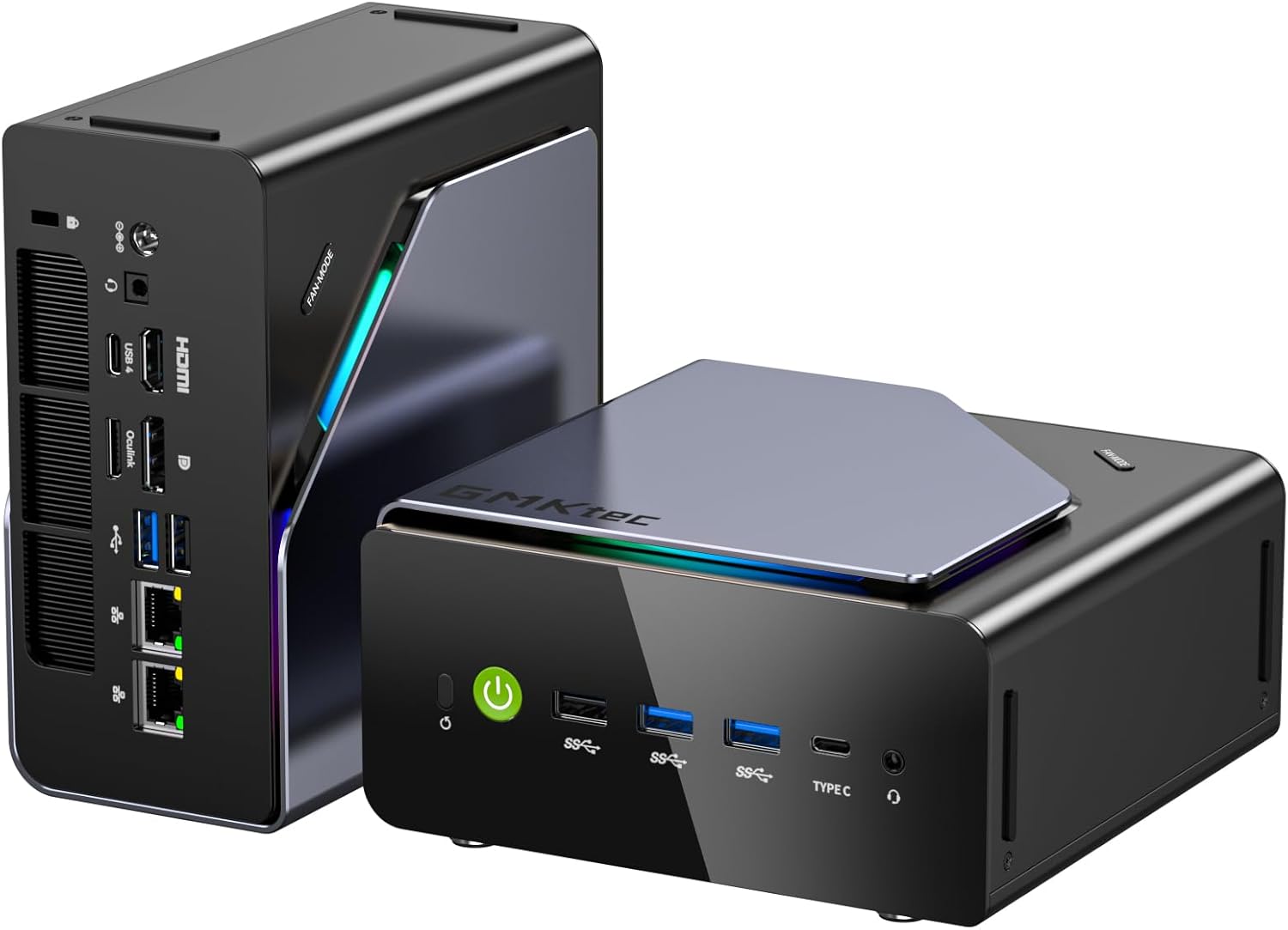
Image: The GMKtec K12 Mini PC, a compact black and silver device with RGB lighting accents.
2. Pakuotės turinys
Prieš tęsdami sąranką, įsitikinkite, kad pakuotėje yra visi šie elementai:
- GMKtec NucBox K12 Mini PC
- Maitinimo adapteris
- VESA Mount (including screws)
- HDMI kabelis
- Vartotojo vadovas

Image: All items included in the GMKtec K12 Mini PC package: the Mini PC, power adapter, VESA mount, HDMI cable, and user manual.
3. Pradinė sąranka
- Prijunkite išorinius įrenginius: Connect your monitor(s) to the HDMI, DisplayPort, or USB-C video outputs. Connect your keyboard and mouse to the available USB ports.
- Prijunkite maitinimą: Prijunkite maitinimo adapterį prie „Mini PC“ nuolatinės srovės įvesties prievado, tada prijunkite jį prie maitinimo lizdo.
- Maitinimas: Press the power button located on the front of the Mini PC. The system will boot up, and the pre-installed Windows 11 Pro operating system will load.
4. Aparatinės įrangos savybės
4.1 Procesorius ir grafika
The K12 Mini PC is powered by an AMD Ryzen 7 H 255 processor, an enhanced version of the Ryzen 7 8745H. It features 8 cores (16 threads) with clock speeds up to 4.9 GHz. Integrated graphics are handled by the powerful AMD Radeon 780M (12 CUs / 768 shaders, up to 2600 MHz), capable of supporting multiple 8K displays and running modern games with FSR.

Image: Diagram illustrating the AMD Ryzen 7 H 255 processor and Radeon 780M integrated graphics, highlighting its core count, threads, and clock speed.
4.2 Atmintis ir saugykla
The Mini PC comes equipped with 32GB of DDR5 5600MHz SO-DIMM RAM (two 16GB modules) and a 512GB PCIe 4.0 SSD. It offers significant storage expansion with three M.2 2280 slots, each supporting up to 8TB, for a maximum total of 24TB.

Paveikslėlis: vidinis view of the Mini PC, detailing the DDR5 RAM modules and three M.2 2280 SSD expansion slots.
4.3 Prievadai ir jungiamumas
The K12 offers a comprehensive array of ports for versatile connectivity:
- Vaizdo išėjimai: 1x HDMI 2.1 (8K@60Hz), 1x DisplayPort 1.4 (4K@60Hz), 1x USB Type-C (supports PD3.0/DP1.4/Data) for up to 4 simultaneous displays.
- USB prievadai: Multiple USB 3.2 Gen 2, USB 2.0, and USB4 ports.
- Tinklas: Dual 2.5GbE LAN ports, Wi-Fi 6E, and Bluetooth 5.2.
- Garsas: 3.5 mm garso lizdas.
- „Oculink“ prievadas: A dedicated Oculink port for external GPU (eGPU) configurations, offering PCIe x4 speeds for enhanced bandwidth and lower latency compared to Thunderbolt.

Vaizdas: Galinis view of the GMKtec K12 Mini PC, showing the various ports including HDMI, DisplayPort, USB, Ethernet, and Oculink.

Image: The Oculink port on the GMKtec K12 connected to an external GPU enclosure, demonstrating its eGPU capability. Pastaba: This port does not support hot-plugging. Always power off the PC before connecting or disconnecting.
5. Operating the Mini PC
5.1 Energijos valdymas
To power on the Mini PC, press the power button on the front panel. To shut down, use the standard Windows shutdown procedure. A short press of the power button can put the system to sleep.
5.2 Veikimo režimai
The K12 offers three performance modes to balance power consumption, noise, and performance:
- Tylusis režimas (35 W): Optimized for quiet operation and low power consumption, suitable for light tasks.
- Balanced Mode (54W): A good balance between performance and noise, ideal for everyday use.
- Našumo režimas (70 W): Maximizes CPU and GPU performance for demanding applications and gaming.
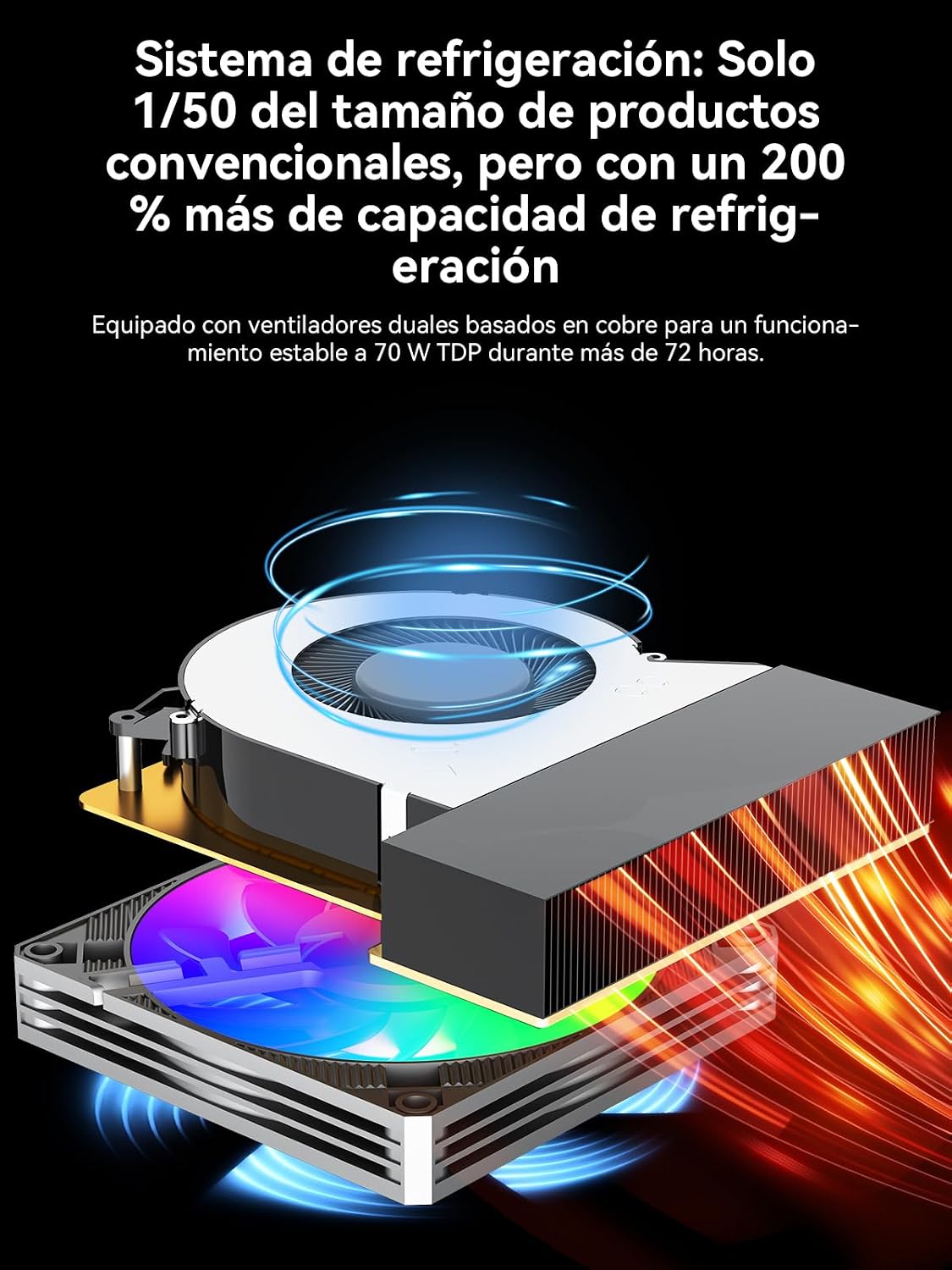
Image: A visual representation of the three performance modes (Silent, Balanced, Performance) with their respective power consumption and typical noise levels.
5.3 Kelių monitorių sąranka
The Mini PC supports up to four simultaneous displays with resolutions up to 8K, utilizing its HDMI 2.1, DisplayPort 1.4, and USB-C outputs. This is ideal for productivity, content creation, and immersive gaming experiences.

Image: A desk setup featuring the GMKtec K12 Mini PC connected to multiple monitors, demonstrating its multi-display capabilities.
6. Priežiūra
6.1 Aušinimo sistema
The K12 features a dual-fan cooling system with advanced heatpipes and 360° airflow to maintain optimal temperatures even under heavy loads. To ensure efficient cooling, keep the ventilation grilles clear of obstructions and regularly clean any dust accumulation.

Paveikslėlis: sprogęs view diagram of the GMKtec K12's cooling system, showing the dual fans and heatpipes designed for efficient heat dissipation.
6.2 Saugyklos išplėtimas
The Mini PC allows for easy storage expansion via its three M.2 2280 slots. To install or upgrade an M.2 SSD, carefully open the chassis, locate the M.2 slots, and secure the new drive. Refer to the detailed instructions in the full user manual for specific steps.
7. Problemų sprendimas
If you encounter issues with your GMKtec K12 Mini PC, please refer to the following common troubleshooting steps:
- Nėra galios: Įsitikinkite, kad maitinimo adapteris yra tvirtai prijungtas ir prie „Mini PC“, ir prie veikiančio maitinimo lizdo. Jei reikia, išbandykite kitą lizdą.
- Nėra ekrano: Verify that the monitor cable is correctly connected to both the Mini PC and the monitor. Ensure the monitor is powered on and set to the correct input source. Try a different video cable or port.
- Periferiniai įrenginiai neveikia: Check USB connections for keyboards, mice, and other devices. Try connecting them to different USB ports.
- Storage Not Recognized: If you've installed additional M.2 SSDs and they are not detected, ensure they are properly seated in their slots. Check Disk Management in Windows to see if the drive needs to be initialized or formatted.
- Našumo problemos: Ensure the Mini PC is operating in the appropriate performance mode for your tasks. Check for background applications consuming resources. Ensure the cooling vents are clear.
For more complex issues, please consult the official GMKtec support websvetainėje arba susisiekite su klientų aptarnavimo tarnyba.
8. Specifikacijos
| Funkcija | Specifikacija |
|---|---|
| Procesorius | AMD Ryzen 7 H 255 (8 Cores, 16 Threads, up to 4.9 GHz) |
| Grafika | AMD Radeon 780M (up to 2600 MHz) |
| RAM | 32GB DDR5 5600MHz (2x16GB SO-DIMM) |
| Sandėliavimas | 512GB PCIe 4.0 SSD |
| Saugyklos išplėtimas | 3x M.2 2280 slots (Max 24TB total) |
| Vaizdo išvestys | 1x HDMI 2.1 (8K@60Hz), 1x DisplayPort 1.4 (4K@60Hz), 1x USB-C (PD3.0/DP1.4/Data) |
| USB prievadai | USB4, USB 3.2 Gen 2, USB 2.0 |
| Tinklo kūrimas | Dual 2.5GbE LAN, Wi-Fi 6E, Bluetooth 5.2 |
| Specialūs uostai | Oculink (PCIe x4 for eGPU) |
| Operacinė sistema | „Windows 11 Pro“ (iš anksto įdiegta) |
| Matmenys | 12 x 5 x 13 cm |
| Svoris | 2.18 kg |
9. Garantija ir palaikymas
GMKtec offers a 1-year limited warranty for the K12 Mini PC from the date of purchase, covering defects due to design and manufacturing. For any inquiries or technical assistance, please contact GMKtec customer support.
- „Amazon“ palaikymas: For purchase-related issues, log in to your Amazon account, go to 'Your Orders', and select 'Ask Product Question'.
- Pagalba po pardavimo: Contact the GMKtec After-Sales Team via email at eu-cs@gmktec.com už klientų aptarnavimą visą parą.

Image: Information regarding GMKtec's warranty and support channels, including Amazon support and direct email contact.