
1. Įvadas
This manual provides essential information for the safe and efficient operation of your FOXX C10 10.1-inch Android Tablet. Please read this guide thoroughly before using your device to ensure proper functionality and to understand its features. Keep this manual for future reference.
2. Kas yra dėžutėje
Patikrinkite, ar pakuotėje yra visi reikalingi daiktai:
- FOXX C10 Tablet
- C tipo kabelis
- Įkroviklis (10 W)
- Vartotojo vadovas
- Protective Cover (pre-applied)
- Screen Protector Film (pre-applied)
3. Produktas baigtasview
The FOXX C10 tablet features a 10.1-inch HD display, dual 8MP cameras, and a robust 6000mAh battery, all powered by an Android 13 operating system.

Vaizdas: Priekinė ir galinė dalys view of the FOXX C10 tablet, showcasing its sleek design and dual camera module on the rear.

Image: An infographic highlighting key features including the 10.1-inch display, Android 13, 6000mAh battery, 8MP cameras, MediaTek quad-core chipset, 4GB RAM + 64GB storage, 4G LTE bands, Wi-Fi, Bluetooth 5.0, Nano SIM, Type-C, and 3.5mm AUX port.
3.1 Ekranas
The tablet is equipped with a 10.1-inch HD TFT V-notch display, offering a resolution of 800x1280 pixels for clear visuals.

Image: Close-up of the tablet's 10.1-inch HD TFT V-notch display, showing vibrant colors and detail.
3.2 fotoaparatai
The FOXX C10 features dual 8-megapixel cameras, both on the front and rear, enabling high-quality photos and video calls.
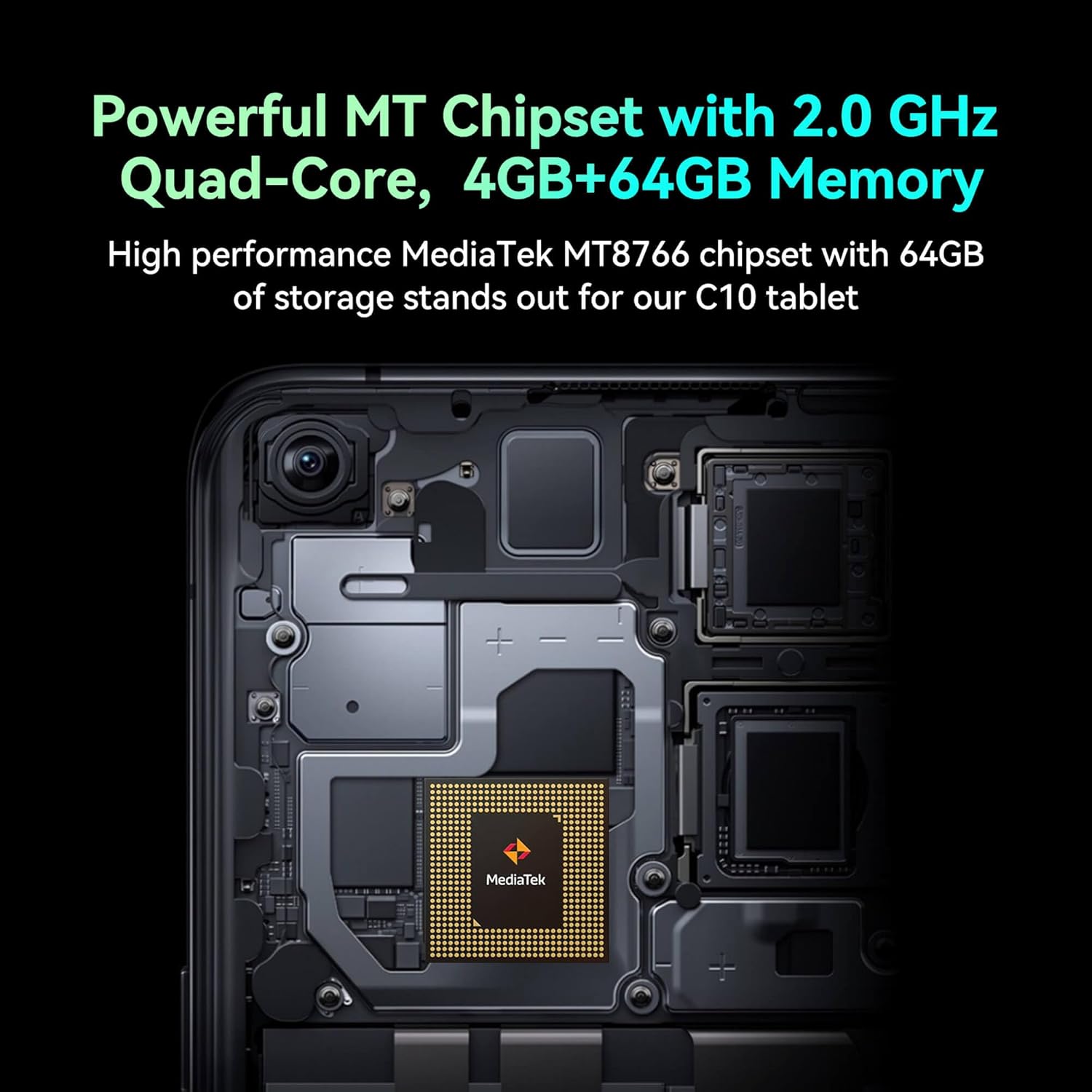
Image: Detail of the tablet's rear camera module, highlighting the 8-megapixel main camera with autofocus capabilities.
3.3 Procesorius ir atmintis
It runs on a 2.0 GHz quad-core MediaTek MT8766 chipset, paired with 4GB of RAM and 64GB of internal storage for smooth performance and ample erdvės.

Paveikslėlis: vidinis view of the tablet's motherboard, showcasing the MediaTek MT8766 quad-core chipset.
3.4 Baterija
A 6000mAh battery provides extended usage time, ensuring the device stays powered throughout the day.
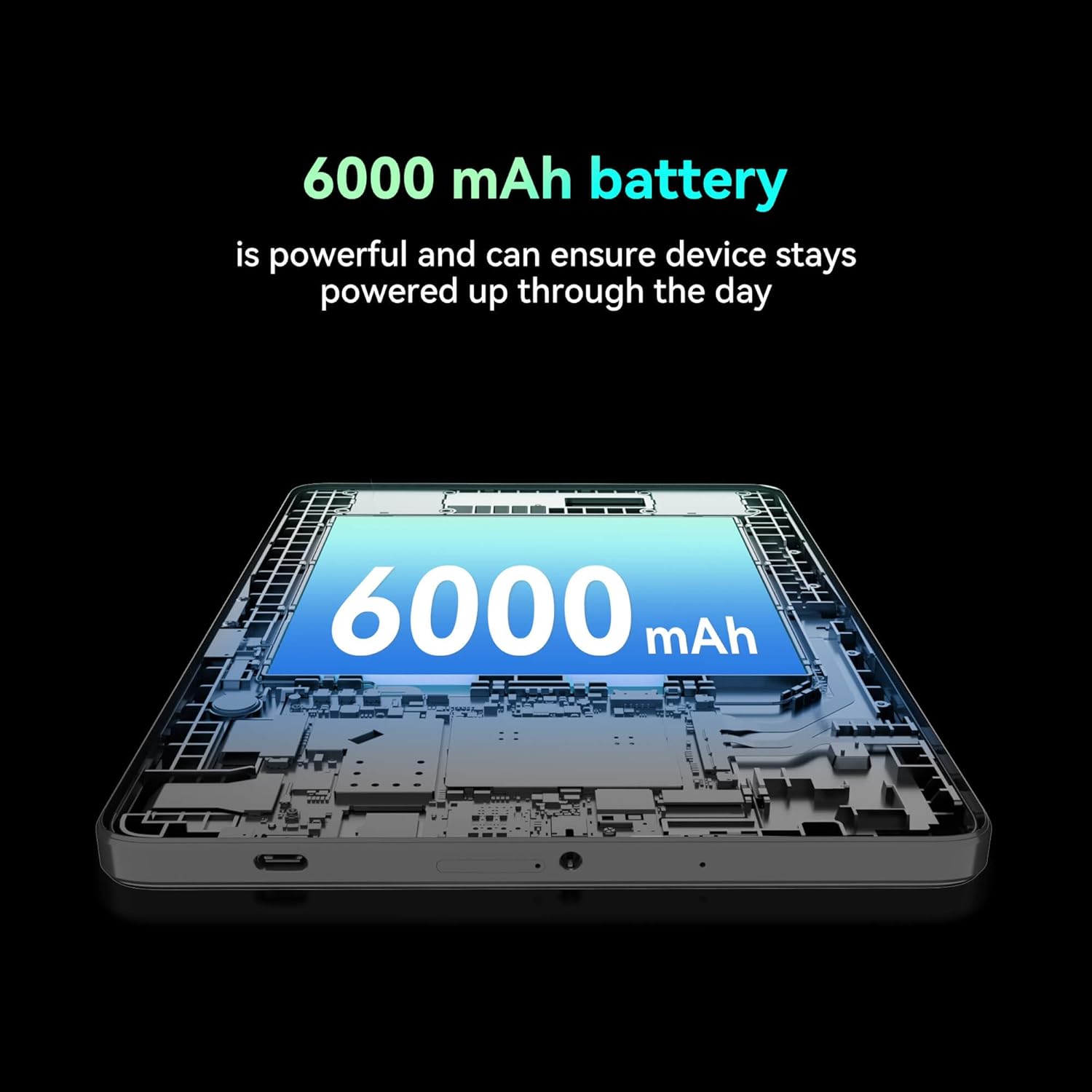
Paveikslėlis: Pjūvis view of the tablet highlighting the large 6000 mAh battery component.
4. Sąranka
4.1 Pradinis įkrovimas
Before first use, fully charge your tablet using the provided Type-C cable and 10W charger. The battery indicator on the screen will show charging status.
4.2 Įjungimas / išjungimas
- Norėdami įjungti: Paspauskite ir palaikykite maitinimo mygtuką, kol užsidegs ekranas.
- Norėdami išjungti: Paspauskite ir palaikykite maitinimo mygtuką, tada ekrane rodomoje parinkčių sąraše pasirinkite „Išjungti“.
- Norėdami paleisti iš naujo: Paspauskite ir palaikykite maitinimo mygtuką, tada ekrane pasirodžiusiose parinktyse pasirinkite „Paleisti iš naujo“.
4.3 SIM kortelės montavimas
The FOXX C10 supports Nano SIM cards for cellular connectivity. Locate the SIM card tray on the side of the tablet. Use the provided SIM ejector tool to open the tray. Insert the Nano SIM card into the designated slot with the gold contacts facing down. Close the tray securely.
4.4 „MicroSD“ kortelės įdėjimas (pasirinktinai)
If your tablet supports expandable storage, locate the MicroSD card slot, often combined with the SIM tray. Insert a MicroSD card (up to 128GB, sold separately) into the slot with the gold contacts facing down. Close the tray securely.
5. Naudojimo instrukcijos
5.1 Pagrindinė navigacija
Your tablet runs on Android 13. Use touch gestures for navigation:
- Bakstelėkite: Pasirinkite elementą arba atidarykite programėlę.
- Perbraukimas: Slinkite per ekranus arba sąrašus.
- Žiupsnelis: Priartinkite arba atitolinkite vaizdus ir web puslapių.
- Ilgas paspaudimas: Pasiekite kontekstinius meniu arba perkelkite piktogramas.
5.2 Prisijungimas prie „Wi-Fi“.
- Eikite į Nustatymai > Tinklas ir internetas > Wi-Fi.
- Perjungti „Wi-Fi“ On.
- Iš sąrašo pasirinkite norimą „Wi-Fi“ tinklą.
- Jei būsite paraginti, įveskite slaptažodį, tada palieskite Prisijunkite.
5.3 Making Calls (4G LTE)
With a properly installed and activated Nano SIM card, your tablet can make and receive calls.
- Atidarykite Telefonas programėlė.
- Dial the desired number or select a contact.
- Bakstelėkite Skambinti mygtuką.
5.4 Kameros naudojimas
The tablet features dual 8MP cameras for photography and video recording.
- Atidarykite Fotoaparatas programėlė.
- Bakstelėkite Užraktas mygtuką, kad padarytumėte nuotrauką.
- Bakstelėkite Vaizdo įrašas piktogramą, kad perjungtumėte į vaizdo įrašymo režimą.
- Norėdami perjungti priekinę ir galinę kameras, naudokite kameros perjungimo piktogramą.
5.5 Bluetooth poravimas
- Eikite į Nustatymai > Prijungti įrenginiai > Bluetooth.
- Perjungti Bluetooth On.
- Ensure the device you want to pair with is in pairing mode.
- Select the device from the list and follow any on-screen prompts to complete pairing.
6. Priežiūra
6.1 Akumuliatoriaus priežiūra
- Venkite ekstremalių temperatūrų, kurios gali pabloginti akumuliatoriaus veikimo laiką.
- Do not leave the tablet charging for extended periods after it's fully charged.
- Naudokite tik pateiktą įkroviklį ir laidą.
6.2 Valymas
Planšetinio kompiuterio ekraną ir korpusą valykite minkštu, nepūkuotu audiniu. Venkite naudoti stiprių cheminių medžiagų ar abrazyvinių medžiagų. Įsisenėjusias dėmes šiek tiek nuvalykite.ampNuvalykite šluostę vandeniu arba elektronikos ekranams skirtu valikliu.
6.3 Programinės įrangos naujiniai
Reguliariai tikrinkite, ar yra programinės įrangos atnaujinimų, ir juos įdiekite, kad jūsų planšetiniame kompiuteryje būtų įdiegtos naujausios funkcijos, saugos pataisymai ir našumo patobulinimai. Eikite į Nustatymai > Sistema > Sistemos atnaujinimas.
7. Problemų sprendimas
| Problema | Sprendimas |
|---|---|
| Planšetinis kompiuteris neįsijungia | Įsitikinkite, kad akumuliatorius įkrautas. Prijunkite įkroviklį ir palaukite kelias minutes, prieš bandydami vėl įjungti. |
| Nepavyksta prisijungti prie „Wi-Fi“. | Check if Wi-Fi is enabled in settings. Restart your router and the tablet. Verify the Wi-Fi password. |
| Programėlės veikia lėtai arba stringa | Close unused apps. Clear app cache (Settings > Apps > [App Name] > Storage > Clear cache). Restart the tablet. Ensure sufficient storage space. |
| Nėra korinio ryšio paslaugų | Ensure the Nano SIM card is correctly inserted and activated. Check your network settings and contact your service provider if necessary. |
| Ekranas nereaguoja | Paleiskite planšetinį kompiuterį iš naujo. Jei problema išlieka, atlikite gamyklinių parametrų atkūrimą (duomenys bus prarasti). |
8. Specifikacijos
| Funkcija | Detalė |
|---|---|
| Modelio pavadinimas | FOXX C10 |
| Operacinė sistema | Android 13 |
| Ekrano dydis | 10.1 colių |
| Maksimali ekrano skiriamoji geba | 800 x 1280 pikselių |
| Procesorius | 2 GHz Quad-Core MediaTek |
| RAM | 4 GB |
| Vidinė saugykla | 64 GB |
| Flash atminties dydis | 8 GB (likely referring to system partition or eMMC base) |
| Kameros | Dviguba 8MP kamera (priekinė ir galinė) |
| Baterijos talpa | 6000 mAh |
| Ryšys | 4G LTE, Wi-Fi (802.11 b/g/n/ac), Bluetooth 5.0, USB-C, 3.5mm AUX |
| Prekės svoris | 1.26 svaro |
| Gaminio matmenys | 9.64 x 6.39 x 0.42 colio |
| Spalva | Juoda |
9. Garantija ir palaikymas
Dėl garantijos informacijos ir techninės pagalbos žr. kartu su pirkiniu pateiktus dokumentus arba susisiekite su pardavėju. Išsaugokite pirkimo įrodymą, jei galėtumėte pateikti garantijos pretenzijas.