
1. Įvadas
Thank you for choosing the Ossuret 9-inch Android 13 Car Stereo. This manual provides essential information for the proper installation, operation, and maintenance of your new car infotainment system. Please read this manual thoroughly before use to ensure optimal performance and safety.
2. Suderinamumo ir išankstinio diegimo pastabos
This car stereo is specifically designed for Citroen C3 and DS3 models manufactured between 2010 and 2016. Please verify your vehicle's compatibility before proceeding with installation.

Vaizdas: Installation notes for Citroen C3 DS3. The image displays two important notes for installation. Please Note 1: The original car requires removal of a patch with a blade to install the new frame. Two close-up images show the patch location. Please Note 2: If your original car has a specific button (illustrated in the image), remove its cover and install the original button. If this button is not present, there is no need to touch the plastic cover.
Svarbios pastabos:
- 1 pastaba: On your original vehicle, you must remove a specific patch with a blade to install our Android car stereo frame.
- 2 pastaba: If your original vehicle is equipped with the button shown in the image, remove its cover and install the original button. If this button is not present on your original vehicle, it is not necessary to touch the plastic cover.
3. Sąranka
Before beginning installation, ensure the vehicle's battery is disconnected. Carefully follow the wiring diagrams provided with the product. Connect all necessary cables, including power, speakers, GPS antenna, and any optional accessories like the backup camera or external microphone.
Pagrindiniai diegimo žingsniai:
- Remove the original car stereo unit and trim.
- Perform any necessary modifications as indicated in the compatibility notes (e.g., removing patches or transferring buttons).
- Connect the wiring harness from the new stereo to the vehicle's wiring. Ensure all connections are secure.
- Connect the GPS antenna, USB cables, and RCA harness (if applicable).
- Mount the new Ossuret car stereo into the dashboard opening.
- Prijunkite automobilio akumuliatorių ir išbandykite įrenginį.
4. Naudojimo instrukcijos
4.1 Sistema baigtaview (Android 13)
Your Ossuret car stereo runs on the Android 13 operating system, providing a familiar and intuitive interface. Access various applications, settings, and features directly from the touchscreen display.

Vaizdas: Android system logo. The unit operates on Android 13, offering a modern and versatile user experience.
4.2 Belaidis „Carplay“ / „Android Auto“
This car stereo supports wireless Apple Carplay and Android Auto (Zlink application pre-installed and activated). Connect your smartphone via Wi-Fi or Bluetooth to access phone functions, navigation, music, and more directly on the car stereo display.
- Ryšys: Use Wi-Fi or Bluetooth to pair your smartphone.
- Savybės: Access phone calls, messages, maps, music, and podcasts.

Vaizdas: Carplay and Android Auto system support. The image shows the car stereo display with Carplay and Android Auto interfaces, along with a smartphone displaying the Carplay icon and an Android Auto device.
4.3 Bluetooth funkcija
The integrated Bluetooth module allows for hands-free calling and wireless audio streaming. The built-in microphone ensures clear communication during calls.
- Skambučiai laisvų rankų įranga: Answer/make calls safely without distraction.
- Telefonų knygos atsisiuntimas: Download your mobile phone's contacts to the stereo.
- „Bluetooth“ muzika: Transliuokite garsą iš telefono į automobilio garsiakalbius.

Vaizdas: Bluetooth function support. The image displays the car stereo's Bluetooth interface for dialing and a smartphone, highlighting the built-in microphone for calls.
4.4 GPS navigacija
The unit features a GPS navigation system with support for both offline map data and online navigation applications. Voice guidance is available for easy directions.
- Dviejų zonų funkcija: Navigate while music plays in the background.
- Žemėlapių tipai: Supports Europe maps.
- Palaikomos programos: Compatible with popular navigation apps like Waze and Google Maps.

Vaizdas: GPS Navigator. The car stereo displays a navigation map with route information, alongside icons for Waze, Navitel, and Google Maps.
4.5 Multimedijos atkūrimas
Enjoy various media formats for music and video playback. Connect USB devices for local content.
- Muzikos formatai: MP3, WMA, AAC, RM, FLAC ir kt.
- Vaizdo įrašų formatai: MPEG-1/2/4, H264, H263, VC1, RV, RMVB, DivX, Sorenson Spark, VP8, AVS Stream, etc.
- Vaizdo formatas: JPG/BMP/JPEG/GIF/PNG.
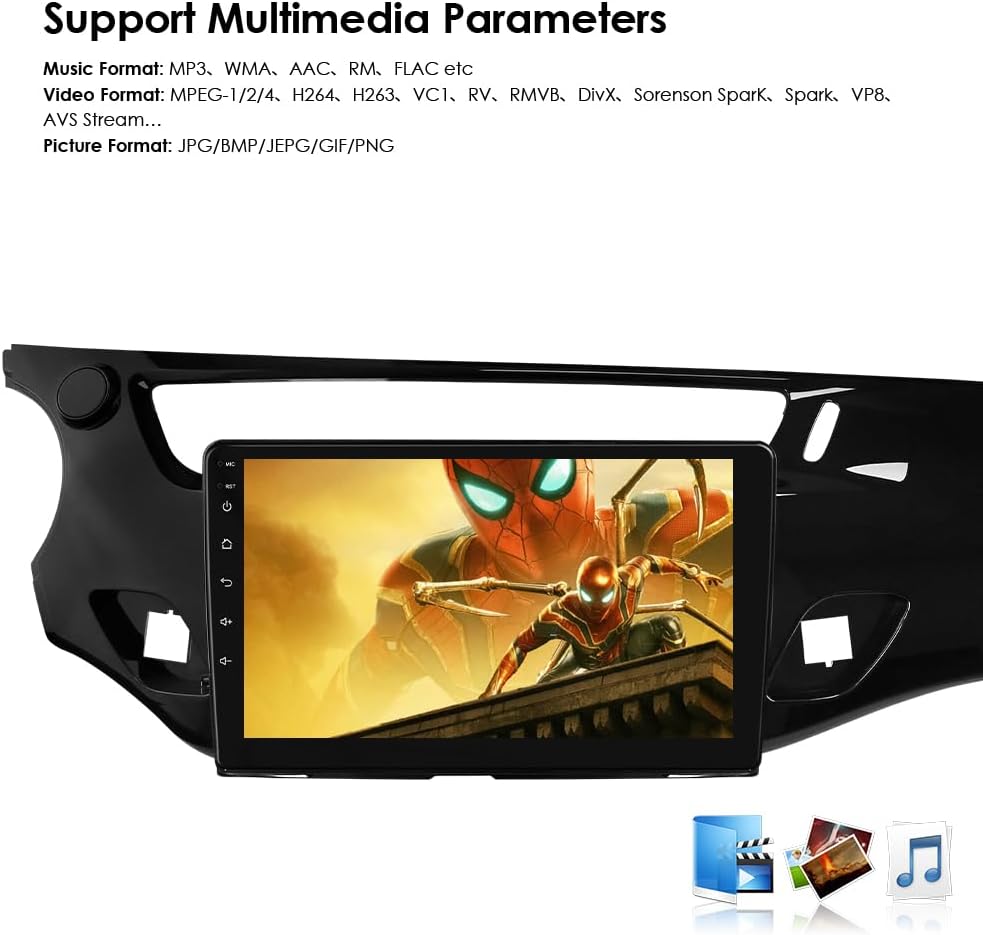
Vaizdas: Multimedia parameters. The car stereo screen shows a video playing, indicating support for various music, video, and picture formats.
4.6 Vairo valdymas
The unit is compatible with all factory steering wheel control functions. Easily change tracks, channels, and adjust volume to minimize distractions while driving.

Vaizdas: Steering Wheel Control. The image illustrates the integration of the car stereo with steering wheel controls, showing icons for volume, track changes, and mode selection.
4.7 Galinio vaizdo kameros įvestis
Support for a backup camera input allows the display to automatically switch to the rearview interface when the vehicle is put into reverse. This helps in identifying obstacles and improving safety.

Vaizdas: Support Backup Camera. The image shows the car stereo displaying a rearview Kameros vaizdas su parkavimo gairėmis.
4.8 „Wi-Fi“ ryšys
Connect to Wi-Fi networks to access online features, download apps, browse the internet, and stream content.

Vaizdas: WiFi. The image depicts a smartphone connecting wirelessly to the car stereo, indicating WiFi functionality.
4.9 Padalinto ekrano rodinys
The split-screen feature allows two applications to be displayed simultaneously, such as navigation and music, enhancing multitasking capabilities.

Vaizdas: Split Screen Display. The image shows the car stereo screen divided into two sections, displaying navigation on one side and music playback on the other.
4.10 FM radijo funkcija
Tune into your favorite radio stations with the built-in FM tuner.

Vaizdas: FM Function. The image displays the car stereo's FM radio interface, showing frequency tuning and station presets.
4.11 Jutiklinio ekrano veikimas
The capacitive touchscreen provides a responsive and intuitive user experience. Navigate menus, select options, and control media with simple touches and gestures.

Vaizdas: Touch Screen. The image shows a hand interacting with the car stereo's touchscreen, demonstrating its responsive interface.
4.12 Valdymas balsu
Utilize voice commands for various functions, enhancing convenience and safety while driving. The system supports voice assistants for navigation, calls, and more.
5. Priežiūra
Norėdami užtikrinti „Ossuret“ automobilio garso sistemos ilgaamžiškumą ir optimalų veikimą, laikykitės šių priežiūros nurodymų:
- Valymas: Ekraną ir išorę valykite minkšta, sausa šluoste. Venkite abrazyvinių valiklių ar tirpiklių.
- Programinės įrangos atnaujinimai: Periodiškai tikrinkite, ar yra programinės įrangos atnaujinimų, ir juos įdiekite, kad pagerintumėte našumą ir pridėtumėte naujų funkcijų.
- Temperatūra: Venkite įrenginio laikymo ekstremaliose temperatūrose, nes tai gali paveikti jo elektroninius komponentus.
- Galia: Ensure stable power supply to prevent damage.
6. Problemų sprendimas
Jei kyla problemų dėl automobilio garso sistemos, žr. šiuos įprastus trikčių šalinimo veiksmus:
| Problema | Galima priežastis | Sprendimas |
|---|---|---|
| Nėra galios | Atsilaisvinęs maitinimo laidas, perdegęs saugiklis. | Check power cables and vehicle fuses. Ensure proper wiring. |
| Nėra garso | Neteisingas garsiakalbio prijungimas, per mažas garsumas, įjungtas nutildymas. | Verify speaker connections, increase volume, check mute settings. |
| GPS signalas prarastas | GPS antena netinkamai prijungta arba uždengta. | Įsitikinkite, kad GPS antena yra tvirtai prijungta ir turi aiškų view dangaus. |
| „Bluetooth“ poravimo problemos | Įrenginys ne susiejimo režime, neteisingas slaptažodis, trukdžiai. | Ensure both devices are in pairing mode, re-enter password, try pairing in a different location. |
| Jutiklinis ekranas nereaguoja | Programinės įrangos triktis, ekrano apsaugos trikdžiai. | Restart the unit. If a screen protector is installed, ensure it is applied correctly. |
If the problem persists after trying these steps, please contact Ossuret customer support for further assistance.
7. Specifikacijos
| Funkcija | Detalė |
|---|---|
| Prekės ženklas | Ossuret |
| Transporto priemonės paslaugos tipas | Automobilis |
| Ekrano dydis | 9 colių |
| Ypatingos savybės | Carplay / Android Auto |
| Ryšio technologija | „Bluetooth“, USB, „Wi-Fi“ |
| Žemėlapio tipas | Europa |
| Garso išvesties režimas | Stereo |
| Montavimo tipas | Prietaisų skydelio laikiklis |
| Operacinė sistema | Android 13 |
| Atminties talpa | 32 GB |
| Jutiklinio ekrano tipas | Talpinis |
| Ekrano tipas | LCD |
| Žmogaus sąsajos įvestis | Mikrofonas, Jutiklinis ekranas |
| Suderinami įrenginiai | Išmanusis telefonas |
| Kontrolės metodas | Touch, Voice |
| Baterijos įtrauktos | Nr |
| Palaikoma palydovinė navigacijos sistema | GPS |
| Gamintojas | Hitour Tech |
8. Accessories (What's in the Box)
The following components are included with your Ossuret car stereo:
- USB kabelis
- RCA diržai
- GPS antena
- Išorinis mikrofonas
- Galinio kameros įvesties RCA kabelis
- Gamyklinis USB adapteris
- Canbus dekoderis
- Radijo antenos adapterio kabelis

Vaizdas: Accessories. The image displays all the included cables and components: Power Cable, External Microphone, RCA Harness (WiFi version only), Rear Camera input RCA Cable, GPS Antenna (High-speed antenna), USB Cable, Factory USB Adapter, Canbus Decoder, and Radio Antenna Adapter Cable.
9. Garantija ir palaikymas
Jūsų „Ossuret“ automobilio garso sistema yra su 1 metų garantija nuo įsigijimo datos. Ši garantija taikoma gamybos defektams ir gedimams įprasto naudojimo metu.
Dėl garantinių pretenzijų ir techninės pagalbos:
Please contact the seller or Ossuret customer service directly. Have your purchase details and product model number ready when contacting support.