
1. Įvadas
Thank you for choosing the UCOCARE Mini Portable Projector V18. This projector is designed to provide a high-quality visual and audio experience for various entertainment and presentation needs. Featuring native 1080P resolution with 4K support, AI-enhanced visuals and audio, and smart screen adjustments, it offers versatility and ease of use. Please read this manual thoroughly before using the product to ensure proper operation and to maximize its lifespan.
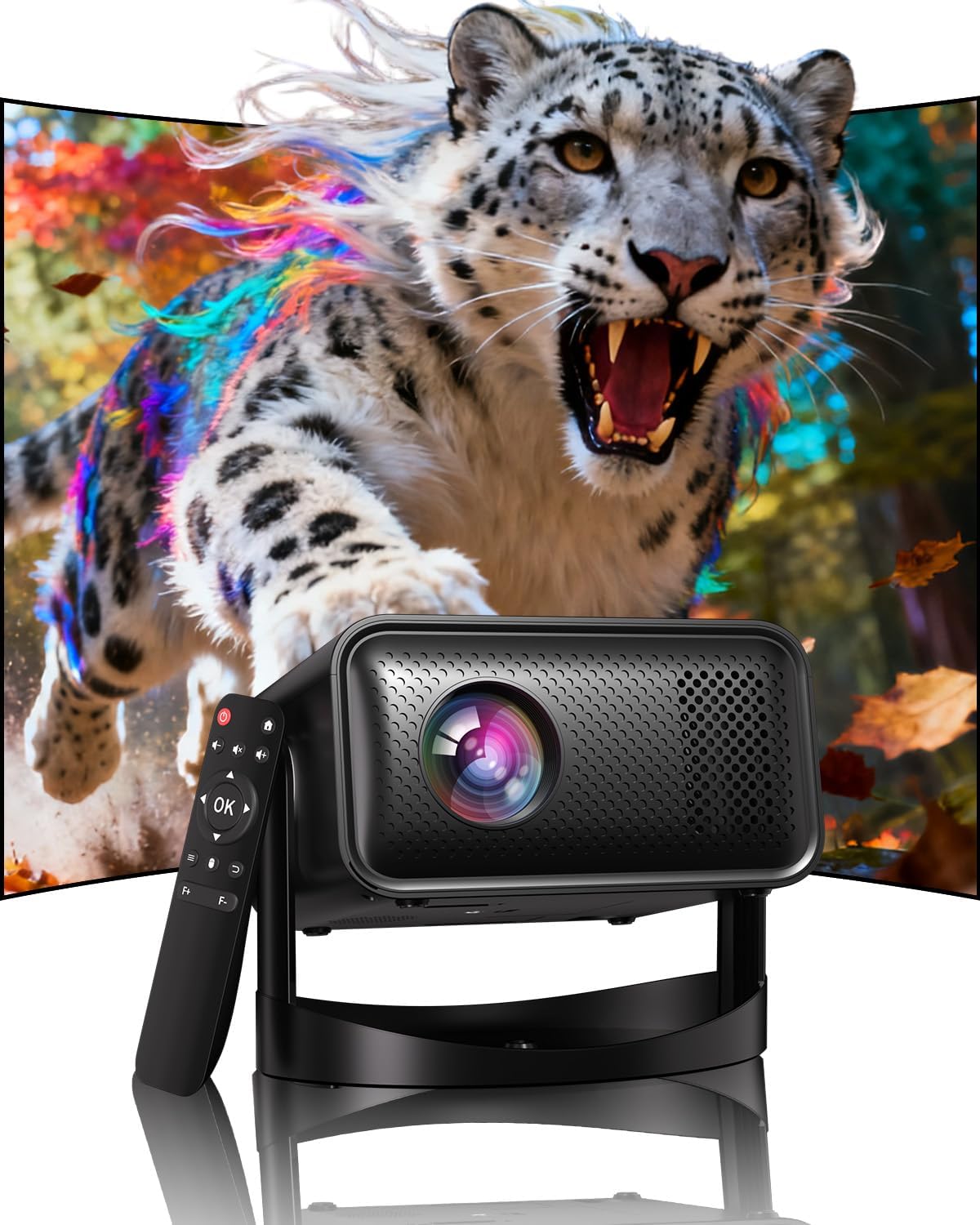
Image: The UCOCARE Mini Portable Projector V18, showcasing its compact design and the vibrant projection capabilities.
2. Saugos informacija
- Nežiūrėkite tiesiai į projektoriaus objektyvą, kai lamp yra įjungtas.
- Užtikrinkite tinkamą vėdinimą aplink projektorių, kad išvengtumėte perkaitimo.
- Naudokite tik su prietaisu pateiktą maitinimo adapterį.
- Projektorių laikykite atokiau nuo vandens, drėgmės ir degių medžiagų.
- Nestatykite projektoriaus ant nestabilių paviršių.
- Nebandykite patys ardyti ar taisyti projektoriaus. Dėl pagalbos kreipkitės į klientų aptarnavimo tarnybą.
3. Pakuotės turinys
Patikrinkite, ar pakuotėje yra visi reikalingi daiktai:
- UCOCARE Mini Portable Projector V18
- Nuotolinio valdymo pultas
- Maitinimo laidas
- Vartotojo vadovas (šis dokumentas)
4. Produktas baigtasview
The UCOCARE V18 projector combines advanced features in a compact design, making it suitable for various environments. It weighs approximately 2.09 pounds and measures 8.35 x 8.03 x 5.28 inches.

Image: The compact and lightweight design of the UCOCARE Mini Portable Projector V18, highlighting its dimensions and portability.
4.1 Pagrindinės savybės
- Gimtoji 1080P raiška su 4K palaikymu: Pateikia ryškius ir detalius vaizdus.
- AI-Enhanced Visuals: Improves detail, contrast, and color for a lifelike viewpatirtį.
- AI-Enhanced Audio: Provides clear dialogue and rich, distortion-free sound.
- Smart Screen Adjustment: Features electric focus, 50%-100% zoom, and auto keystone correction.
- Dviejų juostų WiFi: Supports 2.4GHz/5GHz for stable and high-speed streaming.
- Bluetooth ryšys: For wireless audio devices.
- 180° Flexible Rotating Stand: Allows projection on walls, ceilings, or tables.
- Universalus ryšys: HDMI, USB, and 3.5mm audio jack.
5. Sąranka
5.1 Įdėjimas
Position the projector on a stable surface. The 180° flexible rotating stand allows you to adjust the projection angle to suit your needs, whether projecting on a wall, ceiling, or screen.
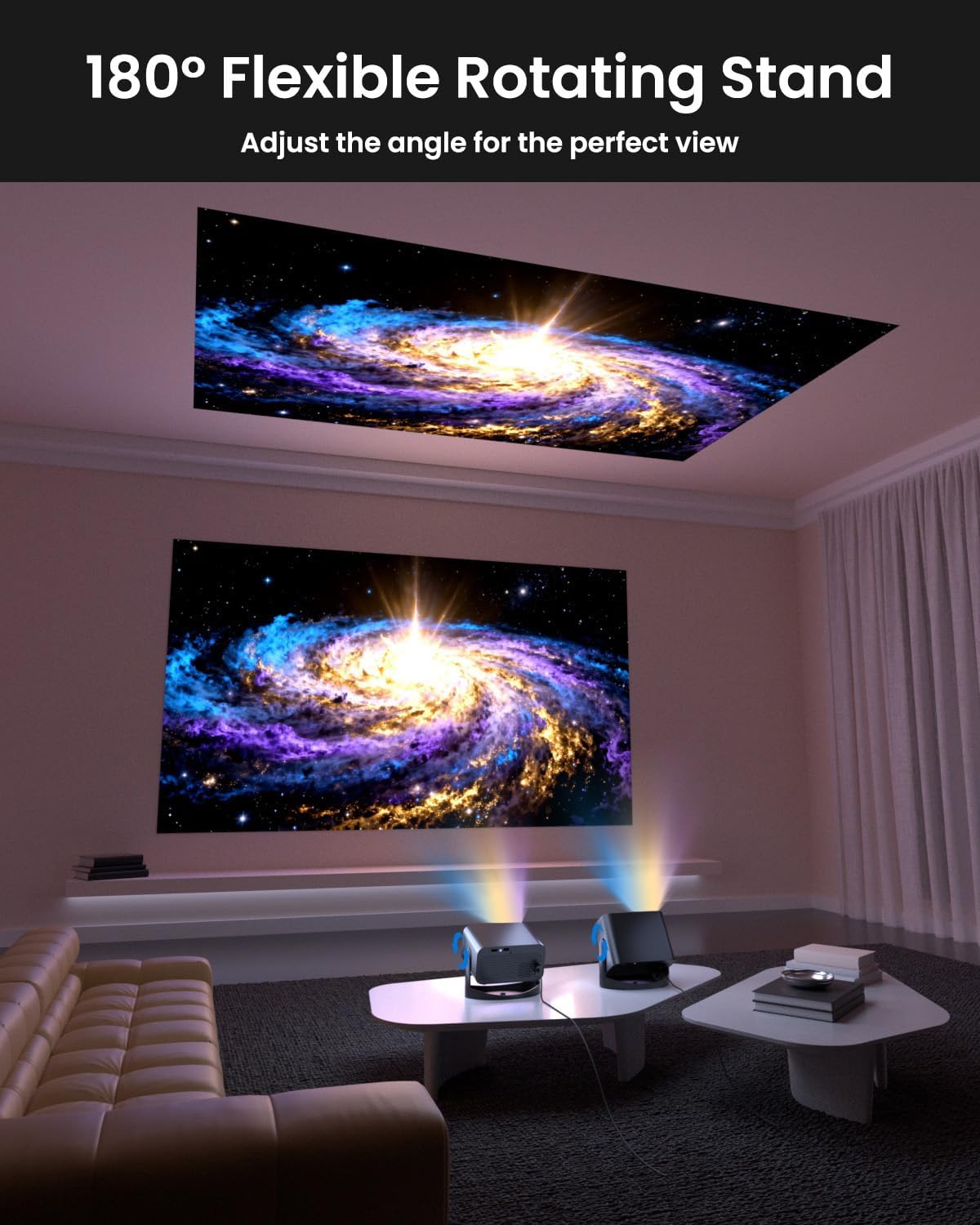
Image: The UCOCARE Mini Portable Projector V18 demonstrating its flexible 180° rotating stand, allowing projection onto various surfaces.
5.2 Maitinimo jungtis
- Prijunkite maitinimo laidą prie projektoriaus maitinimo įvesties prievado.
- Kitą maitinimo laido galą įkiškite į elektros lizdą.
- Paspauskite projektoriaus arba nuotolinio valdymo pulto maitinimo mygtuką, kad jį įjungtumėte.
5.3 Initial Screen Adjustment
The projector features smart screen adjustment for optimal viewing.
- Elektrinis fokusavimas: Use the remote control to activate one-touch electric focus for a clear image.
- Auto Keystone korekcija: The projector will automatically correct vertical distortion.
- Zoom Function (50%-100%): Adjust the screen size without moving the projector using the remote control.

Image: Visual representation of the smart screen adjustment features: Electric Focus, 50%-100% Zoom, and Auto Keystone Correction.
5.4 Tinklo ryšys („Wi-Fi“)
- Projektoriuje eikite į meniu „Nustatymai“.
- Pasirinkite „Tinklas“ arba „Wi-Fi nustatymai“.
- Choose your desired 2.4GHz or 5GHz WiFi network from the list.
- Įveskite slaptažodį ir prisijunkite.
5.5 Bluetooth poravimas
- Eikite į meniu „Nustatymai“ ir pasirinkite „Bluetooth“.
- Projektoriuje įjunkite Bluetooth.
- Įjunkite „Bluetooth“ garso įrenginį (pvz., garsiakalbį, ausines) susiejimo režimą.
- Pasirinkite savo įrenginį iš projektoriaus ekrane rodomo sąrašo, kad jį suporuotumėte.
6. Operacinis
6.1 Išorinių įrenginių prijungimas
Projektorius palaiko įvairius įvesties šaltinius:
- HDMI: Connect devices like laptops, gaming consoles, or TV sticks using an HDMI cable.
- USB: Prijunkite USB atmintinę, kad galėtumėte leisti mediją files tiesiogiai.
- 3.5 mm garso lizdas: Prijunkite išorinius laidinius garsiakalbius arba ausines.
- Belaidis liejimas: Stream content from your smartphone or tablet via WiFi.

Vaizdas: Viršview of the UCOCARE Mini Portable Projector V18's universal multi-device connectivity options.
6.2 vaizdo kokybė
Experience stunning visuals with AI-enhanced technology.

Image: The UCOCARE Mini Portable Projector V18's AI-enhanced video quality, detailing 4K support, HDR 10+, Native 1080P, and Wide Color Gamut.
6.3 Garso kokybė
The projector features AI-enhanced audio for an immersive sound experience.
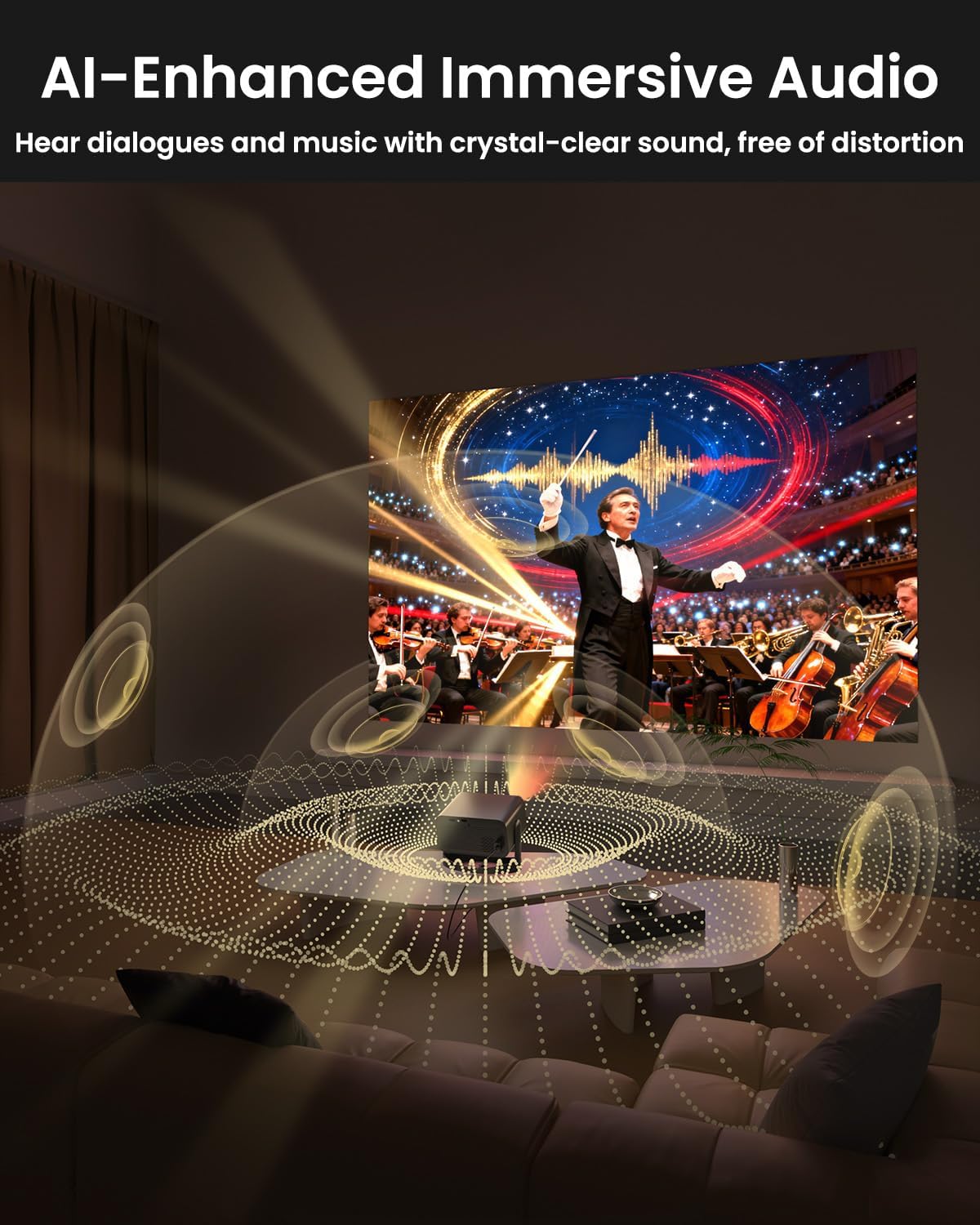
Image: The UCOCARE Mini Portable Projector V18 delivering AI-enhanced immersive audio, creating a surround sound experience.
6.4 Nuotolinio valdymo pulto funkcijos
The included remote control allows you to navigate menus, adjust volume, change input sources, and control playback. Refer to the remote control diagram in your quick start guide for specific button functions.
6.5 Naudojimo scenarijai
The UCOCARE V18 projector is versatile for various uses:
- Namų kinas: Enjoy movies and shows on a large screen.
- Žaidimai: Connect your console for an immersive gaming experience.
- Verslo pristatymai: Project documents and slides for meetings.
- Bedtime Relax: Project calming visuals or stories onto the ceiling.

Image: The UCOCARE Mini Portable Projector V18 adapting to various scenarios, including home theater, business, gaming, and relaxation.
7. Priežiūra
7.1 Objektyvo valymas
Use a soft, lint-free cloth specifically designed for optical lenses to gently wipe the projector lens. Avoid using abrasive materials or harsh chemicals.
7.2 Dulkių šalinimas
Regularly clean the projector's exterior with a soft, dry cloth. For ventilation openings, use a soft brush or compressed air to remove dust buildup, ensuring proper airflow.
7.3 Saugykla
Kai projektorius ilgesnį laiką nenaudojamas, jį laikykite vėsioje, sausoje vietoje, toliau nuo tiesioginių saulės spindulių ir ekstremalių temperatūrų. Naudokite originalią pakuotę arba apsauginį dėklą, kad išvengtumėte dulkių ir pažeidimų.
8. Problemų sprendimas
Jei kyla problemų dėl projektoriaus, žr. šias dažniausiai pasitaikančias problemas ir sprendimus:
| Problema | Galima priežastis | Sprendimas |
|---|---|---|
| Ekrane nėra vaizdo | Power cable disconnected, incorrect input source, lens cap on. | Patikrinkite maitinimo jungtį, pasirinkite tinkamą įvesties šaltinį, nuimkite objektyvo dangtelį. |
| Vaizdas neryškus | Focus not adjusted, projector too far/close. | Use electric focus function. Adjust projector distance if necessary. |
| Nėra garso | Volume too low, external audio device not connected, incorrect audio output. | Increase volume, check Bluetooth connection or 3.5mm cable, select correct audio output in settings. |
| WiFi/Bluetooth connectivity issues | Už diapazono ribų, neteisingas slaptažodis, trukdžiai. | Ensure projector is within range of router/device. Re-enter password. Reduce interference. |
| Nuotolinio valdymo pultas neveikia | Batteries low/dead, obstruction, remote not paired. | Replace batteries. Remove obstructions. Re-pair remote if applicable. |
9. Specifikacijos
| Funkcija | Detalė |
|---|---|
| Prekės ženklas | UCOCARE |
| Modelio numeris | V18 |
| Ekrano raiška | Native 1920 x 1080 (1080P), 4K Supported |
| Ryšio technologija | 2.4GHz/5GHz Wi-Fi, Bluetooth, 3.5mm Jack, HDMI, USB |
| Ypatingos savybės | 4K Supported, Native 1080P, Adjustable Stand, Electric Focus, Auto Keystone, Portable Mini Size, Built-In 2.4G/5GHz WiFi, Built-In Bluetooth |
| Prekės svoris | 2.09 svaro |
| Pakuotės matmenys | 8.35 x 8.03 x 5.28 colio |
| Rekomenduojami naudojimo būdai | Verslas, švietimas, žaidimai, namų kinas |
10. Garantija ir palaikymas
UCOCARE products are manufactured to high-quality standards. For warranty information, please refer to the documentation included with your purchase or visit the official UCOCARE website. If you require technical assistance or have questions not covered in this manual, please contact UCOCARE customer support.
Contact information can typically be found on the product packaging or the official brand websvetainę.