
1. Įvadas
This manual provides essential information for setting up, operating, and maintaining your Gawfolk GF240A 24.5 Inch FHD 200Hz Gaming Monitor. Please read it thoroughly before use to ensure proper functionality and to maximize your viewpatirtį.
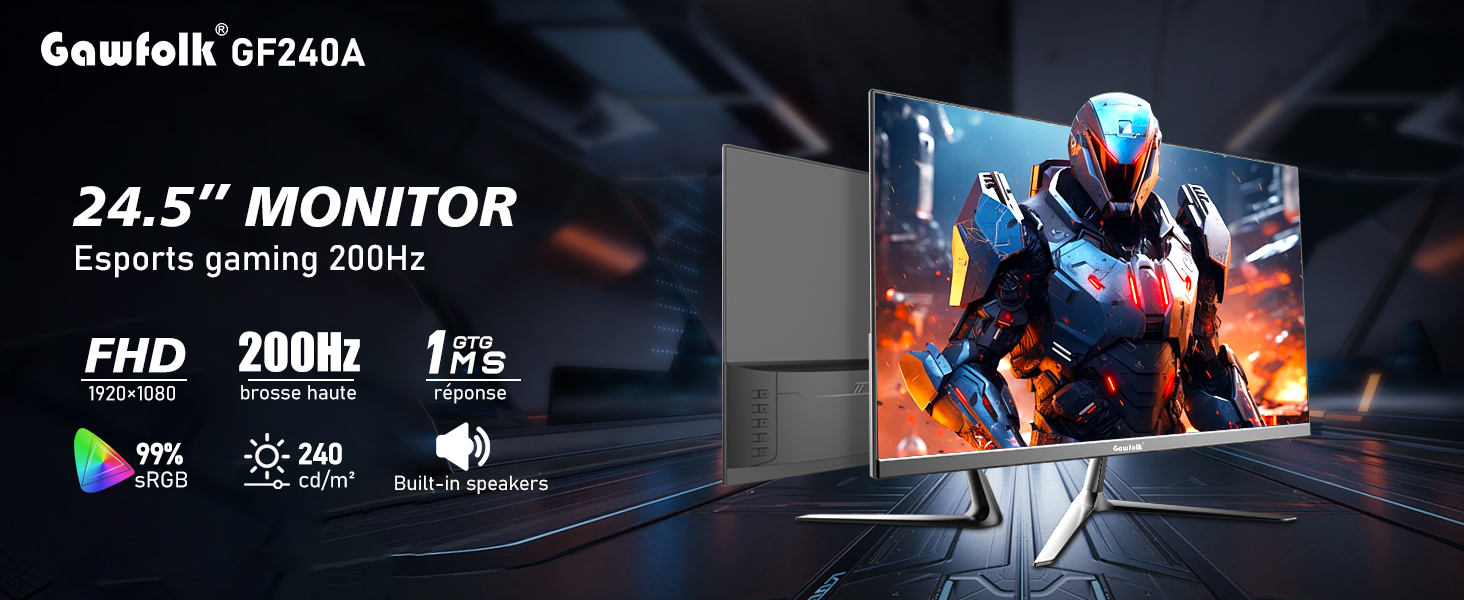
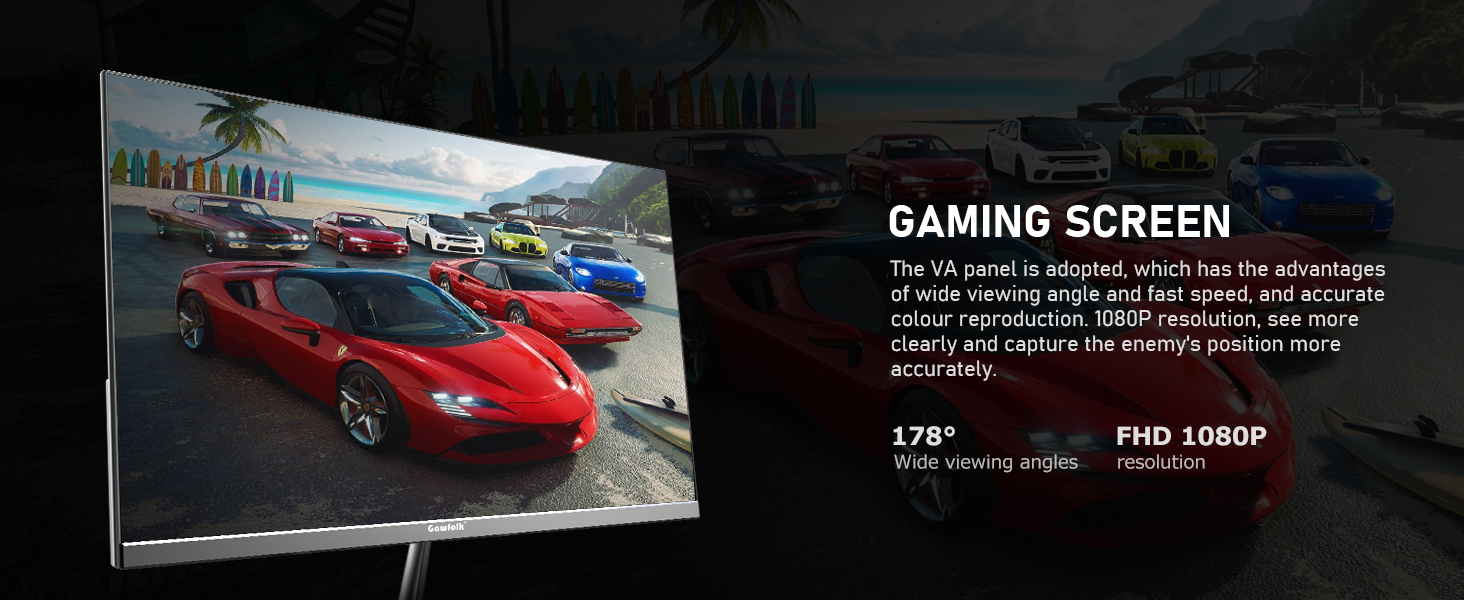
The Gawfolk GF240A monitor features a 24.5-inch Full HD (1920x1080p) display with a 200Hz refresh rate (up to 120Hz via HDMI, up to 200Hz via DisplayPort) and a 1ms GTG response time. It incorporates a VA panel for wide viewing angles and accurate color reproduction, covering 98% sRGB color gamut. Built-in dual speakers provide audio, and FreeSync technology helps minimize input latency and reduce screen tearing. The monitor also includes low blue light and flicker-free technologies for eye comfort during extended use. It is compatible with 75x75mm VESA wall mounts.
2. Produkto ypatybės
- Ekrano dydis: 24.5 colių
- Rezoliucija: 1920 1080 x XNUMX XNUMX (FHD)
- Atnaujinimo dažnis: Up to 200Hz (DP), Up to 120Hz (HDMI)
- Atsakymo laikas: 1 ms GTG
- Skydelio tipas: VA Panel with 178° wide viewkampų
- Spalvų gama: 98% sRGB, 8-bit color depth
- Ryškumas: 240 cd/m²
- Garsas: Integruoti dvigubi garsiakalbiai
- Technologijos: FreeSync, Low Blue Light, Flicker-Free
- Ryšys: HDMI, DisplayPort, Audio Out, USB, DC Power Input
- Montavimas: VESA Wall Mount Compatible (75x75mm)



3. Pakuotės turinys
Išpakuodami įsitikinkite, kad yra visi šie daiktai:
- Gawfolk GF240A Monitor
- Monitoriaus stovo bazė
- Monitor Stand Bracket
- Maitinimo kabelis
- DisplayPort (DP) kabelis
- Instrukcijų vadovas
- Screwdriver (for bracket installation)
4. Sąrankos instrukcijos
4.1. Monitor Stand Assembly
- Atsargiai išimkite monitorių iš pakuotės, apsaugodami jį.
- Attach the monitor stand bracket to the back of the monitor using the provided screws and screwdriver.
- Attach the monitor stand base to the bracket, securing it firmly.
4.2. Monitoriaus prijungimas
- Connect the power cable to the DC input port on the monitor and then to a power outlet.
- Connect the DisplayPort (DP) cable from your computer's graphics card to the DP input on the monitor for optimal performance (up to 200Hz refresh rate). Alternatively, use an HDMI cable (up to 120Hz refresh rate).
- Jei pageidaujate, prijunkite išorinius garsiakalbius arba ausines prie garso išvesties prievado.
- The USB port is for service or firmware updates only and not for general peripheral connection.

4.3. Powering On and Initial Use
- Press the power button on the monitor to turn it on. The Gawfolk logo will appear.
- Before using the monitor, gently peel off the protective dust-proof film from the screen.
5. Naudojimo instrukcijos
5.1. Įvesties šaltinio pasirinkimas
Use the monitor's control buttons (usually located on the back or bottom right) to access the On-Screen Display (OSD) menu. Navigate to the "Input" section to select between HDMI and DisplayPort inputs based on your connection.

5.2. Ekrano nustatymų reguliavimas
Through the OSD menu, you can adjust various display settings:
- Atnaujinimo dažnis: Ensure your computer's display settings are configured to match the monitor's maximum refresh rate (e.g., 200Hz for DP, 120Hz for HDMI).
- FreeSync: Activate FreeSync in the OSD menu and your graphics card settings to synchronize the monitor's refresh rate with your GPU's frame rate, reducing tearing and stuttering.
- Žemos mėlynos šviesos režimas: Enable this mode to reduce blue light emissions, which can help alleviate eye strain during prolonged use.
- Ryškumas / kontrastas: Adjust these settings to your preference for optimal visual comfort.
5.3. Kampo reguliavimas
Monitoriaus stovas leidžia reguliuoti pakreipimo kampą. Švelniai suimkite monitoriaus viršutinį ir apatinį kraštus ir pakreipkite jį į norimą padėtį. viewsukimo kampas. Venkite per didelės jėgos.
6. Priežiūra
- Ekrano valymas: Šiek tiek naudokite minkštą, be pūkelių šluostę dampnuplaukite vandeniu arba ekrano valymo tirpalu. Nepurkškite skysčio tiesiai ant ekrano.
- C valymasasing: Nuvalykite monitorių casinminkštu, sausu skudurėliu. Venkite naudoti abrazyvinius valiklius ar tirpiklius.
- Saugykla: If storing the monitor for an extended period, place it back in its original packaging to protect it from dust and damage.
- Vėdinimas: Ensure adequate airflow around the monitor to prevent overheating. Do not block ventilation openings.
7. Problemų sprendimas
- Nėra galios:
- Patikrinkite, ar maitinimo laidas tvirtai prijungtas ir prie monitoriaus, ir prie maitinimo lizdo.
- Patikrinkite, ar veikia maitinimo lizdas.
- Nėra signalo:
- Ensure the video cable (DP or HDMI) is securely connected to both the monitor and your computer.
- Monitoriaus OSD meniu pasirinkite tinkamą įvesties šaltinį.
- Patikrinkite kompiuterio ekrano nustatymus, kad įsitikintumėte, jog monitorius aptiktas ir įjungtas.
- Mirgėjimas / plyšimas:
- Enable FreeSync in both the monitor's OSD menu and your graphics card control panel.
- Įsitikinkite, kad jūsų grafikos tvarkyklės yra atnaujintos.
- Vaizdo kokybės problemos (neryškios, iškraipytos spalvos):
- Adjust the resolution on your computer to match the monitor's native resolution (1920x1080).
- Patikrinkite vaizdo kabelį, ar nėra pažeistų ar atsilaisvinusių jungčių.
- Atkurkite monitoriaus nustatymus į gamyklinius nustatymus per OSD meniu.
- No Sound from Built-in Speakers:
- Patikrinkite garsumo nustatymus tiek monitoriuje, tiek kompiuteryje.
- Įsitikinkite, kad kompiuterio garso nustatymuose garso išvestis teisingai nukreipta į monitorių.
- If using HDMI/DP, ensure the audio is being sent through the cable.
8. Specifikacijos
| Funkcija | Detalė |
|---|---|
| Modelio numeris | GF240A |
| Ekrano dydis | 24.5 colių |
| Rezoliucija | 1920 x 1080 (Full HD 1080p) |
| Krašto santykis | 16:9 |
| Atnaujinimo dažnis | Up to 200Hz (DisplayPort), Up to 120Hz (HDMI) |
| Reagavimo laikas | 1 ms GTG |
| Skydelio tipas | VA |
| Viewing kampas | 178° |
| Spalvų gama | 98% sRGB |
| Ryškumas | 240 cd/m² |
| Integruoti garsiakalbiai | Taip |
| Ryšys | HDMI, DisplayPort, Audio Out, USB, DC Power |
| Suderinamumas su montavimu ant sienos | 75x75mm VESA |
| Gaminio matmenys | 24.21 x 15.55 x 3.93 colio |
| Prekės svoris | 7.39 svaro |
9. Garantija ir palaikymas
Gawfolk provides a 12-month after-sales service for this monitor. If you encounter any issues or have questions regarding the product, please contact Gawfolk customer support for assistance. Contact information can typically be found on the product packaging or the official Gawfolk websvetainę.