
Įvadas
Thank you for choosing the SGIN S15 N5100 15.6-inch Laptop. This manual provides essential information for setting up, operating, maintaining, and troubleshooting your new device. Please read it carefully to ensure optimal performance and longevity of your laptop.
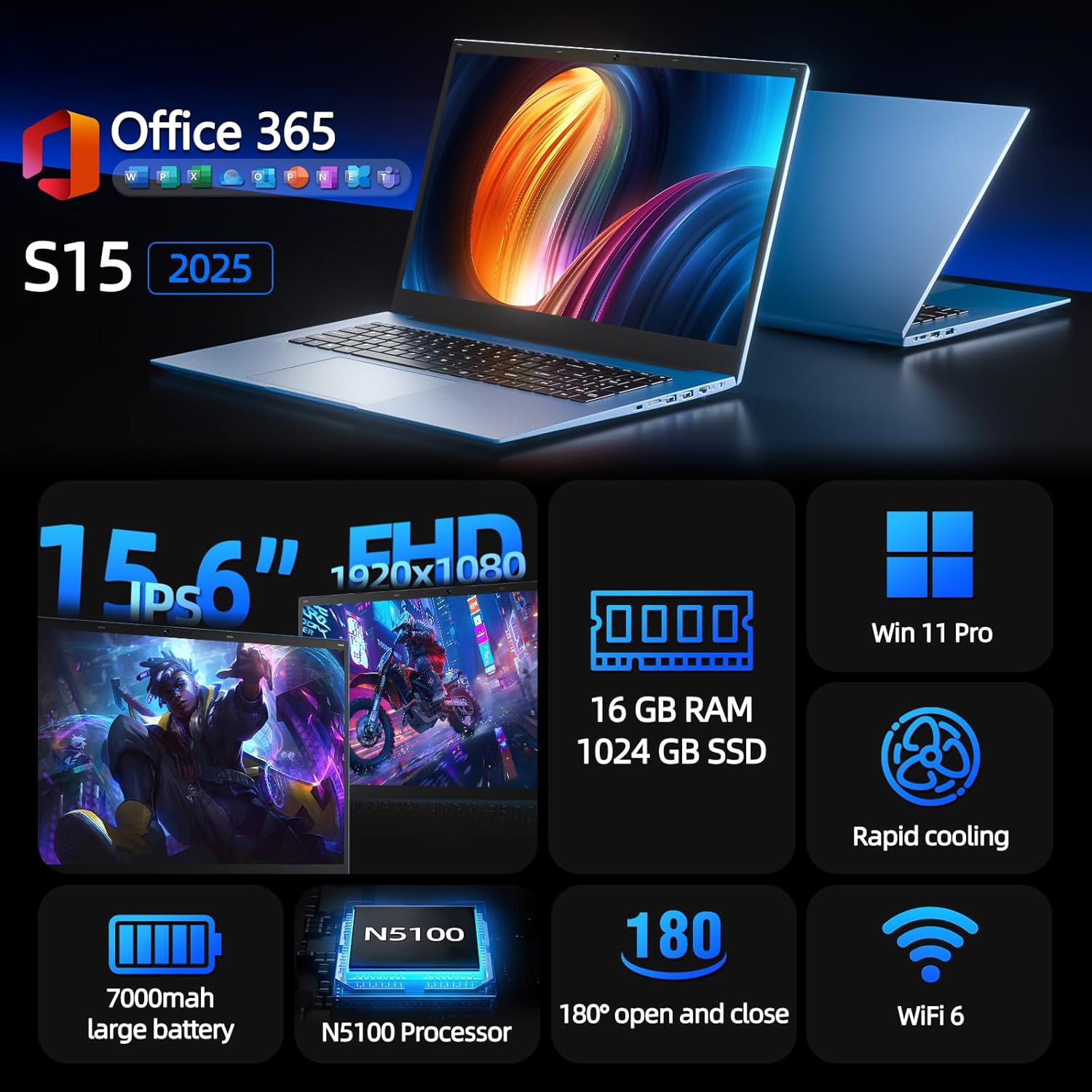
Figure 1: SGIN S15 N5100 Laptop Overview
1. Sąranka
1.1 Išpakavimas ir pirminė apžiūra
Atsargiai išimkite visus komponentus iš pakuotės. Patikrinkite, ar yra visi skyriuje „Kas yra dėžutėje“ išvardyti elementai ir ar jie nepažeisti. Jei kokių nors elementų trūksta arba jie pažeisti, nedelsdami susisiekite su klientų aptarnavimo tarnyba.
- SGIN S15 N5100 Laptop
- Maitinimo adapteris/įkroviklis
- Vartotojo vadovas (šis dokumentas)
1 vaizdo įrašas: išpakavimas ir pradinis perrašymasview of the SGIN S15 Laptop.
1.2 Maitinimo adapterio prijungimas
Connect the power adapter to the DC-in port on the side of the laptop. Plug the other end into a power outlet. The battery indicator light will illuminate, indicating that the laptop is charging.

Figure 2: Laptop ports, including the DC-in port for charging.
1.3 Pirmasis įjungimas ir „Windows“ sąranka
Press the power button to turn on the laptop. Follow the on-screen instructions to complete the Windows 11 Pro setup. This includes selecting your region, language, connecting to a Wi-Fi network, and creating a user account. The laptop comes pre-installed with a 1-year Office 365 subscription, which can be activated during or after the initial setup.
2. Naudojimo instrukcijos
2.1 Ekrano funkcijos
The SGIN S15 features a 15.6-inch Full HD IPS (1920x1080) Anti-Glare Display. The 180° viewing angle allows for flexible screen positioning, ideal for sharing content or adjusting to your preferred working posture.

Figure 3: High-resolution IPS display with 180° hinge.
2.2 Saugojimas ir našumas
Equipped with 16GB DDR4 RAM and a 1024GB SSD, the laptop offers fast boot-up times and smooth multitasking. The Intel Celeron N5100 processor (4 cores, 4 threads, up to 2.8GHz) provides efficient performance for daily tasks, business applications, and student work.

Figure 4: Internal storage and memory configuration.

Figure 5: Celeron N5100 processor details.
2.3 Ryšys
The laptop supports WiFi 6 for strong wireless signals and fast connections, and Bluetooth 5.2 for connecting peripherals. It includes various ports for external devices:
- HDMI prievadas
- C tipo prievadas
- 3.5mm TRRS audio jack
- Memory card slot (TF card up to 1TB)
- USB 3.2 ports (2 ports)

Figure 6: WiFi 6 connectivity for enhanced network performance.
3. Priežiūra
3.1 Akumuliatoriaus priežiūra
The laptop is equipped with a 7000mAh battery, providing up to 8 hours of continuous use. To prolong battery life:
- Venkite dažnai visiškai iškrauti akumuliatorių.
- Nelaikykite nešiojamojo kompiuterio ekstremaliose temperatūrose.
- Jei ilgesnį laiką nenaudojate nešiojamojo kompiuterio, laikykite jį dalinai įkrautą (apie 50 %).

Figure 7: Laptop battery for extended use.
3.2 Nešiojamojo kompiuterio valymas
Ekraną ir išorę valykite minkšta, nepūkuota šluoste. Įsisenėjusias dėmes šiek tiek nuvalykite.ampen the cloth with water or a screen-safe cleaner. Avoid harsh chemicals or abrasive materials. Ensure the laptop is powered off and unplugged before cleaning.
3.3 Aušinimo sistema
The laptop features dual cooling fans for efficient heat dissipation. Ensure that the vents are not obstructed to maintain optimal airflow and prevent overheating. Avoid using the laptop on soft surfaces like beds or couches that can block the vents.
4. Problemų sprendimas
4.1 Maitinimo problemos
- Nešiojamasis kompiuteris neįsijungia: Įsitikinkite, kad maitinimo adapteris yra tvirtai prijungtas ir lizdas veikia. Patikrinkite, ar akumuliatorius yra pakankamai įkrautas.
- Baterija nekraunama: Verify the power adapter is correctly plugged into both the laptop and the wall outlet. Try a different outlet if available.
4.2 Ekrano problemos
- Ekranas tuščias: Connect an external monitor via HDMI to check if the issue is with the laptop's display or graphics output. Ensure the laptop is powered on and not in sleep mode.
- Mirksintis ekranas: Update your display drivers. Adjust the screen refresh rate in Windows display settings.
4.3 Ryšio problemos
- „Wi-Fi“ neprisijungia: Įsitikinkite, kad „Windows“ nustatymuose įjungtas „Wi-Fi“. Paleiskite maršrutizatorių ir nešiojamąjį kompiuterį iš naujo. Patikrinkite, ar nėra atnaujintų „Wi-Fi“ tvarkyklių.
- „Bluetooth“ įrenginys nesusijungia: Įsitikinkite, kad „Bluetooth“ įjungtas ir nešiojamajame kompiuteryje, ir įrenginyje. Poravimo metu padėkite įrenginius arti vienas kito.
4.4 Našumo problemos
- Nešiojamasis kompiuteris lėtas: Close unnecessary applications. Check Task Manager for high CPU/RAM usage. Ensure sufficient free space on the SSD. Run a disk cleanup.
- Perkaitimas: Ensure cooling vents are clear. Use the laptop on a hard, flat surface. Consider reducing heavy workload if persistent.
5. Specifikacijos
| Funkcija | Detalė |
|---|---|
| Modelio pavadinimas | S15 |
| Prekės modelio numeris | N5100 |
| Ekrano dydis | 15.6 colių |
| Ekrano raiška | 1920 x 1080 pikselių (FHD IPS su apsauga nuo akinimo) |
| Procesorius | Intel Celeron N5100 (4 Cores, 4 Threads, up to 2.8GHz) |
| RAM | 16 GB DDR4 |
| Sandėliavimas | 1024 GB SSD (Expandable with TF card up to 1TB) |
| Operacinė sistema | Windows 11 Pro |
| Baterija | 7000 mAh (iki 8 valandų) |
| Belaidis ryšys | WiFi 6, Bluetooth 5.2 |
| Uostai | HDMI, Type-C, 3.5mm TRRS Jack, Memory Card Slot, 2x USB 3.2 |
| Matmenys (IxPxH) | 14.56 x 9.4 x 0.86 colio |
| Prekės svoris | 4.4 svaro |
6. Garantija ir palaikymas
6.1 Gaminio garantija
Your SGIN S15 N5100 laptop comes with a 1-year repair service warranty nuo įsigijimo datos. Ši garantija taikoma gamybos defektams ir aparatinės įrangos gedimams įprasto naudojimo metu. Išsaugokite pirkimo įrodymą garantiniams reikalavimams.
6.2 Grąžinimo politika
A 30 dienų grąžinimo politika is offered for this product. Please refer to your retailer's specific return guidelines for detailed information.
6.3 Pagalba klientams
For any technical assistance, troubleshooting, or warranty inquiries, please contact SGIN customer support. We offer 24/7 customer instant help to address your concerns promptly.
Kontaktinė informacija (pvz., website, email, phone number) would typically be provided here by the manufacturer.