1. Įvadas
This manual provides detailed instructions for the Generic S-M6Pro Ergonomic Wired Gaming Mouse. Please read this guide thoroughly to ensure proper setup, operation, and maintenance of your device. This mouse is designed for high-precision gaming and general computer use, featuring adjustable DPI, programmable buttons, and RGB lighting.
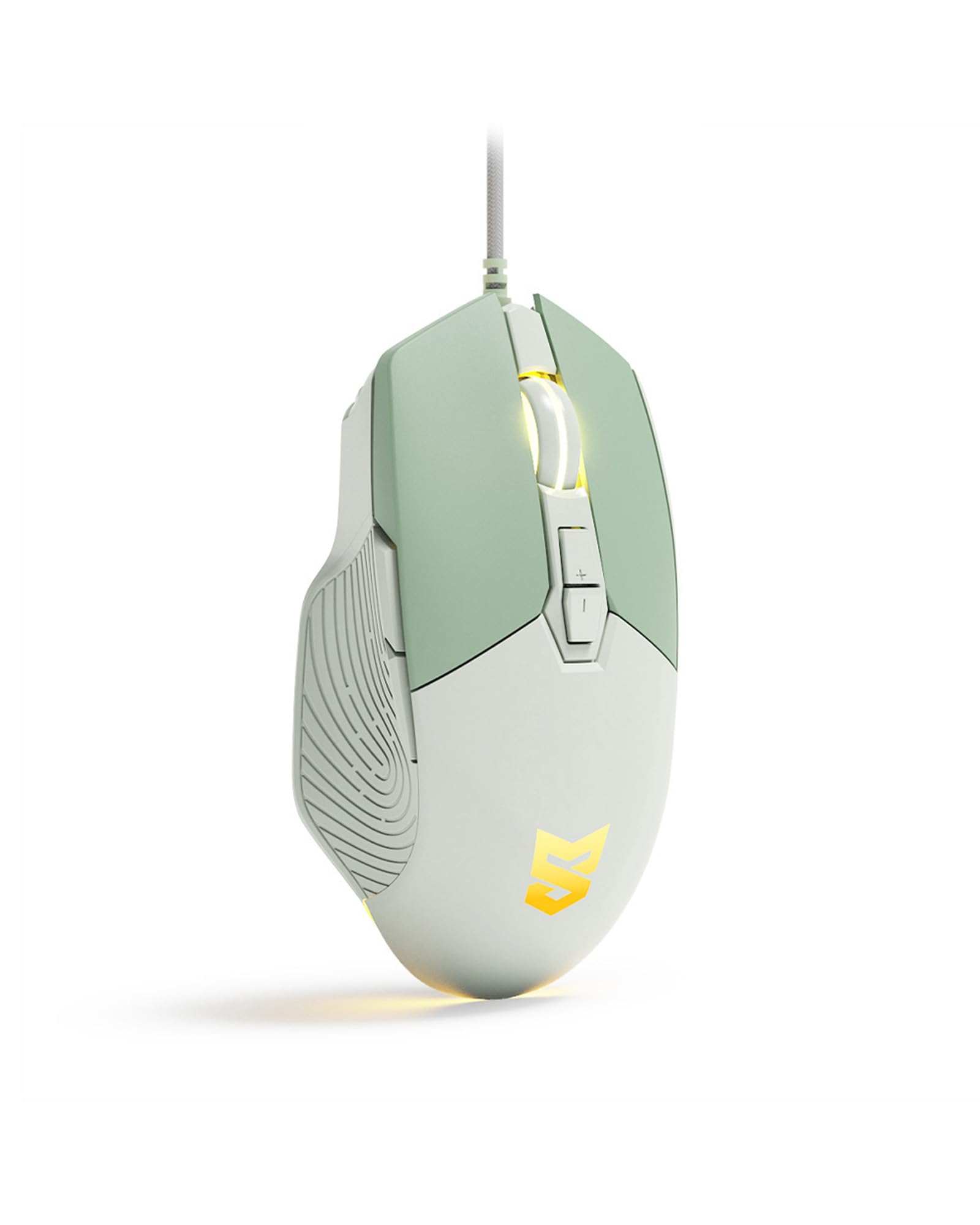
Figure 1: Generic S-M6Pro Ergonomic Wired Gaming Mouse (Mint Green variant).
2. Pagrindinės savybės
- High-Efficiency Optical Sensor: Features a maximum 7200 DPI for precise and accurate tracking.
- Reliable Wired Connection: Equipped with a 162mm braided rope USB-C cable for low-latency performance.
- Ergonomiškas dizainas: Shaped for excellent grip and comfort during extended use.
- Programuojami mygtukai: 7 programmable buttons for custom functions, macros, and ripple control via dedicated driver software.
- RGB LED Backlighting: Dynamic RGB lighting with breathing effects.
- Patvarūs jungikliai: Engineered for a 10-million-click button lifespan.
- ICE Mouse Feet: Designed for ultra-smooth gliding and minimal friction, enhancing tracking precision.

Figure 2: High-precision optical sensor and RGB lighting.

Figure 3: High precision sensors for accurate tracking.
3. Sąrankos vadovas
- Išpakuokite pelę: Carefully remove the gaming mouse from its packaging.
- Prisijunkite prie kompiuterio: Plug the USB-C connector of the mouse cable into an available USB port on your computer (PC, Mac, or Linux).
- Tvarkyklės diegimas (neprivaloma): The mouse is plug-and-play for basic functionality. For advanced customization, including programmable buttons, macros, and RGB effects, download and install the dedicated driver software from the manufacturer's website. Refer to the product packaging or manufacturer's websvetainė, kurioje yra nuoroda į programinės įrangos atsisiuntimą.
- Vieta: Optimaliam sekimui padėkite pelę ant švaraus, lygaus paviršiaus arba pelės kilimėlio.

Figure 4: Ergonomic design for comfortable grip during use.
4. Naudojimo instrukcijos
4.1 Mygtukų funkcijos
The S-M6Pro mouse features 7 programmable buttons. Default functions are listed below:
- Kairysis mygtukas: Pirminė paspaudimo funkcija.
- Dešinysis mygtukas: Antrinio paspaudimo funkcija (kontekstinis meniu).
- Roller Button (Scroll Wheel): Slinkite aukštyn / žemyn, spustelėkite vidurinį pelės klavišą.
- DPI+ mygtukas: Padidina DPI jautrumą.
- DPI mygtukas: Sumažina DPI jautrumą.
- Pirmyn mygtukas: Naviguoja pirmyn web naršyklės arba file tyrinėtojai.
- Atgal mygtukas: Naviguoja atgal web naršyklės arba file tyrinėtojai.

Figure 5: Labeled buttons on the S-M6Pro gaming mouse.
4.2 DPI reguliavimas
The mouse supports four adjustable DPI levels, allowing you to switch sensitivity on the fly to match your task or game. Use the DPI+ and DPI- buttons to cycle through the available settings:
- 1200 DPI
- 2400 DPI
- 4800 DPI
- 7200 DPI (maksimali)

6 pav.: Reguliuojamų DPI nustatymų vaizdinis vaizdas.
4.3 RGB LED Backlighting
The mouse features dynamic RGB LED backlighting with a breathing effect. The lighting can be customized using the dedicated driver software. This software allows for adjustment of colors, effects, and brightness.

Figure 7: RGB LED backlighting in action.
4.4 Programinės įrangos pritaikymas
Utilize the dedicated driver software to unlock the full potential of your S-M6Pro mouse. The software allows you to:
- Program the 7 buttons with custom functions or macros.
- Pakoreguokite DPI nustatymus, kad jie neviršytų numatytųjų.
- Modify polling rate.
- Set Lift-Off Distance (LOD).
- Control RGB lighting effects and colors.
- Išsaugoti profesionalųfiles to the mouse's on-board memory.
The software ensures a personalized gaming and computing experience.
5. Priežiūra
- Valymas: Pelės paviršiui nuvalyti naudokite minkštą, sausą šluostę. Jei nešvarumai sunkiai įveikiami, šiek tiek pamirkykite.ampNuvalykite šluostę vandeniu. Venkite naudoti stiprias chemines medžiagas ar abrazyvines medžiagas.
- Jutiklio priežiūra: Kad užtikrintumėte tikslų sekimą, laikykite pelės apačioje esantį optinį jutiklį švarų, be dulkių ar šiukšlių. Jei reikia, naudokite vatos tamponėlį arba suslėgtą orą.
- Kabelių valdymas: Avoid sharp bends or excessive pulling on the braided USB-C cable to prevent damage.
- Pelės pėdos: The ICE mouse feet are designed for durability. If they become worn over time, replacement feet may be available from the manufacturer or authorized retailers to maintain optimal glide performance.

Figure 8: Underside of the mouse with optical sensor and ICE feet.
6. Problemų sprendimas
| Problema | Galima priežastis | Sprendimas |
|---|---|---|
| Pelė nereaguoja | Atsilaisvinęs USB ryšys, sugedęs USB prievadas, tvarkyklės problema. |
|
| Inaccurate or jerky tracking | Dirty optical sensor, unsuitable surface, incorrect DPI setting. |
|
| Mygtukai neveikia taip, kaip tikėtasi | Programinės įrangos konfigūracija, tvarkyklės problemos. |
|
| RGB apšvietimas neveikia | Programinės įrangos nustatymai, maitinimo problema. |
|
7. Specifikacijos
| Funkcija | Detalė |
|---|---|
| Prekės ženklas | Bendras |
| Modelio numeris | S-M6Pro |
| Spalva | Mėtų žalia |
| Ryšio technologija | Laidinis USB-C |
| Judesio aptikimo technologija | Optinis |
| Mouse Maximum Sensitivity | 7200 DPI (Adjustable) |
| Mygtukų kiekis | 7 programuojami mygtukai |
| Rankų orientacija | Teisingai |
| Suderinami įrenginiai | Asmeninis kompiuteris |
| Aparatinės įrangos platforma | Linux, Mac, PC |
| Prekės svoris | 139 gramų |
| Prekės matmenys (I x P) | 5 colio ilgio x 2.7 colio pločio |
| Korpuso medžiaga | Plastikiniai |
| Reikalingos baterijos | Nr |
8. Informacija apie garantiją
Specific warranty details for the Generic S-M6Pro Ergonomic Wired Gaming Mouse are typically provided with the product packaging or available on the manufacturer's official websvetainėje. Išsamias garantijos sąlygas ir nuostatas rasite šiuose šaltiniuose.
9. Pagalba klientams
For technical assistance, troubleshooting beyond this manual, or inquiries regarding your Generic S-M6Pro Ergonomic Wired Gaming Mouse, please contact the manufacturer's customer support. Contact information can usually be found on the product packaging, the manufacturer's official website (Linkerfoo), or through your retailer.
10. Produkto vaizdo demonstracija
Video 1: A short demonstration of the Wired Gaming Mouse, showcasing its design and RGB lighting effects. This video is 20 seconds long and provides a visual overview of the product's aesthetics and basic functionality.


