
1. Įvadas
Juodasisview MP60 Mini PC is a compact and powerful computing solution designed for various applications, including office work, multimedia creation, and home server use. Featuring the Intel Twin Lake N150 processor, 16GB RAM, and a 512GB M.2 SSD, it offers efficient performance in a small form factor. This manual provides essential information for setting up, operating, and maintaining your device.

Paveikslėlis: Juodasisview MP60 Mini PC, highlighting its compact design and Intel Twin Lake N150 processor.
2. Kas yra dėžutėje
Patikrinkite, ar pakuotėje yra visi reikalingi daiktai:
- Juodaview Mini PC MP60 N150 (x1)
- HDMI kabelis (x1)
- Maitinimo adapteris (x1)
- VESA Mount with Screws (x1)
- Garantijos ir palaikymo informacija
3. Produktas baigtasview
Juodasisview MP60 Mini PC features a compact design with essential ports for connectivity and expansion. Its small footprint makes it suitable for various environments.
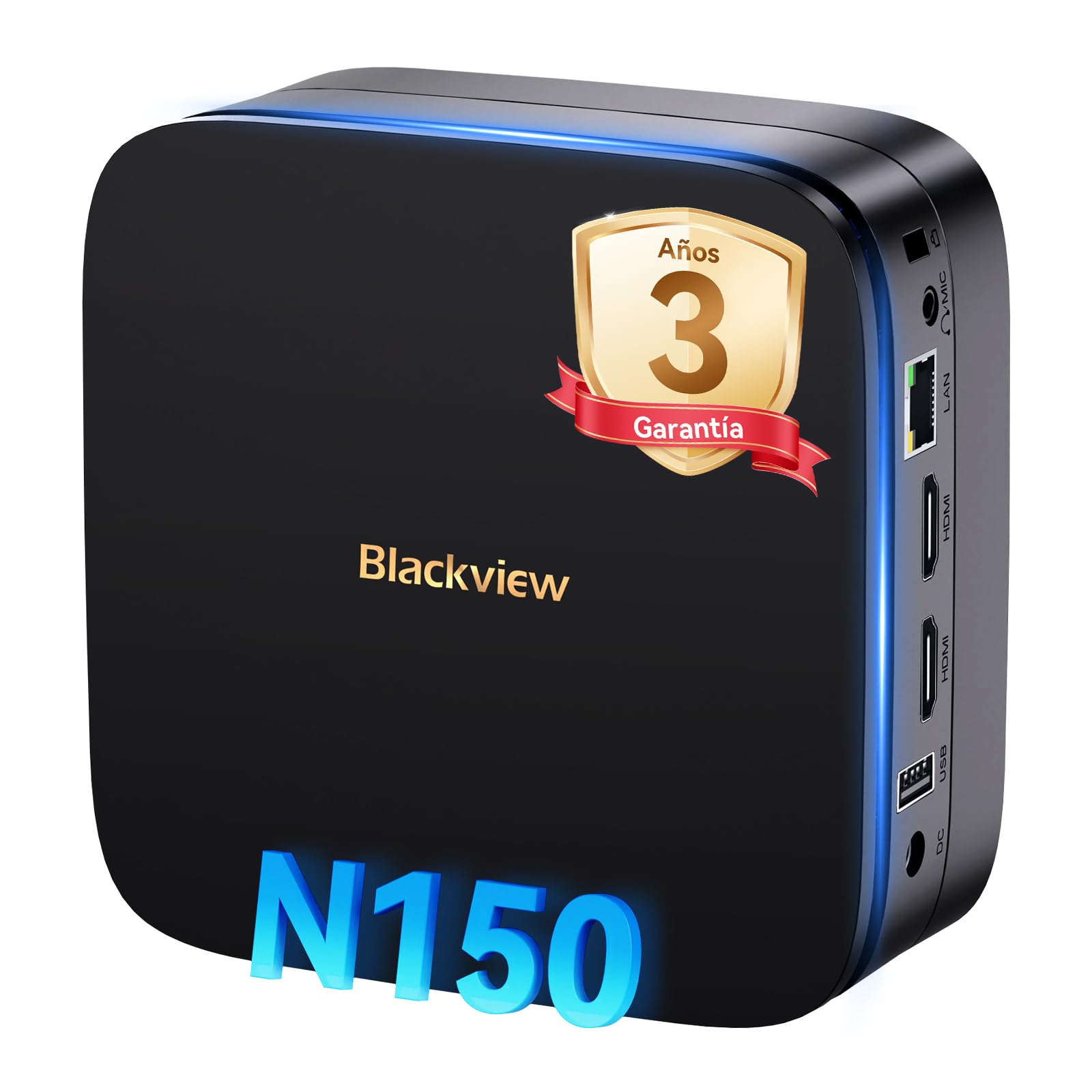
Vaizdas: Priekyje ir gale view Juodaodžiųview MP60 Mini PC, illustrating its various ports including USB, HDMI, and Ethernet.
Pagrindinės funkcijos:
- Procesorius: Intel Twin Lake N150 (up to 3.6 GHz)
- RAM: 16GB DDR4
- Saugykla: 512 GB M.2 SSD (išplečiama iki 2 TB)
- Grafika: Integruota Intel UHD grafika
- Operacinė sistema: Windows 11 Pro
- Ryšys: Dual-band Wi-Fi (2.4Ghz & 5Ghz), Bluetooth 4.2, Gigabit Ethernet (RJ45)
- Vaizdo įrašo išvestis: 2x HDMI 2.0 (supports dual 4K displays)
- USB prievadai: 4x USB ports (USB 2.0 Type A, USB 3.0 Type A)
4. Sąrankos instrukcijos
Atlikite šiuos veiksmus, kad nustatytumėte savo „Black“view MP60 mini kompiuteris:
- Prijunkite prie ekrano: Use the provided HDMI cable to connect the Mini PC to your monitor or TV. The device supports dual 4K displays.
- Prijunkite išorinius įrenginius: Prijunkite USB klaviatūrą ir pelę prie laisvų USB prievadų.
- Prijunkite prie maitinimo: Prijunkite maitinimo adapterį prie „Mini PC“ nuolatinės srovės įvesties prievado, tada įjunkite adapterį į maitinimo lizdą.
- Maitinimas: Press the power button located on the front of the Mini PC. The device will boot up, and you will see the Windows 11 Pro setup screen.
- Pradinė „Windows“ sąranka: Vykdykite ekrane pateikiamus nurodymus, kad užbaigtumėte „Windows 11 Pro“ sąranką, įskaitant kalbos, regiono, tinklo ryšio ir vartotojo paskyros kūrimą.

Paveikslėlis: Juodasisview MP60 Mini PC demonstrating its micro size and portability, fitting easily into a bag.
5. Naudojimo instrukcijos
5.1 Pagrindinės operacijos
Once Windows 11 Pro is set up, you can begin using your Mini PC. The Intel Twin Lake N150 processor provides sufficient power for daily tasks, office applications, and multimedia consumption.
- Maitinimo įjungimas/išjungimas: Press the power button to turn the device on. To shut down, go to the Start Menu in Windows and select Power > Shut down.
- Paleisti iš naujo: From the Start Menu, select Power > Restart.
- Miegojimo rezimas: From the Start Menu, select Power > Sleep.
5.2 Saugyklos išplėtimas
Juodasisview MP60 Mini PC allows for easy storage expansion with a 2.5-inch SSD/HDD. This feature is useful for storing large files, videos, or creating a home NAS.
- Locate the removable base of the Mini PC.
- Carefully remove the base to access the 2.5-inch drive bay.
- Install your 2.5-inch SSD or HDD (up to 2TB, not included) into the bay.
- Secure the drive and reattach the base.
- After booting, you may need to initialize and format the new drive in Windows Disk Management.

Image: Step-by-step illustration of how to install a 2.5-inch SSD into the Blackview MP60 Mini PC for storage expansion.
5.3 Dual 4K Display Setup
The Mini PC supports connecting two 4K displays simultaneously via its two HDMI 2.0 ports, enhancing productivity for tasks requiring multiple screens.
- Connect your primary monitor to one HDMI port.
- Connect your secondary monitor to the second HDMI port.
- Once both monitors are connected and the PC is powered on, Windows will automatically detect them.
- To configure display settings (e.g., extend, duplicate, resolution), right-click on the desktop and select "Display settings."

Paveikslėlis: Juodasisview MP60 Mini PC powering two 4K monitors, demonstrating its dual display capability for enhanced productivity.
5.4 Tinklo ir belaidis ryšys
The MP60 offers robust connectivity options:
- „Wi-Fi“: Supports dual-band 2.4GHz and 5GHz Wi-Fi for fast and stable wireless internet access. Connect via Windows network settings.
- Ethernet: A Gigabit RJ45 port provides a wired connection for maximum stability and speed (up to 1000 MB/s).
- Bluetooth: Bluetooth 4.2 allows for easy connection of wireless peripherals like keyboards, mice, and audio devices.
6. Priežiūra
To ensure optimal performance and longevity of your Blackview MP60 mini kompiuterį, laikykitės šių priežiūros gairių:
- Laikykite švarų: Regularly clean the exterior of the Mini PC with a soft, dry cloth. Use compressed air to clear dust from vents to maintain efficient cooling.
- Programinės įrangos atnaujinimai: Nuolat atnaujinkite „Windows“ operacinę sistemą ir tvarkykles, kad užtikrintumėte saugumą ir našumą.
- Venkite kliūčių: Įsitikinkite, kad ventiliacijos angos nėra užblokuotos, kad išvengtumėte perkaitimo.
- Saugus išjungimas: Visada tinkamai išjunkite kompiuterį per operacinę sistemą, o ne tiesiog atjunkite jį nuo elektros tinklo.

Paveikslėlis: vidinis view Juodaodžiųview MP60 Mini PC, illustrating its silent heat dissipation system with a cooling fan and heatpipes.
7. Problemų sprendimas
Jei kyla problemų dėl „Black“view MP60 Mini PC, refer to the following common troubleshooting steps:
- Nėra galios:
- Įsitikinkite, kad maitinimo adapteris yra tvirtai prijungtas tiek prie „Mini PC“, tiek prie veikiančio maitinimo lizdo.
- Patikrinkite maitinimo lizdą su kitu įrenginiu.
- Nėra ekrano:
- Patikrinkite HDMI kabelio jungtis tiek prie mini kompiuterio, tiek prie monitoriaus.
- Įsitikinkite, kad monitorius įjungtas ir nustatytas tinkamas įvesties šaltinis (HDMI).
- Jei įmanoma, pabandykite kitą HDMI kabelį arba monitorių.
- Nėra interneto ryšio:
- For Wi-Fi, ensure the Wi-Fi adapter is enabled in Windows settings and you are connected to the correct network with the correct password.
- For Ethernet, ensure the cable is securely plugged into both the Mini PC and your router/modem. Check router status.
- Iš naujo paleiskite maršrutizatorių / modemą ir „Mini PC“.
- Lėtas našumas:
- Uždarykite nereikalingas programas, veikiančias fone.
- Patikrinkite, ar yra laukiančių „Windows“ naujinimų, ir įdiekite juos.
- Įsitikinkite, kad pagrindiniame diske yra pakankamai laisvos vietos.
- Paleiskite virusų nuskaitymą.
Jei problemos išlieka, daugiau pagalbos ieškokite garantijos ir palaikymo skyriuje.
8. Specifikacijos
Išsamios juodos spalvos techninės specifikacijosview MP60 mini kompiuteris:
| Funkcija | Specifikacija |
|---|---|
| Procesorius | Intel Twin Lake N150 (up to 3.6 GHz, 4 Cores, 4 Threads, 6MB Cache) |
| Grafika | Integruota Intel UHD grafika |
| RAM | 16 GB DDR4 (3200 MHz) |
| Sandėliavimas | 512GB M.2 SSD (PCIe x4 interface), expandable with 2.5" SSD/HDD up to 2TB |
| Operacinė sistema | Windows 11 Pro |
| Vaizdo išvestis | 2x HDMI 2.0 (supports dual 4K @ 60Hz displays) |
| USB prievadai | 4x USB (USB 2.0 Type A, USB 3.0 Type A) |
| Tinklas | Gigabit Ethernet (RJ45), Wi-Fi 5G (802.11ac, dual-band 2.4GHz/5GHz) |
| Bluetooth | Bluetooth 4.2 |
| Garso išvestis | 3.5mm garso lizdas |
| Aušinimo būdas | Air Cooling (Silent design with fan and heatpipes) |
| Matmenys | 12.8 x 12.8 x 5.2 cm |
| Svoris | 1.01 kg |
| Maitinimo šaltinis | External Power Adapter (Type E/F: 2 pins for EU) |
9. Garantija ir palaikymas
Juodaview yra įsipareigojusi tiekti aukštos kokybės produktus ir teikti puikų klientų aptarnavimą.
Informacija apie garantiją:
Tavo juodaview MP60 mini kompiuteris tiekiamas su 3 metų oficiali garantija covering parts and labor for manufacturing defects. This ensures prompt replacement or repair in case of product failure.

Vaizdas: juodasview's commitment to customer satisfaction, highlighting a 3-year warranty and lifetime technical support.
Techninė pagalba:
Juodaview pasiūlymai visą gyvenimą trunkanti techninė pagalba. Our expert team is available via email, live chat, or phone to assist you with software updates, troubleshooting, and optimization tips to keep your device running smoothly for years. Please refer to the contact information provided with your product or visit the official Blackview websvetainėje, kur rasite išsamios pagalbos.