
Įvadas
Ačiū, kad pirkoteasing the AGPTEK M6U MP3 Player. This device is designed to provide a high-quality portable audio experience with its 64GB internal storage and Bluetooth 5.3 connectivity. This manual will guide you through the setup, operation, and maintenance of your new MP3 player to ensure optimal performance and longevity.
Pakuotės turinys
Patikrinkite pakuotę, ar joje yra šie daiktai:
- AGPTEK M6U MP3 Player (1 unit)
- USB Type-C Cable (for data transfer and charging) (1 unit)
- Wired Earphones (can be used as FM antenna) (1 unit)
- User Manual (multi-language, including English) (1 unit)
Produktas baigtasview
The AGPTEK M6U MP3 Player features a sleek design with a 2.4-inch LCD screen and intuitive controls. Familiarize yourself with the device's physical components.

Vaizdas: The AGPTEK M6U MP3 Player, showcasing its compact size and user interface. The device is held in a hand, highlighting its portability and the layout of its screen and physical control buttons.
The player is equipped with a durable zinc alloy body, providing a comfortable grip. It features a responsive display for easy navigation through menus and media files.
Sąranka
1. Įrenginio įkrovimas
Before initial use, fully charge the MP3 player. Connect the provided USB Type-C cable to the player's charging port and the other end to a USB power adapter (not included) or a computer's USB port.
- Pilnas įkrovimas paprastai trunka 2–2.5 valandas.
- The battery charges to 80% capacity in approximately 1.5 hours.
- A fully charged battery provides up to 40 hours of music playback.

Vaizdas: The AGPTEK M6U MP3 Player displaying its battery charging status and indicating a long playback time. The image visually represents the charging process and extended battery life.
2. Maitinimo įjungimas/išjungimas
- Norėdami įjungti: Press and hold the Power button (usually located on the side) until the screen lights up.
- Norėdami išjungti: Paspauskite ir palaikykite maitinimo mygtuką, kol ekrane pasirodys išjungimo parinktis, tada patvirtinkite.
3. Muzikos perkėlimas Files
Connect the MP3 player to your computer using the provided USB Type-C cable. The player will appear as a removable disk drive. You can then drag and drop your music files (FLAC, MP3, WMA, WAV, APE, ACELP, AAC, Audible, OGG) directly into the player's storage.

Vaizdas: The AGPTEK M6U MP3 Player screen showing various album covers and music playback information, with an overlay indicating internal memory. This illustrates the player's capacity for storing thousands of songs.
The player comes with 64GB of internal memory. You can also expand storage using a microSD card.
4. „Bluetooth“ poravimas
To connect your AGPTEK M6U to Bluetooth headphones or speakers:
- Go to the Bluetooth menu on your MP3 player.
- Įjungti Bluetooth.
- Įjunkite „Bluetooth“ ausines / garsiakalbį į susiejimo režimą.
- Select your device from the list of available devices on the MP3 player's screen.
- The player supports automatic reconnection to previously paired devices upon power-on.
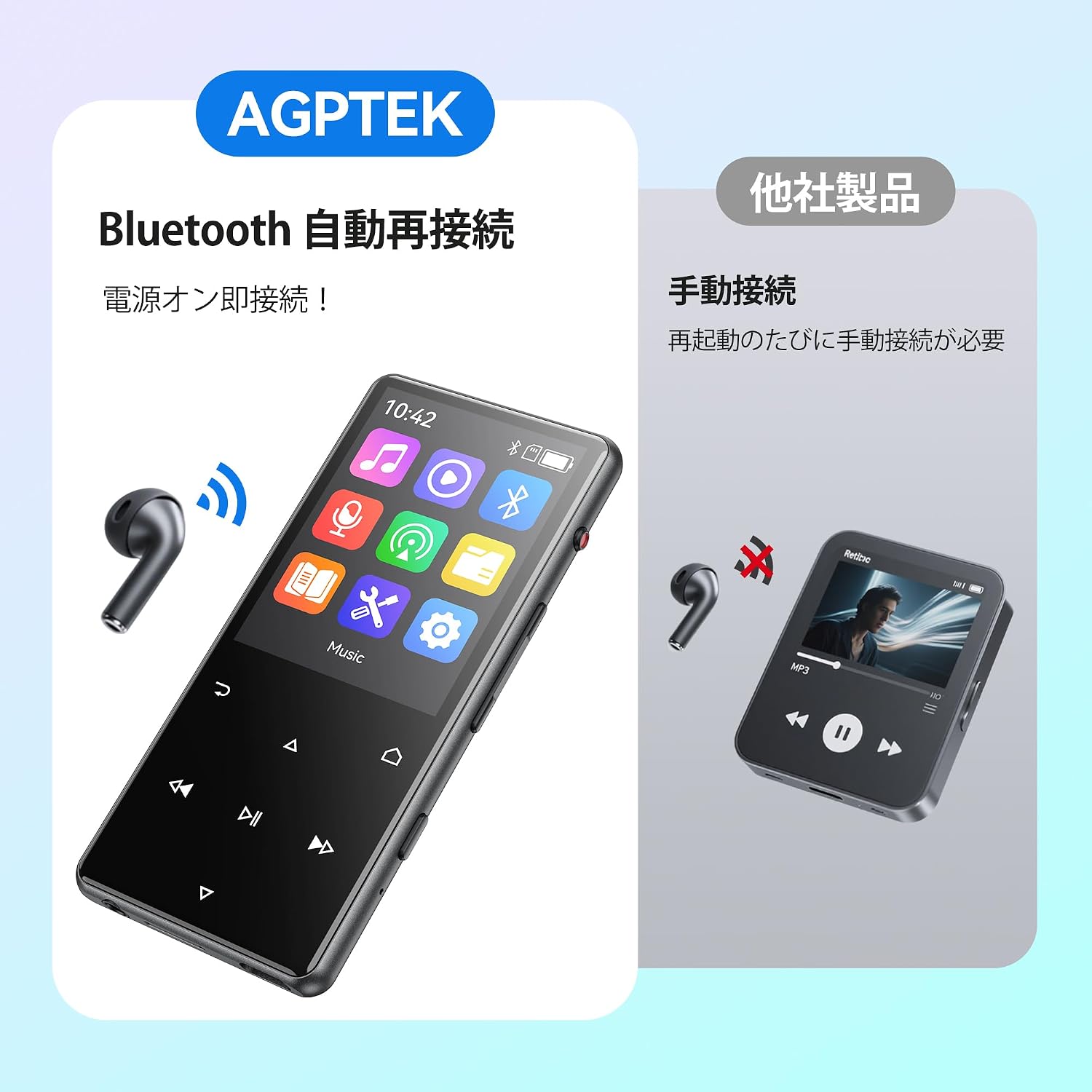
Vaizdas: The AGPTEK M6U MP3 Player connected wirelessly to a pair of Bluetooth earbuds, illustrating the automatic reconnection feature. The screen shows the Bluetooth icon, indicating an active connection.
Naudojimo instrukcijos
1. Pagrindinė navigacija
Use the touch screen or physical buttons (Play/Pause, Next/Previous, Volume) to navigate through menus and control playback. The interface is designed for intuitive use.
2. Muzikos atkūrimas
Pagrindiniame meniu pasirinkite „Muzika“, kad galėtumėte naršyti garso įrašus. files. You can sort by artist, album, genre, or view all songs. Tap a song to begin playback.
- Press the Play/Pause button to start or pause music.
- Norėdami praleisti takelius, naudokite mygtukus „Kitas“ / „Ankstesnis“.
- Sureguliuokite garsumą naudodami tam skirtus garsumo valdiklius.
3. Balso įrašymas
The AGPTEK M6U features a one-key recording function, allowing you to quickly capture audio. This is useful for lectures, meetings, or personal notes.

Vaizdas: The AGPTEK M6U MP3 Player screen showing an active recording session, indicated by a large microphone icon and a filename. This highlights the device's one-key recording capability, useful for capturing ideas or discussions instantly.
To start a recording, locate the dedicated recording button (if available, otherwise navigate through the menu). Recordings are saved in MP3 or WAV format.
4. FM radijas
To use the FM radio function, connect the wired earphones to the player. The earphones act as an antenna. Navigate to the FM Radio application from the main menu, then scan for available stations.
5. Nustatymai
Access the "Settings" menu to customize various aspects of your player, including display brightness, language, date and time, equalizer settings, and system information.
Priežiūra
- Valymas: Įrenginį valykite minkšta, sausa šluoste. Venkite skystų valiklių ar abrazyvinių medžiagų.
- Saugykla: Grotuvą laikykite vėsioje, sausoje vietoje, toliau nuo tiesioginių saulės spindulių ir ekstremalių temperatūrų.
- Akumuliatoriaus priežiūra: Norėdami pailginti akumuliatoriaus veikimo laiką, venkite dažnai visiškai jį iškrauti. Reguliariai jį įkraukite, net jei ilgą laiką nenaudojate.
- Programinės įrangos atnaujinimai: Periodically check the official AGPTEK websvetainėje, kurioje pateikiami visi galimi programinės įrangos atnaujinimai, siekiant užtikrinti optimalų našumą ir naujas funkcijas.
Trikčių šalinimas
| Problema | Sprendimas |
|---|---|
| Įrenginys neįsijungia. | Ensure the battery is charged. Connect the player to a power source for at least 10 minutes, then try powering on again. |
| Cannot connect to Bluetooth headphones. | Make sure Bluetooth is enabled on both the player and the headphones. Put headphones in pairing mode. Ensure they are within range and not connected to another device. |
| Muzika files are not recognized. | Patikrinkite, ar muzika files are in a supported format (FLAC, MP3, WMA, WAV, APE, ACELP, AAC, Audible, OGG). Ensure files are transferred correctly to the player's internal storage or microSD card. |
| Ekranas nereaguoja. | Try restarting the device. If the issue persists, a factory reset might be necessary (note: this will erase all data). |
Specifikacijos
| Funkcija | Detalė |
|---|---|
| Prekės ženklas | AGPTEK |
| Modelio numeris | M6U |
| Vidinė atmintis | 64 GB |
| Ekrano dydis | 2.4 colių |
| Ekrano technologija | LCD |
| Ryšio technologija | USB, „Bluetooth 5.3“ |
| Suderinami įrenginiai | PC, Headphones |
| Medijos tipas | microSD Card (expandable storage) |
| Palaikomi garso formatai | FLAC, MP3, WMA, WAV, APE, ACELP, AAC, Audible, OGG |
| Supported Recording Formats | MP3, WAV |
| Palaikomi vaizdo formatai | AMV, AVI (240*320) |
| Baterijos veikimo laikas (vidutinis) | Iki 40 valandų |
| Spalva | Juoda |
| Kilmė | Kinija |
Garantija ir palaikymas
The AGPTEK M6U MP3 Player comes with a 180-day warranty from the date of purchase. This warranty covers manufacturing defects under normal use.
For technical support, warranty claims, or further assistance, please contact AGPTEK customer service through their official website or the retailer where you purchased the product. Please have your model number (M6U) and proof of purchase ready when contacting support.
Svarbi saugos informacija
- Nelaikykite prietaiso ekstremaliose temperatūrose, tiesioginiuose saulės spinduliuose ar didelėje drėgmėje.
- Stenkitės, kad prietaisas nenumestų ar nepatirtų stipraus smūgio.
- Nebandykite patys ardyti ar taisyti įrenginio. Tai panaikins garantiją.
- Naudokite tik patvirtintus įkrovimo laidus ir priedus.
- Listen to audio at moderate volumes to prevent hearing damage.