
1. Produktas baigtasview
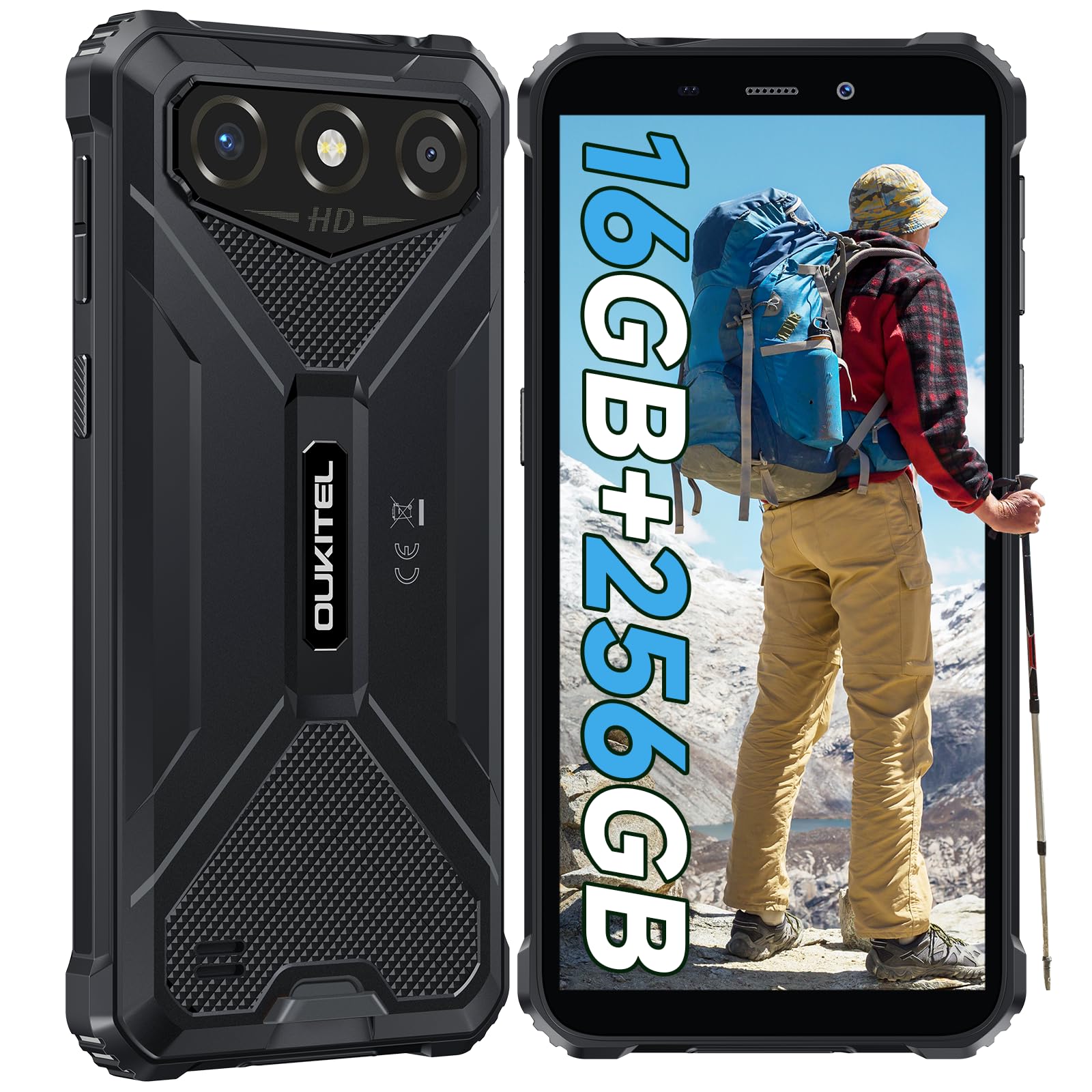
The OUKITEL G3 is a rugged smartphone designed for durability and performance in challenging environments. It features a 6.0-inch HD display, a 6300mAh battery, 16GB RAM (expandable), 256GB ROM (expandable to 1TB), and a 13MP main camera. The device is certified with IP68, IP69K, and MIL-STD-810H ratings, ensuring resistance to water, dust, and drops. It operates on Android 14 and supports 4G Dual SIM, GPS, Face ID, and OTG functionality.
2. Pakuotės turinys
Patikrinkite, ar pakuotėje yra visi reikalingi daiktai:
- 1x OUKITEL G3 Smartphone
- 1x pakrovėjas
- 1x tipo C laidas
- 1x SIM Card Ejector Pin
- 1x vartotojo vadovas

3. Pradinė sąranka
3.1. SIM ir TF kortelių įdėjimas
- Suraskite SIM kortelės dėklą įrenginio šone.
- Use the provided SIM ejector pin to open the tray.
- Carefully place your Nano SIM cards (up to two) and/or a TF card (for memory expansion up to 1TB) into the designated slots.
- Įsitikinkite, kad kortelės yra tinkamai orientuotos, kaip nurodyta ant dėklo.
- Švelniai stumkite dėklą atgal į telefoną, kol jis spragtelėdamas užsifiksuos.

3.2. Akumuliatoriaus įkrovimas
Before first use, fully charge the device. Connect the Type-C cable to the phone's charging port and the other end to the provided charger. Plug the charger into a power outlet. The battery indicator on the screen will show charging status. The OUKITEL G3 features a 6300mAh battery for extended use.
3.3. Įjungimas/išjungimas
- Norėdami įjungti: paspauskite ir palaikykite maitinimo mygtuką, kol pasirodys OUKITEL logotipas.
- Norėdami išjungti: paspauskite ir palaikykite maitinimo mygtuką, tada ekrane rodomoje parinkčių sąraše pasirinkite „Išjungti“.
- Norėdami paleisti iš naujo: paspauskite ir palaikykite maitinimo mygtuką, tada iš parinkčių pasirinkite „Paleisti iš naujo“.
4. Naudojimo instrukcijos
4.1. Ekranas ir navigacija
The OUKITEL G3 features a 6.0-inch HD display with 450 nits brightness and Corning Glass 5 protection. Navigate the Android 14 interface using touch gestures: tap, swipe, pinch-to-zoom. Access quick settings by swiping down from the top of the screen.

4.2. Kameros funkcijos
The device is equipped with a 13MP rear camera and a 5MP front camera. Open the Camera app to capture photos and videos. Features include:
- Standartinis nuotraukų režimas: For everyday photography.
- AI Beauty Mode: Paryškina veido bruožus portretuose.
- Underwater Camera Mode: Allows capturing photos and videos while submerged up to 1.5m for 30 minutes. Ensure all ports are securely sealed before underwater use.
- Panoramos režimas: For wide-angle landscape shots.

4.3. Battery Management and OTG
The 6300mAh battery provides extended usage. To optimize battery life, manage screen brightness, close unused applications, and enable power-saving modes when needed. The device supports OTG (On-The-Go) reverse charging, allowing you to use your OUKITEL G3 to charge other compatible devices via a Type-C OTG cable (sold separately).

4.4. Custom Key and Security Features
- Pasirinktinis raktas: A programmable button on the side of the device for quick access to specific applications or functions. Configure its actions (single click, double click, long press) in the phone settings.
- Veido ID: Use facial recognition for secure unlocking of your device. Set up Face ID in the Security settings.
- GPS navigacija: The OUKITEL G3 supports GPS, GLONASS, Beidou, and Galileo navigation systems for accurate positioning.

5. Priežiūra ir ilgaamžiškumas
The OUKITEL G3 is built to withstand harsh conditions, certified with IP68, IP69K, and MIL-STD-810H standards.
- IP68 atsparumas vandeniui: Protected against continuous immersion in water up to 1.5 meters for 30 minutes. Ensure all port covers are tightly sealed before exposure to water.
- IP69K Dust Resistance: Visiškai apsaugotas nuo dulkių patekimo ir aukšto slėgio, aukštos temperatūros vandens srovės.
- MIL-STD-810H Drop Resistance: Designed to withstand drops from up to 1.5 meters. The aluminum frame and rubberized corners provide enhanced shock absorption.
Prietaisui valyti naudokite minkštą, damp cloth. Avoid harsh chemicals or abrasive materials. Regularly check port covers for proper sealing to maintain water and dust resistance.

6. Problemų sprendimas
If you encounter issues with your OUKITEL G3, refer to the following common solutions:
| Problema | Galimas sprendimas |
|---|---|
| Įrenginys neįsijungia | Įsitikinkite, kad akumuliatorius įkrautas. Prijunkite įkroviklį ir palaukite kelias minutes, prieš bandydami vėl įjungti. |
| Prastas tinklo signalas | Check if SIM cards are correctly inserted. Move to an area with better network coverage. Contact your service provider if the issue persists. |
| Programos stringa arba užstringa | Close background applications. Clear the cache of the problematic app. Restart the device. Ensure sufficient storage space is available. |
| Baterija greitai išsikrauna | Reduce screen brightness. Disable unused features like Wi-Fi, Bluetooth, GPS. Close power-intensive apps. Check battery usage in settings to identify culprits. |
| Jutiklinis ekranas nereaguoja | Paleiskite įrenginį iš naujo. Jei problema išlieka, atlikite gamyklinių parametrų atkūrimą (pirmiausia sukurkite atsarginę duomenų kopiją). |
7. Techninės specifikacijos
| Funkcija | Detalė |
|---|---|
| Prekės ženklas | OUKITEL |
| Modelis | G3 |
| Operacinė sistema | Android 14 |
| RAM | 4 GB (išplečiama iki 16 GB virtualios RAM) |
| Vidinė atmintis (ROM) | 256 GB |
| Išplečiama saugykla | Iki 1 TB (TF kortelė) |
| Ekrano dydis | 6.0 colių |
| Ekrano raiška | HD (450 nits brightness, Corning Glass 5) |
| Atnaujinimo dažnis | 60 Hz |
| Galinė kamera | 13 megapikselio |
| Priekinė kamera | 5 megapikselio |
| Baterijos talpa | 6300 mAh |
| Įkrovimo prievadas | C tipo USB |
| Patvarumo įvertinimai | IP68, IP69K, MIL-STD-810H |
| SIM kortelių palaikymas | Dual 4G Nano SIM |
| Navigacija | GPS, GLONASS, Beidou, Galileo |
| Biometrinis saugumas | Veido ID |
| Garso lizdas | 3.5 mm |
For detailed energy efficiency information, please refer to the EU EPREL database: https://eprel.ec.europa.eu/qr/2400970

8. Garantija ir palaikymas
OUKITEL provides the following support for the G3 smartphone:
- Grąžinimo politika: 30 dienų grąžinimas be priežasties.
- Garantija: TWO-YEAR warranty.
- Techninė pagalba: Long-term technical assistance.
- Klientų aptarnavimas: 24 valandų internetinė klientų aptarnavimo tarnyba.
For any inquiries or support, please contact OUKITEL official customer service.