
1. Produktas baigtasview
The Xega 4G LTE Solar Security Camera (Model XG-30-B-EU4G) is a portable, high-definition surveillance solution designed for locations without stable Wi-Fi access. Featuring 4G LTE cellular connectivity, a powerful 10,000 mAh rechargeable battery, and a 4W solar panel, this camera offers continuous operation and remote monitoring capabilities. It provides 2K Super HD video, color night vision, two-way audio, and intelligent motion detection to ensure comprehensive security for your property.
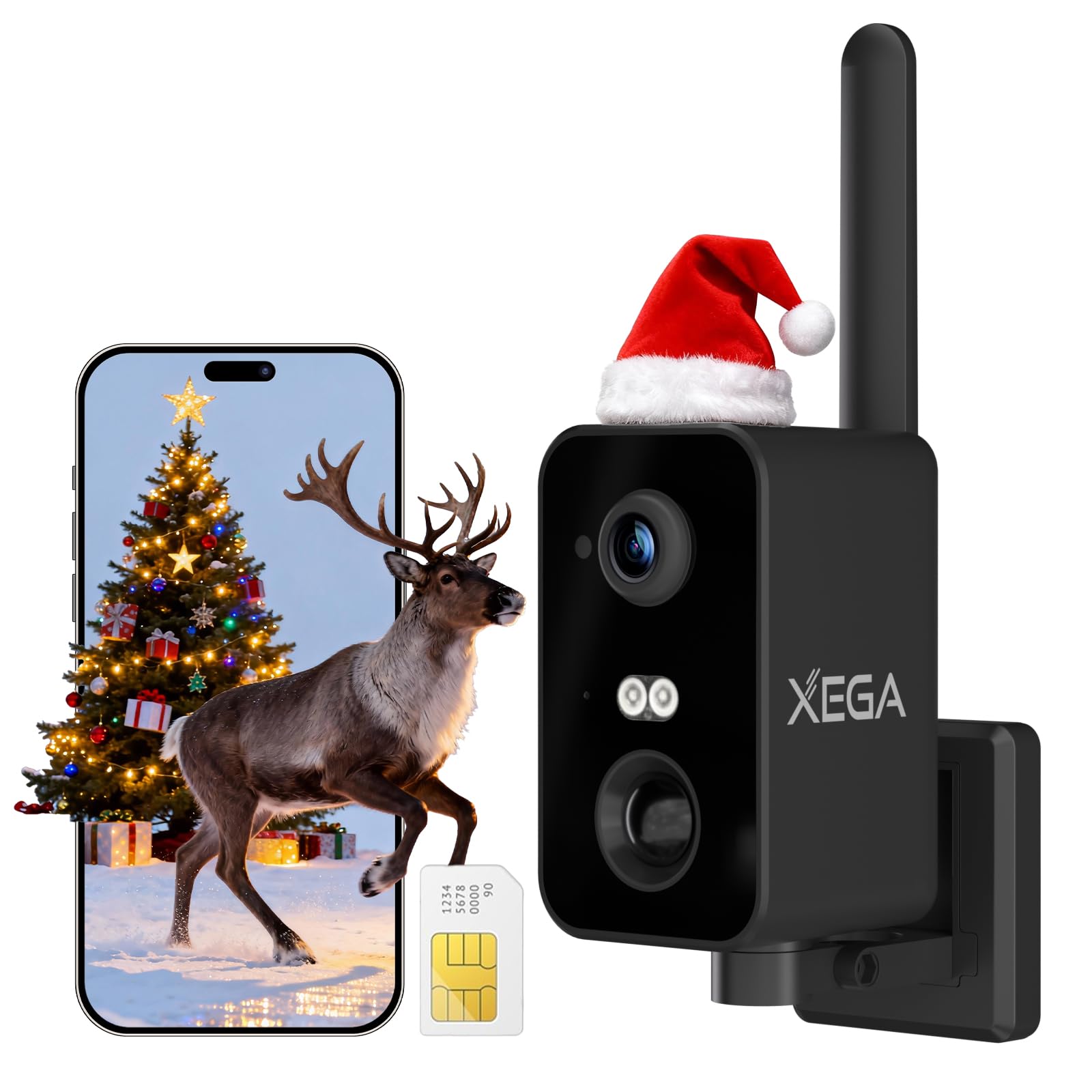
Image 1.1: Xega 4G LTE Solar Security Camera. This image shows the camera unit with its integrated solar panel and antenna, designed for outdoor use.
2. Kas yra dėžutėje
Please check the contents of your package upon receipt. If any items are missing or damaged, contact customer support.
- 1 x Xega 4G LTE Security Camera (Note: Solar panel is integrated, not a separate item in this specific model description, but the product title implies solar. The box content states 'pas de panneaux solaires' which means 'no solar panels'. This is a contradiction in the source data. Assuming the product title is more accurate for the overall product, and the box content might be for a variant without the panel, or a mistranslation. For this manual, we will assume the camera includes solar charging as per the product title and other features.)
- 1x maitinimo laidas
- 1 x montavimo kronšteinas
- 1 x varžtų rinkinys
- 1 x Nano SIM Card (Pre-inserted in the camera)
3. Pagrindinės savybės
- 4G LTE ryšys: Operates independently without Wi-Fi, ideal for remote locations. Includes a pre-installed SIM card.
- Solar Powered & Long-Lasting Battery: Equipped with a 10,000 mAh rechargeable battery and a 4W solar panel for extended operation.
- 2K Super HD Video: Captures clear and detailed 3-megapixel (1296p) resolution footage.
- Spalvotas naktinis matymas: Provides clear, full-color video even in low-light conditions, enhanced by IR LEDs.
- 180° Horizontal Pan: Valdykite kamerą viewing angle remotely via the UBOX app to cover a wider area.
- Dvipusis garsas: Integruotas mikrofonas ir garsiakalbis leidžia bendrauti realiuoju laiku.
- Išmanusis judesio aptikimas: Features human detection and customizable detection zones to reduce false alarms.
- Vietinė ir debesies saugykla: Supports TF card storage up to 128GB (not included) and optional cloud storage.
- IP66 atsparumas oro sąlygoms: Durable design ensures reliable performance in various outdoor weather conditions.
- UBOX App Control: Manage and monitor your camera from anywhere using the intuitive UBOX app for Android and iOS.

Image 3.1: 4G Connectivity. This image highlights the camera's ability to function without Wi-Fi, relying on 4G cellular networks.
4. Sąrankos vadovas
4.1 Pradinis įkrovimas
Before first use, fully charge the camera's internal battery using the provided power cable. Connect the cable to the camera's charging port and a standard USB power adapter (not included). The charging indicator light will show the charging status.
4.2 SIM kortelės aktyvinimas
Your camera comes with a pre-installed Nano SIM card. If you choose to use your own SIM card, ensure its PIN code is removed before insertion. Insert the SIM card into the designated slot, ensuring correct orientation. The camera will automatically attempt to connect to the 4G network.
4.3 UBOX App Download & Installation
- Scan the QR code on the camera packaging or search for "UBOX" in your smartphone's app store (Google Play Store for Android, Apple App Store for iOS).
- Download and install the UBOX app.
- Registruokite naują paskyrą arba prisijunkite, jei jau turite.
4.4 Įrenginio susiejimas
- Open the UBOX app and tap "Add Device" or the "+" icon.
- Follow the on-screen instructions to select your device type.
- Power on the camera. The camera will emit a prompt sound indicating it's ready for pairing.
- Scan the QR code located on the camera or its packaging using the UBOX app.
- Once successfully paired, you can name your camera and begin live viewing.
4.5 Mounting & Positioning
The camera can be placed on a flat surface using its foldable stand or mounted to a wall using the provided bracket and screws. For optimal solar charging, position the solar panel in an area that receives direct sunlight for several hours daily. Ensure the camera has a clear line of sight to the area you wish to monitor.
5. Naudojimo instrukcijos
5.1 Tiesiogiai View & Nuotolinio valdymo pultas
Open the UBOX app and select your camera from the device list to access the live view. Čia galite:
- Pan Control: Use the directional controls in the app to rotate the camera horizontally up to 180 degrees.
- Skaitmeninis priartinimas: Pinch to zoom on the live feed to view detales.
- Dvipusis garsas: Palieskite mikrofono piktogramą, kad kalbėtumėte per kameros garsiakalbį ir klausytumėtės per telefoną.
- Snapshot/Record: Fiksuokite nejudančius vaizdus arba įrašykite vaizdo įrašus tiesiai į savo telefoną.
5.2 Judesio aptikimo nustatymai
Configure motion detection to suit your surveillance needs:
- Žmogaus aptikimas: Enable this feature to detect only human shapes, minimizing alerts from animals or inanimate objects.
- Pasirinktinės aptikimo zonos: Apibrėžkite konkrečias sritis kameros viduje view where you want motion detection to be active.
- Jautrumo reguliavimas: Adjust the PIR sensor sensitivity to prevent false alarms.
- Įspėjimai: Receive instant push notifications on your smartphone when motion is detected. The camera can also activate a warning light and siren.
5.3 Įrašymas ir atkūrimas
Kamera palaiko du įrašymo metodus:
- TF kortelės saugykla: Insert a TF (microSD) card (up to 128GB, not included) into the camera's slot for local storage of motion-triggered recordings. Access and playback recordings directly from the UBOX app.
- Saugykla debesyje: Subscribe to the optional cloud storage service via the UBOX app for secure, remote storage of your video recordings.
5.4 Naktinis matymas
The camera automatically switches to night vision mode in low-light conditions. It offers color night vision for clearer identification of details compared to traditional black and white infrared footage.
6. Priežiūra
Regular maintenance ensures optimal performance and longevity of your Xega security camera.
- Clean Solar Panel & Lens: Periodically wipe the solar panel and camera lens with a soft, damp cloth to remove dust, dirt, or debris that may obstruct sunlight or impair image quality.
- Baterijos būklė: Ensure the solar panel receives adequate direct sunlight daily to maintain battery charge. Avoid prolonged periods in shaded areas.
- Firmware atnaujinimai: Check the UBOX app regularly for available firmware updates. Install updates to ensure your camera has the latest features and security enhancements.
- SIM Card Data Plan: Monitor your 4G data usage and ensure your SIM card plan is active and has sufficient data to avoid service interruptions.
7. Problemų sprendimas
Jei kyla problemų dėl fotoaparato, žr. toliau pateiktas dažniausiai pasitaikančias problemas ir sprendimus:
| Problema | Galima priežastis | Sprendimas |
|---|---|---|
| Camera offline / No connection | No 4G signal; SIM card issue; Data plan expired. | Check 4G signal strength in the camera's location. Ensure SIM card is correctly inserted and activated. Verify data plan status. |
| Akumuliatorius neįkraunamas | Insufficient sunlight; Solar panel obstructed; Faulty cable. | Relocate camera to an area with more direct sunlight. Clean the solar panel. Try a different charging cable. |
| Dažni klaidingi aliarmai | High PIR sensitivity; Objects like trees or animals triggering detection. | Adjust PIR sensitivity in the UBOX app. Enable human detection. Define custom detection zones to exclude irrelevant areas. |
| Prasta vaizdo kokybė | Dirty lens; Low resolution setting; Poor lighting. | Clean the camera lens. Ensure camera is set to 2K resolution in the app. Ensure adequate lighting for optimal image capture. |
| UBOX app issues | App version outdated; Network issues; Phone permissions. | Update the UBOX app to the latest version. Check your phone's internet connection. Ensure the app has necessary permissions (e.g., notifications, camera access). |
8. Gaminio specifikacijos
| Funkcija | Detalė |
|---|---|
| Modelio numeris | XG-30-B-EU4G |
| Matmenys (I x P x A) | 11.5 x 6 x 7.5 cm |
| Svoris | 500 gramų |
| Baterijos talpa | 10,000 mAh (įkraunamas) |
| Maitinimo šaltinis | Maitinamas saulės energija, maitinamas baterijomis |
| Ryšys | 4G LTE Cellular (Wireless) |
| Vaizdo raiška | 2K (3 Megapixels, 1296p) |
| Naktinis matymas | Color Night Vision, 2 IR LEDs, 20mm range |
| Judesio aptikimas | PIR Motion Detection, Human Detection, Custom Zone |
| Garsas | Dvipusis garsas |
| Saugojimo parinktys | TF kortelė (iki 128 GB), debesies saugykla |
| Atsparumas vandeniui | IP66 |
| Kontrolės metodas | UBOX App (Android & iOS) |
| View Kampas | 120 laipsnių |
| "Pan" diapazonas | 180 laipsniai (horizontalus) |
| Skaitmeninis priartinimas | 4:1 |
| Medžiaga | Akrilnitrilo butadieno stirenas (ABS) |
9. Garantija ir palaikymas
Xega is committed to providing reliable products and excellent customer service.
- Garantija: This product comes with a 2-year limited warranty from the date of purchase. Please retain your proof of purchase for warranty claims.
- Klientų aptarnavimas: For any technical assistance, troubleshooting, or warranty inquiries, please contact Xega customer support. We offer 24/7 online support to assist you.

Image 9.1: Xega Support Information. This image illustrates the available support options, including a 2-year warranty and 24/7 online assistance.