
1. Įvadas
Thank you for choosing the FOHERE Professional Bill Counter H-A16. This device is designed to efficiently count banknotes and detect counterfeits, making cash handling faster and more secure. It is ideal for various environments such as retail stores, banks, businesses, and restaurants. This manual provides detailed instructions for setup, operation, maintenance, and troubleshooting to ensure optimal performance and longevity of your bill counter.
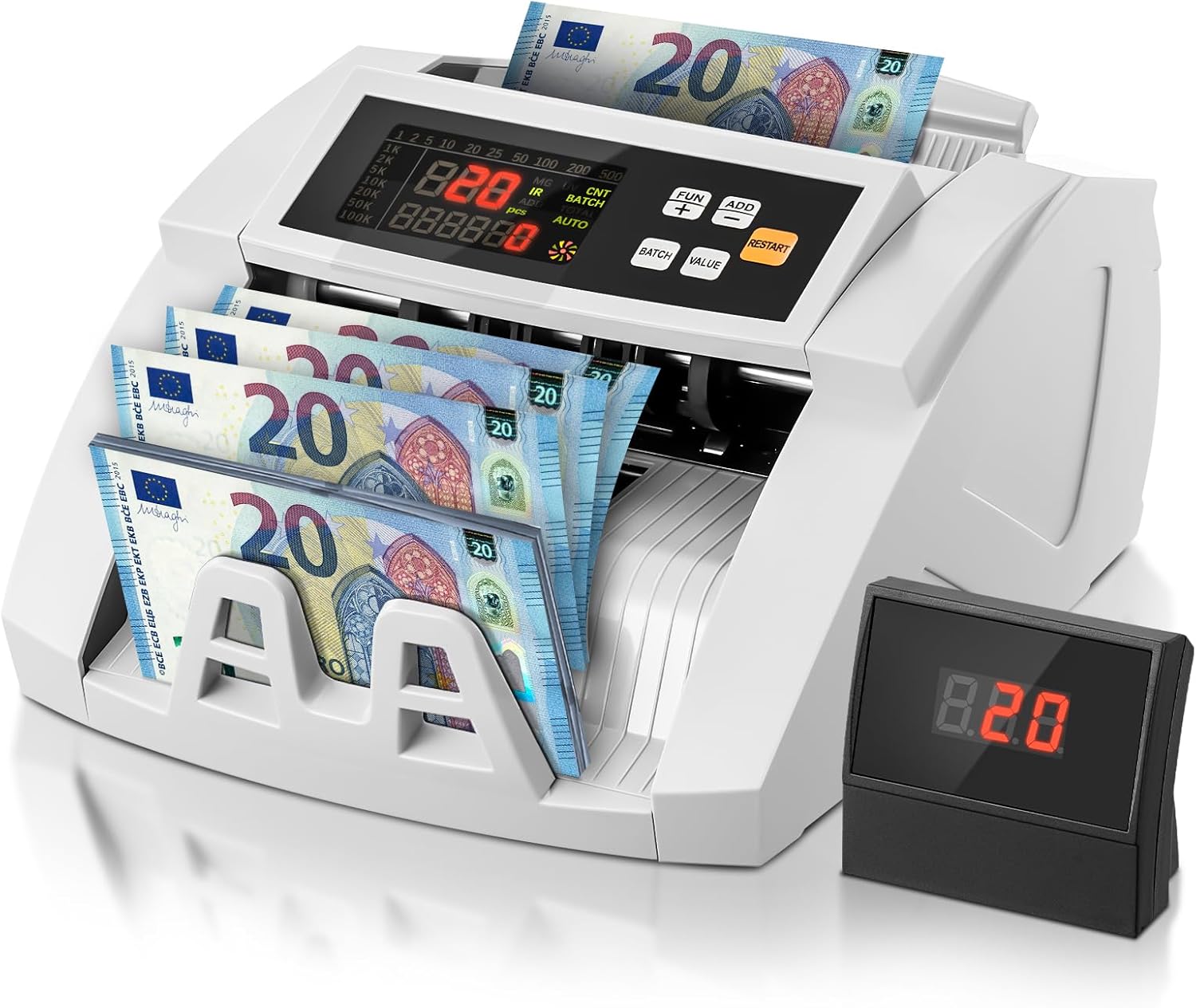
Image 1.1: FOHERE Bill Counter H-A16 processing Euro banknotes. The main LCD display shows counting information, and an external display unit is visible on the right.
2. Saugos instrukcijos
- Prieš naudodami įrenginį, perskaitykite visas instrukcijas.
- Laikykite prietaisą atokiau nuo vandens ar kitų skysčių, kad išvengtumėte elektros smūgio.
- Neatidarykite įrenginio c.asing. Visus techninės priežiūros darbus patikėkite kvalifikuotiems darbuotojams.
- Naudokite tik pateiktą maitinimo adapterį ir laidą.
- Įsitikinkite, kad maitinimo lizdas atitinka tūrįtage prietaiso reikalavimus.
- Unplug the device from the power source before cleaning or when not in use for extended periods.
- Keep hands and loose clothing away from the bill feeding mechanism during operation.
3. Pakuotės turinys
Patikrinkite pakuotę, ar joje yra šie daiktai:
- 1 x FOHERE Professional Bill Counter H-A16
- 1x maitinimo laidas
- 1 x Valymo šepetėlis
- 1 x išorinis LCD ekranas
- 1 x Naudotojo vadovas (šis dokumentas)

3.1 vaizdas: Baigtaview of the FOHERE Bill Counter H-A16 dimensions and included accessories.
4. Produktas baigtasview
The FOHERE H-A16 Bill Counter features a user-friendly design with a clear LCD display and intuitive controls. Key components include:
- Bunkeris: Where bills are loaded for counting.
- Stacker: Where counted bills are collected.
- Valdymo skydelis: Buttons for mode selection, batch settings, and other functions.
- LCD ekranas: Shows counting results, error messages, and mode indicators.
- External Display Port: For connecting the included external display.
- Jutikliai: UV, MG, IR, DD for counterfeit detection.

Image 4.1: Design features emphasizing efficiency and durability, including high-strength materials, user-friendly controls, and an improved bill rotor.
5. Sąranka
- Išpakuoti: Carefully remove the bill counter and all accessories from the packaging.
- Vieta: Place the device on a stable, flat, and dry surface, ensuring adequate ventilation.
- Maitinimo jungtis: Connect the power cable to the device's power input and then plug it into a suitable electrical outlet.
- Išorinis ekranas (pasirenkama): If desired, connect the external LCD display to the designated port on the back of the bill counter.
- Maitinimas: Press the power switch, usually located on the back or side of the machine. The device will perform a self-test, and the display will light up.
6. Naudojimo instrukcijos
The FOHERE H-A16 offers multiple counting modes and advanced counterfeit detection.
6.1 Pagrindinis skaičiavimas
- Ensure the machine is powered on and in the default counting mode (usually AUTO).
- Fan out the bills to prevent them from sticking together.
- Place the stack of bills neatly into the hopper. Ensure they are aligned correctly and not folded or crumpled.
- The machine will automatically start counting. The count will be displayed on the LCD screen.
- Baigę skaičiuoti, išimkite kupiūras iš krautuvo.
6.2 Counting Modes
Use the control panel buttons to select different operational modes:
- AUTOMATINIS režimas: The default mode for continuous counting.
- BATCH režimas: Allows you to count bills in specific quantities. Press the 'BATCH' button, then use the numeric keys or '+' / '-' buttons to set the desired batch size (e.g., 10, 20, 50, 100). The machine will stop after counting the set number of bills.
- PRIDĖTI režimas: For cumulative counting. Each new count is added to the previous total. Press the 'ADD' button to activate.
- VALUE režimas: Calculates the total monetary value of a stack of bills. Svarbu: This mode only works accurately for bills of the same denomination. Manually separate bills of different denominations and count them individually in this mode. Press the 'VALUE' button and select the denomination.

Image 6.1: Illustration of the four professional counting modes: Count, Add, Batch, and Value calculation.

Image 6.2: Display in Value Counting Mode, showing the quantity of bills and their total value. Note: Only count one denomination at a time for accurate value calculation.
6.3. Padirbtų prekių aptikimas
The FOHERE H-A16 is equipped with multiple detection technologies:
- UV (ultravioletiniai): Detects UV features present in genuine banknotes.
- MG (Magnetic): Scans for magnetic ink patterns on bills.
- IR (Infrared): Checks for infrared security features.
- DD (Dimension Detection): Verifies the physical dimensions of the banknotes.
If a suspicious bill is detected, the machine will automatically stop, display an error message on the screen, and emit an audible alarm. Remove the suspicious bill and press 'RESTART' to continue counting.
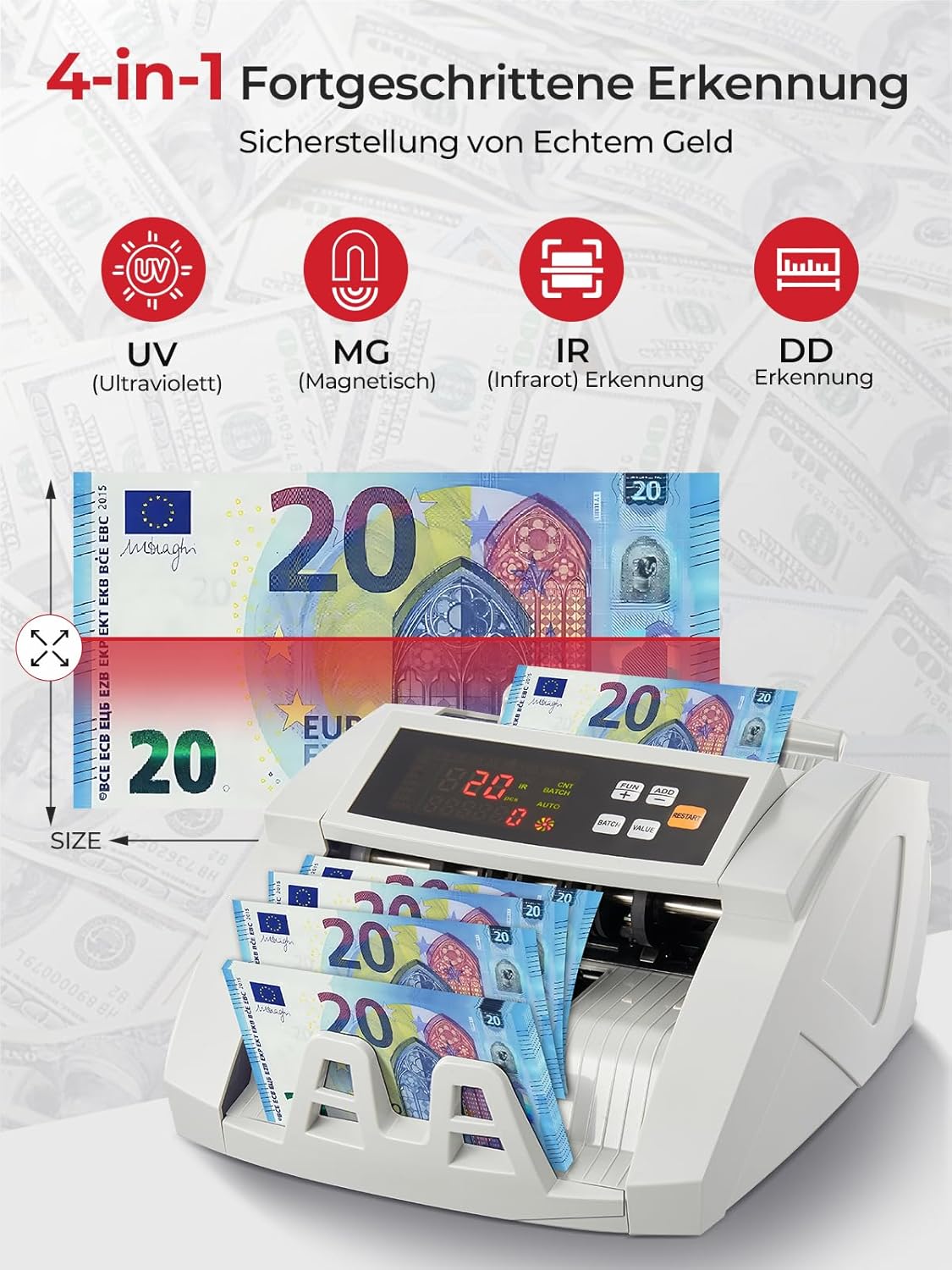
Image 6.3: Visual representation of the 4-in-1 advanced counterfeit detection system (UV, MG, IR, DD).
7. Priežiūra
Regular maintenance ensures the accuracy and longevity of your bill counter.
7.1 Valymas
- Išjungti: Prieš valydami visada išjunkite ir atjunkite prietaisą nuo elektros tinklo.
- Dulkių šalinimas: Use the provided cleaning brush or a soft, dry cloth to gently remove dust and debris from the hopper, stacker, and internal sensors.
- Jutiklio valymas: Pay special attention to the UV, MG, and IR sensors. Accumulated dust can affect detection accuracy. Use a soft, lint-free cloth, possibly lightly dampened with isopropyl alcohol, to clean the sensor surfaces. Ensure they are completely dry before powering on.
- Išorė: Mašinos išorę nuvalykite minkštu, sausu skudurėliu. Nenaudokite abrazyvinių valiklių ar tirpiklių.
7.2 Saugykla
When not in use for extended periods, store the bill counter in a clean, dry place, away from direct sunlight and extreme temperatures.
8. Problemų sprendimas
Dažniausiai pasitaikančias problemas ir jų sprendimus žr. šioje lentelėje:
| Problema | Galima priežastis | Sprendimas |
|---|---|---|
| Mašina neįsijungia | Power cable not connected; Power switch off; Power outlet issue | Check power cable connection; Ensure power switch is ON; Try a different power outlet. |
| Bills jam frequently | Bills not fanned out; Bills are crumpled/folded; Dust on rollers/sensors | Fan out bills before loading; Straighten bills; Clean rollers and sensors as per maintenance section. |
| Inaccurate counting results | Dust on sensors; Bills not inserted correctly; Worn rollers | Clean all sensors; Re-insert bills properly; Contact support if rollers appear worn. |
| Counterfeit detection errors | Dust on UV/MG/IR sensors; Bills are heavily worn or damaged | Clean UV, MG, and IR sensors; Try counting the bill manually or with another known genuine bill for comparison. |
| Išorinis ekranas neveikia | Cable not connected properly; Faulty display unit | Check the connection cable; Test with another external display if available, or contact support. |
9. Specifikacijos
| Funkcija | Specifikacija |
|---|---|
| Prekės ženklas | FOHERE |
| Modelio numeris | H-A16 |
| Skaičiavimo greitis | Iki 1100 kupiūrų per minutę |
| Padirbtų prekių aptikimas | UV (Ultraviolet), MG (Magnetic), IR (Infrared), DD (Dimension Detection) |
| Bunkerio talpa | 200 kupiūrų |
| Krautuvo talpa | 200 kupiūrų |
| Ekranas | LCD, External Display |
| Gaminio matmenys (I x P x A) | 28 x 23.5 x 16 cm |
| Prekės svoris | 3.05 kilogramo |
| Countable Banknote Size | 50 x 100 mm iki 90 x 170 mm |
| Maitinimo šaltinis | 220V 50Hz |
| Energijos suvartojimas | <80W |
| Spalva | Baltas |

Image 9.1: Performance metrics of the FOHERE Bill Counter, including counting speed and capacities.
10. Garantija ir palaikymas
FOHERE products are manufactured to high-quality standards. For warranty information, please refer to the documentation provided with your purchase or contact your retailer. If you encounter any issues or have questions regarding the operation or maintenance of your FOHERE Professional Bill Counter H-A16, please contact FOHERE customer support for assistance.