
1. Įvadas
The Akko Mineral 02 is a high-performance QMK/VIA compatible aluminum mechanical keyboard designed for versatility and customization. Featuring tri-mode connectivity (wired, 2.4GHz wireless, and Bluetooth), hot-swappable switches, and customizable RGB lighting, this keyboard offers a premium typing and gaming experience. This manual provides essential information for setting up, operating, maintaining, and troubleshooting your Akko Mineral 02 keyboard.
2. Pakuotės turinys
Patikrinkite pakuotę, ar joje yra šie daiktai:
- Akko Mineral 02 QMK/VIA Aluminum Mechanical Keyboard
- USB-C kabelis
- Assembly/Disassembly Tools (Switch Puller, Keycap Puller)
- 2.4 GHz belaidis imtuvas
- Vartotojo vadovas (šis dokumentas)
3. Produktas baigtasview
The Akko Mineral 02 keyboard combines robust aluminum construction with advanced features for a customizable user experience.
Pagrindinės funkcijos:
- Trijų režimų ryšys: Seamlessly switch between Wired (USB-C), 2.4GHz Wireless, and Bluetooth connections.
- QMK/VIA palaikymas: Full programmability for key remapping, macros, and lighting customization.
- Karštuoju būdu keičiami jungikliai: Easily change mechanical switches without soldering.
- Pritaikomas RGB apšvietimas: Per-key RGB and unique corner lighting effects.
- Aluminum Case: Durable and premium build quality.
- Tarpikliu montuojama konstrukcija: Provides a flexible and comfortable typing feel with improved acoustics.
- 8000 mAh baterija: Extended wireless usage.
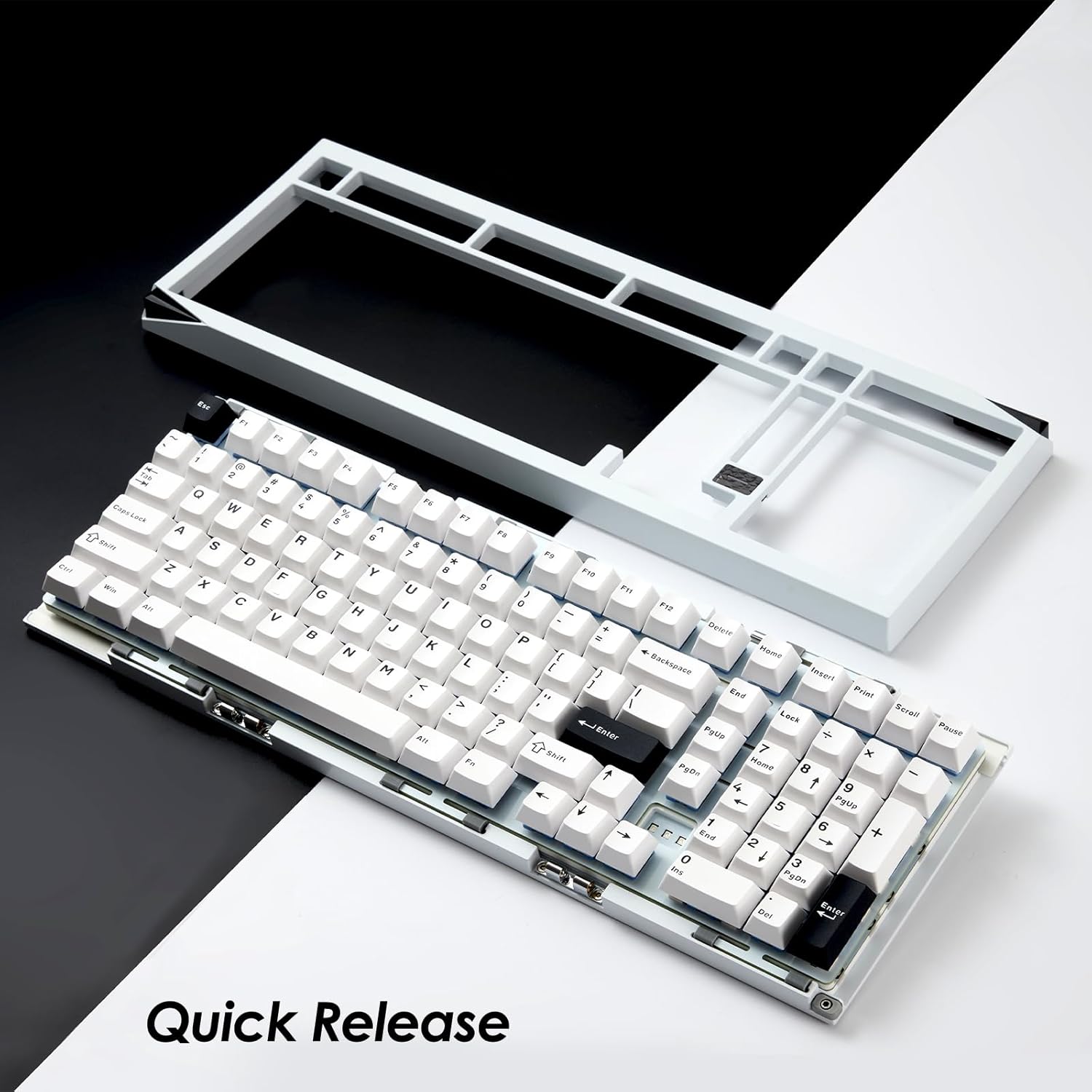
Image: Akko Mineral 02 keyboard with its top case detached, illustrating the quick release design for easy customization and maintenance.

Image: Detail of the hot-swappable sockets on the Akko Mineral 02 keyboard, allowing for easy switch replacement without soldering. RGB lighting is visible through the sockets.

Image: Visual representation highlighting the 8000mAh battery capacity of the Akko Mineral 02 keyboard, indicating long wireless usage.
4. Sąranka
4.1 Pradinis įkrovimas
Before first use, connect the keyboard to a USB power source using the provided USB-C cable to ensure it is fully charged. The charging indicator (usually an LED near the USB port or a specific key) will show charging status and turn off or change color when fully charged.
4.2 Connecting via Wired Mode
- Ensure the keyboard's mode switch (usually located on the back or side) is set to 'Wired' or 'USB'.
- Connect the USB-C cable to the keyboard's USB-C port and the other end to an available USB port on your computer.
- Jūsų operacinė sistema automatiškai atpažins klaviatūrą.

Image: The USB-C port located on the Akko Mineral 02 keyboard for wired connection and charging.
4.3 Prisijungimas 2.4 GHz belaidžiu režimu
- Locate the 2.4GHz wireless receiver in your package.
- Prijunkite 2.4 GHz imtuvą prie laisvo kompiuterio USB prievado.
- Set the keyboard's mode switch to '2.4G'.
- Klaviatūra turėtų prisijungti automatiškai. Jei ne, paspauskite fn+4 (or the designated key for 2.4G pairing) to initiate pairing.
4.4 Prisijungimas per „Bluetooth“ režimą
- Set the keyboard's mode switch to 'BT' (Bluetooth).
- Kompiuteryje arba įrenginyje įjunkite „Bluetooth“ ir ieškokite naujų įrenginių.
- Klaviatūroje paspauskite ir palaikykite fn+1, fn+2, arba fn+3 for 3-5 seconds to enter pairing mode for Bluetooth device 1, 2, or 3 respectively. The indicator light will flash rapidly.
- Select 'Akko Mineral 02' from the list of available Bluetooth devices on your computer/device.
- Once paired, the indicator light will stop flashing. You can pair up to three Bluetooth devices.

Image: The Akko Mineral 02 keyboard demonstrating its tri-mode connectivity options: Type-C wired, 2.4GHz wireless, and Bluetooth, connecting to various devices.
5. Naudojimo instrukcijos
5.1 Pagrindinės klavišų funkcijos
The Akko Mineral 02 features a standard 1800 compact layout. Refer to the keycap legends for primary functions. Secondary functions are typically accessed using the Fn key in combination with other keys (e.g., Fn + F1-F12 for media controls).
5.2 RGB apšvietimo valdymas
The keyboard features customizable RGB lighting. Basic lighting effects can be cycled through using specific Fn key combinations (refer to your keyboard's specific key legends or a quick start guide). For advanced customization, including per-key lighting and dynamic effects, use the VIA software.
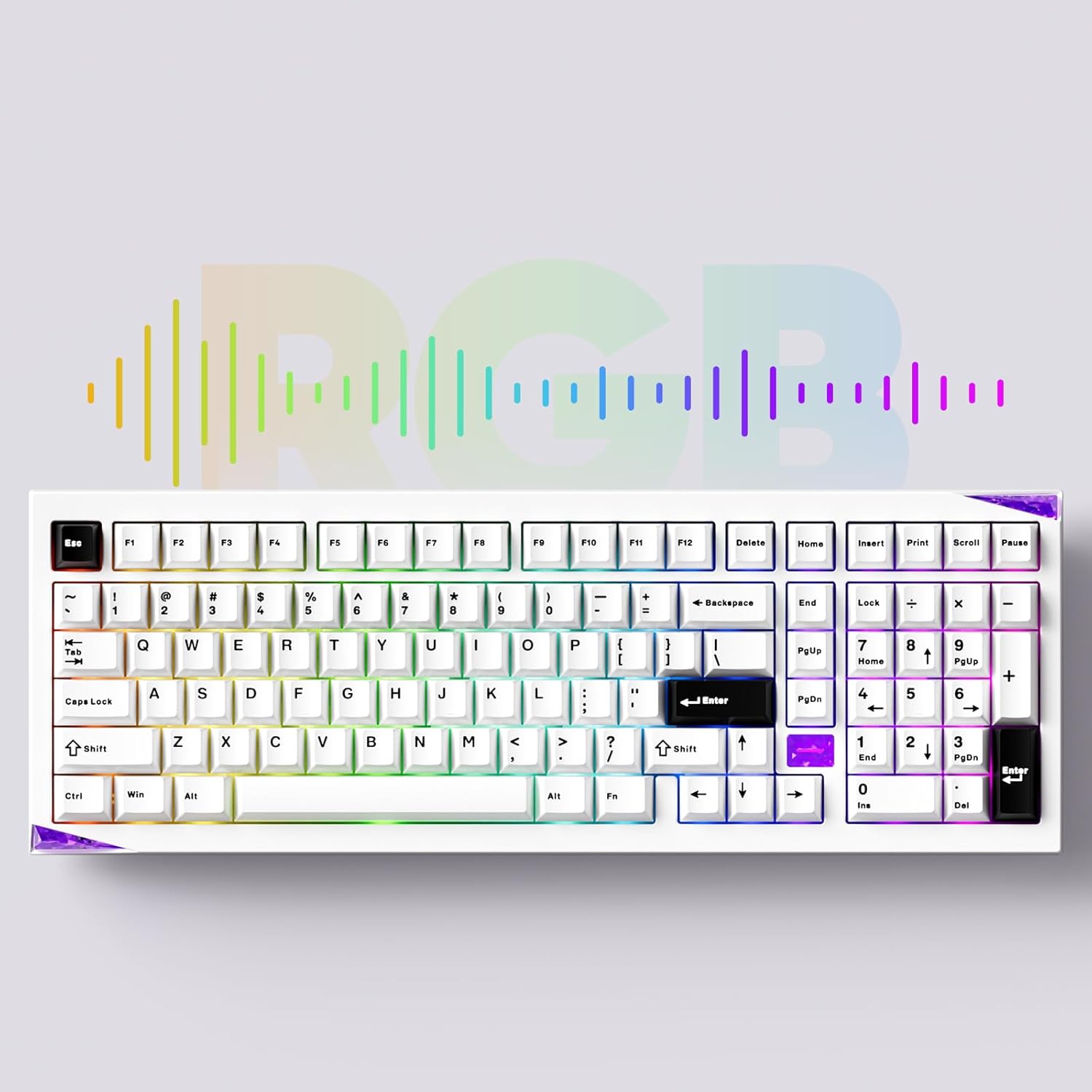
Image: The Akko Mineral 02 keyboard illuminated with various RGB lighting patterns, showcasing its customizable backlighting.
5.3 QMK/VIA Software Usage
The Akko Mineral 02 supports QMK firmware and VIA software for advanced customization. VIA allows you to remap keys, create macros, and adjust RGB lighting in real-time without flashing firmware. To use VIA:
- Download the VIA software from the official Akko website or the VIA websvetainę.
- Connect your keyboard in wired mode.
- Launch the VIA software. It should automatically detect your keyboard.
- Use the intuitive interface to customize key assignments, layers, and lighting effects.

Image: A visual representation of the VIA software interface, demonstrating its capabilities for key remapping and customization.
5.4 Switching Operating System Modes (Windows/Mac)
To switch between Windows and Mac operating system layouts, locate the dedicated switch or key combination. Some Akko keyboards use Fn + Caps Lock to toggle between modes. Refer to your keyboard's specific documentation for the exact method.
6. Priežiūra
6.1 Klaviatūros valymas
- Atjunkite klaviatūrą nuo kompiuterio.
- Norėdami kruopščiai išvalyti, nuimkite klavišų dangtelius specialiu raktu.
- Norėdami pašalinti dulkes ir šiukšles tarp jungiklių, naudokite suslėgtą orą.
- Nuvalykite klavišų dangtelius su reklamaamp šluoste ir švelniu muilo tirpalu, tada kruopščiai nusausinkite.
- Clean the keyboard case with a soft, dry cloth. Avoid harsh chemicals.
6.2 Hot-swapping Switches
The Akko Mineral 02 features hot-swappable sockets, allowing you to change switches without soldering.
- Atjunkite klaviatūrą.
- Norėdami nuimti norimą klavišo dangtelį, naudokite pateiktą klavišo dangtelio traukiklį.
- Use the provided switch puller to gently grip the switch from the top and bottom, then pull it straight up to remove.
- Suderinkite naujo jungiklio kaiščius su spausdintinės plokštės skylėmis. Įsitikinkite, kad kaiščiai yra tiesūs.
- Gently push the new switch into the socket until it clicks into place. Do not force it.
- Uždėkite klavišo dangtelį.

Paveikslėlis: detalus view of an Akko Mirror Switch, illustrating the component that can be hot-swapped in the keyboard.
7. Problemų sprendimas
7.1 Klaviatūra nereaguoja
- Laidinis režimas: Įsitikinkite, kad USB-C laidas yra tvirtai prijungtas prie klaviatūros ir kompiuterio. Išbandykite kitą USB prievadą arba laidą.
- 2.4 GHz belaidis ryšys: Ensure the 2.4GHz receiver is plugged in and the keyboard is in 2.4G mode. Re-pair by pressing fn+4. Check battery level.
- „Bluetooth“ režimas: Ensure Bluetooth is enabled on your device and the keyboard is in BT mode. Re-pair by holding Fn + 1/2/3. Check battery level.
- Baterija: Visiškai įkraukite klaviatūrą.
7.2 RGB apšvietimo problemos
- Įsitikinkite, kad klaviatūra įjungta.
- Check if RGB lighting is disabled via Fn key combinations.
- Use the VIA software to verify and adjust lighting settings.
7.3 Raktai neregistruojami
- Remove the keycap and switch for the affected key.
- Inspect the switch pins for bends or damage. Straighten gently if bent.
- Reinsert the switch firmly into the socket.
- Test with a different switch if the issue persists.
8. Specifikacijos
| Funkcija | Detalė |
|---|---|
| Prekės ženklas | Akko |
| Modelis | Mineralas 02 |
| Ryšio technologija | „Bluetooth“, 2.4 GHz belaidis ryšys, USB-C laidinis ryšys |
| Suderinami įrenginiai | Kompiuteris, planšetinis kompiuteris, išmanusis telefonas |
| Klaviatūros aprašymas | Ergonomiškas, mechaninis |
| Ypatingos savybės | Tri-Mode, Hot-swappable, RGB Lighting, QMK/VIA Support, Gasket Mount |
| Medžiaga | Aluminum (Case) |
| Įtraukti komponentai | USB-C Cable, Assembly/Disassembly Tools |
| Maitinimo šaltinis | Belaidis ir laidinis |
| Raktų skaičius | 104 (1800 Compact Layout) |
| Jungiklio tipas | Mechaninis |
| Mechaninis klaviatūros jungiklio modelis | Mirror Switch (Pre-lubed) |
| Baterijos talpa | 8000 mAh |
9. Garantija ir palaikymas
Akko products come with a standard manufacturer's warranty. For specific warranty terms, duration, and support inquiries, please refer to the warranty card included with your product or visit the official Akko websvetainėje. Išsaugokite pirkimo įrodymą garantiniams reikalavimams.
For technical support, troubleshooting assistance, or further information, please contact Akko customer service through their official channels.