
1. Įvadas
This manual provides detailed instructions for the Inateck BCST-72 2D Wireless Barcode Scanner. Please read this guide thoroughly before using the device to ensure proper operation and to maximize its performance. The Inateck BCST-72 is designed for efficient and accurate scanning of various 1D and 2D barcodes, offering versatile connectivity and a long-lasting battery.
2. Pakuotės turinys
Patikrinkite, ar pakuotėje yra visi reikalingi daiktai:
- Inateck BCST-72 2D Wireless Barcode Scanner
- USB Charging Cable (USB-A to USB-B)
- 2.4G belaidis USB adapteris
- Vartotojo vadovas (šis dokumentas)
Vaizdo įrašo aprašymas: An unboxing video showing the Inateck BCST-72 barcode scanner, user guide, USB cable, and 2.4G USB dongle being removed from their packaging. This video provides a visual confirmation of the package contents.
3. Produktas baigtasview
3.1 Fizinės savybės
The Inateck BCST-72 is built for durability and comfort, featuring a robust design suitable for various work environments.
- Patvarus dizainas: The scanner incorporates thickened TPU soft rubber for 360° drop protection, capable of withstanding repeated drops from 1.8 meters.
- Ergonomiška rankena: Engineered for comfort during extended use, its balanced weight and slip-resistant backstrap ensure effortless handling.
- Patvarus mygtukas: The trigger button features a metal and plastic combined design, supporting millions of clicks for long-term reliability.
Vaizdo aprašymas: Išsamią view of the Inateck BCST-72 barcode scanner, illustrating its robust construction with enhanced TPU for 360-degree protection against drops from up to 1.8 meters.

Vaizdo aprašymas: A hand holding the Inateck BCST-72 barcode scanner, emphasizing its ergonomic design for comfortable and effortless control during use.

Vaizdo aprašymas: A close-up shot of the Inateck BCST-72 barcode scanner's yellow trigger button, highlighting its durable construction designed for millions of clicks.
4. Sąranka
4.1 Skaitytuvo įkrovimas
Before initial use, fully charge the scanner. Connect the provided USB charging cable to the scanner's charging port and a USB power source. The scanner is equipped with a 2600mAh battery, offering up to 180 days of standby time or 180,000 scans on a single charge.

Vaizdo aprašymas: The Inateck BCST-72 barcode scanner with an overlay indicating its 180-day standby battery life, 144 hours of non-stop scanning, and 2600mAh battery capacity.
4.2 Ryšio parinktys
The BCST-72 offers three connectivity modes: 2.4G Wireless, Bluetooth, and Wired USB. It is compatible with Windows, Mac, iOS, Android, iPadOS, and Linux operating systems.
4.2.1 Bluetooth ryšys
Norėdami prisijungti per Bluetooth:
- Įjunkite skaitytuvą.
- Download the "Inateck Scanner" app from the App Store or Google Play.
- Open the app and follow the on-screen instructions to pair the scanner via Bluetooth. The app will guide you through the setup process.
- Once paired, the scanner can be used with your device.
4.2.2 2.4G belaidis ryšys
For 2.4G wireless connection:
- Įkiškite 2.4G USB adapterį į laisvą kompiuterio arba pagrindinio įrenginio USB prievadą.
- Įjunkite skaitytuvą. Jis turėtų automatiškai prisijungti prie adapterio.
- The scanner will function as a keyboard input device.
4.2.3 Laidinis USB ryšys
To connect via wired USB:
- Prijunkite skaitytuvą prie kompiuterio naudodami pateiktą USB kabelį.
- The scanner will be recognized as a USB HID keyboard device and is ready for use.

Vaizdo aprašymas: The Inateck BCST-72 barcode scanner shown connecting via Bluetooth to devices running Windows, macOS, Linux, Raspberry Pi, iOS, and Android, illustrating its broad compatibility.

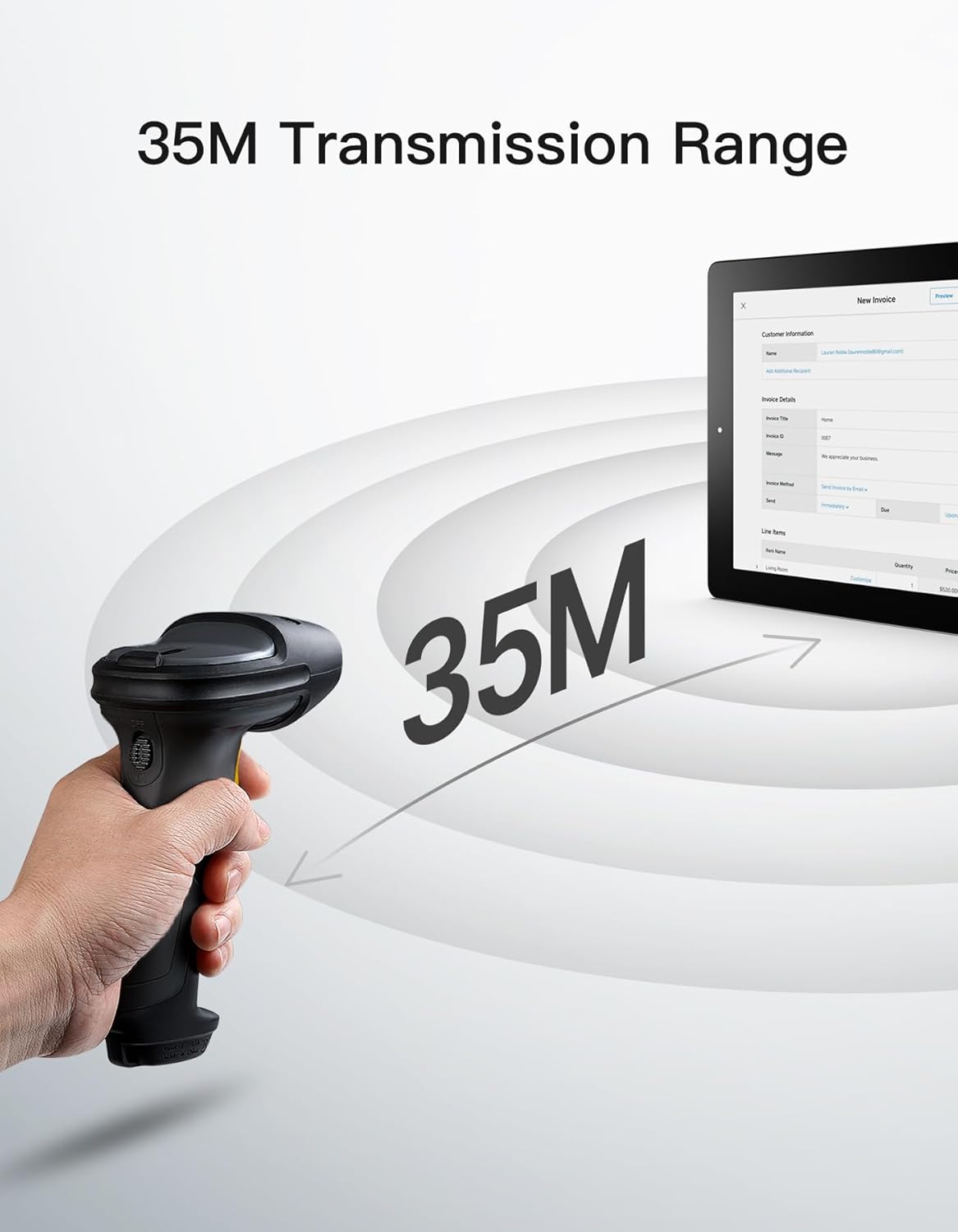
Vaizdo aprašymas: The Inateck BCST-72 barcode scanner illustrating its 35-meter wireless transmission range, connecting to a tablet displaying an invoice.
5. Naudojimo instrukcijos
5.1 Brūkšninių kodų nuskaitymas
The Inateck BCST-72 accurately reads almost all 1D and 2D barcodes within a 4–35 cm scanning range. It supports mainstream barcode types including Code 128, EAN-13, UPC-A, QR Code, PDF-417, Data Matrix, Aztec Code, and more. Equipped with a red laser aiming frame and white fill light, it reliably scans damaged, small, or blurred barcodes in both bright and low-light conditions.

Vaizdo aprašymas: The Inateck BCST-72 barcode scanner head shown with various 1D and 2D barcodes, indicating its "Super Decoding Ability" to read different types of codes.

Vaizdo aprašymas: The Inateck BCST-72 barcode scanner highlighting its capability to read both 1D and 2D barcodes, listing various supported formats like Code 128, EAN-13, UPC-A, QR, and Data Matrix.
5.2 Skenavimo režimai
The scanner offers multiple scanning modes to suit different applications:
- Rankinis režimas: Paspauskite paleidimo mygtuką, kad nuskaitytumėte kiekvieną brūkšninį kodą atskirai.
- Nepertraukiamas režimas: Skaitytuvas nuolat skleidžia nuskaitymo spindulį, nuskaitydamas brūkšninius kodus, jiems einant per lauką. view nereikės paspausti gaiduko.
- Automatinio jutimo režimas: The scanner automatically detects barcodes placed within its scanning range and activates the scan beam.
- Atsargų režimas: Allows for offline data collection, storing up to 270,000 barcodes internally before uploading them to a host device.

Vaizdo aprašymas: The Inateck BCST-72 barcode scanner in a stand, demonstrating its automatic detection mode for hands-free scanning.

Vaizdo aprašymas: The Inateck BCST-72 barcode scanner continuously scanning multiple items on a conveyor belt, illustrating its continuous scanning mode.

Vaizdo aprašymas: The Inateck BCST-72 barcode scanner used in inventory mode, showing scanned data being uploaded to a spreadsheet, highlighting its offline data collection capability.
5.3 Inateck Scanner App & SDK
The Inateck Scanner app (available on App Store and Google Play) and SDK provide advanced configuration options and seamless integration with ERP systems. The app allows for fast configuration of Bluetooth pairing, barcode settings, and data processing. You can customize settings such as volume, barcode types, suffixes, and prefixes. The SDK enables developers to integrate the scanner directly into custom software solutions.
Vaizdo įrašo aprašymas: An official product video demonstrating the Inateck BCST-72 barcode scanner's features, including its decoding ability, battery life, durable design, and the functionality of the Inateck Scanner app for configuration and data processing. It also highlights the SDK for seamless integration.
6. Priežiūra
To ensure the longevity and optimal performance of your Inateck BCST-72 barcode scanner, follow these maintenance guidelines:
- Valymas: Skaitytuvo išorę valykite minkšta, sausa šluoste. Skenavimo langelį lengvai nuvalykite nepūkuota šluoste.ampvalykite švelniu, neabrazyviniu valikliu. Venkite stiprių cheminių medžiagų ar abrazyvinių medžiagų, kurios gali subraižyti lęšį.
- Akumuliatoriaus priežiūra: Avoid fully discharging the battery frequently. For long-term storage, charge the battery to about 50% and store the device in a cool, dry place. Recharge periodically if stored for extended periods.
- Saugykla: Store the scanner in a clean, dry environment away from extreme temperatures, direct sunlight, and corrosive materials.
7. Problemų sprendimas
If you encounter issues with your Inateck BCST-72 scanner, refer to the following common solutions:
- Skaitytuvas neįsijungia: Įsitikinkite, kad akumuliatorius įkrautas. Prijunkite skaitytuvą prie maitinimo šaltinio naudodami USB laidą ir leiskite jam įkrauti bent 30 minučių, prieš bandydami jį vėl įjungti.
- Unable to Connect via Bluetooth/2.4G:
- Ensure the scanner is in the correct pairing mode.
- Verify that Bluetooth is enabled on your host device.
- Jei naudojate 2.4G ryšį, įsitikinkite, kad USB adapteris yra tvirtai prijungtas ir jūsų įrenginys jį atpažįsta.
- Pabandykite iš naujo paleisti skaitytuvą ir pagrindinį įrenginį.
- Skaitytuvas neskaito brūkšninių kodų:
- Ensure the barcode is clean, undamaged, and within the scanner's optimal reading range (4-35 cm).
- Check if the barcode type is supported by the scanner. You can configure supported barcode types via the Inateck Scanner app.
- Sureguliuokite skaitytuvo atstumą ir kampą brūkšninio kodo atžvilgiu.
- Ensure sufficient lighting for the barcode. The scanner has a white fill light for low-light conditions.
- Nėra duomenų perdavimo:
- Confirm successful connection (Bluetooth, 2.4G, or wired).
- Įsitikinkite, kad žymeklis yra aktyviame teksto lauke pagrindiniame įrenginyje, kuriame galima įvesti duomenis.
- Check the scanner's settings via the Inateck Scanner app for any data processing rules that might be affecting output.
For further assistance, refer to the electronic manual within the Inateck Scanner app or contact Inateck customer support.
8. Specifikacijos
| Funkcija | Detalė |
|---|---|
| Prekės ženklas | Inateck |
| Modelis | BCST-72 |
| Nuskaitymo galimybė | 1D and 2D Barcodes (Code 128, EAN-13, UPC-A, QR Code, PDF-417, Data Matrix, Aztec Code, etc.) |
| Nuskaitymo diapazonas | 4-35 cm |
| Ryšys | 2.4G Wireless, Bluetooth, Wired USB |
| Suderinamumas | Windows, Mac, iOS, Android, iPadOS, Linux |
| Baterija | 1 ličio jonų baterija (pridedama), 2600 mAh |
| Baterijos veikimo laikas | Up to 180 days standby or 180,000 scans |
| Apsauga nuo kritimo | Withstands 1.8-meter drops |
9. Garantija ir palaikymas
Inateck products come with a standard warranty. For specific warranty terms and conditions, please refer to the documentation included with your purchase or visit the official Inateck website. If you require technical support, have questions about product operation, or need assistance with troubleshooting, please contact Inateck customer support. You can find contact information on the Inateck website or within the Inateck Scanner app.
Aplankykite Inateck Store daugiau informacijos ir produktų.