
Įvadas
The Tonies Sleepy Duck is an audio toy figurine designed to provide a tranquil sound journey through the forest, aiding in relaxation and bedtime routines. This Tonie features soothing melodies, gentle waves, summer rain, and the rustle of forest trees to create a calming atmosphere. It is intended for use with a Toniebox Audio Player, which is sold separately.
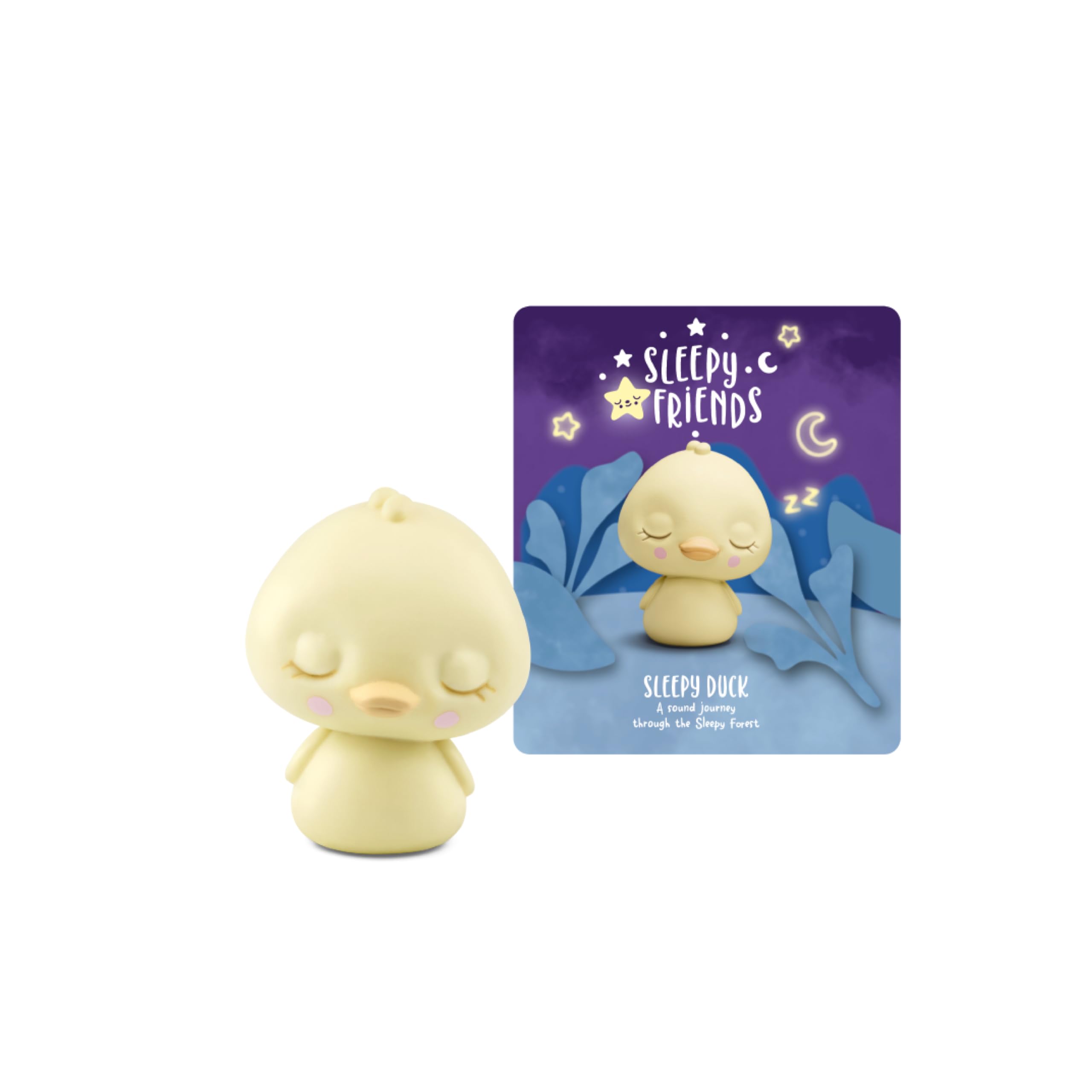
Image: The Sleepy Duck Tonie on a Toniebox, ready for playback.
Kas įtraukta
Jūsų paketą sudaro:
- One (1) Tonies Sleepy Duck Audio Toy Figurine

Image: The Sleepy Duck figurine, a small yellow duck with closed eyes.
Sąranka
To use your Tonies Sleepy Duck figurine, you must first have a Toniebox Audio Player and ensure it is set up and connected to Wi-Fi. If you do not have a Toniebox, please purchase one separately.
- Unbox the Figurine: Carefully remove the Sleepy Duck figurine from its packaging.
- Place on Toniebox: Place the Sleepy Duck figurine on top of your Toniebox Audio Player. The Toniebox will automatically recognize the new Tonie.
- Initial Download (if needed): If this is the first time using this specific Tonie, the Toniebox will begin downloading the audio content. Ensure your Toniebox is connected to Wi-Fi during this process. The LED on the Toniebox will flash blue while downloading and turn solid green once complete.
- Paruošta žaisti: Once the download is complete, the audio content will begin playing automatically.
Video: An official Tonies video demonstrating the setup and interaction with the Toniebox Audio Player. This video shows how to place a Tonie figurine on the Toniebox and initiate playback.
Naudojimo instrukcijos
Once the Sleepy Duck Tonie is placed on the Toniebox and the content is downloaded, operating it is simple:
- Paleisti / pristabdyti: Place the Sleepy Duck on the Toniebox to start playback. Lift it off to pause. Place it back on to resume.
- Garsumo valdymas: Squeeze the larger ear on the Toniebox to increase volume, and the smaller ear to decrease volume.
- Praleisti takelius: Tap the side of the Toniebox to skip forward or backward between tracks.
Tonie Tracklist
The Sleepy Duck Tonie includes the following audio content:
- Tonies Intro Whisper
- Sleepy Duck - A little bedtime story
Total running time: Approximately 120 minutes.

Image: The official tracklist for the Sleepy Duck Tonie, detailing the included stories and total runtime.
Video: An official Tonies video showcasing the tracklist and sounds of the Sleepy Duck Tonie, providing a preview of the audio content.
Features and Educational Objectives
The Sleepy Duck Tonie is designed to support children's development through engaging audio content:
- Bedtime Routine: Helps children develop a consistent and calming bedtime routine.
- Atsipalaidavimas: Promotes relaxation and a peaceful environment conducive to falling asleep.
- Vaizduotės žaidimas: Encourages imaginative engagement with the story and sounds.
- Pramogos be ekrano: Provides an alternative to screen-based entertainment, fostering auditory learning.

Image: A young child happily engaging with the Toniebox and Sleepy Duck figurine.
Specifikacijos
| Funkcija | Detalė |
|---|---|
| Prekės ženklas | Toniukai |
| Modelio numeris | 11001516 |
| UPC | 840147441164 |
| Medžiagos tipas | Plastikiniai |
| Prekės svoris | 0.1 svaro |
| Prekės matmenys | 4.2 x 0.7 x 7.88 colio |
| Rekomenduojamas amžiaus intervalas | 12 months to 1188 months (1+ years) |
| Ugdymo tikslas | Developing a bedtime routine, relaxing, and falling asleep. |
| Palaikomi baterijų tipai | No batteries required (powered by Toniebox) |
| Įtraukti komponentai | Tonie Figurine |
Priežiūra ir priežiūra
To ensure the longevity of your Sleepy Duck Tonie figurine, follow these care instructions:
- Valymas: Wipe the figurine with a soft, damp audinys. Venkite naudoti stiprių cheminių medžiagų ar abrazyvinių valiklių.
- Saugykla: Store the Tonie in a cool, dry place away from direct sunlight and extreme temperatures.
- Tvarkymas: While durable, avoid dropping or throwing the figurine to prevent damage.
Trikčių šalinimas
If you encounter issues with your Sleepy Duck Tonie, consider the following:
- No Sound/Content Not Playing:
- Ensure the Toniebox is powered on and charged.
- Verify the Sleepy Duck figurine is placed correctly on the Toniebox.
- Check if the Toniebox is connected to Wi-Fi for initial content download. The LED should be solid green after download.
- Try removing and replacing the Tonie on the Toniebox.
- Pertraukiamas atkūrimas:
- Ensure the Toniebox is on a stable, flat surface.
- Check for any obstructions between the Tonie and the Toniebox.
- Toniebox Not Recognizing Tonie:
- Confirm your Toniebox firmware is up to date.
- Restart your Toniebox by holding both ears for about 10 seconds until you hear a sound.
Garantija ir palaikymas
For warranty information, product registration, or further assistance, please visit the official Tonies US websvetainėje arba susisiekite tiesiogiai su jų klientų aptarnavimo tarnyba. Išsaugokite pirkimo įrodymą, jei prireiktų garantijos.
Palaikymas internetu: Tonies US Contact Page