
BOTSLAB R810SE
BOTSLAB 2K belaidės durų skambučio kameros R810SE naudotojo vadovas
Model: R810SE
Įvadas
This manual provides detailed instructions for the installation, operation, and maintenance of your BOTSLAB 2K Wireless Doorbell Camera R810SE. This device offers advanced security features including 2K resolution, a 180° head-to-toe field of view, two-way audio, AI smart notifications, and a long-lasting 5200mAh battery. Please read this manual thoroughly before use to ensure proper functionality and safety.
Pakuotės turinys
Patikrinkite, ar pakuotėje yra visi toliau išvardyti daiktai:
- Video Doorbell x 1
- Pagrindinė stotis x 1
- Flat Mount Plate x 1
- Angle Mount Bracket x 1
- Adapterio plokštė x 1
- Padėties nustatymo lipdukas x 2
- Išmetimo kaištis x 1
- C tipo įkrovimo laidas x 1
- Varžtų paketas x 1
- Greitas pradžios vadovas x 1
- Instruction Sticker x 3
- Vartotojo vadovas x 2

Image: All components included in the BOTSLAB 2K Wireless Doorbell Camera R810SE package, laid out for identification.
Sąranka
1. Pradinis įkrovimas
Before first use, fully charge the doorbell camera using the provided Type-C charging cable. The 5200mAh rechargeable battery ensures extended operation.
2. Programėlės diegimas ir paskyros sukūrimas
- Download the "Botslab" app from your device's app store (Google Play for Android, App Store for iOS).
- Atidarykite programėlę ir vykdykite ekrane pateikiamus nurodymus, kad sukurtumėte naują paskyrą arba prisijunkite, jei jau turite.
- Add your new BOTSLAB 2K Wireless Doorbell Camera R810SE by scanning the QR code on the device or manually selecting it from the list.

Image: Screenshot showing the Botslab app icon and download options for Google Play and Apple App Store.
3. Prisijungimas prie Wi-Fi
Ensure your doorbell is within range of your 2.4GHz Wi-Fi network. The device only supports 2.4GHz Wi-Fi. Follow the in-app instructions to connect the doorbell and its base station to your home network.
4. Montavimo parinktys
The doorbell offers multiple installation methods:
- Self-Adhesive: Use the provided 3M adhesive for a quick, non-drilling installation on smooth surfaces.
- Sieninis: Use the screw pack and flat mount plate or angle mount bracket for a secure, permanent installation.

Image: Visual representation of the doorbell being installed using both 3M adhesive and screw mounting options, along with flat and angled brackets.
Naudojimo instrukcijos
1. Gyvai View and 2K Resolution
Access the live feed from your doorbell camera through the Botslab app. The 2K resolution provides clear and detailed video. The 180° diagonal field of view allows for a comprehensive "head-to-toe" perspective, capturing visitors, packages, and pets.
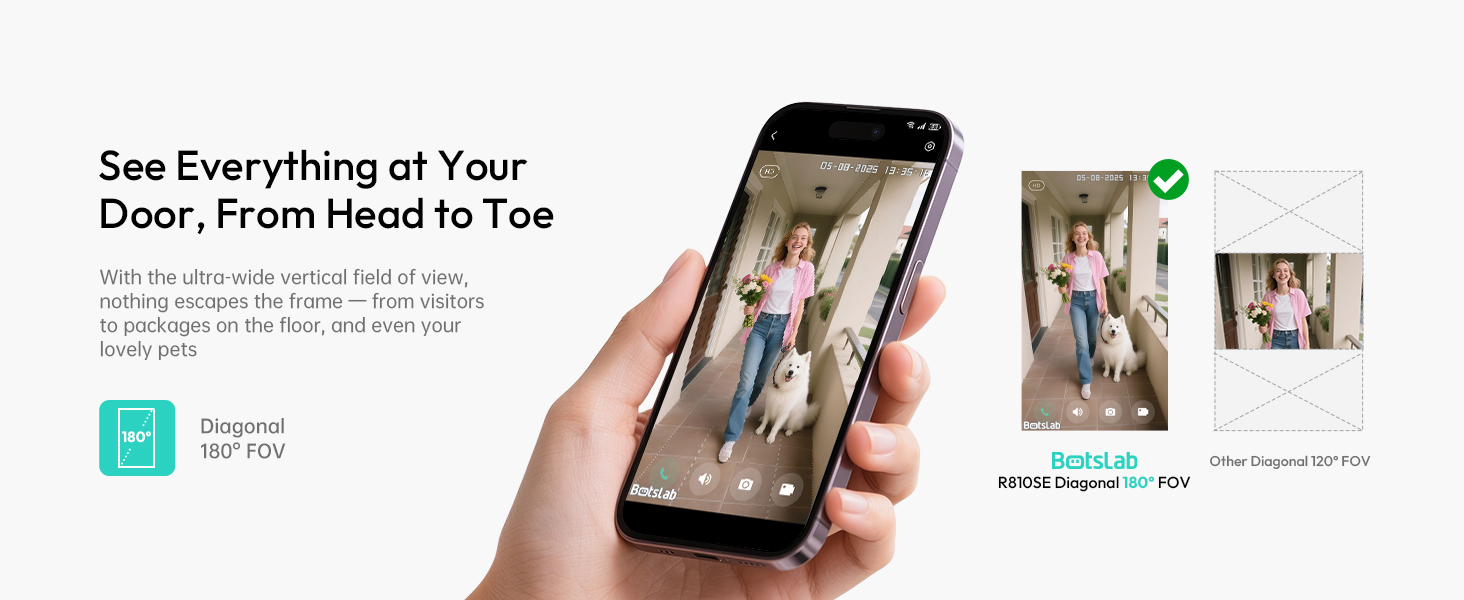
Image: Comparison showing the wide 180-degree head-to-toe view of the Botslab doorbell versus a narrower 120-degree view from another device, highlighting the comprehensive coverage.
2. Dvipusis garso ryšys
Utilize the two-way audio feature in the app to speak with visitors at your door from any location. This function also allows for voice changing to protect your privacy.
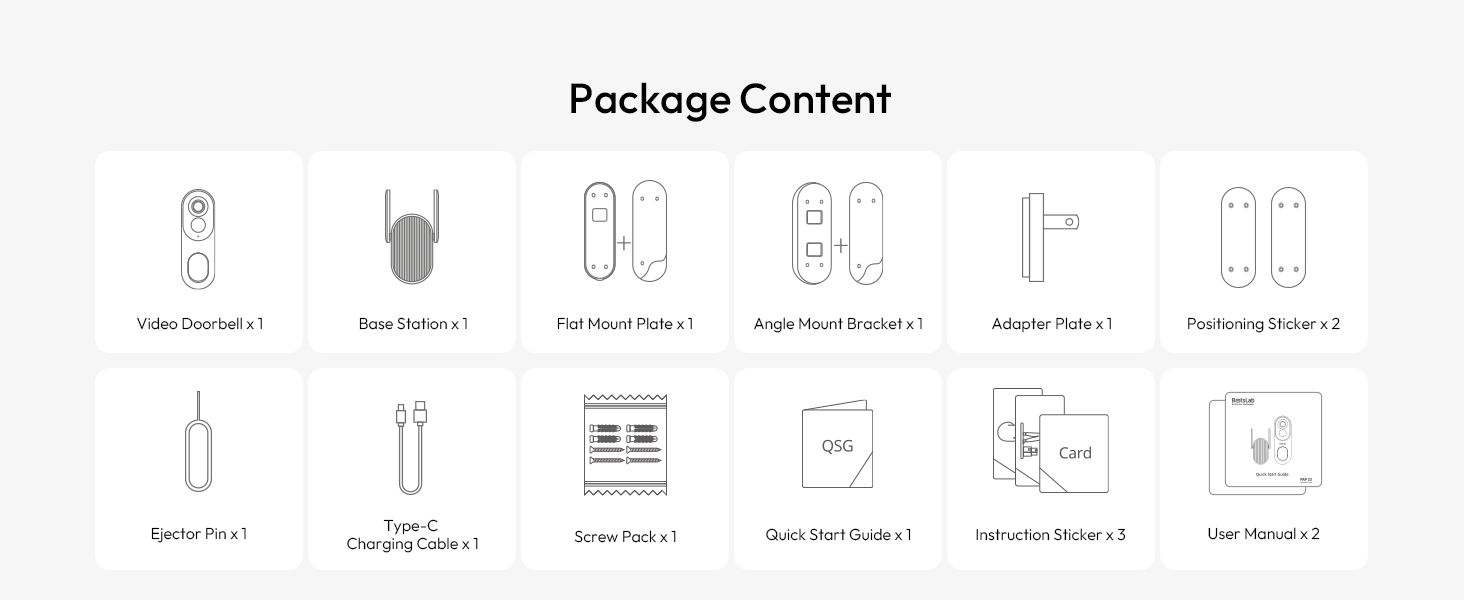
Image: Illustration of the two-way audio feature, showing a user interacting with a visitor at the door via the app, with options for voice changing (normal, male, funny).
3. AI Smart Notifications (BOTSLAB IQ)
The BOTSLAB IQ system provides intelligent, descriptive notifications about events at your doorstep, such as identifying visitors or detecting specific objects. This reduces the need to constantly check the app.
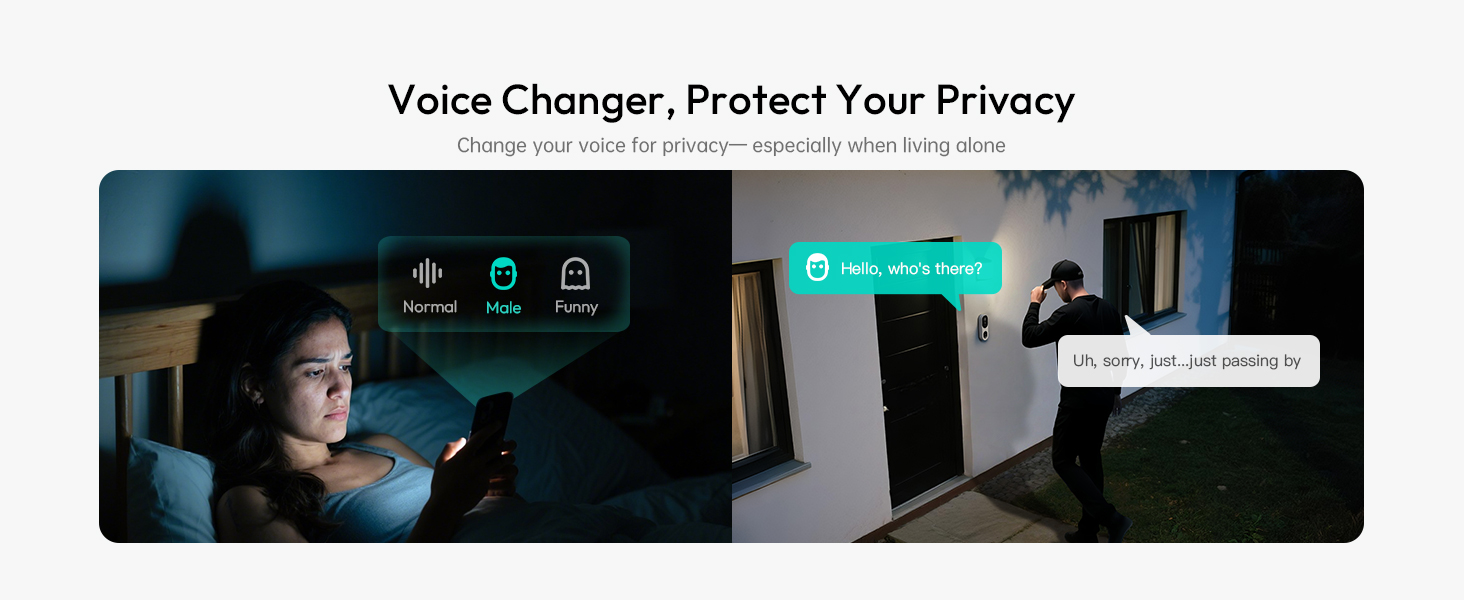
Image: Comparison of a detailed Botslab IQ notification ("A man in a black hoodie has been loitering around your door") versus a generic motion detection alert from another system.
4. Intelligent Search
Use the intelligent search function within the app to quickly find specific events, people, vehicles, or objects in your recorded footage by typing or speaking keywords.

Image: A visual representation of the intelligent search feature, showing a search bar with "Man in sunglasses" and various video thumbnails appearing around a central image of a man in sunglasses.
5. Saugojimo parinktys
- Saugykla debesyje: Enjoy 48 hours of free cloud storage for event recordings.
- Vietinė saugykla: Expand storage with a microSD card (up to 256GB, not included) in the base station for longer recording history and secure local data storage.

Image: Diagram illustrating both 48-hour cloud storage and expandable local storage via a microSD card in the base station.
6. Išmaniųjų namų integracija
The doorbell is compatible with Amazon Alexa and Google Assistant for voice control, notifications, and audio communication.
Image: A child interacting with a smart speaker, demonstrating compatibility with Alexa and Google Assistant for notifications and audio communication.
7. Anti-Theft Alert
If the doorbell is tampered with or removed, a siren will sound, and you will receive an immediate notification on your phone.
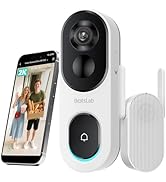
Image: A hand attempting to remove the doorbell from its mount, triggering a siren and a phone notification indicating "Doorbell Removed."
Priežiūra
1. Baterijos valdymas
The doorbell features a 5200mAh rechargeable battery designed for up to 150 days of use on a single charge. Recharge the battery using the provided Type-C cable when the battery level is low. Full charging before initial use is recommended.
2. Atsparumas oro sąlygoms
The BOTSLAB R810SE is IP66 weatherproof, designed to withstand various weather conditions, including rain and snow, within a temperature range of -4°F to 122°F (-20°C to 50°C).

Image: The doorbell shown installed outdoors, with illustrations of it enduring rain and snow, highlighting its IP66 weatherproof rating and wide temperature range.
3. Valymas
To maintain optimal performance, periodically clean the camera lens and the doorbell's exterior with a soft, damp audinys. Venkite naudoti stiprių cheminių medžiagų ar abrazyvinių medžiagų.
Trikčių šalinimas
- Nėra maitinimo / neįsijungia: Ensure the battery is fully charged. Connect the doorbell to the Type-C charging cable and allow it to charge for several hours.
- Nepavyksta prisijungti prie „Wi-Fi“:
- Verify your Wi-Fi network is 2.4GHz. The doorbell does not support 5GHz networks.
- Ensure the doorbell is within range of your Wi-Fi router.
- Restart your Wi-Fi router and the doorbell, then attempt to reconnect via the Botslab app.
- Prasta vaizdo kokybė:
- Check your Wi-Fi signal strength in the app. A weak signal can affect video streaming quality.
- Nuvalykite fotoaparato objektyvą, kad pašalintumėte dulkes ar dėmes.
- Negauti pranešimai:
- Ensure notifications are enabled in the Botslab app settings and in your phone's system settings for the app.
- Check the doorbell's motion detection sensitivity settings in the app.
- Dvipusio garso problemos:
- Ensure your phone's microphone and speaker permissions are granted to the Botslab app.
- Patikrinkite garsumo nustatymus telefone ir programėlėje.
Specifikacijos
| Modelio pavadinimas | R810SE |
| Vaizdo raiška | 2K (3 MP) |
| Laukas View | 180° Diagonal (Head-to-Toe) |
| Maitinimo šaltinis | Maitinamas baterija (5200 mAh įkraunama baterija) |
| Ryšys | 2.4 GHz Wi-Fi |
| Sandėliavimas | 48-hour Cloud Storage (free), Local Storage (microSD card up to 256GB, not included) |
| Atsparumas oro sąlygoms | IP66 |
| Darbinė temperatūra | -4°F iki 122°F (nuo -20°C iki 50°C) |
| Matmenys (I x P x A) | 2.19 x 1.59 x 6.3 colio |
| Svoris | 1.34 svaro |
| Suderinami įrenginiai | Amazon Alexa, Google Assistant |
Garantija ir palaikymas
Informacija apie garantiją
BOTSLAB offers a 365-day professional service and lifetime technical support for its products. For specific warranty details, please refer to the documentation included with your purchase or contact customer support.
Pagalba klientams
For any issues or questions, please contact BOTSLAB customer support through the following channels:
- „Botslab“ programėlė: Utilize the 24h live chat feature within the app (Me > Support).
- Amazon Message Center: Contact the seller directly through your Amazon order history.
- El. paštas: service@botslab.com
- Websvetainė: global.botslab.com
- Socialinė žiniasklaida: Join the Botslab Users Group on Facebook.
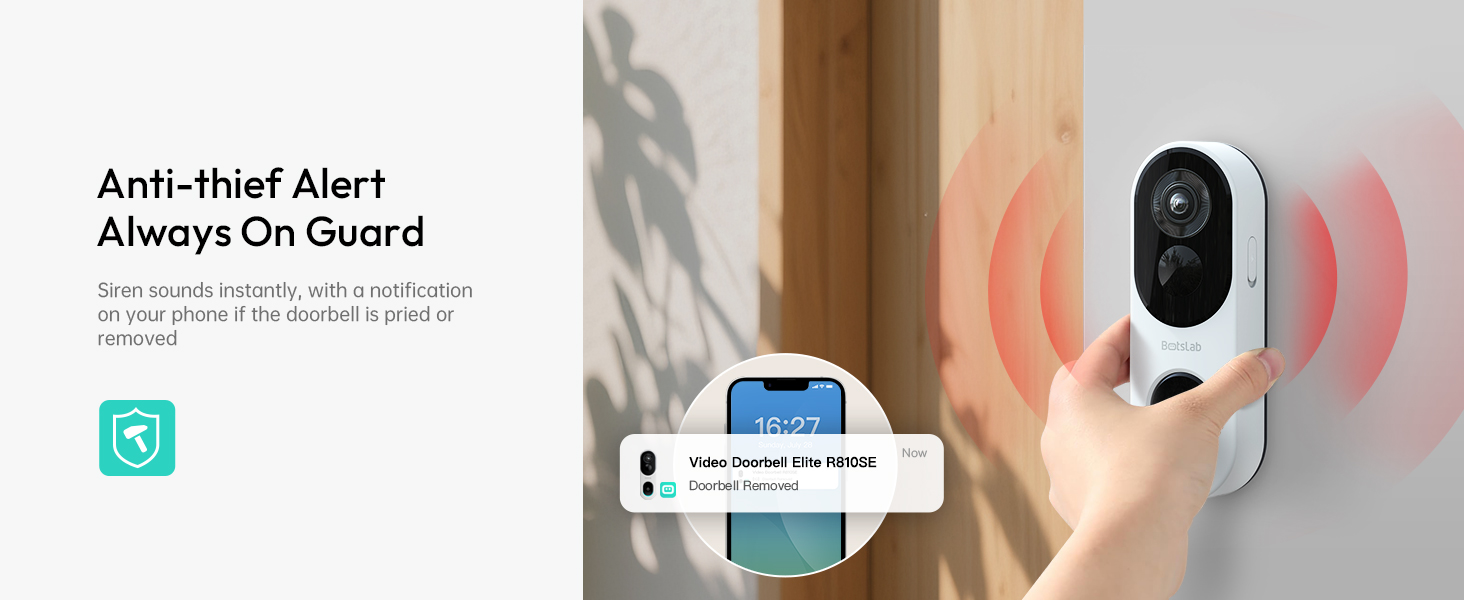
Image: Diagram outlining various customer support options including the Botslab app, website, email, and Facebook group.
Ask a question about this manual
Ask about setup, troubleshooting, compatibility, parts, safety, or missing instructions. Manuals+ will review the question and use this page’s manual context to help answer it.